Mint Dotted Cartoon Presentation Template: a soft frame for your ideas
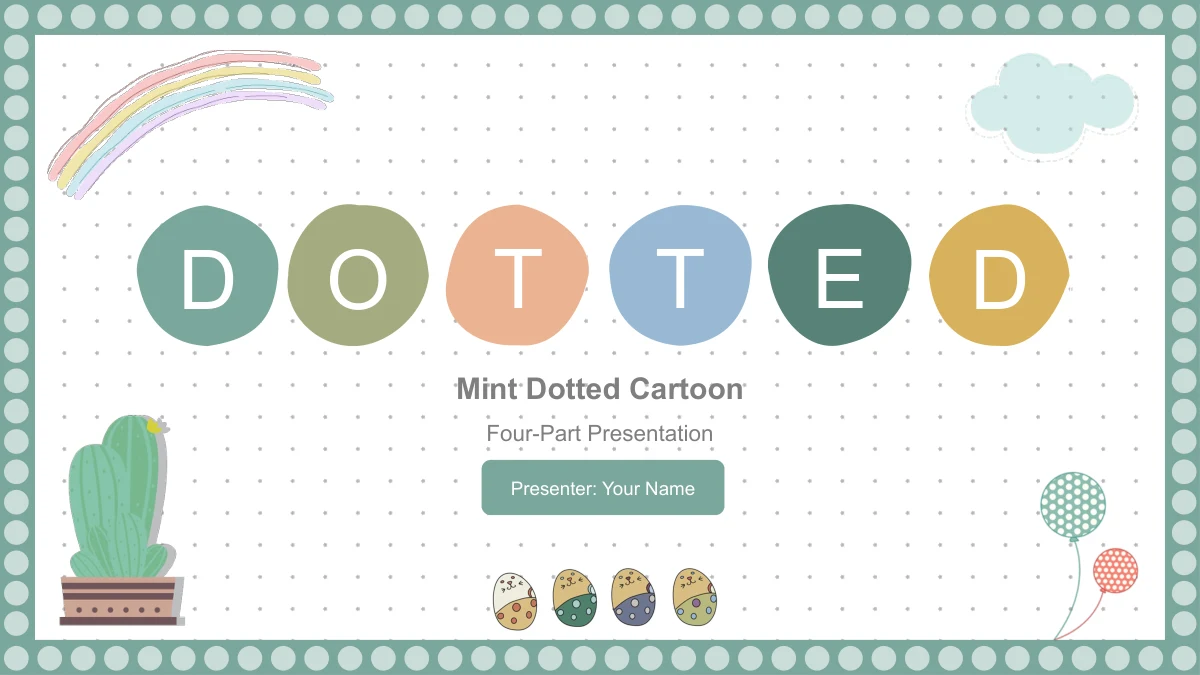
Mint Dotted Cartoon brings a mint border, a lightly dotted background and small illustrated characters to a 15-slide presentation. A four-item contents page leads into Overview, Ideas, Examples and Review, with matching rainbow dividers between sections. The layouts leave the subject open: you can introduce a group activity, explain a few concepts or present a short personal project. Cats mark three talking points, a dinosaur sits between four notes, and a giraffe accompanies a vertical list. Other pages combine rounded panels, a four-position timeline and two text columns around a gift-carrying cat. Muted green, peach, blue and yellow details keep the pages connected without giving every idea the same arrangement. Replace the English prompts with your own material, then choose the layouts that suit its length. These are editable text and drawing layouts with decorative pictures, not a completed lesson or a set of data charts.
Mint Dotted Cartoon Presentation Template Features
Familiar characters and flexible spaces for short ideas.
Mint Border and Pastel Details
A ring of pale dots frames each slide, while tiny marks soften the white background. Rainbow accents and muted color blocks give the deck a consistent look.
Four Sections with Matching Dividers
Overview, Ideas, Examples and Review form the starting sequence. Rename the four sections and their contents entries to fit your own presentation topic.
Cats, a Dinosaur and a Giraffe
Animal pictures anchor different note arrangements. Keep each caption focused so the three-point list or four-note layout remains easy for an audience to follow.
A Timeline with Four Positions
Four connected circles and alternating cup pictures create a simple sequence. Add stages or milestones as separate labels; this is a drawing, not a data chart.
Panels and Text Columns
Rounded panels, stacked colored rows and paired columns offer different text spaces. Choose a layout for the amount of detail instead of filling every box.
Editable Text with Picture Artwork
Change headings and separate drawing shapes in PowerPoint. The animal illustrations, rainbow and other decorative pictures retain their own fixed artwork.
How to Use the Mint Dotted Cartoon Presentation Template
Give each section and page a clear purpose.
-
Plan Your Four-Part Outline
Browse the 15 previews and map your topic to the four sections. Choose the note, timeline and column layouts that suit your material, then remove or reorder pages in your working copy.
-
Download and Add Your Content
Use an active paid membership to download the English PPTX. Replace the sample presenter name and section prompts, then write short headings that match the ideas on each selected slide.
-
Review the Slides at Full Size
Check the text beside the animals and inside the narrow panels at presentation size. Follow the four sections in order, correct line breaks and preview any PDF export before sharing.
Mint Dotted Cartoon Presentation Template Questions
How do I download this presentation template?
Sign in with an active paid membership and use the download button to obtain the English PPTX. Daily downloads are unlimited, and you can download the file again when needed.
What does the 15-slide file include?
It contains a cover, a four-item contents page, four section dividers, eight content pages and a closing slide. The widescreen 16:9 layouts provide a framework for your own topic.
Is this a finished lesson or teaching course?
No. The four sections and English prompts are generic. Add your own explanations, examples and references; the cartoon setting does not supply a lesson plan or subject-specific teaching content.
Which parts are editable in PowerPoint?
Text boxes and separate drawing shapes are editable. Decorative illustrations are pictures, so their internal artwork is not individual editable text or shapes. There are no native data charts or embedded workbooks.
Can I view all the pages before downloading?
Yes. All 15 previews appear in file order, including the repeated section-divider design. Open the larger images to compare the available text space and the different arrangements.
Which fonts does the English version use?
The English text uses Arial, without embedded fonts. After choosing another font, check the small panel headings, section titles and individual letters inside the opening and closing circles.
Will this PPTX work in Google Slides or Keynote?
The file is supplied in PowerPoint format. Google Slides and Keynote have not been tested; if you import it, inspect text wrapping, grouped shapes, picture placement and animations.
Do different language pages offer different slide files?
All language pages provide the same English PPTX. You can translate its editable text for your audience while retaining the illustrations and adapting the four sections to your material.
How can I share or reuse my edited presentation?
Share edited slides or exports only within the permissions that apply to the source and your added material. Download access does not grant extra third-party rights; keep genuine provenance information intact.