Mythic Illustration Portfolio Presentation Template: illustrated stories, cropped details and clear comparison pages
Mythic Illustration Portfolio Presentation Template shows colourful figures, cranes, clouds and ribbons against white pages and dark text panels. Mythic Illustration Portfolio Presentation Template spans 22 widescreen slides, with a four-entry index and dividers on pages 4, 11, 15 and 19. Mythic Illustration Portfolio Presentation Template offers full views, angled crops, three-picture comparisons, icons and a triangle diagram. A manual timeline uses the example years 2020–2023, while another page uses three shape-based nodes. Mythic Illustration Portfolio Presentation Template gives each view room for a short description, a detail or a comparison. Replace the English guidance with observations about your selected artwork, keeping the pictures and captions connected. The illustrated stories do not verify historical artists, deities or dates. Genuine source names and provenance labels remain credits; they do not identify the author of your new descriptions.
Key Features of Mythic Illustration Portfolio Presentation Template
Illustrated figures, angled crops and clear areas for short notes.
Richly Coloured Illustrations
Mythic Illustration Portfolio Presentation Template pairs mythic figures with dark panels. Describe visible colours and forms without inventing historical facts.
Four Numbered Dividers
Mythic Illustration Portfolio Presentation Template places dividers on pages 4, 11, 15 and 19. Match the contents and part titles to your selected artwork.
Angled Picture Details
Mythic Illustration Portfolio Presentation Template offers angled and tall crops. Keep key details visible, and preserve image proportions within the frames.
Three-Picture Comparisons
Mythic Illustration Portfolio Presentation Template offers three-picture views with short notes. Explain a similarity or difference without assuming one artist.
Manual Diagrams and Timeline
Mythic Illustration Portfolio Presentation Template includes a triangle, icons and a manual timeline. Add labels and dates; the shapes do not calculate results.
English Artwork Guidance
Mythic Illustration Portfolio Presentation Template supplies English prompts. Add supported artwork observations, keeping source credits and picture lettering.
How to Use Mythic Illustration Portfolio Presentation Template
Choose your images, add specific observations and check the sequence.
-
Select an Artwork Sequence
Mythic Illustration Portfolio Presentation Template has 22 previews. Choose picture and comparison layouts, then arrange them around the four numbered parts to explain your selected artwork.
-
Download and Write Clear Notes
Download Mythic Illustration Portfolio Presentation Template with a paid plan. Keep a copy, add images and replace guidance with observations supported by your artwork and checked sources.
-
Review Images and Explanations
Mythic Illustration Portfolio Presentation Template needs a final review. Check angled crops, small notes, dates and source credits; compare the PDF with the slides before sharing.
Questions about Mythic Illustration Portfolio Presentation Template
What is included in Mythic Illustration Portfolio Presentation Template?
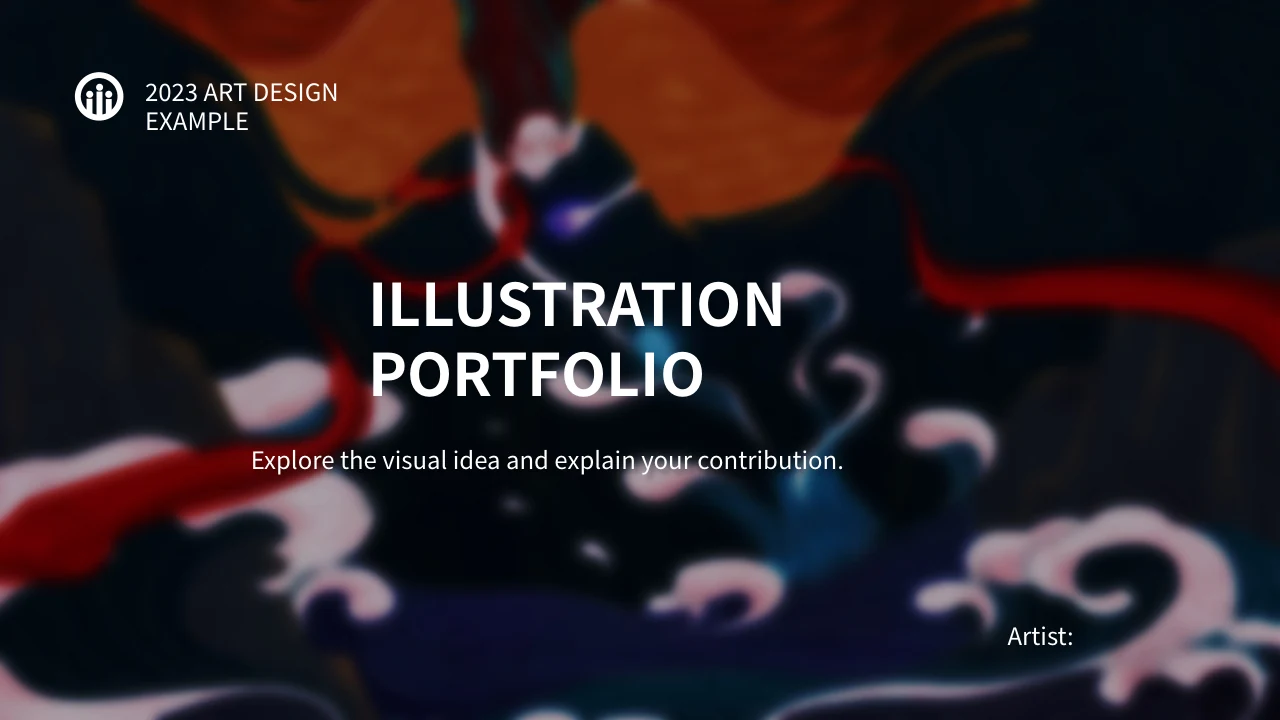
Mythic Illustration Portfolio Presentation Template contains 22 PowerPoint slides in a 16:9 format. Mythic Illustration Portfolio Presentation Template combines colourful illustration examples with white backgrounds, dark panels and crops. A four-entry contents page connects to numbered dividers on pages 4, 11, 15 and 19. Mythic Illustration Portfolio Presentation Template includes broad artwork views, angled details, three-picture comparisons and four icon areas. A triangle diagram, a manual timeline and a three-node layout organize notes. Mythic Illustration Portfolio Presentation Template finishes with an English thank-you title over the illustrated background. Preview Mythic Illustration Portfolio Presentation Template and choose views and notes that explain your selected artwork clearly.
Can I replace pictures in Mythic Illustration Portfolio Presentation Template?
Mythic Illustration Portfolio Presentation Template stores its illustration examples as pictures rather than editable drawings of each figure. Select an image in Mythic Illustration Portfolio Presentation Template and inspect the crop before replacement, especially angled strips and tall frames. Mythic Illustration Portfolio Presentation Template uses several views of related pictures; do not assume every crop is a different artwork or that a depicted character has a verified identity. Choose suitable images with accurate credits. Keep figures and details visible in Mythic Illustration Portfolio Presentation Template, and avoid stretching a replacement to fit. Review Mythic Illustration Portfolio Presentation Template after editing so the picture, adjacent caption and surrounding panel remain balanced.
How are the sections arranged in Mythic Illustration Portfolio Presentation Template?
Mythic Illustration Portfolio Presentation Template uses four numbered dividers on pages 4, 11, 15 and 19. The four-entry contents page in Mythic Illustration Portfolio Presentation Template helps organize your selected work. Plan a sequence around images and observations instead of treating the original topic labels as verified art history. You can shorten Mythic Illustration Portfolio Presentation Template by removing unnecessary pages, then update the contents and section numbering. Keep a divider connected to the artwork that follows it. Mythic Illustration Portfolio Presentation Template provides comparison and explanation layouts between the parts. Read Mythic Illustration Portfolio Presentation Template from cover to closing and check that each heading introduces its material.
Do the illustrations in Mythic Illustration Portfolio Presentation Template verify mythology or art history?
Mythic Illustration Portfolio Presentation Template presents illustrated figures, cranes, clouds and fantastical scenes as examples. The pictures in Mythic Illustration Portfolio Presentation Template do not establish a deity's identity, a historical artist, an artwork date or every image's provenance. Replace generic topic text in Mythic Illustration Portfolio Presentation Template with supported observations, such as colour, shape or composition. Check a source before adding historical information instead of applying one story to unrelated pictures. Mythic Illustration Portfolio Presentation Template can organize comparisons without claiming that the artwork documents an event. Before sharing Mythic Illustration Portfolio Presentation Template, separate visible details from interpretation and keep genuine source names and credits accurate.
Do the diagrams in Mythic Illustration Portfolio Presentation Template calculate data?
Mythic Illustration Portfolio Presentation Template uses slide shapes and text for its diagrams, with no native data chart or linked Excel workbook. The manual timeline in Mythic Illustration Portfolio Presentation Template displays example years 2020–2023, not a verified myth chronology. Mythic Illustration Portfolio Presentation Template has a triangle diagram, four icon areas and a three-node layout for short explanations. Those shapes do not assess anything or calculate dates. Replace labels and notes with a sequence you can explain. Use the comparison pages in Mythic Illustration Portfolio Presentation Template for observable details. Review Mythic Illustration Portfolio Presentation Template after editing to keep diagrams consistent with their artwork and text.
Which fonts does Mythic Illustration Portfolio Presentation Template use?
Mythic Illustration Portfolio Presentation Template uses Source Han Sans SC Regular and Bold, with no font binaries embedded in the English PPTX. Open Mythic Illustration Portfolio Presentation Template and inspect titles, dividers, narrow text areas and captions. A font change in Mythic Illustration Portfolio Presentation Template may alter spacing or line breaks. Shorter notes can fit better than reduced type. Keep an editable copy of Mythic Illustration Portfolio Presentation Template and compare the PDF with the slides. Review Mythic Illustration Portfolio Presentation Template for missing characters, awkward wrapping and source names that no longer display accurately within their text boxes.
Is all the text in Mythic Illustration Portfolio Presentation Template English?
Mythic Illustration Portfolio Presentation Template provides English titles and editing guidance in the PowerPoint file. Genuine creator, presenter and provenance names in Mythic Illustration Portfolio Presentation Template remain source references, including Chinese names where needed. They are not rewritten as invented English identities or authors of your new guidance. Lettering within artwork images in Mythic Illustration Portfolio Presentation Template remains part of those pictures. Website languages describe the same English PPTX, not separate translated decks. Replace the prompts in Mythic Illustration Portfolio Presentation Template with your audience's language and information. Preview Mythic Illustration Portfolio Presentation Template after editing and check both narrow descriptions and retained source credits before presenting.
How do I download Mythic Illustration Portfolio Presentation Template?
Mythic Illustration Portfolio Presentation Template is available to members with a paid plan. Sign in and use the PPTX button here to download Mythic Illustration Portfolio Presentation Template. Paid members can download Mythic Illustration Portfolio Presentation Template without a daily limit, including repeat downloads. Review all 22 previews and save a working copy before changing artwork or text. You can open Mythic Illustration Portfolio Presentation Template directly in PowerPoint without generating another presentation. Keep your edited file with images and checked description sources. Store the original download of Mythic Illustration Portfolio Presentation Template separately so you can compare the layouts or return to the starting version.
What should I check before sharing Mythic Illustration Portfolio Presentation Template?
Review Mythic Illustration Portfolio Presentation Template for remaining guidance, example dates and unsupported claims. Ensure the contents and numbered parts in Mythic Illustration Portfolio Presentation Template follow the final sequence, and inspect each angled picture crop. Mythic Illustration Portfolio Presentation Template should explain your contribution without presenting the supplied illustrations as proof of your authorship. It does not grant an additional licence to artwork or source material; follow their applicable terms and preserve genuine credits. Examine Mythic Illustration Portfolio Presentation Template on screen for readable captions and clear picture comparisons. Share the detail-page link for Mythic Illustration Portfolio Presentation Template for previews or separate downloads.