Pink Cloudscape Presentation Template: a soft sky around your story
Pink Cloudscape Presentation Template brings pink and blue clouds into an eighteen-slide widescreen deck. A four-item contents page leads to overview, highlights, details and next steps, with matching numbered dividers. Pink Cloudscape Presentation Template alternates full-sky backgrounds with white panels, translucent columns and photo layouts. Stationery, a hand, a building and a portrait give the original pages different focal points. Pink Cloudscape Presentation Template uses handwritten section labels beside light body text; brief English prompts leave space for your own story. Choose the pages that suit your outline, then replace the examples with information you can verify. Pink Cloudscape Presentation Template includes circular accents, small icons and a location marker, rather than native charts or linked spreadsheets. Keep the cloud image visible, use concise headings and check white text over darker panels before sharing.
Key Features of Pink Cloudscape Presentation Template
Soft skies, four chapters and varied places for photographs.
Pink and Blue Skies
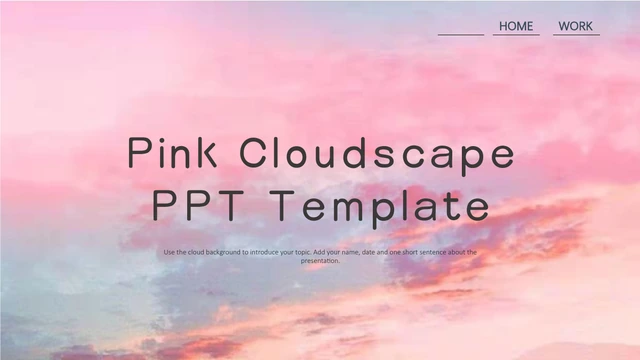
Pink Cloudscape Presentation Template repeats a pink-blue sky on covers and dividers. The clouds are pictures; keep short headings clear of the brightest areas.
Four Matching Chapters
Pink Cloudscape Presentation Template links four contents items to numbered dividers. Rename overview, highlights, details and next steps together when editing.
White Photo Panels
Pink Cloudscape Presentation Template frames stationery and building photos with white panels. Replace pictures in their existing frames and check the crop.
Translucent Text Columns
Pink Cloudscape Presentation Template lays three text columns over the sky. Use one idea per column and check that white lettering stays clear against the clouds.
Circles and Small Icons
Pink Cloudscape Presentation Template pairs circular cloud accents with small icons and a location marker. These are decorative shapes, not data-linked charts.
A Matching Closing Page
Pink Cloudscape Presentation Template ends with a large handwritten thank-you over the cloud scene. Replace the short closing note with your message and contacts.
How to Use Pink Cloudscape Presentation Template
Choose your sequence, personalise the pages and review the result.
-
Choose a Story
Review all eighteen pages of Pink Cloudscape Presentation Template. Map your outline to the four chapters, then choose photo, column or summary layouts that give each idea enough space.
-
Download and Edit
Sign in with an active paid plan to download Pink Cloudscape Presentation Template. Open a copy in PowerPoint, update the headings and English prompts, then replace photos and check their crops.
-
Check and Share
Review Pink Cloudscape Presentation Template for crowded labels and low-contrast text over clouds. Test the fonts, compare the deck with the preview and inspect an exported PDF before sharing.
Questions about Pink Cloudscape Presentation Template
How do I download Pink Cloudscape Presentation Template?
Sign in with an active paid plan, then use the download button on this page to get Pink Cloudscape Presentation Template. Active paid members have unlimited daily downloads, including repeat downloads. Pink Cloudscape Presentation Template is supplied as one English PowerPoint (.pptx) file containing all eighteen pages. Save an editable working copy of Pink Cloudscape Presentation Template before replacing the sample wording or pictures, so you can return to the original layouts while preparing your presentation.
How many slides are in Pink Cloudscape Presentation Template?
Pink Cloudscape Presentation Template contains eighteen slides in a 16:9 format. A cover and four-item contents page lead to numbered chapter dividers for overview, highlights, details and next steps. Pink Cloudscape Presentation Template includes photo pages, two-note layouts, three translucent columns and a closing thank-you. You can remove or reorder pages in Pink Cloudscape Presentation Template to suit your story; update the contents and chapter labels together so the sequence remains clear to your audience.
What can I edit in Pink Cloudscape Presentation Template?
Pink Cloudscape Presentation Template keeps editable headings, English prompts, shapes and separate picture objects. Change the text in PowerPoint and replace photographs within their existing frames. The sky in Pink Cloudscape Presentation Template is an image rather than a collection of independently recolourable clouds. Circles, icons and the location marker in Pink Cloudscape Presentation Template decorate the layout; there are no native charts or linked workbooks. Keep body paragraphs brief, check image crops and verify any information you add.
Can I preview all of Pink Cloudscape Presentation Template?
The gallery shows all eighteen pages of Pink Cloudscape Presentation Template, including the contents, four dividers, photo layouts and matching closing page. Use thumbnails or arrows to move through the sequence, and enlarge a page to examine text space and image proportions. Previewing Pink Cloudscape Presentation Template does not require a paid plan. Compare the cloud backgrounds and translucent panels in Pink Cloudscape Presentation Template with your outline before deciding which pages to use, especially if your presentation needs detailed text.
Will Pink Cloudscape Presentation Template work in another editor?
Other presentation editors may import the PPTX version of Pink Cloudscape Presentation Template, but identical appearance is not guaranteed. Fonts, line breaks, picture crops and translucent layers in Pink Cloudscape Presentation Template can change between applications. Open Pink Cloudscape Presentation Template in your intended editor and compare every page with the gallery, including the handwritten chapter labels and three-column layout. Pink Cloudscape Presentation Template has no native charts or workbook data to migrate. Check the final screen view and an exported PDF before presenting or distributing your edited file.
Which fonts does Pink Cloudscape Presentation Template use?
Pink Cloudscape Presentation Template retains source font declarations including 三极圆体简-中, MV Boli, Leelawadee UI, Calibri Light, 楷体 and 等线, alongside other references. All fifteen original embedded font files remain in Pink Cloudscape Presentation Template. Embedding does not establish commercial permission for fonts or guarantee that every editor will use them. Some font references are not embedded. After opening Pink Cloudscape Presentation Template, check the cover, chapter numbers, narrow side headings and captions for substitutions or changed line breaks.
Are the website and Pink Cloudscape Presentation Template translated?
The website descriptions for Pink Cloudscape Presentation Template are available in fifteen languages, while every version links to the same English PPTX. The file includes short English headings and editing prompts; it does not contain fifteen separate translated decks. Pink Cloudscape Presentation Template keeps the original photographs and cloud artwork. Replace the prompts with your own wording and translate that wording if your audience needs another language. Recheck spacing and font support throughout Pink Cloudscape Presentation Template after translating, particularly beside photographs or in narrow columns.
Can I use Pink Cloudscape Presentation Template commercially?
Commercial permission for the source design, photographs and fonts in Pink Cloudscape Presentation Template has not been verified. A paid download of Pink Cloudscape Presentation Template provides access to the file; it does not automatically establish third-party reuse rights. Pink Cloudscape Presentation Template includes a portrait, a hand, stationery and a building photo, so check the permissions relevant to your intended use. Preserve genuine credits and obtain any necessary permission, or replace uncertain assets in Pink Cloudscape Presentation Template with material you are authorised to use before distributing a finished presentation.
How do I share Pink Cloudscape Presentation Template?
Use the sharing controls on this page or copy its URL to share Pink Cloudscape Presentation Template with someone who wants to review the design. They can browse Pink Cloudscape Presentation Template in the full gallery and download under their own account conditions. For an edited presentation based on Pink Cloudscape Presentation Template, share only material and images you have permission to distribute. Check an exported PDF for layout changes, remove private details and retain an editable copy of Pink Cloudscape Presentation Template with your project files.