Navy Line Resume Presentation Template: A Clear Personal Introduction
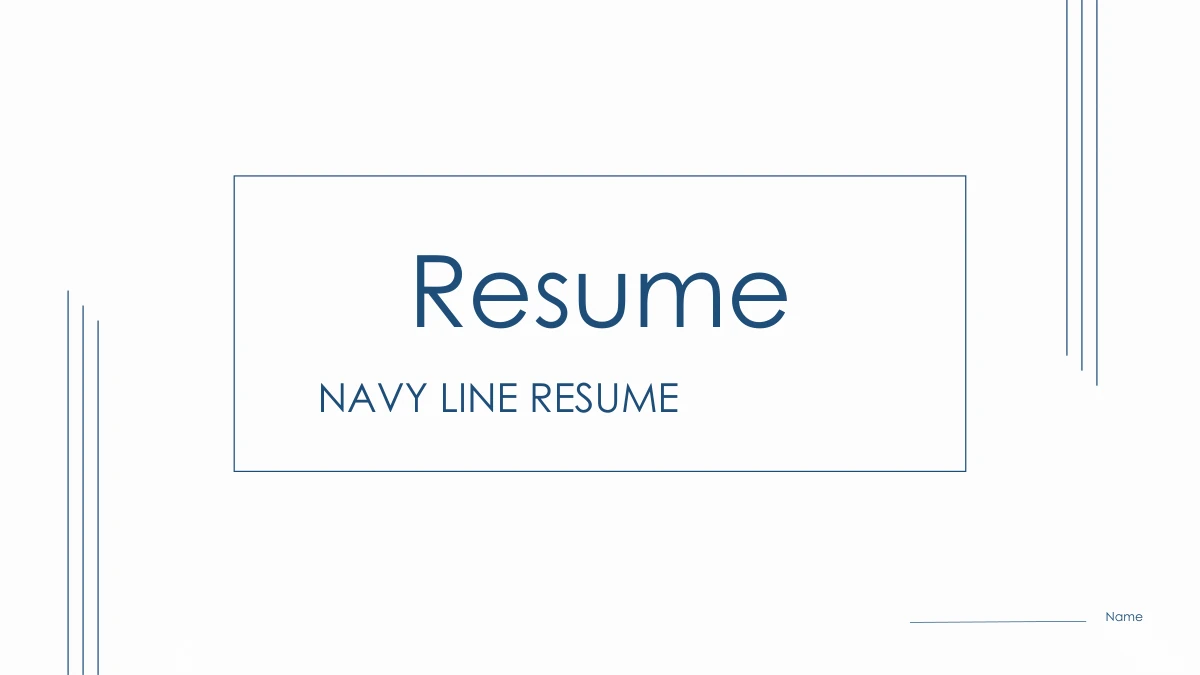
Navy Line Resume Presentation Template: thin navy outlines and three parallel corner lines frame a clear personal introduction. Its 15 slides give a portrait, education and work history room to sit beside concise notes. Four numbered dividers organize the profile, work experience, role insight and capabilities. The education line and three work entries offer a simple way to explain relevant experience, while a photograph with two contrasting text blocks supports your understanding of the role. Navy Line Resume Presentation Template also includes three icon columns and four capability cards for specific examples you can discuss. Replace the sample identity, dates and institutional details with your own information. The thanks page is followed by a complete design guide showing the original color and font pairing. Use Navy Line Resume Presentation Template for an interview introduction, then choose only the layouts that help you explain your background and suitability.
Key Features of Navy Line Resume Presentation Template
Choose Navy Line Resume Presentation Template to organize your background and experience with navy lines and concise notes.
Navy Lines and White Space
Navy Line Resume Presentation Template uses fine outlines and navy accents. Keep the white spaces clear so a portrait and short explanations remain easy to read.
Four Resume Chapters
Navy Line Resume Presentation Template divides the profile, work experience, role insight and capabilities. Four numbered pages make the section changes clear.
Education and Work History
Navy Line Resume Presentation Template includes a three-stage education line and three work entries. Replace the dates and descriptions with your relevant history.
Role Insight Layouts
Navy Line Resume Presentation Template pairs a photo with contrasting notes and three icon columns. Explain responsibilities with short examples for the role.
Capability Cards
Navy Line Resume Presentation Template offers two notes and four icon cards for capabilities. Support each skill with an example you can explain during an interview.
A Complete Design Guide
Navy Line Resume Presentation Template ends with a color and font guide after the thanks page. Keep it as a reference while editing your introduction.
How to Use Navy Line Resume Presentation Template
Preview Navy Line Resume Presentation Template, download the English file and prepare an introduction with your own details.
-
Preview the Complete Resume
Review all 15 pages of Navy Line Resume Presentation Template, including the guide after the thanks page. Select the education, work and capability layouts that explain your relevant experience.
-
Download the English File
Sign in with an active paid plan to download Navy Line Resume Presentation Template. Downloads are unlimited and repeatable. Save an original copy and edit a separate file for your interview.
-
Edit and Share Your Introduction
Replace sample details in Navy Line Resume Presentation Template with your information and pictures. Check dates and text fit, then save the PPTX or export a PDF to share your introduction.
Navy Line Resume Presentation Template FAQ
How do I download Navy Line Resume Presentation Template?
Sign in with an active paid plan to download Navy Line Resume Presentation Template. Daily downloads are unlimited, including repeat downloads. Keep an original copy of Navy Line Resume Presentation Template and edit a separate English PPTX for your interview. Choose the relevant layouts in Navy Line Resume Presentation Template, then replace sample details with your own information.
How many slides are in Navy Line Resume Presentation Template?
Navy Line Resume Presentation Template contains 15 slides in 16:9 format. Dividers on pages 3, 6, 8 and 11 organize four resume chapters. The thanks page in Navy Line Resume Presentation Template is page 14, followed by the design guide on page 15. The guide belongs to Navy Line Resume Presentation Template and remains in the same file.
Can I change the text and colors in Navy Line Resume Presentation Template?
Edit ordinary text and native shape colors in Navy Line Resume Presentation Template. Replace sample profile details, dates and work descriptions with your information. Navy Line Resume Presentation Template uses manual timelines and icon cards, with no native chart, workbook or table. Keep the fine navy outlines consistent when recoloring Navy Line Resume Presentation Template. Use examples you can support.
Can I preview every page of Navy Line Resume Presentation Template?
The gallery shows all 15 pages of Navy Line Resume Presentation Template in order, including the final guide. Enlarge each preview to judge the space for your text before downloading Navy Line Resume Presentation Template. Review the portrait, three education stages and capability cards. Choose only the pages of Navy Line Resume Presentation Template that help explain your relevant experience.
Will Navy Line Resume Presentation Template work in other presentation editors?
Try Navy Line Resume Presentation Template in an editor that supports PPTX. Import behavior can vary, so check text fit, picture crops, thin outlines and grouped icons. Retain an untouched copy of Navy Line Resume Presentation Template when testing another application. Review your completed Navy Line Resume Presentation Template before presenting, or export a PDF when sharing a fixed layout is useful.
Which fonts does Navy Line Resume Presentation Template use?
Navy Line Resume Presentation Template uses Century Gothic regular, bold and bold italic text. Font files are not embedded. Use matching fonts to edit Navy Line Resume Presentation Template, or inspect every text box after substitution. The final guide records the original Chinese and English font pairing as a reference. Check headings and dates in your edited Navy Line Resume Presentation Template.
Does each website language provide a separate translated deck?
Each website language describes the same English Navy Line Resume Presentation Template file. The selector does not create separate translated decks. Ordinary text and the guide in Navy Line Resume Presentation Template are English, while original photo lettering and the WPS mark remain. To translate Navy Line Resume Presentation Template into another language, edit its text in your own copy and check the fit.
Can I use Navy Line Resume Presentation Template commercially?
Check the terms relevant to your use of Navy Line Resume Presentation Template. Paid access does not add rights to its portrait, photographs, brands or fonts. Original creator information remains in Navy Line Resume Presentation Template. Confirm the suitability of your own content before distributing an edited Navy Line Resume Presentation Template. Sample details and pictured people do not establish a verified identity or career history.
How can I share Navy Line Resume Presentation Template?
Use the share buttons on the Navy Line Resume Presentation Template page or copy its page link. Others can view the complete preview of Navy Line Resume Presentation Template, while downloads require their own active paid plan. Share your finished introduction as an edited PPTX or PDF. Use the Navy Line Resume Presentation Template page link when recommending the original template.