Ocean slide background: a playful setting for your lesson plan
Ocean Classroom Lesson Plan brings an ocean slide background to a 27-slide teaching framework. Clouds and a balloon form the title plate above waves, sand and cartoon fish. Pale textured pages leave room for notes, while four chapters guide Lesson Overview, Lesson Design, Learning Progress and Reflection. The ocean slide background connects paired viewpoints, numbered cards, circular arrows and milestone rows. Three native doughnut charts share one page; other percentages are separate text and shapes. A mountain-photo timeline and business photographs add examples you can replace. Use the ocean slide background to frame your own subject rather than treating the illustrations as a marine-science curriculum. Choose layouts for objectives, activities and review, then add material appropriate to your students. Keep labels above the illustrated border and give each diagram one clear purpose.
Features around the ocean slide background
An ocean slide background paired with four chapters and varied teaching layouts.
Cloud Titles and Marine Borders
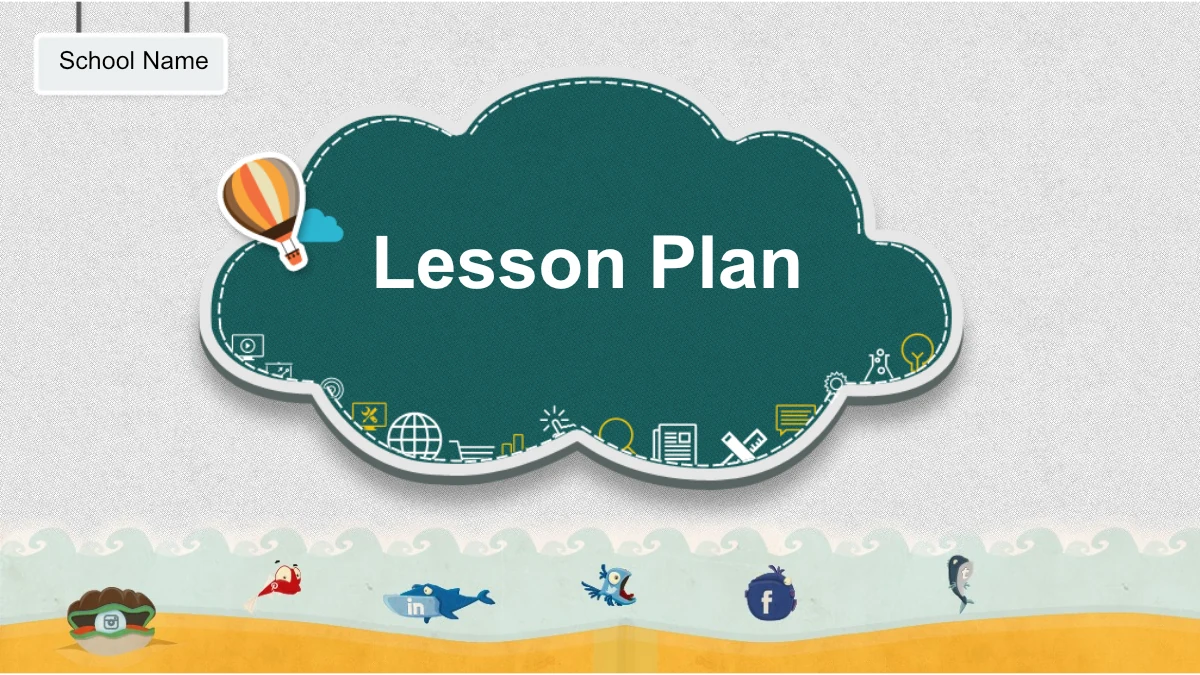
The ocean slide background combines waves, sand and cartoon fish below pale textured pages. A cloud-shaped title plate and small balloon introduce the lesson.
Four Teaching Chapters
Use the ocean slide background through Lesson Overview, Lesson Design, Learning Progress and Reflection. Numbered dividers make each part easy to follow.
Comparisons and Topic Cards
Paired viewpoints, three-column comparisons and numbered notes sit above the ocean slide background. Give each idea, example or classroom task its own clear area.
Three Native Ring Charts
Three editable doughnut charts appear above the ocean slide background. Update their data, check the centre labels and revise manually drawn percentages separately.
Processes and Milestones
Circular arrows, hexagon notes and milestone rows work with the ocean slide background. Choose a diagram that explains your lesson sequence or a review discussion.
Photographs with Teaching Notes
A mountain timeline and business photos complement the ocean slide background. Replace these images with relevant examples, keeping the original spaces balanced.
How to use the ocean slide background
Plan your lesson around the ocean slide background, then check the finished deck.
-
Choose a Lesson Sequence
Preview all 27 layouts with the ocean slide background. Select pages for objectives, activities and review, then arrange the four chapters around the time and attention your class will need.
-
Add Your Teaching Material
Download the deck with an ocean slide background through active paid membership. Replace sample notes, edit chart values and update separate percentages, school details and the name field.
-
Review at Classroom Size
Check the ocean slide background and your content in slideshow mode. Read small labels, confirm diagram order and keep text above the fish border before you share the completed lesson plan.
Ocean slide background questions
What do I download with this ocean slide background?
The ocean slide background comes in one English PPTX with 27 widescreen slides, contents, four chapter dividers and a closing page. It is a layout set rather than a single image. Choose pages with the ocean slide background for your teaching time.
Who can download the ocean slide background deck?
Active paid members can download the deck with an ocean slide background without a daily limit. Repeat downloads are allowed. Save a working copy of the ocean slide background presentation so you can restore layouts while keeping your material separate.
Is the ocean slide background itself editable?
The ocean slide background artwork is an image; its fish and waves are not editable shapes. Text, diagrams and native charts above the ocean slide background are editable. Update manual percentage labels and bars separately, and check chart centre text against your values.
Can I preview every ocean slide background layout?
The preview includes all 27 pages with the ocean slide background, including cloud titles, comparison cards and milestone arrows. Inspect labels and note space. Before downloading the ocean slide background deck, check that its layouts suit your content.
Can I use the ocean slide background in another app?
The ocean slide background is supplied within a PowerPoint PPTX. Google Slides and Keynote compatibility is unverified. If you import the ocean slide background deck elsewhere, compare charts, grouped diagrams, fonts and image placement with the previews before class.
Which fonts accompany the ocean slide background?
Slides with the ocean slide background use Arial and Impact without embedded fonts. If either is unavailable, select a substitute and inspect titles, chart labels and note cards for changed wrapping. Recheck the ocean slide background pages at classroom size.
Does the ocean slide background include a finished lesson?
The ocean slide background frames English sample chapters and notes; translated website pages describe the same file. Add goals, tasks and evidence. The ocean slide background supports general lesson planning; it does not establish a course about sea life.
What rights apply to the ocean slide background?
Downloading the ocean slide background deck does not grant unrestricted artwork rights. Check source and image terms before commercial use or redistribution, including your added material. Those terms still apply when you adapt the ocean slide background or share an edited presentation.
How should I share the ocean slide background presentation?
Send the page link so colleagues can preview the ocean slide background. Where permissions allow, share your edited PPTX or PDF after checking figures, instructions and readability. Replace example school and name fields before sharing the ocean slide background deck; keep an editable copy.