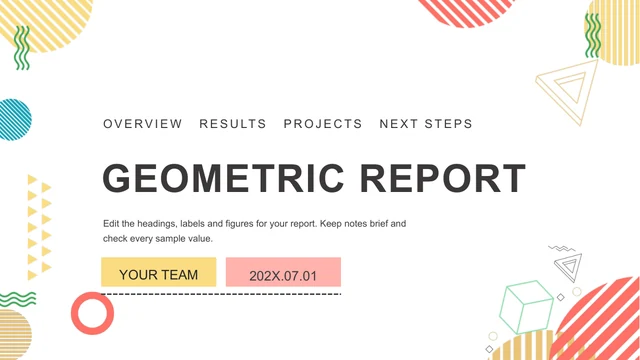
Pastel Business Report Presentation Template: A soft palette for diagrams and business figures
Pastel Business Report Presentation Template balances aqua, pink and gray graphics on white pages. Diagonal bands and pale circles frame the opening; four numbered part breaks divide the 29-slide sequence. Pastel Business Report Presentation Template combines photographs, device icons, gears, comparison layouts, a native doughnut and a native column chart. Other percentages and timelines are drawn shapes with separate text labels. The last page repeats the business-report cover. Choose the evidence you need in Pastel Business Report Presentation Template and replace the source examples before reporting any result.
Key Features of Pastel Business Report Presentation Template
Soft geometry, varied diagrams and two native charts.
Soft palette
Pastel Business Report Presentation Template combines aqua, pink, gray and white.
Four part breaks
Pastel Business Report Presentation Template has four numbered parts over 29 slides.
Native charts
Pastel Business Report Presentation Template retains two charts and two data workbooks.
Drawn diagrams
Pastel Business Report Presentation Template has arrows, bars, timelines and gears.
Photos and devices
Pastel Business Report Presentation Template pairs device layouts and everyday photos.
Matching ends
Pastel Business Report Presentation Template repeats the diagonal cover bands.
How to Use Pastel Business Report Presentation Template
Build the outline, then replace every example.
-
Choose your points
Choose Pastel Business Report Presentation Template pages for your report.
-
Download the PPTX
Sign in with a paid plan. Daily downloads are unlimited.
-
Verify the figures
Edit Pastel Business Report Presentation Template examples and check the finished file.

Questions about Pastel Business Report Presentation Template
How do I download Pastel Business Report Presentation Template?
Sign in with an active paid plan and select the download button. Pastel Business Report Presentation Template arrives as an editable PowerPoint (.pptx), with no daily or repeat-download limit. Keep the original Pastel Business Report Presentation Template file before you edit. The download includes all 29 pages, its contents page, four part breaks and repeated closing cover. The gallery images help you review Pastel Business Report Presentation Template; they do not replace the editable file.
How many pages are in Pastel Business Report Presentation Template?
Pastel Business Report Presentation Template contains 29 slides in 16:9. Four numbered part breaks separate its photo layouts, icon diagrams and sample business figures. The source section headings are neutral placeholders, so assign names that match your own report. Pastel Business Report Presentation Template ends with the same cover design as the opening rather than a distinct thank-you page. You may remove unnecessary Pastel Business Report Presentation Template pages while retaining a clear progression between your points.
Can I edit the figures in Pastel Business Report Presentation Template?
Pastel Business Report Presentation Template includes two native charts and two embedded data workbooks: a doughnut and a grouped column chart. Many other graphs are drawn shapes with separate percentage, year and currency labels. In Pastel Business Report Presentation Template, changing a workbook does not automatically update every nearby text figure. Check both the chart data and manual annotations in Pastel Business Report Presentation Template against your records; the retained source numbers are examples, not verified results from your organization.
Can I preview all of Pastel Business Report Presentation Template?
Every page of Pastel Business Report Presentation Template is shown in the gallery, in source order. Compare the three-point icon layouts, four-part diagrams, photographs and denser statistical pages with your outline. Enlarge Pastel Business Report Presentation Template to inspect small labels and the space beneath the top heading. A layout can be visually attractive and still too compact for a long explanation. Choose fewer well-matched Pastel Business Report Presentation Template pages rather than forcing every diagram into your report.
Can another editor open Pastel Business Report Presentation Template?
The file is prepared for PowerPoint. Import a copy of Pastel Business Report Presentation Template into another compatible editor and compare the pale circles, grouped arrows, photo crops and chart labels with the gallery. Shadows and layered geometry may shift, and some software handles chart data differently. Preserve the downloaded Pastel Business Report Presentation Template file until you confirm the result. Test a PDF export of Pastel Business Report Presentation Template before distributing it or presenting on another device.
Which fonts does Pastel Business Report Presentation Template use?
The translated editing prompts in Pastel Business Report Presentation Template use Arial. The original English display styles and Office theme references are retained; the source includes fonts such as Source Sans Pro Light and Roboto Black. If a font is missing from Pastel Business Report Presentation Template, substitutions can change the thin cover lettering, chapter numbers and small data labels. Inspect these areas in Pastel Business Report Presentation Template before exporting, and keep headings inside their existing boxes.
Has Pastel Business Report Presentation Template been translated?
Chinese headings and editing instructions in Pastel Business Report Presentation Template have been converted to concise English. Promotional template acknowledgements and author metadata are removed, and unrelated filler is replaced by short editing prompts. The original pictures in Pastel Business Report Presentation Template, geometry and numerical examples remain. Website language versions describe the same English Pastel Business Report Presentation Template PPTX rather than separate slide languages. Write your actual claims and verify all figures in the copy you edit.
Can I use Pastel Business Report Presentation Template commercially?
Check the permissions for photographs, illustrations and graphic elements before using Pastel Business Report Presentation Template commercially. Paid-plan access to Pastel Business Report Presentation Template does not establish unrestricted redistribution rights for every source asset. Replace a picture with uncertain rights in Pastel Business Report Presentation Template with one you own or may use. Before sharing the completed Pastel Business Report Presentation Template report outside your organization, review confidential records and confirm that all comparisons have a defensible source.
How do I share Pastel Business Report Presentation Template?
Share the public Pastel Business Report Presentation Template page when someone needs to review the original design and download terms. For your finished report, send an edited copy or PDF after checking its content and image permissions. Keep an editable Pastel Business Report Presentation Template version and its data records. Recheck the exported Pastel Business Report Presentation Template report for shifted labels, incorrect currency figures, altered photo crops and unreadable pale text.