

Rainbow Piano Town Presentation Template: a bright setting for early learning
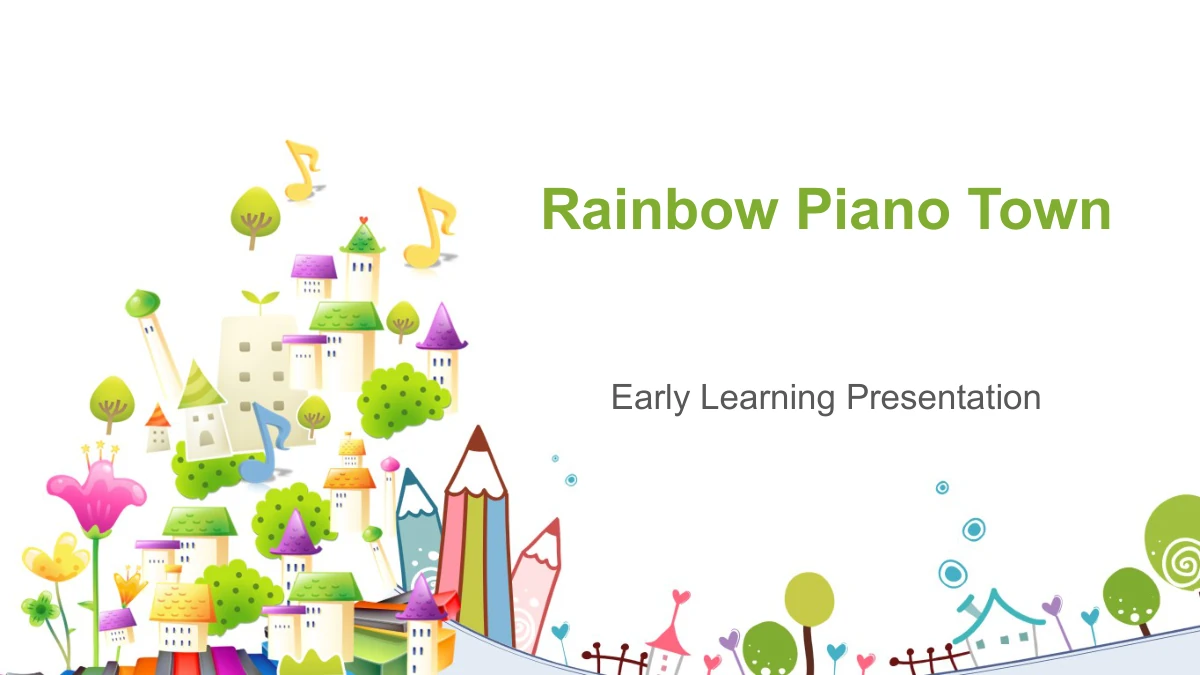
Rainbow Piano Town opens with a fanciful village rising above colorful piano keys, surrounded by flowers, trees and oversized pencils. Its 28 slides carry that playful artwork into a mostly white and green presentation. The contents lists Overview, Ideas, Examples, Practice and Review; four divider pages organize these topics, with Practice and Review sharing the last section. Inside are folded note panels, smiling pencils, a branching icon tree, connected circles and a four-step arrow sequence. Other pages group ideas beneath stars or arrange them around letter pairs, clothes hangers and sports symbols. These are editable starting points for your own subject, not a complete early-learning course. Percentages and the 2015 and 202X year labels are manual examples to replace. Select the layouts that clarify your message, keep each note brief and finish with the four-circle See You Next Time closing.
Rainbow Piano Town Presentation Template Features
Playful pictures with room for a clear explanation.
A Village Above Rainbow Keys
Colorful piano keys, fanciful houses and flowers create the cover and divider artwork. Green headings and repeated corner illustrations connect the content pages.
Five Topics Across Four Dividers
The outline lists five topics, while four dividers group the pages. Practice and Review share the final section; update both the contents and headings as you edit.
Pencil Notes and Letter Groups
Pencil drawings, star-topped cards and Aa and Bb artwork give short notes a visual focus. Pair each illustration with an explanation suited to your own audience.
Connected Icons and Steps
An icon tree, linked circles and four arrow-connected stages help arrange related points. Choose a pattern that matches your idea and replace the example text.
Manual Percentages and Years
Several layouts include sample percentages, and one has 2015 and 202X labels. Edit the values and their drawings separately; no linked workbook recalculates them.
Compact Comparisons and Recaps
Folded notes, four hanger-shaped options and three sports badges offer different groupings. Use the available text areas for concise comparisons or a short recap.
How to Use the Rainbow Piano Town Presentation Template
Choose your pages, write brief notes and check the sequence.
-
Match Pages to Your Outline
Browse 28 previews and decide what your audience should learn. Choose a pair of notes, a linked diagram or a sequence for each point, then align the five contents topics with the four dividers.
-
Add Your Own Examples
Download the English PPTX with an active paid membership. Replace the short placeholder text, review every percentage and year label, and select symbols that fit the subject you are explaining.
-
Check the Presentation at Full Size
Review the narrow notes, letter groups and small bullet symbols at presentation size. Check the chapter order and any PDF export, then retain an editable copy for later changes.
Rainbow Piano Town Presentation Template Questions
How can I download this early learning presentation?
Sign in with an active paid membership and use the download button. The English PPTX is available without a daily download limit, and you may download the same file again when needed.
What is included in the 28 slides?
The 16:9 file includes a cover, a contents page, four section dividers, 21 content layouts and a closing page. All 28 slides appear in the preview gallery in their original order.
Why are there five contents topics but four dividers?
Overview, Ideas and Examples each have a divider. The fourth divider combines Practice and Review, covering the final two contents topics. Rename the outline and divider headings together if you reorganize the presentation.
Is this a piano lesson or a complete early learning course?
No. The piano keys and musical symbols are decorative elements within a general presentation framework. Add your own subject, activities and explanations; the file does not supply a complete lesson or assessment.
Are the percentages and years based on linked data?
No. Percentage labels and the 2015 and 202X years are manual examples. There are no native data charts or embedded workbooks, so edit the text and related drawing shapes separately.
Which parts of the slides are editable?
Headings, notes and separate drawing objects are editable. The five supplied PNG images retain their internal artwork as picture objects; their individual houses, flowers or piano keys are not separate editable shapes.
Which fonts and presentation apps should I use?
Headings and body text use Arial. Some circled numbers and symbol bullets use Arial Unicode MS and Wingdings; no fonts are embedded. Google Slides and Keynote compatibility has not been tested.
Does the download contain music or animation?
The English PPTX contains no audio or video. It retains the source non-audio animations; the static preview images do not show their playback. Check the presentation in your chosen editor before presenting.
Does a localized page provide slides in that language?
Every language page downloads the same English PPTX. Translate the editable text for your audience if needed. The localized descriptions and gallery captions explain the same layouts and manual examples.