Red Orbit Business Report Presentation Template: a report built around red circles
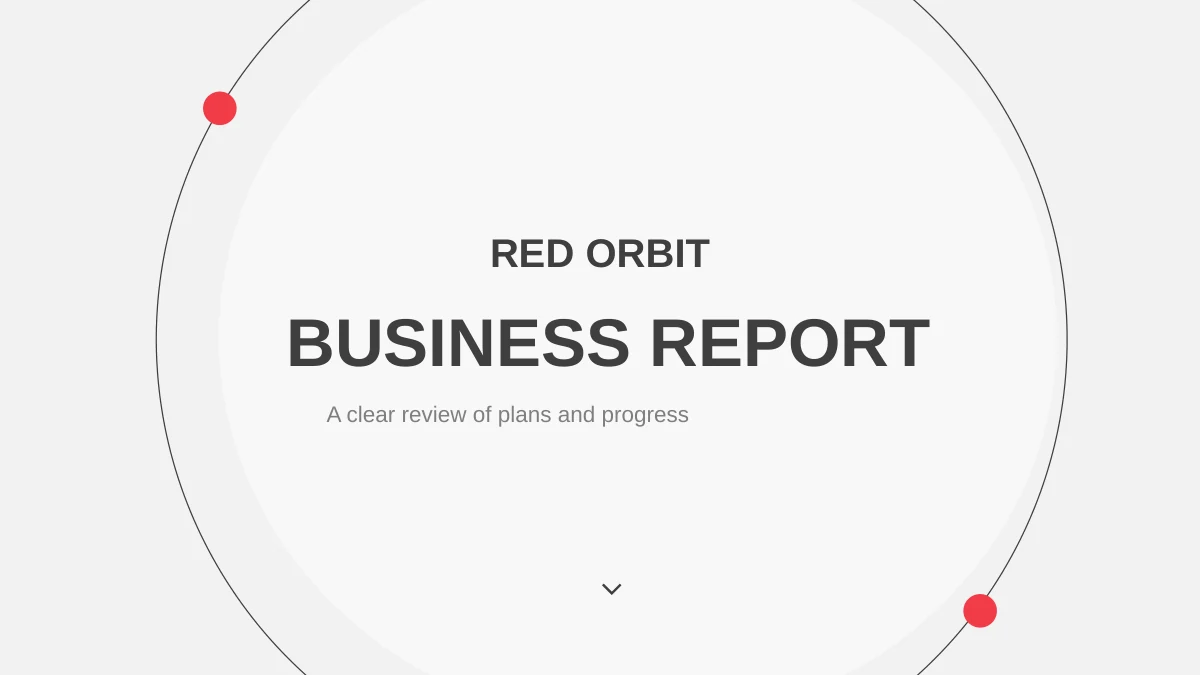
Red Orbit Business Report Presentation Template pairs vivid red circles with charcoal shapes on a pale textured background. The 25-slide sequence starts with an orbit-style cover and a four-part contents page. Four numbered dividers in Red Orbit Business Report Presentation Template give a longer report clear breaks, while icon columns and city photographs support shorter explanations. The middle pages move from SWOT and a branching diagram to a seven-stage sequence and a feature comparison. Red Orbit Business Report Presentation Template also includes a column chart and a line chart with editable data. Circular percentages and several process graphics use separate shapes, so they require manual adjustment. Use Red Orbit Business Report Presentation Template to connect your analysis with the next action. Select the layouts you need, replace the sample copy and figures, and keep labels brief enough to leave the diagrams readable.
Key Features of Red Orbit Business Report Presentation Template
Circles, comparisons and charts for a clear report.
Four report sections
Red Orbit Business Report Presentation Template uses four numbered dividers. Matching circles on the contents page help readers follow the sequence.
SWOT in four circles
Red Orbit Business Report Presentation Template separates strengths, weaknesses, opportunities and threats. Four circles keep each point easy to locate.
Feature comparison
Red Orbit Business Report Presentation Template offers four option columns and five feature rows. Editable check marks show which features each option includes.
Two editable charts
Red Orbit Business Report Presentation Template includes a column chart and a line chart. Open their linked data sheets to replace the example values.
Connected process graphics
Red Orbit Business Report Presentation Template combines a branching tree, a six-part loop and a seven-stage strip. Choose the structure that fits your explanation.
Reusable icon collection
Red Orbit Business Report Presentation Template provides a page of 50 icons. Use the supplied symbols to label documents, people, devices and common actions.
How to Use Red Orbit Business Report Presentation Template
Preview the structure, add your facts and review each chart.
-
Choose your report pages
Preview all 25 pages of Red Orbit Business Report Presentation Template. Select layouts that support your outline, decide where each chart belongs, and remove any pages that repeat the same point.
-
Download a working copy
Download Red Orbit Business Report Presentation Template with an active paid plan. Save a working copy before editing so you can reuse the original layout. Paid members have no daily download limit.
-
Replace and check the data
Update the charts in Red Orbit Business Report Presentation Template. Check labels, manual percentages and comparison marks against your data, then review the complete report in slideshow mode.
Questions about Red Orbit Business Report Presentation Template
How do I download Red Orbit Business Report Presentation Template?
An active paid membership lets you download Red Orbit Business Report Presentation Template from this page. Paid members can download Red Orbit Business Report Presentation Template as often as needed, with no daily limit. Keep an untouched copy of the original file if you want to reuse the original arrangement later.
How many slides are in Red Orbit Business Report Presentation Template?
Red Orbit Business Report Presentation Template contains 25 widescreen slides in a 16:9 format. The contents page introduces four sections, with dividers on pages 3, 8, 13 and 18. Red Orbit Business Report Presentation Template also includes an icon collection and a closing page. Remove unused pages from your copy or rearrange the content to suit your report.
What can I edit in Red Orbit Business Report Presentation Template?
The text, separate shapes and two native charts in Red Orbit Business Report Presentation Template remain editable. The circular percentages in Red Orbit Business Report Presentation Template are drawn graphics, so changing a number does not automatically resize a segment. Check both the label and its visual proportion when adapting Red Orbit Business Report Presentation Template.
Can I see all of Red Orbit Business Report Presentation Template before downloading?
Yes. All 25 pages of Red Orbit Business Report Presentation Template appear in the preview gallery in file order. Compare the layouts in Red Orbit Business Report Presentation Template with the information you need to explain. The preview helps you choose pages from the template before editing.
Will Red Orbit Business Report Presentation Template work in another editor?
Red Orbit Business Report Presentation Template is a PowerPoint PPTX file. Other applications may import it, but can change the chart appearance, fonts or grouped shapes. Review the two charts in Red Orbit Business Report Presentation Template after importing, and confirm that their data still opens correctly. Test the complete slideshow before presenting an imported copy of Red Orbit Business Report Presentation Template.
Which fonts does Red Orbit Business Report Presentation Template use?
The English file of Red Orbit Business Report Presentation Template uses Arial and Calibri Light. If an editor substitutes a font in Red Orbit Business Report Presentation Template, inspect the narrow comparison columns and chapter headings first. Review all pages of Red Orbit Business Report Presentation Template after any font change.
Is Red Orbit Business Report Presentation Template in English?
The downloadable Red Orbit Business Report Presentation Template contains English headings and sample guidance. The website language menu translates the detail page while keeping the same English PPTX and previews. Example numbers in Red Orbit Business Report Presentation Template are placeholders for your own evidence, rather than verified business results. Replace the sample material in Red Orbit Business Report Presentation Template before using it in a real report.
Can Red Orbit Business Report Presentation Template be used commercially?
Paid access to Red Orbit Business Report Presentation Template does not provide additional rights to the source photographs, fonts or other assets. Confirm the permissions that apply to your intended use and replace any material you cannot use. No separate right to resell or redistribute Red Orbit Business Report Presentation Template is confirmed here. Review those rights before distributing a finished project based on Red Orbit Business Report Presentation Template.
How should I share Red Orbit Business Report Presentation Template?
Send the public page link for Red Orbit Business Report Presentation Template so colleagues can inspect the layouts. For a finished report, check permissions before exporting a PDF. Keep your working copy of Red Orbit Business Report Presentation Template separately. Check chart labels and small comparison marks in the exported version of Red Orbit Business Report Presentation Template.