Rust Green Portfolio Presentation Template: Warm Color Blocks Around Everyday Photographs
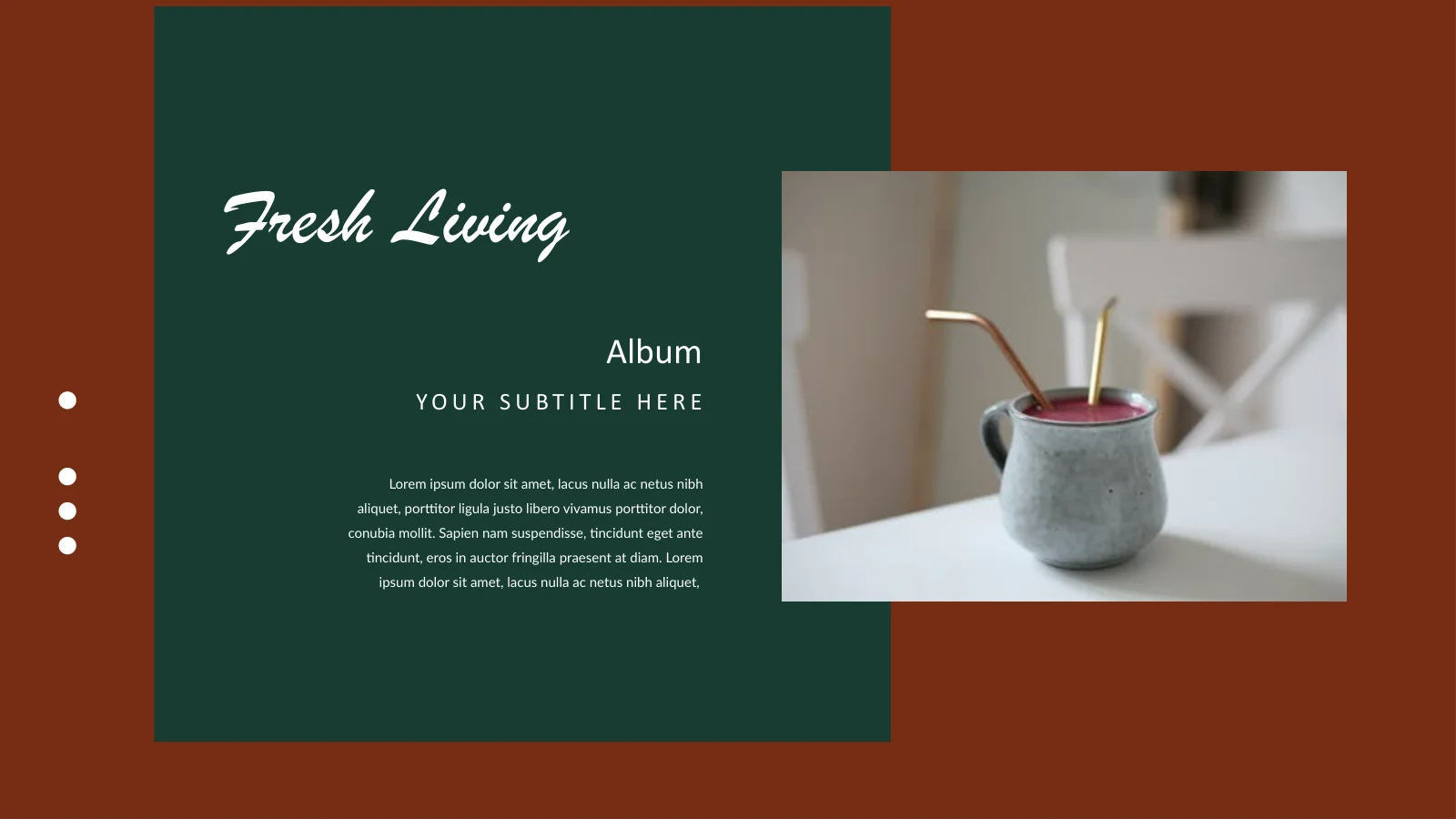
Rust Green Portfolio Presentation Template frames everyday objects in rust-colored backgrounds, deep green panels and crisp white type. A cup on the cover introduces a sequence of plants, ceramics, food and quiet interiors. The 22 widescreen pages of Rust Green Portfolio Presentation Template include a personal introduction, varied work displays, an About Us layout and a four-column About Service page. Tall pictures alternate with square crops and paired compositions; a laptop and phone frame add another way to show images. Rust Green Portfolio Presentation Template also retains a sample price and labels such as Best Selling and Trending Now. These are starting points for your own content, not evidence of sales or popularity. Choose photographs with a clear relationship, explain your role and replace the Latin placeholder passages. Verify any price or claim you keep, and give the green panels enough space for short, readable descriptions.
Key Features of Rust Green Portfolio Presentation Template
Everyday photography, contrasting color blocks and flexible work displays.
Rust and Forest Green
Rust Green Portfolio Presentation Template pairs rust with deep green panels and white type. Match new photos to the palette without obscuring their natural colors.
Everyday Still-Life Photography
Rust Green Portfolio Presentation Template shows plants, ceramics, food and interiors. Choose pictures that belong to your work and write a clear caption for each.
Tall and Paired Pictures
Rust Green Portfolio Presentation Template alternates tall photographs, square crops and paired images. Check key details before fitting a picture into its frame.
Laptop and Phone Frames
Rust Green Portfolio Presentation Template places photos inside laptop and phone frames. Use them as visual layouts, not as evidence of a working app or website.
Product-Style Labels
Rust Green Portfolio Presentation Template includes a sample price and collection labels. Replace them with verified details; the wording is not a sales claim.
Four Service Columns
Rust Green Portfolio Presentation Template ends its content with four icon-led service columns. Give each one a clear purpose and keep the explanations concise.
How to Use Rust Green Portfolio Presentation Template
Select your photographs, explain the work and check the finished sequence.
-
Choose a Photo Sequence
Review all 22 pages of Rust Green Portfolio Presentation Template. Select related photographs, arrange the work displays and decide what the introduction and service page should explain.
-
Download and Replace the Examples
Get Rust Green Portfolio Presentation Template with an active paid membership. Daily and repeat downloads are unlimited. Edit a copy, replace the Latin passages and verify prices or claims.
-
Check Type and Picture Crops
Inspect Rust Green Portfolio Presentation Template at presentation size. Check captions, fonts and picture crops, preserve required credits and review the exported file before sharing.
Questions About Rust Green Portfolio Presentation Template
How do I download Rust Green Portfolio Presentation Template?
Sign in with an active paid membership to download Rust Green Portfolio Presentation Template. Daily and repeat downloads are unlimited. Save an untouched copy of Rust Green Portfolio Presentation Template before editing a working version. Gather the photographs and short project descriptions first so the layouts serve a clear purpose. The personal introduction in Rust Green Portfolio Presentation Template should describe your own role, not the person in the sample portrait. Rename the repeated work headings in Rust Green Portfolio Presentation Template to help viewers follow the sequence and remove pages that add no useful context.
How many slides are in Rust Green Portfolio Presentation Template?
Rust Green Portfolio Presentation Template contains 22 slides in a 16:9 format. A personal introduction follows the cover; later pages combine work displays, an About Us composition and a four-column service layout. Rust Green Portfolio Presentation Template closes with a Thank You page that returns to the cup photograph. You do not need to use every page of Rust Green Portfolio Presentation Template. Alternate tall, square and paired photographs where the change helps your story. After rearranging Rust Green Portfolio Presentation Template, read the captions in order and check that each new image has a reason to be there.
Can I replace the photographs and colors in Rust Green Portfolio Presentation Template?
Picture objects in Rust Green Portfolio Presentation Template can be replaced with images you are entitled to use. Text and ordinary shapes can be edited directly, although details inside a photograph are not separate editable objects. When adapting Rust Green Portfolio Presentation Template, select the picture orientation before adjusting the crop. Keep a plant, face or product fully visible when that detail matters. The dark green and rust blocks in Rust Green Portfolio Presentation Template create strong contrast with white type. Check every caption after changing those colors, especially where Rust Green Portfolio Presentation Template places a picture across a panel boundary.
Can I preview every page of Rust Green Portfolio Presentation Template?
The gallery shows all 22 pages of Rust Green Portfolio Presentation Template. Enlarge the previews to compare the portrait introduction, tall still-life images, device frames and service columns. Small text in Rust Green Portfolio Presentation Template needs particular attention if the file will be projected. The previews show the supplied Rust Green Portfolio Presentation Template, not the changes you make on your computer. After replacing photos and text in Rust Green Portfolio Presentation Template, inspect the entire sequence at presentation size. Review any exported PDF for missing characters, cropped text and changes in picture positioning before sending it.
Are the price and product labels in Rust Green Portfolio Presentation Template real data?
Rust Green Portfolio Presentation Template contains no native charts, tables or embedded workbooks. The $144.90 price on page 8 of Rust Green Portfolio Presentation Template is a sample label, not a PPT AI price or an offer for the pictured object. Best Selling, Featured Collection and Trending Now are sample headings too. Replace these details in Rust Green Portfolio Presentation Template with statements you can verify, or use neutral captions. The dots and small color accents in Rust Green Portfolio Presentation Template are decorative layout elements, not measurements or product selectors.
Which fonts does Rust Green Portfolio Presentation Template use?
Rust Green Portfolio Presentation Template uses Lato, Calibri, Montserrat, Source Sans Pro Semibold and Brush Script MT. Fonts are not embedded in Rust Green Portfolio Presentation Template. Install matching families or choose suitable alternatives, then check the result throughout the file. The script lettering in Rust Green Portfolio Presentation Template appears on the opening and closing pages, while narrow captions and spaced subtitles require careful line-break checks. If a new heading becomes too long in Rust Green Portfolio Presentation Template, shorten the text before crowding nearby labels. Compare your edited copy with the preview and inspect the exported version as well.
Is Rust Green Portfolio Presentation Template in English, and will other editors open it?
Rust Green Portfolio Presentation Template has English editable headings and retains the original Latin placeholder paragraphs. Replace those passages before presenting Rust Green Portfolio Presentation Template as finished work. Website translations describe the same PPTX rather than separate slide files in each language. Other editors that import PPTX may open Rust Green Portfolio Presentation Template, but fonts, picture crops and object spacing can differ. Use PowerPoint as the editing reference. Compare the device-frame page, tall photographs and service columns in your imported Rust Green Portfolio Presentation Template with the preview, then check the export instead of relying only on the editing view.
Can I use Rust Green Portfolio Presentation Template commercially?
Check the terms for Rust Green Portfolio Presentation Template, its photographs and the fonts used in your version. A paid download does not separately authorize every use of the included pictures. Use images you are entitled to show and preserve required credits when adapting Rust Green Portfolio Presentation Template. Do not describe the sample person or products in Rust Green Portfolio Presentation Template as your staff, clients or stock without a factual basis. Before sending client work made with Rust Green Portfolio Presentation Template, verify the captions, prices and asset permissions. Confirm the relevant conditions before redistributing the editable template itself.
How should I share Rust Green Portfolio Presentation Template?
Share this public page when recommending Rust Green Portfolio Presentation Template so recipients can preview the file and download through their own eligible accounts. For completed work, present or export your edited Rust Green Portfolio Presentation Template after checking the output. Keep an editable copy for later revisions. Before sharing Rust Green Portfolio Presentation Template, replace the Latin placeholder text, check the personal introduction and confirm any service or product claims. Make sure the photographs in Rust Green Portfolio Presentation Template form a coherent portfolio, and remove unused price labels or promotional headings that do not describe your work.