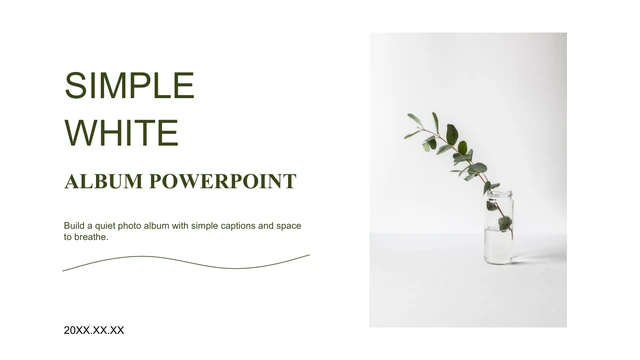
Sage Floral Portfolio Presentation Template: Framed Flowers and Calm Sage Panels
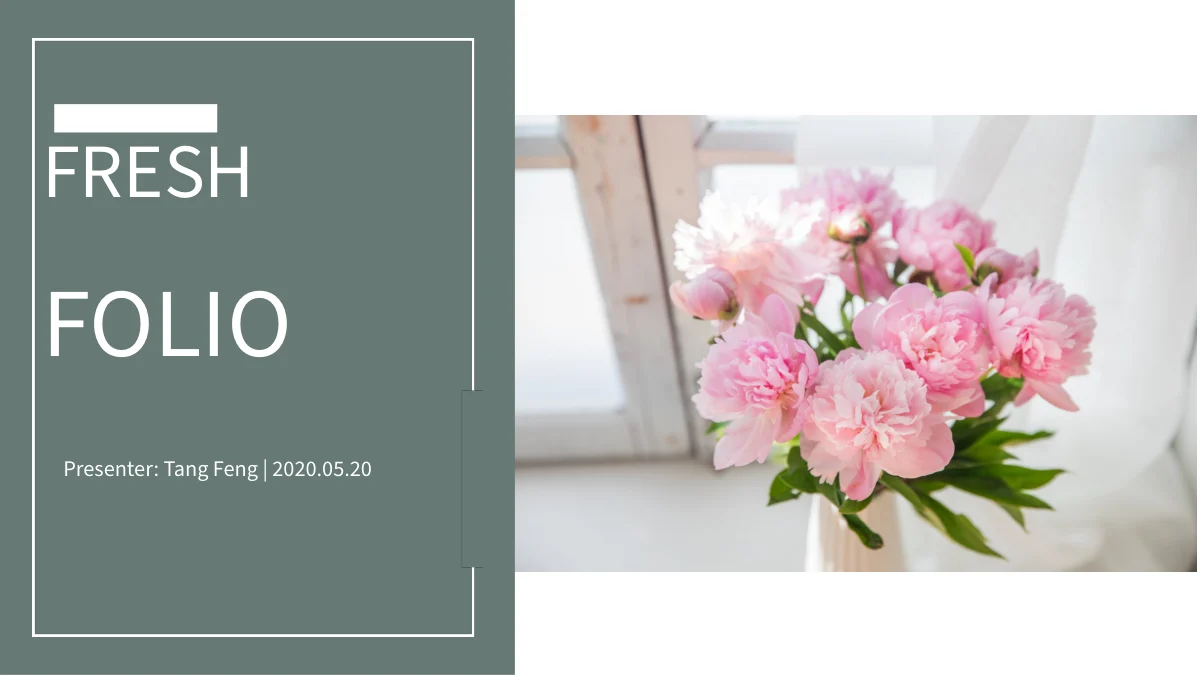
Sage Floral Portfolio Presentation Template places pink peonies beside a muted sage title panel and repeats that pairing on its closing page. White boards with subtle shadows hold sunflowers, daisies, tulips, leaves and grass throughout 21 widescreen slides. Sage Floral Portfolio Presentation Template divides the sequence into four parts, each introduced by a broad sage band and a framed peony photograph. Circular crops, overlapping frames and a three-column heart layout give the images different rhythms. Sage Floral Portfolio Presentation Template also provides a checkerboard of photographs and captions, paired notes and a simple three-image row. The pictures remain the focus, with short text areas for your own project observations. Replace the English sample guidance with accurate descriptions, preserve the source presenter attribution and check each crop after changing an image. Choose a clear sequence, keep headings brief and make the contents match the four sections you retain.
Key Features of Sage Floral Portfolio Presentation Template
Sage panels, framed flowers and varied image crops.
Sage and White Photo Boards
Sage Floral Portfolio Presentation Template sets white photo boards against muted sage fields. Subtle shadows separate the images and notes from the background.
Four Framed Section Dividers
Sage Floral Portfolio Presentation Template introduces four parts with sage bands and framed peonies. Keep each section heading consistent with the contents.
Circular and Heart Crops
Sage Floral Portfolio Presentation Template mixes circular images with a three-column heart layout. Reposition replacement photos so their subjects stay visible.
Overlapping Picture Frames
Sage Floral Portfolio Presentation Template layers white picture frames around flowers and leaves. Keep useful details clear where photographs overlap.
Photo and Caption Grids
Sage Floral Portfolio Presentation Template includes a checkerboard grid and a three-photo row. Pair each picture with one concise observation about your work.
Matching Opening and Closing
Sage Floral Portfolio Presentation Template repeats pink peonies on the cover and thanks page. Preserve the source presenter credit when adapting the text.
How to Use Sage Floral Portfolio Presentation Template
Choose your photographs, organize four sections and refine each crop.
-
Select a Four-Part Sequence
Preview all 21 pages of Sage Floral Portfolio Presentation Template. Choose photographs and group your work into four parts, then update the contents and section headings together.
-
Download and Add Your Photographs
Get Sage Floral Portfolio Presentation Template with an active paid plan; daily and repeat downloads are unlimited. Edit a copy, add your own captions and retain the source presenter attribution.
-
Review Every Image Crop
Check Sage Floral Portfolio Presentation Template at full size. Inspect circular and heart crops, overlapping frames and short captions, then compare the exported file with your editable copy.
Questions About Sage Floral Portfolio Presentation Template
How do I download Sage Floral Portfolio Presentation Template?
Sign in with an active paid plan to download Sage Floral Portfolio Presentation Template. Daily downloads of Sage Floral Portfolio Presentation Template are unlimited, and repeat downloads are allowed. Sage Floral Portfolio Presentation Template is supplied as an editable PowerPoint file. Keep an untouched copy of Sage Floral Portfolio Presentation Template before adding your own photographs and captions.
What does Sage Floral Portfolio Presentation Template include?
Sage Floral Portfolio Presentation Template contains 21 slides in a 16:9 format. Sage Floral Portfolio Presentation Template includes a cover, introduction, contents, four section dividers, photo layouts and a thanks page. The gallery previews every page of Sage Floral Portfolio Presentation Template. Choose Sage Floral Portfolio Presentation Template pages that support your portfolio rather than assuming every example belongs in your final sequence.
Where are the four sections in Sage Floral Portfolio Presentation Template?
Sage Floral Portfolio Presentation Template places its dividers on pages 4, 9, 13 and 17. Each divider in Sage Floral Portfolio Presentation Template combines a sage band with a framed peony photograph. Rename the Sage Floral Portfolio Presentation Template parts to fit your projects and keep the Sage Floral Portfolio Presentation Template contents aligned with their order. The sample sections do not prescribe a particular career history or project category.
Which photographs appear in Sage Floral Portfolio Presentation Template?
Sage Floral Portfolio Presentation Template uses peonies, sunflowers, daisies, tulips, leaves and grass, alongside a desk photograph and a portrait with a sunflower. These pictures give Sage Floral Portfolio Presentation Template its nature-led visual theme. The photographs in Sage Floral Portfolio Presentation Template are sample images, not evidence of your own work. Replace pictures in Sage Floral Portfolio Presentation Template where needed and use captions that accurately describe what you are presenting.
Can I replace the shaped pictures in Sage Floral Portfolio Presentation Template?
You can edit the image placements in Sage Floral Portfolio Presentation Template and use your own photographs. Check circular and heart-shaped crops in Sage Floral Portfolio Presentation Template individually so faces, petals and other important details remain visible. Preserve picture proportions when resizing Sage Floral Portfolio Presentation Template images. Also review the overlapping frames in Sage Floral Portfolio Presentation Template to ensure that nearby images and captions remain clear.
Does Sage Floral Portfolio Presentation Template contain data charts or interactive screens?
Sage Floral Portfolio Presentation Template contains no native charts, tables or embedded workbooks. The computer visible in a Sage Floral Portfolio Presentation Template photograph is part of the picture, not a working interface. Photo grids and rows in Sage Floral Portfolio Presentation Template organize images and notes. These layouts in Sage Floral Portfolio Presentation Template do not calculate values or provide an automatic data connection.
Which font does Sage Floral Portfolio Presentation Template use?
Sage Floral Portfolio Presentation Template uses Source Han Sans SC Regular for the final visible text. This font is not embedded in Sage Floral Portfolio Presentation Template. Install the matching font for Sage Floral Portfolio Presentation Template if your software substitutes another family. After opening Sage Floral Portfolio Presentation Template, check headings, captions and line breaks again; a font substitution in Sage Floral Portfolio Presentation Template can change the space needed inside a narrow text box.
Is the sample text in Sage Floral Portfolio Presentation Template ready to present?
Sage Floral Portfolio Presentation Template provides English sample guidance for you to replace with your own observations. The source presenter name Tang Feng remains in Sage Floral Portfolio Presentation Template, and the date is a sample rather than a current event claim. Keep source attribution when adapting Sage Floral Portfolio Presentation Template. Do not present Sage Floral Portfolio Presentation Template sample captions, names or dates as verified details of your own portfolio.
What should I check before sharing Sage Floral Portfolio Presentation Template?
Review the contents, four section headings and final thanks page in Sage Floral Portfolio Presentation Template. Check the circular crops, heart layout and overlapping frames in Sage Floral Portfolio Presentation Template at full size. Keep Sage Floral Portfolio Presentation Template descriptions short enough for the white boards and confirm that they match the photographs. Compare the exported Sage Floral Portfolio Presentation Template file with the editable version before sharing.