Sage Folded Corner Resume Presentation Template: a clear outline for your experience
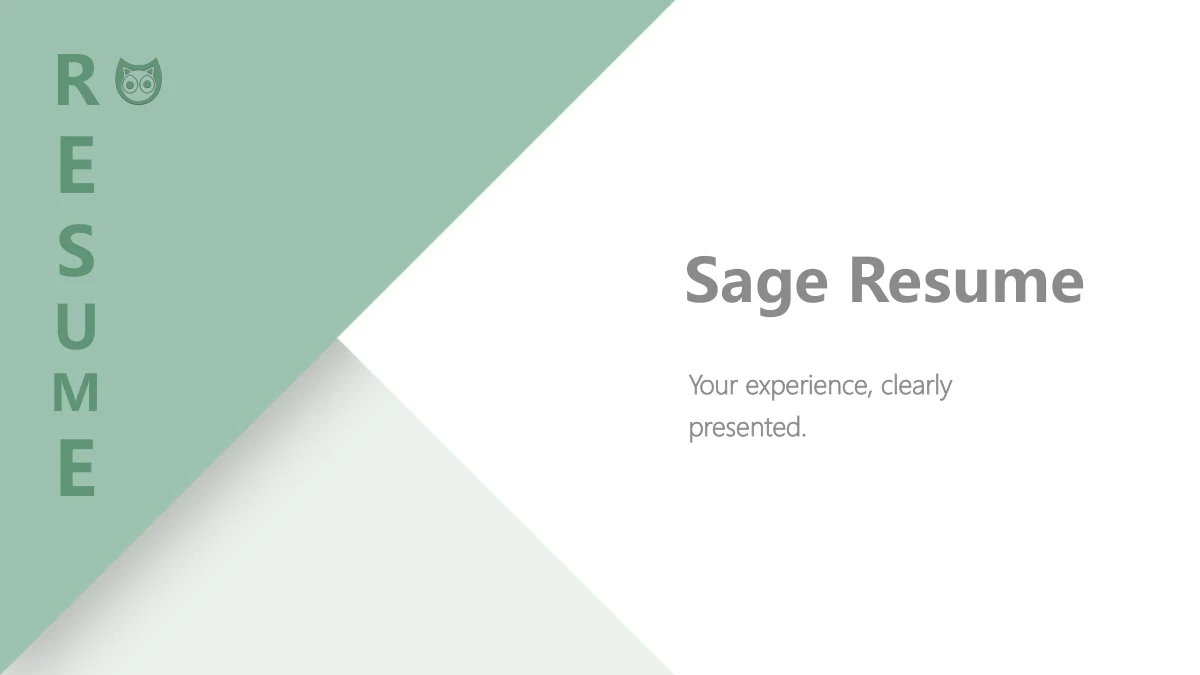
Sage Folded Corner Resume Presentation Template opens with a pale green folded-corner design, an owl motif and a vertical RESUME label. Its nine 16:9 slides move from a profile to work experience, honors, skills, projects and plans. A slim left navigation highlights the current topic across the content pages. Sage Folded Corner Resume Presentation Template uses a three-entry work timeline, six example cards, black pictograms and four short project notes to arrange your material. A tablet-work photograph illustrates the plan page; it is not evidence of your work. The closing page echoes the folded cover and adds Thank You with a masked sample contact. Sage Folded Corner Resume Presentation Template provides short English editing prompts. Replace the profile and contact fields, add supported work examples and check each date. The retained legal-award examples are explicitly unverified; use only claims you can document. Preview all pages to choose a concise sequence for your introduction.
Key Features of Sage Folded Corner Resume Presentation Template
A folded opening, a clear sidebar and useful spaces for your own evidence.
Sage folded corners
Sage Folded Corner Resume Presentation Template pairs sage folds with white pages. Keep the cover title short and readable beside the vertical RESUME label.
A highlighted topic sidebar
Sage Folded Corner Resume Presentation Template highlights experience, honors, skills, projects and plans in a slim sidebar. Keep each page on its marked topic.
A three-entry work timeline
Sage Folded Corner Resume Presentation Template arranges three dated work entries along a line. Explain your role and support each contribution with evidence.
Static icons and project notes
Sage Folded Corner Resume Presentation Template combines six black pictograms with short project notes. These static image symbols do not open software or media.
Honors with a clear sample scope
Sage Folded Corner Resume Presentation Template has six cards, including explicitly unverified legal-award examples. Use only honors you can document.
A restrained planning page
Sage Folded Corner Resume Presentation Template pairs one tablet-work photo with plan notes. Describe a practical priority; the photo is an illustration of work.
How to Use Sage Folded Corner Resume Presentation Template
Preview the nine pages, download with an active paid plan, then edit and share.
-
Preview all nine pages
Preview Sage Folded Corner Resume Presentation Template page by page. Compare the profile, work timeline and honors cards, then select layouts that support a concise introduction.
-
Download with an active paid plan
Download Sage Folded Corner Resume Presentation Template with an active paid membership. Daily downloads are unlimited, including repeats. Keep a working copy to edit your profile.
-
Edit your information and share
Edit Sage Folded Corner Resume Presentation Template with your details and supported work examples. Check dates, photos and text fit, then share the PPTX or export a PDF for readers.
Sage Folded Corner Resume Presentation Template FAQ
How do I download Sage Folded Corner Resume Presentation Template?
Sign in with an active paid plan and open the download panel for Sage Folded Corner Resume Presentation Template. You can download Sage Folded Corner Resume Presentation Template without a daily limit, including repeat downloads. Keep the supplied Sage Folded Corner Resume Presentation Template as a reference and edit a working copy for your interview or personal introduction.
How many slides does Sage Folded Corner Resume Presentation Template include?
Sage Folded Corner Resume Presentation Template has nine 16:9 slides. After the cover and profile, Sage Folded Corner Resume Presentation Template uses a highlighted sidebar for experience, honors, skills, projects and plans, rather than four chapter dividers. The last page of Sage Folded Corner Resume Presentation Template returns to the folded-corner design with Thank You and a masked sample contact.
Can I change the text and colors in Sage Folded Corner Resume Presentation Template?
The titles, English prompts and native card shapes in Sage Folded Corner Resume Presentation Template are editable. Adjust text and shape colors to support your material. The folded background, owl and black pictograms in Sage Folded Corner Resume Presentation Template remain pictures; recoloring a shape does not recolor their pixels. Check the sidebar and short headings after changing Sage Folded Corner Resume Presentation Template.
Can I preview the whole Sage Folded Corner Resume Presentation Template?
The gallery shows all nine pages of Sage Folded Corner Resume Presentation Template in order. Use the thumbnails or arrows to compare the profile fields, work timeline and six example cards. The preview of Sage Folded Corner Resume Presentation Template also shows the static icons and planning photo. These are editable examples to adapt, not a completed CV presented by Sage Folded Corner Resume Presentation Template.
Does Sage Folded Corner Resume Presentation Template work in another editor?
Sage Folded Corner Resume Presentation Template is provided as a PowerPoint PPTX. When importing Sage Folded Corner Resume Presentation Template elsewhere, check fonts, text wrapping, the narrow sidebar and picture crops. Results can vary between editors; keep the sidebar labels and sample cards aligned. Test an exported PDF alongside the editable Sage Folded Corner Resume Presentation Template before presenting.
Which fonts does Sage Folded Corner Resume Presentation Template use?
Visible English text in Sage Folded Corner Resume Presentation Template uses Microsoft YaHei regular, bold and Light. Fonts are not embedded. Keep those families available when editing Sage Folded Corner Resume Presentation Template and inspect the cover, narrow labels and contact fields if an editor substitutes a font. Review the saved Sage Folded Corner Resume Presentation Template file to catch changed line breaks.
Are the slides in Sage Folded Corner Resume Presentation Template in English?
Sage Folded Corner Resume Presentation Template has English headings, default text areas and short editing guidance. Profile details, masked contacts, dates and legal-award examples in Sage Folded Corner Resume Presentation Template are samples, not verified facts about you. Each website language describes the same English Sage Folded Corner Resume Presentation Template file; separate translated decks and a finished speech are not included.
Can I use Sage Folded Corner Resume Presentation Template commercially?
Follow the site terms and rights applicable to the materials included in Sage Folded Corner Resume Presentation Template. Paid access to Sage Folded Corner Resume Presentation Template does not grant additional rights to its photograph, icons, owl design or fonts. Replace materials where needed and confirm that your planned use of Sage Folded Corner Resume Presentation Template is appropriate.
How can I share Sage Folded Corner Resume Presentation Template?
Use the Share button on the Sage Folded Corner Resume Presentation Template page or copy its page link. An edited Sage Folded Corner Resume Presentation Template file can support collaboration; a PDF can serve readers. Before sharing Sage Folded Corner Resume Presentation Template, check sample contacts, dates, unsupported awards and the rights attached to any material you include.