Zen Sand Ripple Presentation Template: Sand textures and clear circular forms
Zen Sand Ripple Presentation Template combines raked-sand photographs, rounded stones and olive accents with generous white space. Its 16 slides move from a circular cover through a four-entry index and numbered section breaks to a matching thank-you page. Use the Zen Sand Ripple Presentation Template for a short portfolio, introduction or sequence of ideas, choosing three-column text pages, picture panels or numbered cards to suit your material. Open rings repeat across the deck, while a five-node wave and four-year layout offer ways to show an order. These diagrams are manual shapes, and the 202X years remain examples for you to replace. The Zen Sand Ripple Presentation Template supplies a calm visual arrangement rather than a completed project story. Add concise headings and supported details, then review photo crops and narrow labels before presenting.
Key Features of Zen Sand Ripple Presentation Template
Choose a page that gives each idea enough space.
Raked sand and rounded stones
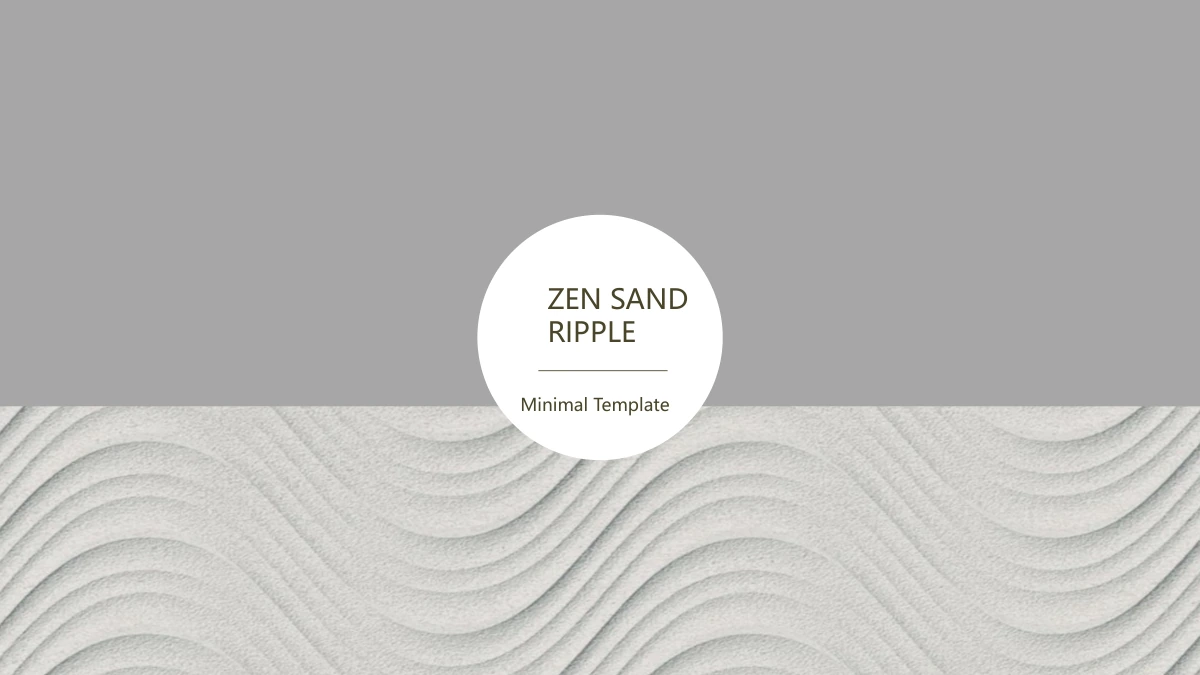
Zen Sand Ripple Presentation Template pairs two raked-sand photographs with olive and grey panels. Circular titles and generous white areas keep the layout calm.
Four-part navigation
Zen Sand Ripple Presentation Template has four index entries and matching numbered dividers on slides 3, 6, 10 and 13. Rename the repeated navigation together.
Three- and four-point layouts
Zen Sand Ripple Presentation Template groups short text into three columns or four numbered cards. Keep each supporting point brief enough to fit its original area.
Picture-led comparisons
Zen Sand Ripple Presentation Template combines cropped photos, olive rectangles and paired text panels. Choose images that suit each tall or wide composition.
A curved five-node path
Zen Sand Ripple Presentation Template places five numbered circles on a grey and olive wave. Edit labels to explain a sequence; this is a manual diagram.
An editable example timeline
Zen Sand Ripple Presentation Template sets four 202X labels beside a stone photograph and olive panel. Replace the example years and notes with your own sequence.
How to Use the Zen Sand Ripple Presentation Template
Name the sections, fill a few layouts and review the final sequence.
-
Preview and plan the sections
Browse all 16 pages of Zen Sand Ripple Presentation Template. Compare the four section breaks, picture panels and numbered layouts, then choose a sequence that gives each idea enough room.
-
Download a working copy
Download Zen Sand Ripple Presentation Template with an active paid plan. Keep the original copy, then rename the four index topics, matching dividers and repeated navigation for your material.
-
Edit, review and share
Edit Zen Sand Ripple Presentation Template with your pictures, short notes and timeline years. Check ring spacing and crops in Slide Show view, then share the finished deck or a reviewed PDF.
Zen Sand Ripple Presentation Template FAQ
How do I download Zen Sand Ripple Presentation Template?
Sign in with an active paid plan and choose Download PPTX on the Zen Sand Ripple Presentation Template page. Paid members can download Zen Sand Ripple Presentation Template without a daily limit, including repeated downloads. Save an untouched copy of Zen Sand Ripple Presentation Template before editing; its sand-photo crops and circular layouts give you a useful reference when arranging your own material.
How many slides are in Zen Sand Ripple Presentation Template?
Zen Sand Ripple Presentation Template contains 16 slides in 16:9, from the circular cover to the matching thank-you page. Four dividers on slides 3, 6, 10 and 13 organise Zen Sand Ripple Presentation Template into About Us, Portfolio, Timeline and Meet Us. Rename or remove sections in Zen Sand Ripple Presentation Template to suit your outline, keeping the contents and repeated navigation labels aligned.
Can I edit text and colours in Zen Sand Ripple Presentation Template?
The olive and grey panels, rings, headings and short notes in Zen Sand Ripple Presentation Template are editable PowerPoint elements. Zen Sand Ripple Presentation Template uses manual shapes for its five-node wave and four-entry 202X timeline, with no linked charts or workbook. Edit labels and shapes together in Zen Sand Ripple Presentation Template; photographed sand and stones remain image details, so replace the picture to change them.
Can I preview every page of Zen Sand Ripple Presentation Template?
Yes. The Zen Sand Ripple Presentation Template gallery includes all 16 pages, with thumbnails and arrow controls for moving through the deck. Compare the text columns, paired photo panels and numbered cards in Zen Sand Ripple Presentation Template before downloading. Look closely at narrow headings in Zen Sand Ripple Presentation Template, and choose a layout that gives your own pictures and supporting notes enough space.
Can I open Zen Sand Ripple Presentation Template in another presentation editor?
An editor that supports PPTX can open Zen Sand Ripple Presentation Template, but fonts, ring spacing and picture crops may render differently. Test a copy of Zen Sand Ripple Presentation Template and inspect every page before relying on the result. Keep an editable Zen Sand Ripple Presentation Template file, and review any exported PDF on the intended screen when you need a fixed layout for sharing.
Which fonts does Zen Sand Ripple Presentation Template use?
Zen Sand Ripple Presentation Template uses Microsoft YaHei, Calibri and Arial for its visible English text, including bold Calibri. Font files are not embedded in Zen Sand Ripple Presentation Template. If your editor substitutes a face, inspect the circular cover title, narrow navigation labels and short text columns first. Review the rest of Zen Sand Ripple Presentation Template for changed line breaks, spacing and contrast before presenting.
Are the slides inside Zen Sand Ripple Presentation Template in English?
Zen Sand Ripple Presentation Template is supplied with English headings, section names and editable guidance. The short notes and 202X labels in Zen Sand Ripple Presentation Template are examples for replacement, not a completed portfolio or verified history. Every translated website page describes the same English Zen Sand Ripple Presentation Template download; changing the website language does not change the text inside the PPTX.
Can I use Zen Sand Ripple Presentation Template commercially?
Use Zen Sand Ripple Presentation Template according to the original terms and permissions that apply to its photographs. A paid download of Zen Sand Ripple Presentation Template does not add rights to third-party images or other source material. When adapting Zen Sand Ripple Presentation Template for a client or public presentation, choose pictures you are permitted to share and confirm any permissions needed for your intended use.
How do I share Zen Sand Ripple Presentation Template?
Use the share button on the Zen Sand Ripple Presentation Template page to recommend the design or copy its page link. For your own presentation, check the edited Zen Sand Ripple Presentation Template headings, photo crops and manual sequence labels before sharing a PPTX or PDF. Sharing the Zen Sand Ripple Presentation Template page lets others preview the layout; downloading its file still requires an active paid plan.