Sage Leaf Year-End Presentation Template: a leafy setting for your annual work review
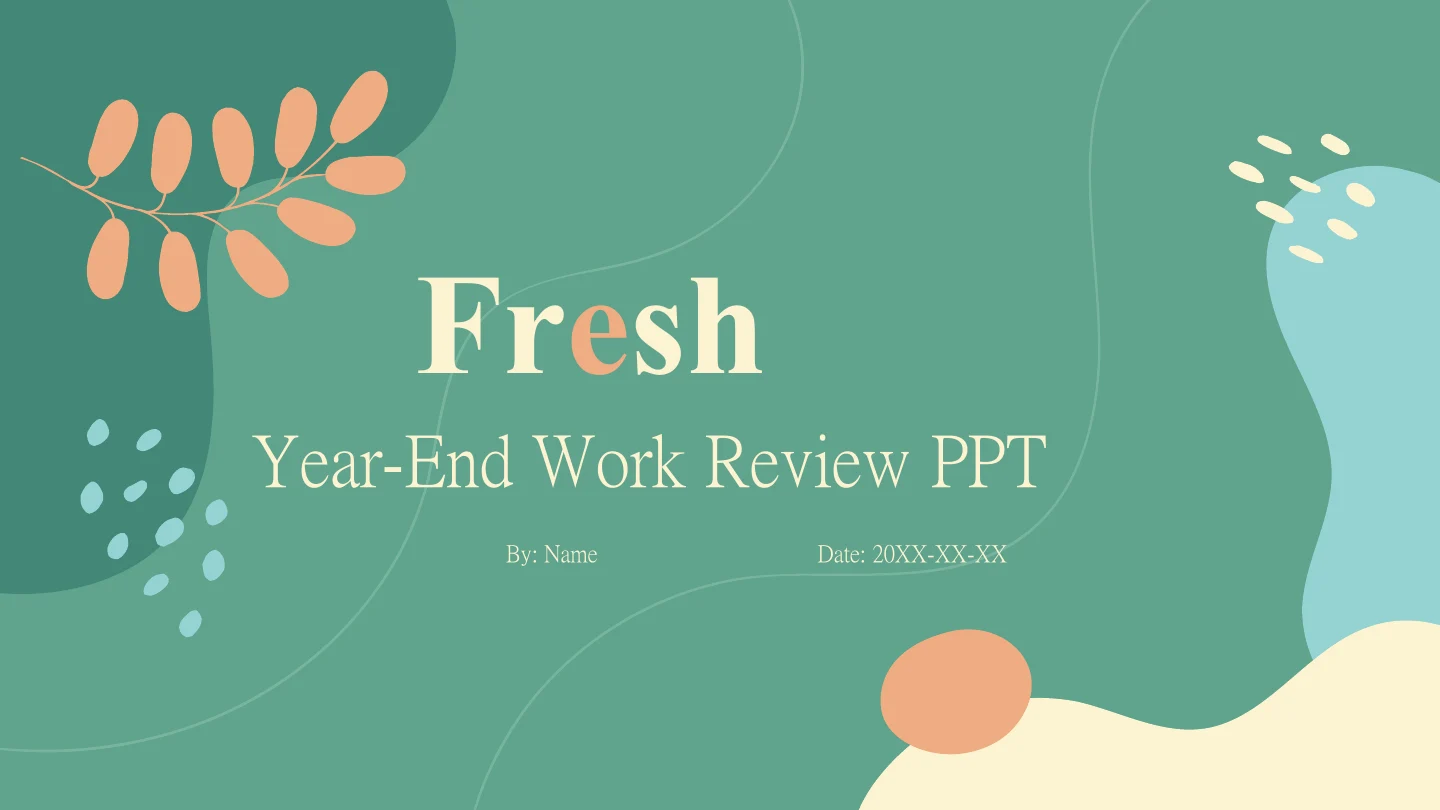
Sage Leaf Year-End Presentation Template gives a year-end review a calm setting of sage green, peach leaves and pale rounded panels. Sage Leaf Year-End Presentation Template moves through Review, Issues, Actions and Outlook, with a four-item contents page to guide the sequence. Desk, plant and lounge-chair photographs appear in circles, diamonds and paired rectangles. Sage Leaf Year-End Presentation Template offers four outlined notes, five raised circles, numbered action cards and a four-step arrow strip. Triangles and rings display manually labelled sample percentages; they are shapes and text, rather than data-linked charts. Sage Leaf Year-End Presentation Template has 23 widescreen pages, from the Fresh opening to the Thank You closing. Choose the pages that explain your year, replace the English prompts and sample figures with verified information, and keep narrow labels short. Use your own authorised photographs when the examples do not represent the work you are presenting.
Key Features of Sage Leaf Year-End Presentation Template
Leaf accents, soft panels and space for a clear annual review.
Sage Green and Peach Leaves
Sage Leaf Year-End Presentation Template pairs green covers with peach branches and curves. Pale rounded panels provide a quiet backdrop for your content.
Four Annual Review Chapters
Sage Leaf Year-End Presentation Template has Review, Issues, Actions and Outlook dividers. Keep chapter names and contents aligned when changing the sequence.
Photos in Varied Frames
Sage Leaf Year-End Presentation Template uses desk, plant and chair photos in circles and diamonds. Replace the examples with authorised images that suit the crop.
Manual Percentage Examples
Sage Leaf Year-End Presentation Template has triangle and ring percentages as shapes with text. Replace the values yourself; these are not linked data charts.
Cards for Actions and Evidence
Sage Leaf Year-End Presentation Template offers four notes, numbered cards and five raised circles. Give each area one clear point and the evidence it needs.
A Four-Step Planning Strip
Sage Leaf Year-End Presentation Template uses four connected arrows with alternating notes. Explain the sequence and name the owner, timing and intended result.
How to Use Sage Leaf Year-End Presentation Template
Review the year, replace examples and prepare the next steps.
-
Preview the Four Chapters
Explore the 23 pages of Sage Leaf Year-End Presentation Template with the gallery. Compare the four chapters, photo crops and card layouts with the points your review needs to explain.
-
Download and Add Your Review
Download Sage Leaf Year-End Presentation Template with an active paid plan. Open a PowerPoint copy, replace the prompts and percentages, and add verified results and authorised photographs.
-
Check the Finished Presentation
Check Sage Leaf Year-End Presentation Template on your intended screen. Review labels, photo crops and sample figures, align contents and chapters, inspect a PDF and retain an editable copy.
Questions about Sage Leaf Year-End Presentation Template
How do I download Sage Leaf Year-End Presentation Template?
Sign in with an active paid plan and use the download button to save Sage Leaf Year-End Presentation Template. Paid members have unlimited daily and repeat downloads. Sage Leaf Year-End Presentation Template is supplied as an English PowerPoint (.pptx), with native text and shapes alongside picture objects. Save an original copy of Sage Leaf Year-End Presentation Template, then work in a separate file while replacing the examples. Decide which chapters and layouts support your annual review before adding detailed text to Sage Leaf Year-End Presentation Template; the source prompts are starting points for your own verified information.
How many pages are in Sage Leaf Year-End Presentation Template?
Sage Leaf Year-End Presentation Template contains 23 pages in a 16:9 format. A Fresh opening and four-item contents lead to Review, Issues, Actions and Outlook dividers, followed by a Thank You closing. Sage Leaf Year-End Presentation Template includes photo pages, cards, percentage examples and a connected four-step strip. Keep only useful pages in Sage Leaf Year-End Presentation Template, or duplicate a suitable layout for further evidence. When changing the sequence of Sage Leaf Year-End Presentation Template, update the contents and chapter numbers so the opening still describes the presentation that follows.
Can I edit text and colours in Sage Leaf Year-End Presentation Template?
Yes. PowerPoint can edit the native text, leaf accents, panels, cards and other shapes in Sage Leaf Year-End Presentation Template. Adjust the sage-green and peach colours to suit your material, then check contrast across pale panels and darker covers. Photographs in Sage Leaf Year-End Presentation Template remain picture objects; their individual photographed details cannot be edited like native shapes. Replace a photo in Sage Leaf Year-End Presentation Template with an image you may use and inspect its circular, diamond or rectangular crop. Keep body notes and narrow captions in Sage Leaf Year-End Presentation Template concise enough for their boxes.
Can I preview the whole Sage Leaf Year-End Presentation Template before downloading?
Yes. The gallery displays all 23 pages of Sage Leaf Year-End Presentation Template, including the chapter dividers, percentage layouts, photo arrangements and final closing. Browse the thumbnails, use the arrows or enlarge the preview to compare pages with your outline. The gallery shows the same English Sage Leaf Year-End Presentation Template provided for download. Review small labels and framed notes in Sage Leaf Year-End Presentation Template particularly carefully if you plan to project the slides. Choose layouts that leave room for readable evidence; avoid filling every decorated corner of Sage Leaf Year-End Presentation Template with text.
Can another presentation editor open Sage Leaf Year-End Presentation Template?
An editor with PPTX import may open Sage Leaf Year-End Presentation Template, but font substitutions, object spacing and photo crops can differ. Compare the imported Sage Leaf Year-End Presentation Template with PowerPoint and the gallery before presenting or exporting. Check the leaf decorations, serif headings, rings and alternating planning notes separately. Sage Leaf Year-End Presentation Template contains no native charts or linked Excel workbooks, so its illustrated percentages require direct editing rather than a data refresh. Inspect an exported PDF of Sage Leaf Year-End Presentation Template for clipped captions, missing characters and unexpected line breaks.
Which fonts does Sage Leaf Year-End Presentation Template use?
Sage Leaf Year-End Presentation Template retains the source font references, including Microsoft YaHei, Calibri, Calibri Light and Arial, alongside display families such as Roboto and Chinese serif or headline fonts. No font files are embedded in Sage Leaf Year-End Presentation Template. The preview uses available fonts, including Microsoft YaHei, PMingLiU, Times New Roman, STZhongsong, Arial and Calibri where source families are unavailable. Opening Sage Leaf Year-End Presentation Template on another device may therefore change the wrapping. Choose fonts you may use, then check every cover, card label and percentage in Sage Leaf Year-End Presentation Template; a replacement that fits one page may overflow a narrower caption elsewhere.
Are the slides in Sage Leaf Year-End Presentation Template translated into every site language?
The website descriptions of Sage Leaf Year-End Presentation Template are localised, while the downloadable headings and editing prompts are English. All language pages provide the same Sage Leaf Year-End Presentation Template file. Original photographs remain images, so incidental lettering inside a photographed object is not converted into editable English text. Translate your own review in a copy of Sage Leaf Year-End Presentation Template for the audience you intend to reach. If a translated label is longer, shorten the wording or choose a roomier layout in Sage Leaf Year-End Presentation Template, then review the full sequence before sharing.
Can I use Sage Leaf Year-End Presentation Template commercially?
The source design and photograph permissions for Sage Leaf Year-End Presentation Template have not been independently verified. A paid plan provides download access; it does not confirm commercial or redistribution rights for every asset in Sage Leaf Year-End Presentation Template. Confirm the permissions required for your intended use and preserve any genuine attribution. Desk and chair photos in Sage Leaf Year-End Presentation Template are examples, rather than evidence of your workplace or project. Replace uncertain assets in Sage Leaf Year-End Presentation Template with material you are authorised to use, especially before distributing a presentation, offering it to a client or making the source file available to others.
How do I share Sage Leaf Year-End Presentation Template?
Use the page sharing controls or copy this page URL to share Sage Leaf Year-End Presentation Template. Other people can inspect the gallery and download under their own account conditions. Before sharing a completed review based on Sage Leaf Year-End Presentation Template, confirm asset rights, remove private information and replace unverified examples. Check the contents, chapter order and final actions, then inspect a PDF of Sage Leaf Year-End Presentation Template on the screen your audience will use. Keep an editable working copy of Sage Leaf Year-End Presentation Template so that names, figures and the next review period can be updated later.