World Photography Portfolio Presentation Template: Travel Images, White Pages and Photo Grids
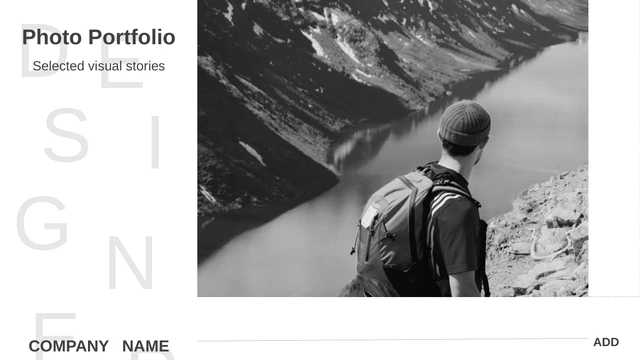
World Photography Portfolio Presentation Template begins with a black cover and large reflected WORLD lettering. The following pages change to white backgrounds with grey titles, letting forests, lakes, streets, plants and desert scenes carry the story. World Photography Portfolio Presentation Template contains 15 widescreen slides with a mix of full-width images, narrow picture strips and grouped photographs. One layout places four photographs above four more, with a row of icon labels between them. Other pages combine a city triptych, a broad forest-and-lake photograph and a travel mosaic. World Photography Portfolio Presentation Template ends with four monochrome picture cards rather than a separate thank-you slide. This is a collection of flexible photographic layouts, without a numbered chapter contents page. Choose pictures that belong together, decide what each grouping should communicate and replace the short sample notes. Keep the image proportions in mind: a landscape, a tall portrait and a small square crop each need different framing.
Key Features of World Photography Portfolio Presentation Template
Explore travel photography, image groupings and white layouts in World Photography Portfolio Presentation Template.
Reflected WORLD Cover
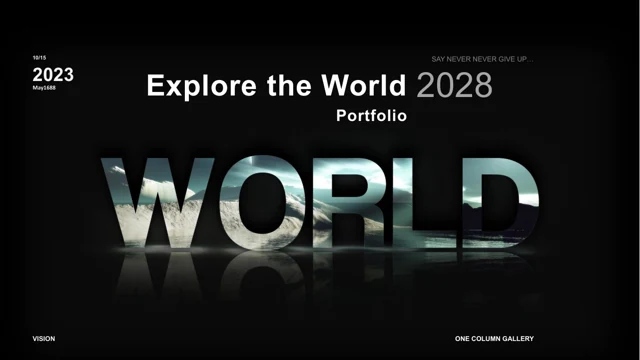
World Photography Portfolio Presentation Template opens on black with large reflected WORLD lettering. The bold opening contrasts with the white pages that follow.
Eight-Image Arrangement
World Photography Portfolio Presentation Template offers two rows of four photos around four icon labels. Group related pictures and give the labels meaningful names.
Three City Image Cards
World Photography Portfolio Presentation Template includes a city triptych with individual text areas. Pair three related views and keep their captions easy to compare.
Broad Landscape Page
World Photography Portfolio Presentation Template places a large forest-and-lake image beside three topic labels. Use the space for one strong view and concise context.
Travel Photo Mosaic
World Photography Portfolio Presentation Template combines differently sized pictures in a travel mosaic. Select a dominant image and check how smaller crops support it.
Four Monochrome Cards
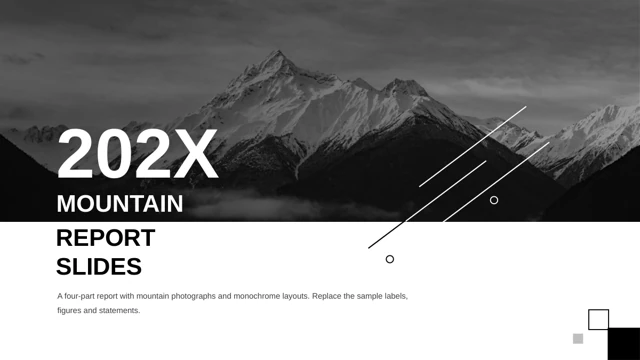
World Photography Portfolio Presentation Template finishes with four black-and-white image cards. Add brief notes or choose a different final page for your own sequence.
How to Use World Photography Portfolio Presentation Template
Choose a photo story, arrange the pictures and refine the captions.
-
Build a Photo Story
Preview the 15 pages of World Photography Portfolio Presentation Template. Pick grids, landscape views and cards that fit your images, then order them into a clear story instead of filling every layout.
-
Download the Slide File
Get World Photography Portfolio Presentation Template with an active paid membership. Downloads are unlimited each day, including repeats. Save the PPTX and create a working copy for your own photographs.
-
Refine Crops and Captions
Edit World Photography Portfolio Presentation Template in PowerPoint. Replace pictures and labels, inspect each crop and add short captions. Check the white pages and dark cover before exporting or presenting.
Questions About World Photography Portfolio Presentation Template
How do I get World Photography Portfolio Presentation Template?
Download World Photography Portfolio Presentation Template from its detail page after signing in with an active paid membership. Paid members have unlimited daily and repeat downloads. The file for World Photography Portfolio Presentation Template is an editable PowerPoint presentation, not a set of flattened screenshots. Use the gallery to review the photo groupings before downloading World Photography Portfolio Presentation Template. After saving the PPTX, make a working copy for your own pictures and keep the original World Photography Portfolio Presentation Template available if you want to recover a layout or compare an image crop.
How many layouts does World Photography Portfolio Presentation Template provide?
World Photography Portfolio Presentation Template includes 15 slides in a 16:9 widescreen format. Its dark cover is followed by white layouts with broad images, mosaics, narrow strips and picture cards. There is no numbered chapter contents page in World Photography Portfolio Presentation Template. You can choose a small set of pages from World Photography Portfolio Presentation Template or rearrange the full sequence around your own photographs. The last supplied page of World Photography Portfolio Presentation Template contains four monochrome image cards with short text areas; it is not a dedicated thank-you page, so choose the ending that suits your story.
How do I replace photos in World Photography Portfolio Presentation Template?
Select a picture object in World Photography Portfolio Presentation Template and use PowerPoint’s picture replacement controls. Then inspect its crop, since your photograph may have a different aspect ratio or focal point. In World Photography Portfolio Presentation Template, the eight-image grid and narrow strips need particularly careful framing. Keep important faces, buildings and details away from cropped edges. The pictures in World Photography Portfolio Presentation Template remain separate objects, while any lettering contained within a photograph remains part of that image. Compare the finished arrangements of World Photography Portfolio Presentation Template at normal viewing size, not only while zoomed in.
Can I inspect all of World Photography Portfolio Presentation Template before downloading?
Yes. The public gallery includes every page of World Photography Portfolio Presentation Template in the supplied order. Move between thumbnails and enlarge the preview to compare the grids, image cards and small text. When reviewing World Photography Portfolio Presentation Template, consider whether your photographs are mostly wide, tall or square. That will help you select the most suitable pages from World Photography Portfolio Presentation Template before preparing captions. The preview shows the supplied design rather than a guarantee for new pictures or fonts. Review your own edited World Photography Portfolio Presentation Template again after replacing the sample material.
What are the labels in World Photography Portfolio Presentation Template for?
The four icon labels on one page of World Photography Portfolio Presentation Template read Bells, Mix, Photos and Tools, with short sample text beneath them. They are editable examples, not four automatic editing tools or built-in features. Rename them in World Photography Portfolio Presentation Template to describe your own groups of photographs. Another page of World Photography Portfolio Presentation Template has Wildlife, Landscapes and People beside a large image. Those labels can also be revised. Keep the wording brief when adapting World Photography Portfolio Presentation Template so the pictures remain the main focus and the nearby text does not become crowded.
Which fonts does World Photography Portfolio Presentation Template use?
World Photography Portfolio Presentation Template uses Arial, Microsoft YaHei, Impact, Lato Light, Montserrat, Source Sans Pro and inherited Calibri text. The file does not embed fonts. Install suitable matching fonts before editing World Photography Portfolio Presentation Template, or select replacements and inspect the whole deck for spacing changes. The large WORLD cover and the smaller labels in World Photography Portfolio Presentation Template use very different text scales. Check both after opening the file on another computer. Browser previews of World Photography Portfolio Presentation Template display rendered images and do not install the original typefaces on your device.
Is World Photography Portfolio Presentation Template in English, and can I use another app?
World Photography Portfolio Presentation Template is supplied with English editable labels and sample text. Replace the placeholder passages with your own descriptions before showing the finished portfolio. All website translations describe the same English World Photography Portfolio Presentation Template. Original pictures and genuine credits remain in the file. Apps that support PPTX import may open World Photography Portfolio Presentation Template, although fonts, reflections or image crops can vary. Use PowerPoint as the main reference for World Photography Portfolio Presentation Template and compare any imported version with the preview before making a final export.
Can I use World Photography Portfolio Presentation Template for client work?
Follow the terms that apply to World Photography Portfolio Presentation Template and the pictures and fonts in your finished presentation. Paid access to World Photography Portfolio Presentation Template does not separately grant rights to every photograph, pictured brand or person. For client work, use photographs you are authorized to include and keep any necessary credits in World Photography Portfolio Presentation Template. If you plan to sell the design or distribute an editable file, check the applicable permissions first. Replacing the sample images in World Photography Portfolio Presentation Template with your own photographs also makes the portfolio a more accurate representation of your work.
How should I share World Photography Portfolio Presentation Template?
Share the public page of World Photography Portfolio Presentation Template when recommending the template itself. Other people can review the gallery and use their own eligible accounts to download World Photography Portfolio Presentation Template. For a finished photo story, export your edited World Photography Portfolio Presentation Template to PDF or present it from your preferred application after checking the result. Save an editable copy for future revisions. Before sharing World Photography Portfolio Presentation Template, review the crop of each image, the accuracy of captions and the permissions needed for the intended audience; do not redistribute the untouched template beyond its applicable terms.