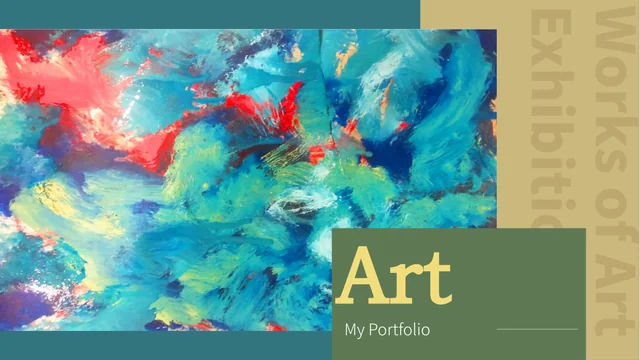
Yellow Sculpture Collage Presentation Template: sculpture pictures and yellow-teal gallery compositions
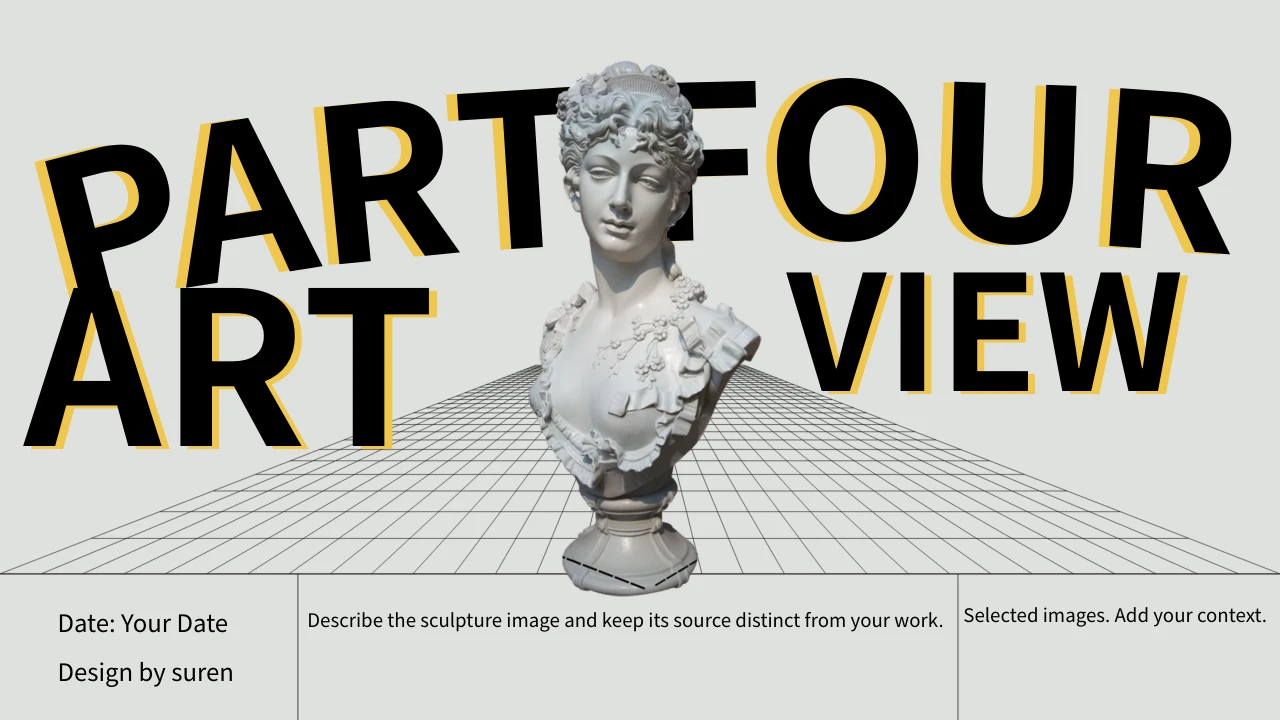
Yellow Sculpture Collage Presentation Template builds a gallery of sculpture pictures, portrait panels and painting views on pale grey backgrounds. Yellow outlines and brush accents sit beside teal rectangles, flowers and oversized black lettering. Its 22 slides use a 16:9 canvas, with four numbered breaks on pages 3, 8, 13 and 18. Yellow Sculpture Collage Presentation Template starts with a bust over a grid picture and offers a four-card photo index on page 2. Yellow Sculpture Collage Presentation Template pairs large cutout figures with small captions, framed painting views and three-stage text areas. The final page combines Thanks with large coloured numbers as decoration. Yellow Sculpture Collage Presentation Template supplies independent English editing prompts, while the original ordinary wording remains in same-slide source-reference notes. Supplied pictures and source credits do not verify every artist, historical claim or portfolio achievement.
Key Features of Yellow Sculpture Collage Presentation Template
Picture cutouts, portrait panels and room for your own observations.
Sculpture Cutouts and Yellow Edges
Yellow Sculpture Collage Presentation Template gives sculpture pictures yellow edges. Caption their form and pose; the pictures are not editable 3D models.
Portrait Cards and a Photo Index
Yellow Sculpture Collage Presentation Template has four photo index cards and portrait panels. Label your sequence and keep captions useful for the viewer.
Textured Section Breaks
Yellow Sculpture Collage Presentation Template has four breaks with crinkled film pictures. Name each part and check the heading against the picture layers.
Flowers and Teal Colour Panels
Yellow Sculpture Collage Presentation Template pairs flowers with teal panels. Check the balance between the figure, accent colour and the caption you add.
Painting Views and Framed Details
Yellow Sculpture Collage Presentation Template includes framed paintings and detail labels. Describe details without guessing the artwork source or event.
Oversized Type and a Thanks Page
Yellow Sculpture Collage Presentation Template uses large type and a Thanks page. Keep headings concise so they fit beside pictures and coloured numbers.
How to Use Yellow Sculpture Collage Presentation Template
Choose the pictures, add supported captions and review the finished sequence.
-
Select a Gallery Sequence
Preview 22 pages of Yellow Sculpture Collage Presentation Template. Select photo cards, section breaks and figure layouts for your outline, then decide what each picture and note should explain.
-
Download and Write Your Captions
Download Yellow Sculpture Collage Presentation Template with an active paid plan. Save a working copy, add useful captions and replace sample date fields with details matching your presentation.
-
Review Pictures and Heading Fit
Check Yellow Sculpture Collage Presentation Template in your presentation app. Inspect picture crops, large titles and narrow captions, then review an exported copy before sharing.
Questions about Yellow Sculpture Collage Presentation Template
What is included in Yellow Sculpture Collage Presentation Template?
Yellow Sculpture Collage Presentation Template contains 22 PowerPoint slides on a 16:9 widescreen canvas. Yellow Sculpture Collage Presentation Template brings together sculpture cutouts, portrait pictures, painting views, flowers and yellow-teal colour panels. A bust and grid picture appear on the cover, followed by a four-card photo index. Yellow Sculpture Collage Presentation Template has numbered section breaks on pages 3, 8, 13 and 18, with textured picture overlays that continue the collage theme. Yellow Sculpture Collage Presentation Template ends with a Thanks message and large coloured numbers rather than a data summary. Use Yellow Sculpture Collage Presentation Template to arrange a visual story with captions based on information you know; the supplied reference pictures and historical wording do not verify a new exhibition, portfolio achievement or shared artwork author.
Are the sculptures in Yellow Sculpture Collage Presentation Template editable 3D models?
Yellow Sculpture Collage Presentation Template uses supplied pictures for the busts, full figures and other sculpture views. Yellow Sculpture Collage Presentation Template does not include editable 3D models, a modelling scene or an extra project file for those images. Yellow edges, circles, flowers and colour blocks surround the pictures in several layouts. Yellow Sculpture Collage Presentation Template gives you separate text areas for observations about outline, pose, framing and colour. When adapting Yellow Sculpture Collage Presentation Template, keep the pictured artwork distinct from work you created and avoid assigning every figure to the same artist. Replace images in Yellow Sculpture Collage Presentation Template with material you are entitled to use, then inspect the crop and nearby caption together so the composition still makes sense.
How can I organise the four parts of Yellow Sculpture Collage Presentation Template?
Yellow Sculpture Collage Presentation Template begins with four photo cards that introduce Context, Form, Balance and Review in the English-guided file. Yellow Sculpture Collage Presentation Template then uses four numbered section breaks before further figure and painting layouts. You can rename these headings to suit your own work. Yellow Sculpture Collage Presentation Template also has a three-stage text layout with numbered labels, providing another way to describe how you selected, compared and reviewed pictures. Yellow Sculpture Collage Presentation Template does not connect those labels to live measurements or a project management system. Choose a concise outline for Yellow Sculpture Collage Presentation Template, then select pages that add a useful observation instead of treating the entire supplied sequence as evidence of one verified exhibition or historical story.
What can I edit in Yellow Sculpture Collage Presentation Template?
Yellow Sculpture Collage Presentation Template provides ordinary English headings and independent editing prompts in slide text areas. Yellow Sculpture Collage Presentation Template also contains layout objects such as coloured rectangles, circles and line details around the pictures. Text baked into a picture remains part of that image when you edit a nearby caption. Yellow Sculpture Collage Presentation Template has no native data charts, spreadsheet workbooks or tables. Its large closing numbers and numbered work stages are manual design elements. Yellow Sculpture Collage Presentation Template should be edited with attention to text width because some headings are very large or placed beside a narrow caption area. Save a separate working copy of Yellow Sculpture Collage Presentation Template and check the relationship between the picture, label and coloured panel after each change.
How should I handle the artwork references in Yellow Sculpture Collage Presentation Template?
Yellow Sculpture Collage Presentation Template retains sculpture, portrait, painting and architecture pictures with their original visual details. Yellow Sculpture Collage Presentation Template also keeps genuine source credits, including suren and DESIGN BY XIAO YU SHEJI, without making those names the authors of the new English guidance. Yellow Sculpture Collage Presentation Template does not verify every creator, artwork title, location, historical date or measurement stated in the original reference wording. The original ordinary text is kept in same-slide source-reference notes. Yellow Sculpture Collage Presentation Template lets you add your own description of a visible detail, but a caption should not turn an unverified source claim into a new fact. Use Yellow Sculpture Collage Presentation Template with supported context and explain your own contribution separately from the supplied artwork.
Which fonts are used in Yellow Sculpture Collage Presentation Template?
Yellow Sculpture Collage Presentation Template uses Source Han Sans SC Regular and Bold for ordinary editable titles and captions. These fonts are not embedded in Yellow Sculpture Collage Presentation Template. Install them or choose suitable alternatives before editing, then inspect large headings and small picture labels. Yellow Sculpture Collage Presentation Template combines oversized lettering, angled text and narrow caption areas, so a replacement font can change the line breaks. Lettering merged into a picture is separate from the fonts used in the slide text. Compare Yellow Sculpture Collage Presentation Template with the page previews after saving or exporting your changes. Keep new headings concise and check that the captions remain readable beside the artwork. Reopen Yellow Sculpture Collage Presentation Template in your presentation app to review text spacing and any missing characters before sharing.
Does each website language have a different Yellow Sculpture Collage Presentation Template file?
Yellow Sculpture Collage Presentation Template uses independent English guidance for ordinary editable headings and explanations. Yellow Sculpture Collage Presentation Template preserves the original ordinary wording in same-slide source-reference notes, separately from those new captions. Genuine source credits and text inside supplied pictures remain part of the retained material. Yellow Sculpture Collage Presentation Template is therefore an English-guided presentation with source references, rather than a promise that the whole package has been translated. All website language pages describe the same downloadable Yellow Sculpture Collage Presentation Template; they do not provide separate decks with the artwork translated into each language. Adapt Yellow Sculpture Collage Presentation Template for your audience with concise, supported captions and keep your new observations distinct from the original reference wording.
What should I consider before sharing Yellow Sculpture Collage Presentation Template?
Yellow Sculpture Collage Presentation Template retains the supplied artwork pictures and their source information. Yellow Sculpture Collage Presentation Template does not establish additional rights for every third-party image or prove that you created the pictured work. A paid template download provides access to the file, without extending the permissions attached to the original material. Yellow Sculpture Collage Presentation Template can help arrange a portfolio discussion when you choose content you are entitled to show and explain your contribution accurately. Yellow Sculpture Collage Presentation Template should not be presented as a verified exhibition catalogue merely because its layouts contain historical reference pictures. When replacing artwork in Yellow Sculpture Collage Presentation Template, use your own work or appropriately permitted material, preserve relevant credits and ensure the caption describes the actual image.
How do I download and present Yellow Sculpture Collage Presentation Template?
Download Yellow Sculpture Collage Presentation Template with an account that has an active paid membership. Active paid members can download Yellow Sculpture Collage Presentation Template repeatedly without a daily count limit. Browse all 22 previews first and keep an unchanged file alongside your edited working copy. Yellow Sculpture Collage Presentation Template includes sample date fields and independent guidance that should be adapted for your own presentation. Yellow Sculpture Collage Presentation Template has no supplied audio or video track; the gallery sequence is built from pictures, slide objects and captions. Before sharing Yellow Sculpture Collage Presentation Template, review the final page, picture crops and oversized headings in the app you plan to present with, and check an exported copy for readable text.