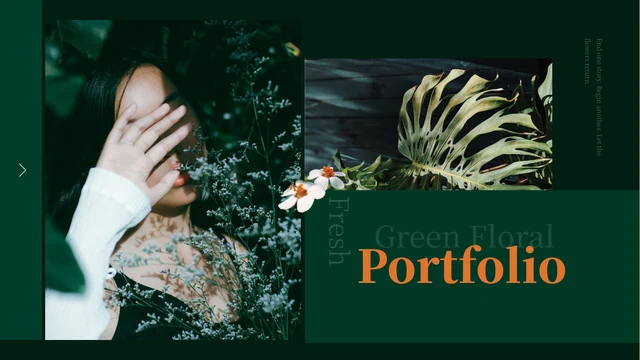
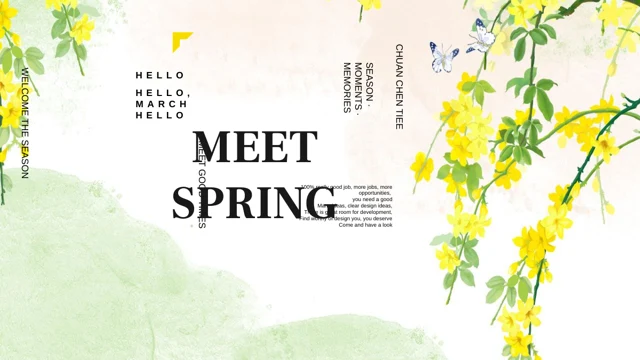
Olive Botanical Portfolio Presentation Template: plant studies and portraits set against olive-green panels
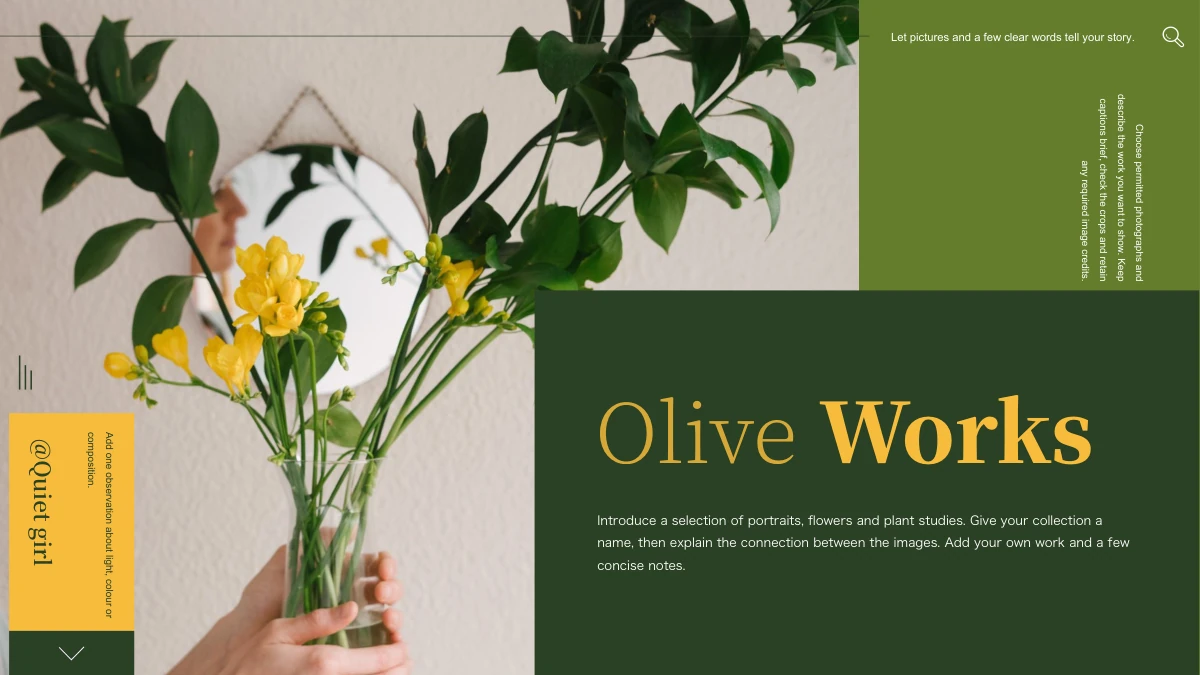
Olive Botanical Portfolio Presentation Template opens with yellow flowers held in a vase before a mirror. Olive-green backgrounds, dark panels and yellow credit tabs connect the pictures throughout the collection. Olive Botanical Portfolio Presentation Template has 16 widescreen pages: a cover, four-item list and portrait introduction lead to four numbered project dividers. Each divider introduces two picture layouts. Olive Botanical Portfolio Presentation Template alternates tall vase photographs, a broad leaf against a pale fence, layered plant details and portraits framed by foliage. Main notes sit beside separate 01/02 observations, while two layouts offer four short points. Olive Botanical Portfolio Presentation Template closes with the original flower photograph and a Thanks heading. Select your own permitted images, name the four projects and use the English guides to describe visible choices. Keep required yellow-tab credits when replacing pictures.
Key Features of Olive Botanical Portfolio Presentation Template
Flowers, leaf-framed portraits and four coordinated project sections.
Olive and Yellow Panels
Olive Botanical Portfolio Presentation Template connects dark green panels with olive backgrounds and yellow tabs. Keep headings clear against the dark areas.
Four Numbered Projects
Olive Botanical Portfolio Presentation Template has dividers on pages 4, 7, 10 and 13, each followed by two picture pages. Match their names to the contents list.
Vase and Branch Studies
Olive Botanical Portfolio Presentation Template places tall branches and round-leaf arrangements in picture panels. Describe shapes and spacing with a brief note.
Leaf-Framed Portraits
Olive Botanical Portfolio Presentation Template pairs portraits with foliage and light backgrounds. Check faces, leaves and framing when replacing tall pictures.
Separate Observation Notes
Olive Botanical Portfolio Presentation Template offers paired 01/02 notes and two sets of four short points. Use each area for a different detail in your picture.
A Matching Flower Close
Olive Botanical Portfolio Presentation Template returns to the flower cover for its Thanks page. Close with a short message that connects to your own collection.
How to Use Olive Botanical Portfolio Presentation Template
Choose your photographs, connect four projects and review the full collection.
-
Choose Four Selections
Browse 16 pages of Olive Botanical Portfolio Presentation Template. Plan pictures for four projects, select portraits and plant studies, and match the contents list to your section names.
-
Download and Add Captions
Get Olive Botanical Portfolio Presentation Template with an active paid plan; daily and repeat downloads are unlimited. Edit a copy in PowerPoint, then add captions to permitted pictures.
-
Check and Share the Collection
Review Olive Botanical Portfolio Presentation Template for crops, project names and required credits. Check the closing message, export a PDF and inspect every page before sharing.
Questions about Olive Botanical Portfolio Presentation Template
How do I download Olive Botanical Portfolio Presentation Template?
Sign in with an active paid plan and use the download button for Olive Botanical Portfolio Presentation Template. Daily and repeat downloads are unlimited. Keep an original copy of Olive Botanical Portfolio Presentation Template and edit another. The full gallery is free to browse. Downloading Olive Botanical Portfolio Presentation Template provides the file, not additional permission to reuse the photographs, source credit or fonts.
How many pages are in Olive Botanical Portfolio Presentation Template?
Olive Botanical Portfolio Presentation Template contains 16 slides in 16:9. A flower cover, four-item list and portrait introduction precede numbered dividers on pages 4, 7, 10 and 13. Each divider in Olive Botanical Portfolio Presentation Template leads to two picture pages, giving eight display layouts. Olive Botanical Portfolio Presentation Template ends with the flower cover photograph and a separate Thanks slide.
What can I edit in Olive Botanical Portfolio Presentation Template?
Change the headings, notes, native colour panels and picture objects in Olive Botanical Portfolio Presentation Template. Photographed flowers, people and lettering remain image pixels. Olive Botanical Portfolio Presentation Template has no native charts, linked Excel workbook or editable 3D character. Use a working copy of Olive Botanical Portfolio Presentation Template, replace permitted images and compare the crops with the gallery. The small 01–04 labels are editable text, not numerical data charts.
Can I preview all of Olive Botanical Portfolio Presentation Template free?
All 16 pages of Olive Botanical Portfolio Presentation Template appear in the free gallery. Use thumbnails, arrows and enlarged views to compare the tall pictures, side notes and four project dividers. Previews of Olive Botanical Portfolio Presentation Template are static images from the final English PPTX, not an online editor. Viewing Olive Botanical Portfolio Presentation Template needs no paid file access; downloading the editable deck does.
Can other editors open Olive Botanical Portfolio Presentation Template?
An editor that imports PPTX may open Olive Botanical Portfolio Presentation Template, but fonts, vertical captions, layering and picture crops can change. Compare imported Olive Botanical Portfolio Presentation Template with the gallery, especially the yellow tabs and tall branch photograph. Keep 16:9 and inspect every page. Opening Olive Botanical Portfolio Presentation Template in another application does not guarantee identical appearance. Export a PDF and reopen it to check text and pictures before sharing.
Which fonts does Olive Botanical Portfolio Presentation Template reference?
Olive Botanical Portfolio Presentation Template retains Source Han Serif CN Heavy, ExtraLight and SemiBold; Source Han Sans Normal and ExtraLight; Gill Sans; Kozuka Gothic Pr6N R; STZhongsong; SimSun; Bahnschrift SemiLight; Segoe Script and theme references. No fonts are embedded in Olive Botanical Portfolio Presentation Template. Previews use official Source Han Serif and local fallback for unavailable families. Check device substitutions in Olive Botanical Portfolio Presentation Template; font names do not provide font software or redistribution rights.
Is Olive Botanical Portfolio Presentation Template supplied in different languages?
All 15 website languages describe one English PPTX for Olive Botanical Portfolio Presentation Template. Editable Chinese titles become short English labels; repeated biography examples become picture-specific guidance. Olive Botanical Portfolio Presentation Template preserves original photographs and the visible @Quiet girl credit. Lettering inside pictures remains part of the image. Translate editable captions as needed. Website translations of Olive Botanical Portfolio Presentation Template do not supply 15 separate slide decks. The gallery shows the English file you receive.
Can I use Olive Botanical Portfolio Presentation Template commercially?
Whole-template commercial and redistribution rights for Olive Botanical Portfolio Presentation Template remain unverified. The visible @Quiet girl credit and creator metadata do not license the entire collection. Paid access to Olive Botanical Portfolio Presentation Template does not expand rights to photographs or font software. Confirm permissions before publishing or selling an adapted Olive Botanical Portfolio Presentation Template. Retain required attribution, use permitted replacement images and do not present sample photographs as your own work.
How should I share Olive Botanical Portfolio Presentation Template?
Use the share controls or copy the public URL of Olive Botanical Portfolio Presentation Template so others can browse the free previews. File downloads require eligible paid access. Before sending an edited Olive Botanical Portfolio Presentation Template, check project names, captions, picture rights and required credits. Export and review a PDF if you want to share the finished collection. Keep an editable copy of Olive Botanical Portfolio Presentation Template; forwarding the original PPTX requires suitable redistribution permission.