Use aippt to turn a rough brief into a clear presentation you can refine.
Professional
Creative
Standard
Text
Upload
Url
YouTube
Image
Basic Model
English
简体中文
繁體中文
日本語
한국어
Français
Русский
العربية
Deutsch
Español
Italiano
Português
ภาษาไทย
Bahasa Melayu
Tiếng Việt
Türkçe
Bahasa Indonesia
General Scene
Teaching Materials
Work Summary
Work Plan
Project Report
Solution
Research Report
Meeting Materials
Product Introduction
Company Introduction
Business Plan
Science Popularization
Public Speaking
Public
Students
Teachers
Superiors
Subordinates
Interviewer
Colleagues
Professional
Friendly
Technical
Persuasive
Academic
Inspirational
Educational
Humorous
Concise
Medium
Short
Long
Submit
Drag and drop a file to create a PPT
Supports DOC, DOCX, PDF, PPT, PPTX, TXT, MD, XLS, XLSX, CSV, HTML, EPUB, MOBI, XMIND, and MM files under 10MB
Choose a File
Basic Model
English
简体中文
繁體中文
日本語
한국어
Français
Русский
العربية
Deutsch
Español
Italiano
Português
ภาษาไทย
Bahasa Melayu
Tiếng Việt
Türkçe
Bahasa Indonesia
General Scene
Teaching Materials
Work Summary
Work Plan
Project Report
Solution
Research Report
Meeting Materials
Product Introduction
Company Introduction
Business Plan
Science Popularization
Public Speaking
Public
Students
Teachers
Superiors
Subordinates
Interviewer
Colleagues
Professional
Friendly
Technical
Persuasive
Academic
Inspirational
Educational
Humorous
Concise
Medium
Short
Long
Basic Model
English
简体中文
繁體中文
日本語
한국어
Français
Русский
العربية
Deutsch
Español
Italiano
Português
ภาษาไทย
Bahasa Melayu
Tiếng Việt
Türkçe
Bahasa Indonesia
General Scene
Teaching Materials
Work Summary
Work Plan
Project Report
Solution
Research Report
Meeting Materials
Product Introduction
Company Introduction
Business Plan
Science Popularization
Public Speaking
Public
Students
Teachers
Superiors
Subordinates
Interviewer
Colleagues
Professional
Friendly
Technical
Persuasive
Academic
Inspirational
Educational
Humorous
Concise
Medium
Short
Long
Submit
Basic Model
English
简体中文
繁體中文
日本語
한국어
Français
Русский
العربية
Deutsch
Español
Italiano
Português
ภาษาไทย
Bahasa Melayu
Tiếng Việt
Türkçe
Bahasa Indonesia
General Scene
Teaching Materials
Work Summary
Work Plan
Project Report
Solution
Research Report
Meeting Materials
Product Introduction
Company Introduction
Business Plan
Science Popularization
Public Speaking
Public
Students
Teachers
Superiors
Subordinates
Interviewer
Colleagues
Professional
Friendly
Technical
Persuasive
Academic
Inspirational
Educational
Humorous
Concise
Medium
Short
Long
Submit
Drag and drop a file to create a PPT
Supports PNG, JPG, JPEG, and BMP files under 5MB
Choose a IMAGE
Basic Model
English
简体中文
繁體中文
日本語
한국어
Français
Русский
العربية
Deutsch
Español
Italiano
Português
ภาษาไทย
Bahasa Melayu
Tiếng Việt
Türkçe
Bahasa Indonesia
General Scene
Teaching Materials
Work Summary
Work Plan
Project Report
Solution
Research Report
Meeting Materials
Product Introduction
Company Introduction
Business Plan
Science Popularization
Public Speaking
Public
Students
Teachers
Superiors
Subordinates
Interviewer
Colleagues
Professional
Friendly
Technical
Persuasive
Academic
Inspirational
Educational
Humorous
Concise
Medium
Short
Long
aippt: Start with the outcome
An aippt brief becomes more useful when it states a concrete outcome. Describe who will see the presentation, what they already know and what they should understand afterwards. Give aippt the facts that matter, including dates, definitions and the decision you want to support. A focused brief gives the outline a reason to exist.
Read the aippt outline as a sequence of questions your audience might ask. Does the opening establish the problem? Is the evidence close to the claim it supports? Refine aippt content before adjusting visual details, and remove any section that repeats a point without helping the audience move forward.
Check aippt slides at the size your audience will actually see. Shorten crowded headings, define unfamiliar abbreviations and verify names against the source. Keep an editable working version so corrections remain manageable. An aippt draft is most useful when you can explain why each slide belongs in the final presentation.
Plan an aippt presentation around the decision your audience needs to make, then inspect the outline before investing time in visual details.
Step 1
Step 2
Step 3
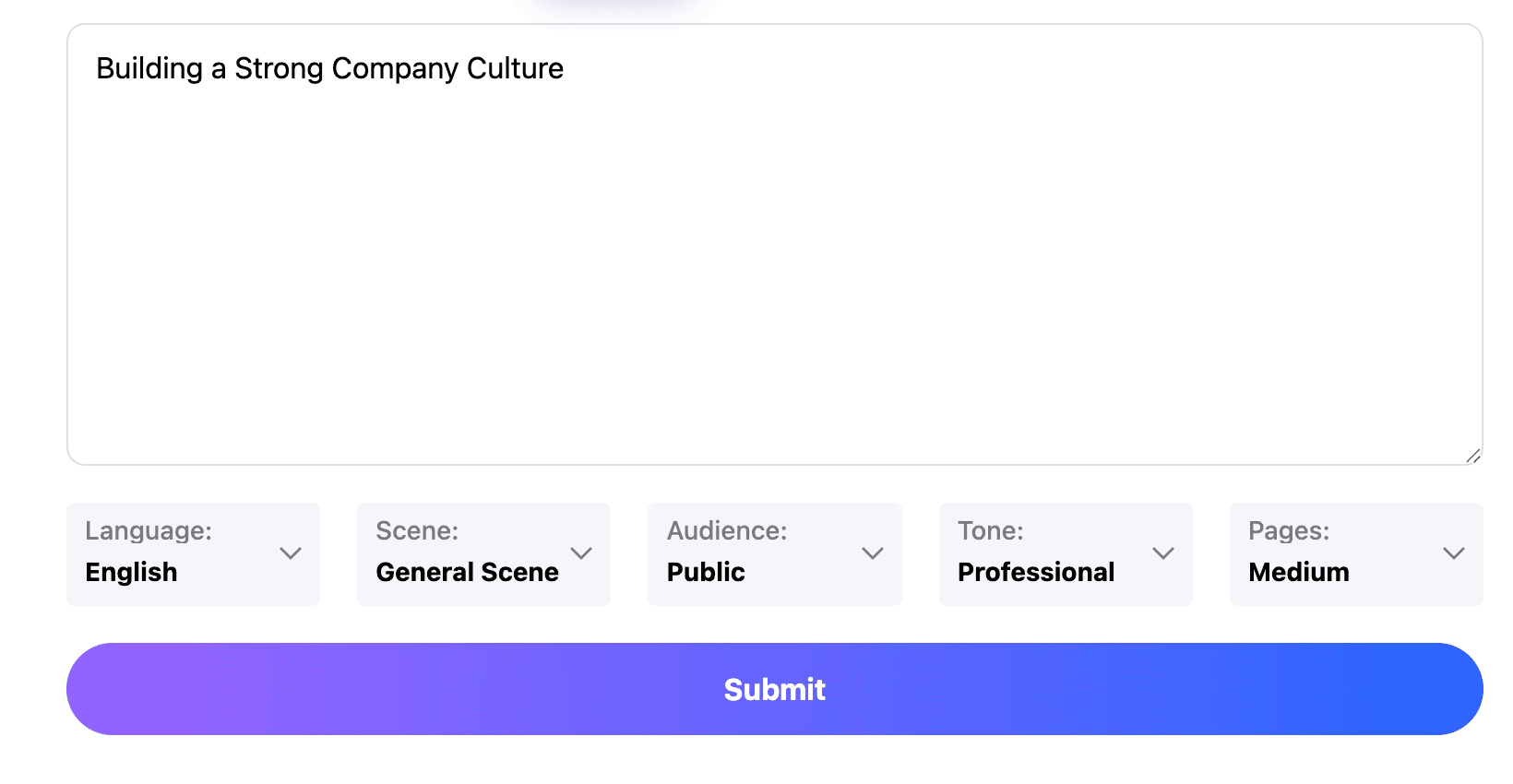
Write a focused brief
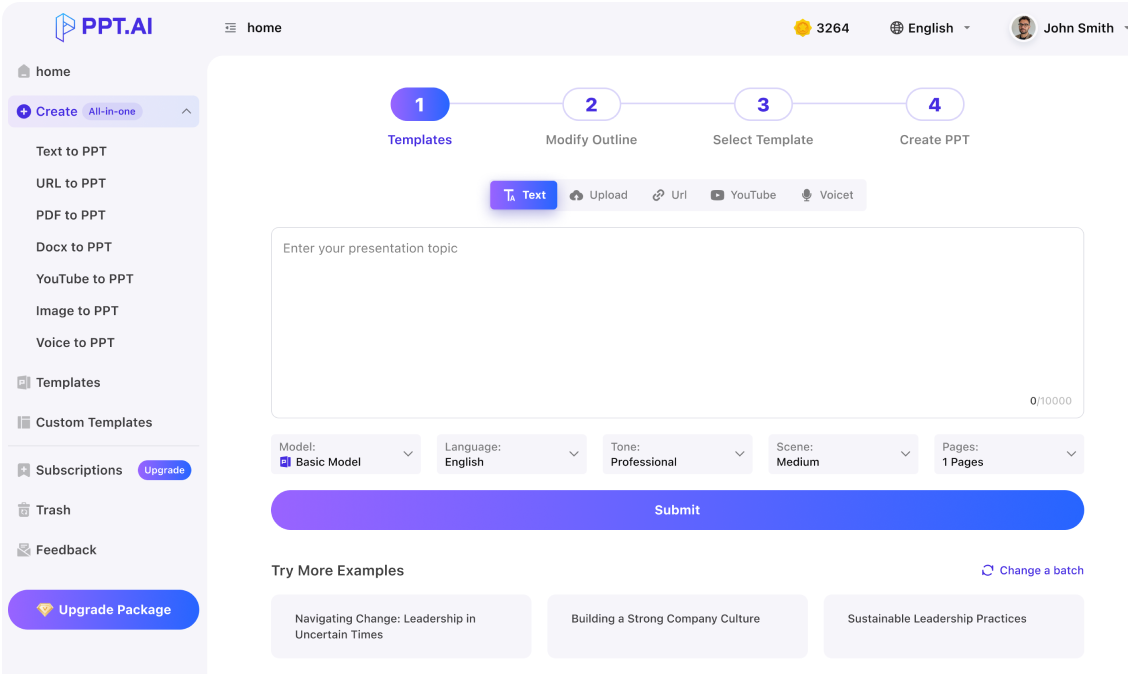
Tell aippt your subject, audience and target length. Include a few reliable facts and mark any missing information that needs your review before it can appear as a claim.
Choose the sequence
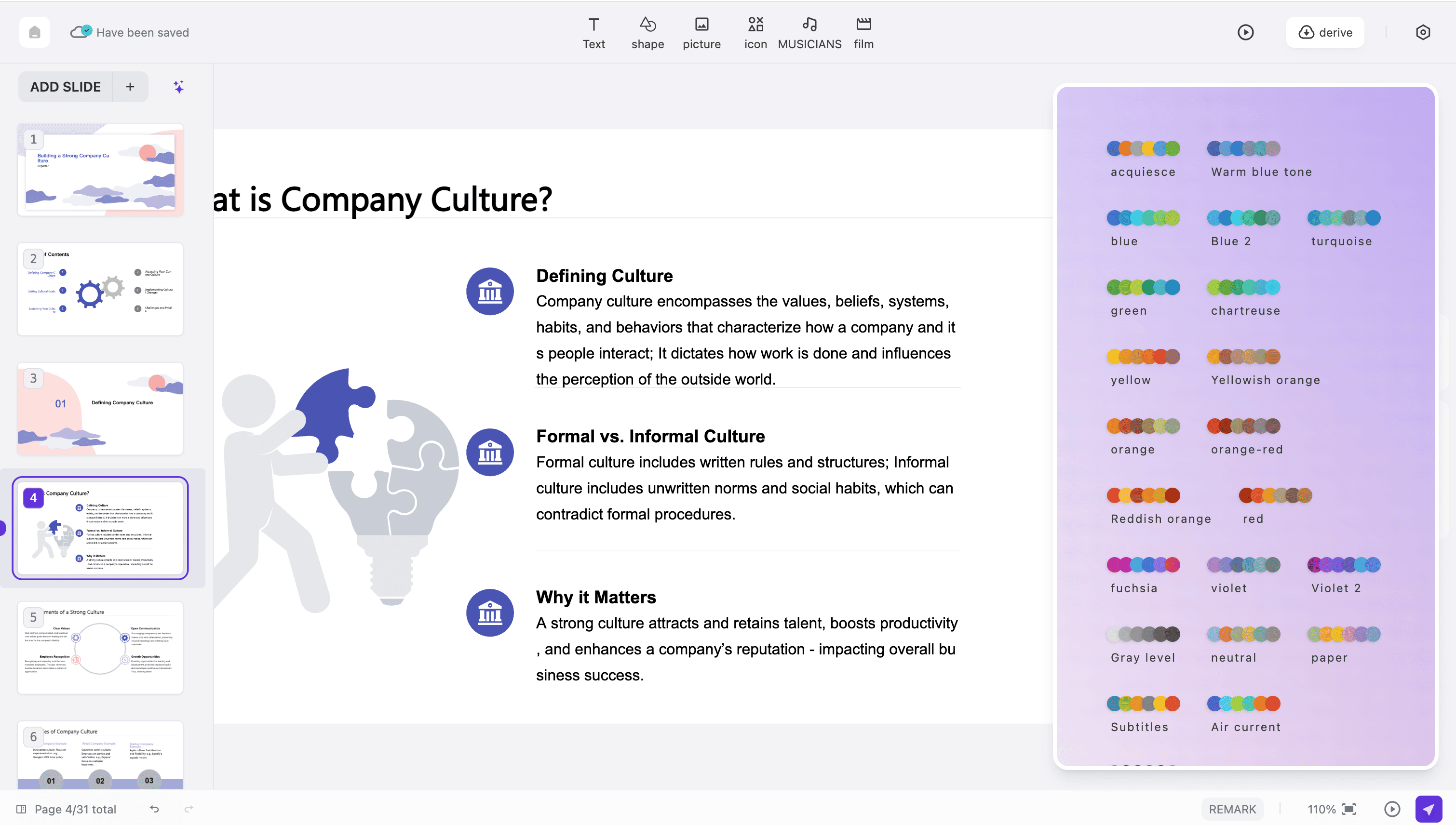
Use the aippt outline to arrange context, evidence and recommendations. Select an available visual direction after the storyline is clear, giving each slide a specific communication task.
Refine and share
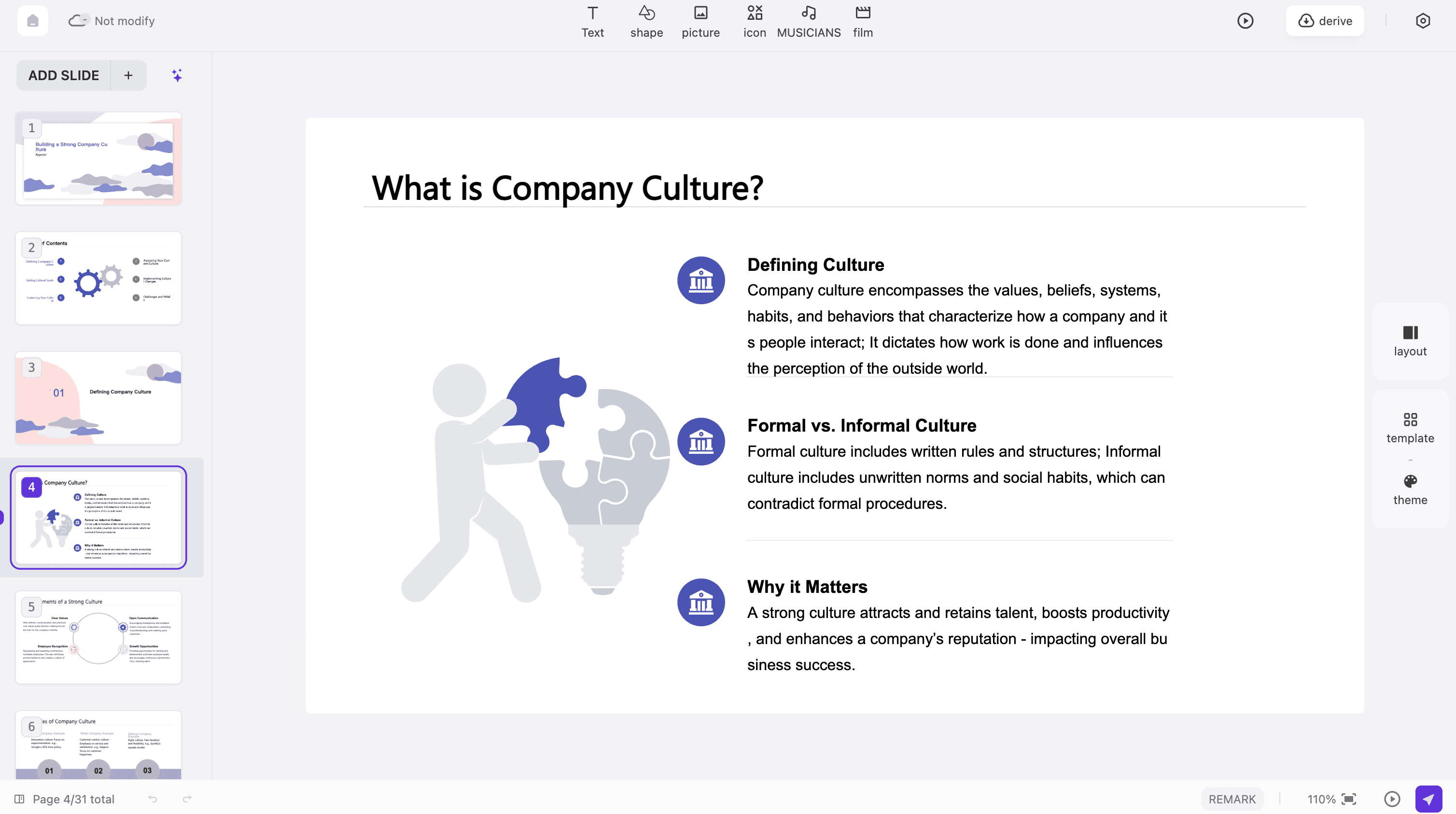
Preview the aippt result, correct factual gaps and examine the available export options for your account. Open a sample output before sending a presentation that someone else will edit.
See how aippt fits everyday communication, from explaining a proposal to teaching a difficult concept. These are practical starting points for your own brief.
Project proposals
Use aippt to connect a problem, the proposed work and the approval you need. Put assumptions beside the estimate so a reviewer can see what could change the plan.
Classroom explanations
An aippt lesson can introduce a concept, work through an example and end with a question. Supply the learning objective and the vocabulary students are expected to understand.
Team updates
Give aippt completed work, current obstacles and upcoming decisions. Separate results from plans, and attach owners to actions so the presentation supports an actual working conversation.
Product introductions
Build an aippt story around the customer's task and the product's relevant behavior. Use verified examples and explain the next step someone should take after the demonstration.
Research summaries
Use aippt to organize a research question, method and finding. Preserve uncertainty, sample limits and citations so a concise presentation still represents the underlying material accurately.
Personal talks
An aippt presentation can connect an experience with a lesson for the audience. Choose a few meaningful moments and keep private information out of material intended for wider sharing.
aippt: Questions
Answers about shaping a useful brief, reviewing generated material and choosing the right next step for your presentation.
What does aippt mean here?
This aippt page helps you create a presentation with PPT.AI. Begin with a subject or suitable source material, review the proposed structure and refine the result. The quality of the brief and your factual review remain important parts of the workflow.
How specific should an aippt brief be?
Include the audience, purpose and a sensible scope. Add any terminology or figures that must remain exact.
Can aippt work from unfinished notes?
You can develop rough material. Label questions, estimates and confirmed facts separately in your notes.
Where can I learn about related workflows?
For an aippt project built from a document or a short topic, choose guidance that matches the input you already have. A document-led workflow needs source selection, while a topic-led workflow needs a more explicit brief. aippt freeai pembuat ppt
Should I choose a design first?
For aippt, establish the message before spending time on decoration.
How do I check factual accuracy?
Compare aippt names, dates, calculations and citations against trustworthy source material. Read complete sentences rather than checking only headings.
What makes a slide too crowded?
An aippt slide is crowded when the reader cannot identify the main point quickly.
Can another person edit the output?
Inspect the export format available for your aippt project and open it in the destination application. Check which text, shapes and images remain editable. A visually correct preview alone does not establish how every object behaves after export.
Is generation always free?
Review the current account and pricing information before running aippt generation or downloading a result. Availability can depend on the selected mode and your account. Use the cost shown in the actual workflow when deciding whether to continue.
What should I check before presenting?
Rehearse the aippt deck aloud, check transitions between ideas and open the file on the presentation device.
Discover More PPT AI Products
Unlock even more with PPT AI suite of intelligent solutions






 AIPPT:







aippt: Applications