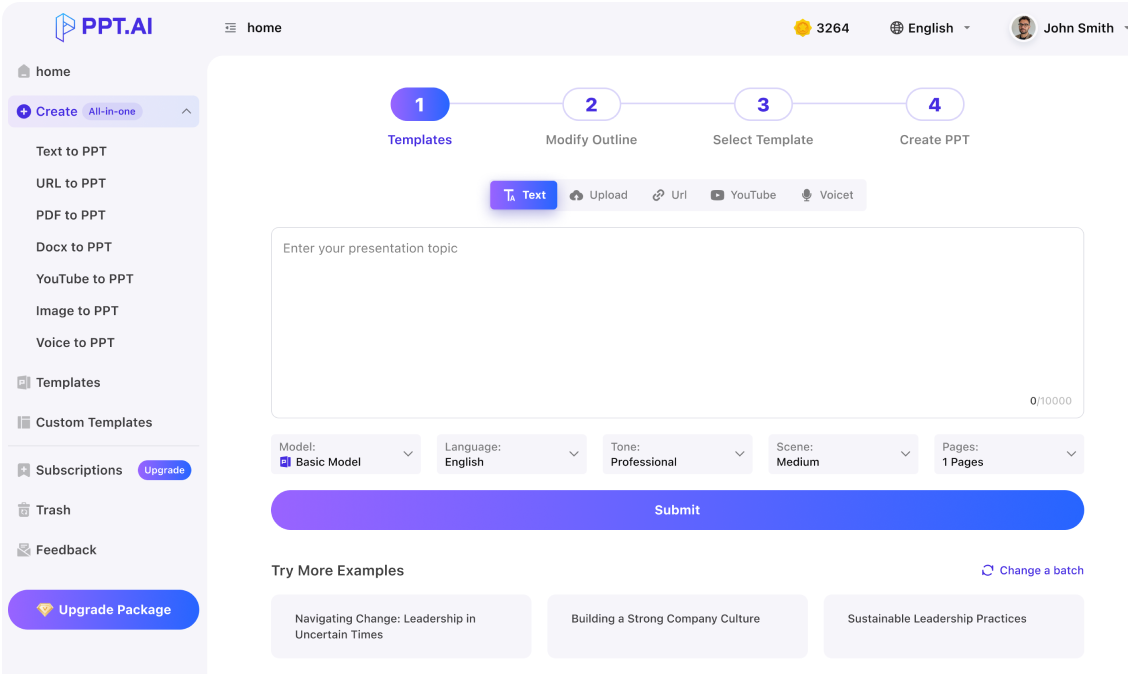
Prepare a nano banana ppt with consistent visuals and editable explanations.
Professional
Creative
Standard
Text
Upload
Url
YouTube
Image
Basic Model
English
简体中文
繁體中文
日本語
한국어
Français
Русский
العربية
Deutsch
Español
Italiano
Português
ภาษาไทย
Bahasa Melayu
Tiếng Việt
Türkçe
Bahasa Indonesia
General Scene
Teaching Materials
Work Summary
Work Plan
Project Report
Solution
Research Report
Meeting Materials
Product Introduction
Company Introduction
Business Plan
Science Popularization
Public Speaking
Public
Students
Teachers
Superiors
Subordinates
Interviewer
Colleagues
Professional
Friendly
Technical
Persuasive
Academic
Inspirational
Educational
Humorous
Concise
Medium
Short
Long
Submit
Drag and drop a file to create a PPT
Supports DOC, DOCX, PDF, PPT, PPTX, TXT, MD, XLS, XLSX, CSV, HTML, EPUB, MOBI, XMIND, and MM files under 10MB
Choose a File
Basic Model
English
简体中文
繁體中文
日本語
한국어
Français
Русский
العربية
Deutsch
Español
Italiano
Português
ภาษาไทย
Bahasa Melayu
Tiếng Việt
Türkçe
Bahasa Indonesia
General Scene
Teaching Materials
Work Summary
Work Plan
Project Report
Solution
Research Report
Meeting Materials
Product Introduction
Company Introduction
Business Plan
Science Popularization
Public Speaking
Public
Students
Teachers
Superiors
Subordinates
Interviewer
Colleagues
Professional
Friendly
Technical
Persuasive
Academic
Inspirational
Educational
Humorous
Concise
Medium
Short
Long
Basic Model
English
简体中文
繁體中文
日本語
한국어
Français
Русский
العربية
Deutsch
Español
Italiano
Português
ภาษาไทย
Bahasa Melayu
Tiếng Việt
Türkçe
Bahasa Indonesia
General Scene
Teaching Materials
Work Summary
Work Plan
Project Report
Solution
Research Report
Meeting Materials
Product Introduction
Company Introduction
Business Plan
Science Popularization
Public Speaking
Public
Students
Teachers
Superiors
Subordinates
Interviewer
Colleagues
Professional
Friendly
Technical
Persuasive
Academic
Inspirational
Educational
Humorous
Concise
Medium
Short
Long
Submit
Basic Model
English
简体中文
繁體中文
日本語
한국어
Français
Русский
العربية
Deutsch
Español
Italiano
Português
ภาษาไทย
Bahasa Melayu
Tiếng Việt
Türkçe
Bahasa Indonesia
General Scene
Teaching Materials
Work Summary
Work Plan
Project Report
Solution
Research Report
Meeting Materials
Product Introduction
Company Introduction
Business Plan
Science Popularization
Public Speaking
Public
Students
Teachers
Superiors
Subordinates
Interviewer
Colleagues
Professional
Friendly
Technical
Persuasive
Academic
Inspirational
Educational
Humorous
Concise
Medium
Short
Long
Submit
Drag and drop a file to create a PPT
Supports PNG, JPG, JPEG, and BMP files under 5MB
Choose a IMAGE
Basic Model
English
简体中文
繁體中文
日本語
한국어
Français
Русский
العربية
Deutsch
Español
Italiano
Português
ภาษาไทย
Bahasa Melayu
Tiếng Việt
Türkçe
Bahasa Indonesia
General Scene
Teaching Materials
Work Summary
Work Plan
Project Report
Solution
Research Report
Meeting Materials
Product Introduction
Company Introduction
Business Plan
Science Popularization
Public Speaking
Public
Students
Teachers
Superiors
Subordinates
Interviewer
Colleagues
Professional
Friendly
Technical
Persuasive
Academic
Inspirational
Educational
Humorous
Concise
Medium
Short
Long
nano banana ppt: Separate artwork from slide structure
A nano banana ppt needs both images and a presentation structure. Decide which parts belong in the artwork and which should remain editable headings, explanations or data labels. Preparing that distinction early makes a nano banana ppt easier to revise when feedback changes the message without changing the entire visual direction.
nano banana ppt: Build layouts around real content
Fit a nano banana ppt to the amount of explanation each idea requires. Keep a nano banana ppt consistent in margins and title positions, while allowing the content to determine how much space each element receives.
nano banana ppt: Inspect the exported presentation
Open a nano banana ppt in the application your audience or teammates will use. Look for font changes, cropped subjects and flattened objects before calling the file ready. A nano banana ppt should be assessed as an actual delivered file, particularly when another person expects to edit the text or reuse individual slides.
Build a nano banana ppt by organizing your story, choosing suitable image assets and checking the final presentation file in its destination application.
Step 1
Step 2
Step 3
Map the deck
Outline a nano banana ppt with an opening, supporting sections and a closing decision. Assign one role to each image so visual assets support the structure you have chosen.
Place and label
Assemble the nano banana ppt from approved assets and concise text. Align repeated elements, keep captions close to their images and state when a visual represents a proposed concept.
Test the handoff
Export the nano banana ppt using the options available in your account. Reopen the result, try a small text edit and inspect the slides on the device planned for presentation.
A nano banana ppt can support a practical handoff when the team needs to discuss visuals, change wording and present a coherent sequence.
Creative approvals
Use a nano banana ppt to present a visual direction with its intended audience and message. Put revision questions beside the relevant image so feedback leads to specific decisions.
Sales demonstrations
A nano banana ppt can illustrate a customer's situation before a product demonstration. Keep claims grounded in real capabilities and clearly identify scenes created to explain a hypothetical use case.
Founder pitches
Prepare a nano banana ppt with a visual opening and a disciplined argument. Separate concept illustrations from traction, financial figures and other evidence that investors need to verify.
Workshop material
Give facilitators a nano banana ppt with images that introduce exercises and editable instructions that can change with the session length, participant group or available materials.
Portfolio reviews
Use a nano banana ppt to explain the brief, visual choices and iterations behind a project. Show why an image was selected instead of presenting only a collection of finished artwork.
Internal proposals
A nano banana ppt can make a proposed experience easier to discuss. Pair each imagined scene with constraints, dependencies and the question the reviewing team needs to resolve.
nano banana ppt: Questions
Guidance for turning generated visual assets into a presentation file with manageable revisions, readable labels and a checked export.
Is a nano banana ppt a PowerPoint file?
A nano banana ppt usually refers to a presentation using Nano Banana imagery. Image generation alone produces visual assets.
Will every nano banana ppt element remain editable?
Check the actual exported file. A full-slide picture may look complete while containing no separate text or shapes. Keep elements you expect to revise outside the image whenever your editing workflow supports that structure.
Does nano banana ppt need a separate image workflow?
Use the image inputs and models actually available to you. Preparing assets separately can help you approve the visual direction before assembly. This page does not guarantee access to a particular image-generation model.
What related material should I read?
If your nano banana ppt begins with individual pictures, review visual planning and image-to-presentation guidance. nano banana slidesmicrosoft powerpoint
Can I add charts to the deck?
In a nano banana ppt, use accurate data and readable axes for charts. Keep illustrative scenes separate from quantitative evidence.
How can I reduce file size?
Review image dimensions in your nano banana ppt and avoid embedding unnecessary full-resolution duplicates.
What happens when fonts change?
A nano banana ppt can reflow when the receiving device lacks the chosen font. Test with the recipient's application and use a supported font strategy. Pay attention to line breaks in titles and text boxes with very little spare space.
How should I handle image revisions?
Keep approved assets and record which slides use each version in the nano banana ppt. Recheck crops and captions after replacing an image.
Is a preview enough for approval?
For a nano banana ppt handoff, review both the visual preview and a sample exported file.
What belongs in the final check?
Check the nano banana ppt slide order, image permissions, editable labels and presentation settings.
Discover More PPT AI Products
Unlock even more with PPT AI suite of intelligent solutions






 Nano Banana PPT:









nano banana ppt: Applications