Social Media Portfolio Presentation Template: Red Accents, Portraits and Campaign Stories
Social Media Portfolio Presentation Template combines monochrome portraits with bright red bars, circles and soft glows on pale backgrounds. A cutout portrait opens the deck, while staggered crops and overlapping photographs connect its later pages. Social Media Portfolio Presentation Template develops a sequence around products, audiences and promotion: four market segments lead into launch ideas, customer benefits, feedback and brand storytelling. The closing pages introduce search visibility, example activity figures and device mockups. Social Media Portfolio Presentation Template contains 30 widescreen slides with English headings and sample paragraphs. Its percentages, names, dates and business statements are examples, not research results. Keep the photographs and short captions balanced when adding your own material. Choose only the sections that support your story, replace the sample claims with verified information, and check image permissions before sharing.
Key Features of Social Media Portfolio Presentation Template
Explore the visual structure of Social Media Portfolio Presentation Template.
Red Marks and Soft Glows
Social Media Portfolio Presentation Template pairs red rules, circles and soft glows with pale backgrounds. Small black crosses link the page compositions.
Portraits in Varied Frames
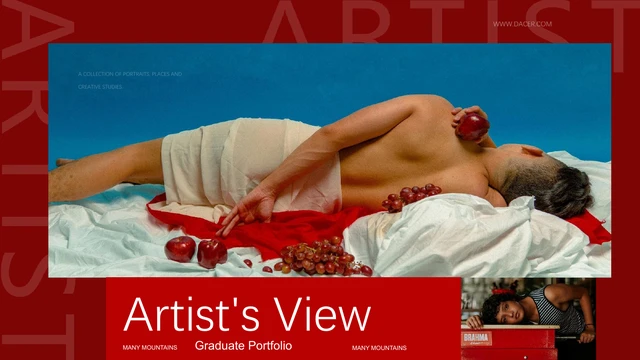
Social Media Portfolio Presentation Template frames portraits in arches, slanted crops and overlapping groups. Keep faces clear when replacing photographs.
Four Market Segments
Social Media Portfolio Presentation Template separates geographic, demographic, behavioral and psychographic topics. Add audience evidence to each page.
Campaign and Launch Pages
Social Media Portfolio Presentation Template links product benefits, promotion, launch examples and follow-up. Show how your idea develops into a campaign.
Editable Example Figures
Social Media Portfolio Presentation Template has percentages and three activity counts as editable text. Replace each figure and its explanation together.
Phone and Laptop Mockups
Social Media Portfolio Presentation Template ends with phone and laptop image compositions. Add your own work to these frames and finish with current contact details.
How to Use Social Media Portfolio Presentation Template
Build your own story with Social Media Portfolio Presentation Template.
-
Choose Your Sequence
Review all 30 pages of Social Media Portfolio Presentation Template. Choose portrait, audience and campaign layouts, then arrange them around a clear introduction, argument and conclusion.
-
Download a Working Copy
Sign in with an active paid plan to download Social Media Portfolio Presentation Template. Daily and repeat downloads are unlimited. Save the supplied file and use a separate working copy for your presentation.
-
Replace and Review
Edit text and photos in Social Media Portfolio Presentation Template. Check figures, image permissions and narrow headings. Export a PDF and review every page at the intended viewing size.

Questions About Social Media Portfolio Presentation Template
How do I download Social Media Portfolio Presentation Template?
Open the download area for Social Media Portfolio Presentation Template and sign in with an active paid membership. Eligible members have unlimited daily downloads, including repeat downloads of the same file. The complete preview of Social Media Portfolio Presentation Template is available before downloading, so you can check whether the composition suits your work. Keep an untouched copy of Social Media Portfolio Presentation Template and create a separate file for each project.
How many pages does Social Media Portfolio Presentation Template contain?
Social Media Portfolio Presentation Template contains 30 slides with a widescreen ratio of approximately 1.79:1. The sequence includes an introduction, product and audience topics, campaign examples, sample figures and a closing contact page. The market segmentation pages in Social Media Portfolio Presentation Template cover four distinct categories. You can remove or reorder pages in Social Media Portfolio Presentation Template; review the transitions afterward so the final presentation follows your own argument.
Can I edit the images and figures in Social Media Portfolio Presentation Template?
Text, shapes and pictures in Social Media Portfolio Presentation Template remain separate editable objects. Its 52% and 48% examples and three activity counts are text labels, not linked charts. Social Media Portfolio Presentation Template contains no native chart workbook that automatically updates those figures. Change the labels and supporting statements together. For photographs in Social Media Portfolio Presentation Template, keep the existing crop in mind and inspect faces, edges and overlapping objects after replacing an image.
Can I preview every page of Social Media Portfolio Presentation Template?
All 30 pages of Social Media Portfolio Presentation Template appear in the gallery. Use the thumbnails and arrow controls to compare the portrait arrangements, market segment pages and device frames. Enlarge the preview of Social Media Portfolio Presentation Template to assess small captions and dense paragraphs before selecting layouts. The gallery of Social Media Portfolio Presentation Template shows the supplied file; preview access does not establish permission to reuse its photography or distribute the design.
Can another presentation editor open Social Media Portfolio Presentation Template?
Social Media Portfolio Presentation Template is provided as a PowerPoint PPTX file. An editor that imports PPTX may open it, but font metrics, soft glows, picture effects and grouped elements can change. Test a copy of Social Media Portfolio Presentation Template before editing the entire deck. Compare the imported Social Media Portfolio Presentation Template with the gallery, especially narrow headings, dates and layered portraits. Export a PDF and check every page before presenting or sending it to someone else.
Which fonts are used in Social Media Portfolio Presentation Template?
Social Media Portfolio Presentation Template uses Poppins, Montserrat Medium and Rakkas alongside Source Han Sans Normal and Heavy and Source Han Serif Heavy. Source font names include their Chinese family labels. The supplied Social Media Portfolio Presentation Template does not embed font files. Install the appropriate licensed families and styles before editing, and inspect any substitution warnings. Font availability affects line breaks in Social Media Portfolio Presentation Template, particularly the compact campaign headings and dates.
Is the slide text in Social Media Portfolio Presentation Template English?
The downloadable Social Media Portfolio Presentation Template has English headings and editable sample paragraphs. The website translations describe that same English file rather than separate translated decks. Some sample statements in Social Media Portfolio Presentation Template discuss audiences, product benefits and promotion, but they are not verified advice or findings. Replace example names, dates, statistics and contact details. Review every page of Social Media Portfolio Presentation Template for wording that does not fit your subject or organization.
Can I use Social Media Portfolio Presentation Template commercially?
Rights to the complete Social Media Portfolio Presentation Template and its source photographs have not been independently established. A paid membership provides download access; it does not transfer ownership of the artwork or portraits. Before using Social Media Portfolio Presentation Template for a client or public campaign, confirm the permissions required for your intended use. Preserve required attribution and replace any material you cannot use. Redistributing the editable Social Media Portfolio Presentation Template requires appropriate permission beyond simply obtaining the file.
How should I share Social Media Portfolio Presentation Template?
Share the public page URL for Social Media Portfolio Presentation Template so others can inspect the gallery and obtain the file through their own eligible accounts. Before sharing an adapted Social Media Portfolio Presentation Template, check image permissions, personal contact details and the accuracy of your figures. An exported PDF may help preserve the intended appearance, but it does not change the underlying usage rights. Keep the editable Social Media Portfolio Presentation Template working file with your project resources.