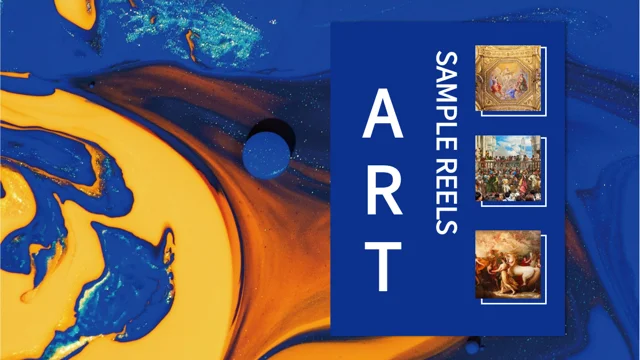
Blue Polygon Art Portfolio Presentation Template: folded blue panels and framed art studies
Blue Polygon Art Portfolio Presentation Template combines folded blue panels with triangular picture frames, pale space and yellow-green details. Its 26 slides keep the original 4:3 format. Blue Polygon Art Portfolio Presentation Template includes a four-item index and section dividers on pages 6, 11, 17 and 22. Sketches, patterned objects, wordmark art, vehicle concepts, characters and environment pictures appear beside short captions. Blue Polygon Art Portfolio Presentation Template uses manual profile values and a sample timeline; pictured interfaces are static, with no native data charts or workbooks. Chinese cover artwork and picture lettering remain. Blue Polygon Art Portfolio Presentation Template provides independent English prompts for ordinary editable text, with original wording in same-page notes. The original audio remains, and the last page is a Thanks layout. Choose useful pictures, describe visible details and keep source artwork distinct from your own contribution.
Key Features of Blue Polygon Art Portfolio Presentation Template
Folded blue panels, triangular frames and room for concise art captions.
Folded Blue Panels
Blue Polygon Art Portfolio Presentation Template pairs folded blue panels with pale space. Keep captions readable where colour blocks overlap the picture frame.
Triangular Picture Frames
Blue Polygon Art Portfolio Presentation Template uses triangles and blue rules around pictures. Check the crop and nearby caption space after changing an image.
Four Numbered Sections
Blue Polygon Art Portfolio Presentation Template has four section breaks and an index. Match short labels to your sequence, then check the closing Thanks page.
Mixed Art Picture Studies
Blue Polygon Art Portfolio Presentation Template pairs sketches, wordmarks and car concepts. Describe visible forms; keep source pictures distinct from your work.
Character and Environment Views
Blue Polygon Art Portfolio Presentation Template pairs character and environment pictures. Keep captions supported by the image, without guessing its creator.
Manual Profile and Timeline
Blue Polygon Art Portfolio Presentation Template keeps sample profile values and a timeline. Add verified details; these manual layouts are not linked data charts.
How to Use Blue Polygon Art Portfolio Presentation Template
Choose a sequence, add your own context and review the saved pages.
-
Choose a Picture Sequence
Review all 26 pages of Blue Polygon Art Portfolio Presentation Template. Choose art studies and section breaks that suit your subject, then plan short captions and a clear picture sequence.
-
Download a Working Copy
Get Blue Polygon Art Portfolio Presentation Template with an active paid plan. Daily downloads are unlimited and can be repeated; keep the download unchanged while editing a working copy.
-
Edit and Review the Deck
Adapt Blue Polygon Art Portfolio Presentation Template with your own context. Check crops, narrow labels, fonts and the original audio, then reopen the saved file and inspect exported pages.
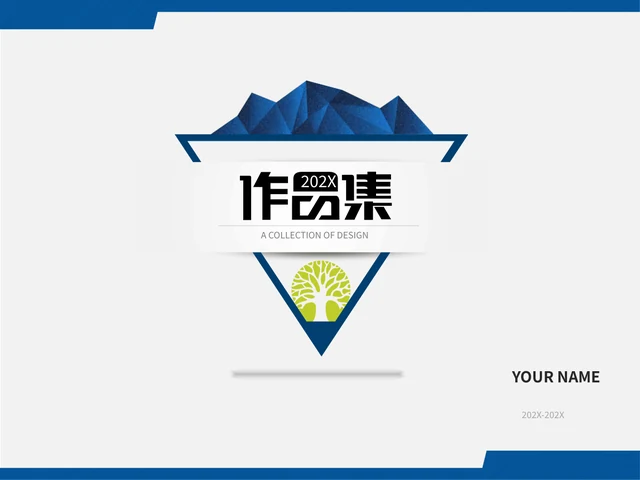
Questions about Blue Polygon Art Portfolio Presentation Template
How do I download Blue Polygon Art Portfolio Presentation Template?
Blue Polygon Art Portfolio Presentation Template is available to accounts with an active paid plan. Sign into that account and use the download control for Blue Polygon Art Portfolio Presentation Template. There is no daily download limit for Blue Polygon Art Portfolio Presentation Template, and repeat downloads are available. Keep the downloaded Blue Polygon Art Portfolio Presentation Template as a reference while making changes to a working copy. Browse the previews of Blue Polygon Art Portfolio Presentation Template before selecting your pages, then check the actual file in the editor you intend to use. Membership access provides the template download; it does not establish new rights for every supplied picture or recording.
How are the pages organised in Blue Polygon Art Portfolio Presentation Template?
Blue Polygon Art Portfolio Presentation Template contains 26 slides in the original 4:3 format. Blue Polygon Art Portfolio Presentation Template includes a four-item index and section breaks on pages 6, 11, 17 and 22. Between these breaks, Blue Polygon Art Portfolio Presentation Template pairs sketches, patterns, wordmark art, characters and environment pictures with short writing areas. You can select fewer pages from Blue Polygon Art Portfolio Presentation Template and choose a sequence that explains your own theme. The final page of Blue Polygon Art Portfolio Presentation Template is a Thanks layout. Keep the index and section labels consistent after editing, and review picture crops if you transfer pages into a presentation with a different ratio.
What can I edit in Blue Polygon Art Portfolio Presentation Template?
Blue Polygon Art Portfolio Presentation Template includes ordinary editable headings, captions and layout shapes. In Blue Polygon Art Portfolio Presentation Template, blue panels, rules and manual labels help frame the supplied pictures. Pictures in Blue Polygon Art Portfolio Presentation Template remain image assets, and their printed lettering is separate from ordinary text boxes. The native Chinese cover artwork in Blue Polygon Art Portfolio Presentation Template is retained as source graphic artwork rather than rewritten editable English type. Adapt Blue Polygon Art Portfolio Presentation Template using concise captions, then check alignment and the balance between pictures and pale space. A change to a text label does not change the source authorship or the contents of a supplied image.
Does Blue Polygon Art Portfolio Presentation Template contain linked charts or working models?
Blue Polygon Art Portfolio Presentation Template has no native data charts, tables or embedded workbooks. Profile percentages and timeline entries in Blue Polygon Art Portfolio Presentation Template are manually arranged examples. Vehicle concepts, environments and other illustrations in Blue Polygon Art Portfolio Presentation Template are static pictures rather than editable design models. A pictured music-player interface in Blue Polygon Art Portfolio Presentation Template is also an image, not a functioning application. Use Blue Polygon Art Portfolio Presentation Template to explain visible composition and your selected sequence, without presenting source examples as verified research or project results. Check the actual editable objects in your presentation editor before deciding how to replace captions or pictures.
Can I preview every page of Blue Polygon Art Portfolio Presentation Template?
The gallery for Blue Polygon Art Portfolio Presentation Template shows all 26 final pages. Review Blue Polygon Art Portfolio Presentation Template in order to compare the folded blue panels, triangular frames and different picture groupings. Choose writing areas in Blue Polygon Art Portfolio Presentation Template that suit the length of your own captions. A static preview of Blue Polygon Art Portfolio Presentation Template shows the page composition, with retained artwork and picture lettering visible; it does not play the audio. After downloading Blue Polygon Art Portfolio Presentation Template, inspect the file in your editor and test any media you plan to use. Compare your saved version with the previews when reviewing cropped pictures or changed typography.
Which fonts does Blue Polygon Art Portfolio Presentation Template use?
Blue Polygon Art Portfolio Presentation Template uses Source Han Sans SC Regular and Bold for ordinary editable text. Font files are not embedded in Blue Polygon Art Portfolio Presentation Template; install appropriate fonts or select a suitable replacement in your editor. Review the compact labels and section headings in Blue Polygon Art Portfolio Presentation Template after changing a font. The native cover artwork and printed wordmarks in Blue Polygon Art Portfolio Presentation Template are distinct from font-dependent text boxes. Check the saved Blue Polygon Art Portfolio Presentation Template for missing characters, uneven spacing and text that exceeds its writing area. Changing a text font does not translate lettering inside an image or turn graphic artwork into an ordinary heading.
Is the entire file of Blue Polygon Art Portfolio Presentation Template in English?
Blue Polygon Art Portfolio Presentation Template supplies independent English guidance for ordinary editable headings and captions. Original visible wording in Blue Polygon Art Portfolio Presentation Template is retained in actual same-page reference notes, separate from that new guidance. Native Chinese cover artwork and printed picture lettering in Blue Polygon Art Portfolio Presentation Template remain source material, so the whole package is not entirely English. Each website language for Blue Polygon Art Portfolio Presentation Template describes the same downloadable deck rather than supplying a separately translated presentation. Adapt Blue Polygon Art Portfolio Presentation Template to your audience with supported captions and clear source references. Do not treat retained source names, portraits or example timelines as verified identities or as the authors of your new contribution.
How should I treat the pictures and audio in Blue Polygon Art Portfolio Presentation Template?
Blue Polygon Art Portfolio Presentation Template preserves the supplied artwork, printed source marks and original audio. Names and provider marks in Blue Polygon Art Portfolio Presentation Template identify source material; they do not prove that one person created every picture. Access to Blue Polygon Art Portfolio Presentation Template does not create additional image or music permissions. When adapting Blue Polygon Art Portfolio Presentation Template, keep source information with the pictures you use and describe your own contribution accurately. Before sharing work based on Blue Polygon Art Portfolio Presentation Template, check the permissions relevant to your selected assets and purpose. Test the retained audio in your chosen editor and decide whether it suits the presentation you plan to give.
How can I share an edited Blue Polygon Art Portfolio Presentation Template?
Add your own captions, context and page sequence to Blue Polygon Art Portfolio Presentation Template. Review the saved Blue Polygon Art Portfolio Presentation Template for long labels, font changes, picture cropping and uneven spacing. Keep source references associated with the pictures used in Blue Polygon Art Portfolio Presentation Template, and distinguish those assets from your own original work. Export Blue Polygon Art Portfolio Presentation Template to PDF when your audience needs a static review, while retaining an editable copy for later changes. Test the original audio separately when sharing Blue Polygon Art Portfolio Presentation Template in a slide format. Choose a file type your audience can open and inspect the result before presenting or distributing it.