Blue Watercolor Work Summary Presentation Template: A soft blue setting for your work review
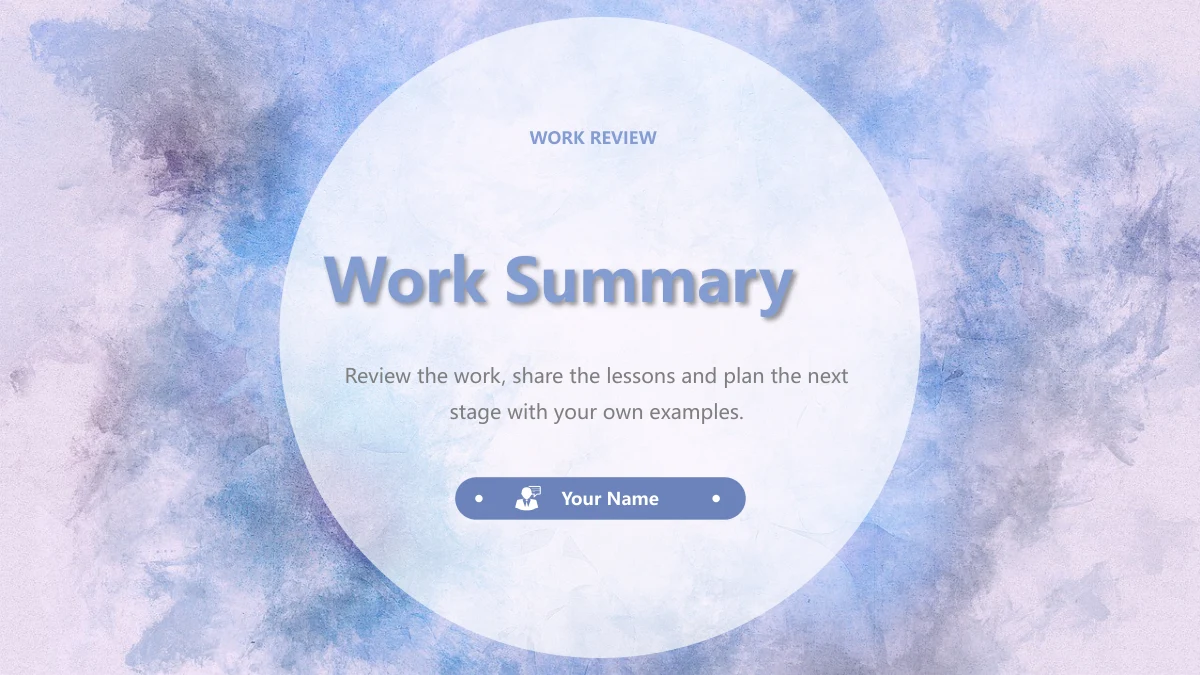
Blue Watercolor Work Summary Presentation Template uses blue and lilac watercolor washes behind translucent white circles and rounded panels. Its 15 widescreen slides connect a four-entry index with Work Overview, Results Shared, Areas to Improve and Work Plan. Numbered dividers separate these topics, and a thank-you page repeats the cover style. The Blue Watercolor Work Summary Presentation Template combines office photographs with diamond picture areas, blue icon blocks and simple arrows. Choose photographs for context or a diagram for a short explanation. Four numbered chevrons help lay out a plan without suggesting an automatic schedule. Use the Blue Watercolor Work Summary Presentation Template to introduce the work, support the points you share and explain what needs attention. Replace the guidance with your own concise examples. The office photographs illustrate a setting rather than identify your workplace or team. Check the narrow labels after editing.
Key Features of Blue Watercolor Work Summary Presentation Template
Photos and diagrams in Blue Watercolor Work Summary Presentation Template.
Blue watercolor and white panels
Blue Watercolor Work Summary Presentation Template puts blue and lilac washes behind white panels. Keep the light setting and give headings room to breathe.
An index linked to four sections
Blue Watercolor Work Summary Presentation Template has four index entries and breaks for overview, results, improvement and planning. Rename the labels together.
Office photographs in varied frames
Blue Watercolor Work Summary Presentation Template pairs diamond picture areas with three photo cards. Select images to suit each frame and check new crops.
Icons for concise explanations
Blue Watercolor Work Summary Presentation Template uses cubes, pens, boxes and graph icons in blue blocks and rings. Add a short explanation beside each icon.
A four-step plan made from shapes
Blue Watercolor Work Summary Presentation Template shows STEP 01–04 in adjoining chevrons. Edit the notes to outline your plan without implying live progress.
A matching thank-you close
Blue Watercolor Work Summary Presentation Template ends with a white circle and Thank You over the wash. Replace Your Name and add your closing message.
How to Use the Blue Watercolor Work Summary Presentation Template
Preview the pages, download with a paid plan, then edit and share.
-
Preview the layouts
Browse the 15 pages of the Blue Watercolor Work Summary Presentation Template. Compare its four section breaks, photo cards and icon diagrams, then select layouts for your own review points.
-
Download your editable copy
Download the Blue Watercolor Work Summary Presentation Template with an active paid plan. Keep an untouched copy, then align index labels with section titles before adding your own material.
-
Edit, check and share
Edit the Blue Watercolor Work Summary Presentation Template with your own examples and permitted photos. Check crops, narrow labels and line breaks, then share the reviewed PPTX or a fixed PDF.
Blue Watercolor Work Summary Presentation Template FAQ
How do I download the Blue Watercolor Work Summary Presentation Template?
Sign in with an active paid plan and select Download PPTX on the Blue Watercolor Work Summary Presentation Template page. Paid members can download the Blue Watercolor Work Summary Presentation Template without a daily limit and can download it again. Free accounts can inspect the complete gallery. Save an untouched Blue Watercolor Work Summary Presentation Template copy before working on it.
How many slides are in the Blue Watercolor Work Summary Presentation Template?
Blue Watercolor Work Summary Presentation Template has 15 slides in 16:9. The four-entry index in Blue Watercolor Work Summary Presentation Template aligns with breaks on slides 3, 6, 9 and 12. Blue Watercolor Work Summary Presentation Template closes with Thank You; update the index after selecting or reordering pages.
Can I change text and colours in the Blue Watercolor Work Summary Presentation Template?
The Blue Watercolor Work Summary Presentation Template has editable text, panels and drawn icons. Diagrams in the Blue Watercolor Work Summary Presentation Template use shapes rather than native charts, tables or linked workbooks. A graph symbol is an icon, not a source of business data. The watercolor wash is a picture, so change the background image separately when adapting the Blue Watercolor Work Summary Presentation Template.
Can I preview every slide of the Blue Watercolor Work Summary Presentation Template?
The Blue Watercolor Work Summary Presentation Template gallery shows all 15 pages, including the index, four dividers and thank-you close. Browse Blue Watercolor Work Summary Presentation Template thumbnails and larger previews to compare photo cards, diamond crops and planning arrows. Check an edited Blue Watercolor Work Summary Presentation Template in Slide Show view before presenting.
Can I open the Blue Watercolor Work Summary Presentation Template in another editor?
Test a Blue Watercolor Work Summary Presentation Template copy in your PPTX editor. Font spacing, shadows and crops can vary. Review the white-circle covers, narrow headings and four-step sequence in Blue Watercolor Work Summary Presentation Template. Export your checked Blue Watercolor Work Summary Presentation Template as a PDF when recipients need a fixed viewing copy.
Which fonts does the Blue Watercolor Work Summary Presentation Template use?
Editable text in the Blue Watercolor Work Summary Presentation Template uses Microsoft YaHei Regular and Bold. The Blue Watercolor Work Summary Presentation Template does not embed font files. If those fonts are unavailable, a substitute may alter wrapping in the short headings and presenter pill. Check a Blue Watercolor Work Summary Presentation Template copy in your editor before presenting. Photographed lettering stays within the images.
Are the slides in the Blue Watercolor Work Summary Presentation Template translated with the page?
Every language version of this page downloads the same English Blue Watercolor Work Summary Presentation Template file. Editable headings, guidance and speaker notes in the Blue Watercolor Work Summary Presentation Template are in English. Photographed lettering and brands remain inside the images. To present the Blue Watercolor Work Summary Presentation Template in another language, translate the editable text and notes, then check the available space.
Can I use the Blue Watercolor Work Summary Presentation Template for commercial work?
Use the Blue Watercolor Work Summary Presentation Template within the terms applicable to your download and intended use. Access to the Blue Watercolor Work Summary Presentation Template does not grant additional rights to photographed brands or third-party images. Replace photographs when your use requires other permissions. Support the statements you add to the Blue Watercolor Work Summary Presentation Template with your own evidence.
How should I share the Blue Watercolor Work Summary Presentation Template after editing?
Use the share button or copy the Blue Watercolor Work Summary Presentation Template page link so others can preview it and download with an active paid plan. Send an edited Blue Watercolor Work Summary Presentation Template as PPTX for changes or a checked PDF for viewing. Before sharing Blue Watercolor Work Summary Presentation Template, review names, notes, crops and the index, and follow the applicable download terms.