Charcoal Business Portfolio Presentation Template: red accents for your work story
Charcoal Business Portfolio Presentation Template brings a résumé and project story into 26 widescreen slides. Charcoal backgrounds, red headings, translucent panels and open-circle accents frame office photographs. A four-topic list in Charcoal Business Portfolio Presentation Template names operations, packaging, e-commerce and UI design; the following layouts include dated résumé entries and project notes. Use Charcoal Business Portfolio Presentation Template to combine photo collages, short captions and static phone or desktop frames. Skill lines and a rising-arrow percentage panel are manual examples, while a line chart and a column chart have linked workbooks. Replace sample people, dates, figures and contact details with information you can support. Charcoal Business Portfolio Presentation Template also supplies a contact page and a Thank You closing. Choose the pages that show your contribution, then connect each image or figure to a specific explanation.
Key Features of Charcoal Business Portfolio Presentation Template
Show the work, explain your role and support each figure.
Charcoal and Red Layouts
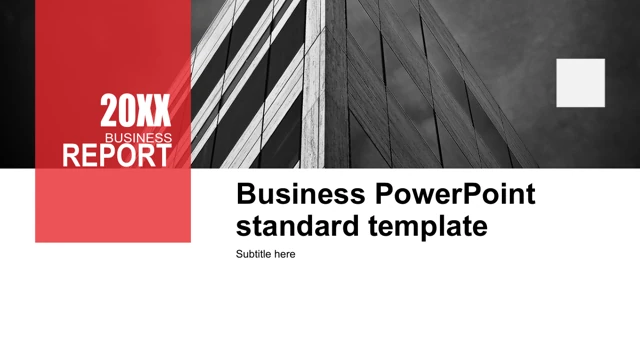
Charcoal Business Portfolio Presentation Template pairs dark pages with red titles and translucent panels. Keep captions brief and check contrast over photos.
Profile and Résumé Pages
Charcoal Business Portfolio Presentation Template offers an About Me page and dated résumé timelines. Replace sample roles and dates with your confirmed details.
Office Photo Collages
Charcoal Business Portfolio Presentation Template groups office photos into collages and caption columns. Choose images you may share and describe your own role.
Device Frame Examples
Charcoal Business Portfolio Presentation Template places photos within phone and desktop frames. Insert your work, inspect crops and treat these as static mockups.
Manual Skills and Progress
Charcoal Business Portfolio Presentation Template uses manual skill lines and a rising arrow. Edit percentages and shape positions separately when values change.
Two Editable Charts
Charcoal Business Portfolio Presentation Template has line and column charts with two workbooks. Replace sample values and verify the category labels and units.
How to Use Charcoal Business Portfolio Presentation Template
Select relevant pages, replace examples and review the result.
-
Plan the Portfolio Sequence
Browse all 26 pages of Charcoal Business Portfolio Presentation Template. Select résumé, project and data layouts that explain your role, then arrange them into a clear story for your audience.
-
Download a Working Copy
Sign in with an active paid plan to download Charcoal Business Portfolio Presentation Template. Daily and repeat downloads are unlimited. Keep a working copy and retain the original layouts.
-
Replace Content and Review
Edit Charcoal Business Portfolio Presentation Template in PowerPoint. Replace samples, check manual figures and chart data, then inspect every page and reopen the exported file before sharing.

Questions about Charcoal Business Portfolio Presentation Template
How do I download Charcoal Business Portfolio Presentation Template?
Download Charcoal Business Portfolio Presentation Template with this page’s PPTX button. Sign in with an active paid plan first; guests must log in. Paid members can get Charcoal Business Portfolio Presentation Template repeatedly without a daily limit. Browse the gallery to choose your layouts. Save a working copy of Charcoal Business Portfolio Presentation Template and keep the original for future edits.
How many slides are in Charcoal Business Portfolio Presentation Template?
Charcoal Business Portfolio Presentation Template contains 26 widescreen slides (16:9), including the cover, profile, four-topic list, résumé pages, project layouts, two charts, contact page and Thank You ending. The list in Charcoal Business Portfolio Presentation Template names operations, packaging, e-commerce and UI design. Choose the topics relevant to your work. Select pages of Charcoal Business Portfolio Presentation Template and keep their order coherent.
Can I edit Charcoal Business Portfolio Presentation Template?
Charcoal Business Portfolio Presentation Template includes editable text and shapes. The line chart uses three series for 2018–2023; the column chart uses three series for Day 1–Day 4. Replace examples in their linked workbooks. Skill lines and the 98% arrow label in Charcoal Business Portfolio Presentation Template are manual objects needing separate shape adjustments. Inspect selections when editing Charcoal Business Portfolio Presentation Template in PowerPoint, because image-based details may require image replacement.
Can I preview every page of Charcoal Business Portfolio Presentation Template?
All 26 previews of Charcoal Business Portfolio Presentation Template are public and free without purchasing a plan. Use thumbnails or arrows and enlarge a page to inspect its layout. Examine caption contrast, red overlays and device crops in Charcoal Business Portfolio Presentation Template. The gallery shows the visible pages of Charcoal Business Portfolio Presentation Template; it cannot establish photo rights or whether every image detail is separately editable.
Can I open Charcoal Business Portfolio Presentation Template in other editors?
Charcoal Business Portfolio Presentation Template is a PPTX file. Other editors may import it; individual compatibility is unverified. Compare an imported copy of Charcoal Business Portfolio Presentation Template with the gallery, checking fonts, device frames, translucent panels, picture crops and chart labels or values. Keep the original. Export and reopen the finished version of Charcoal Business Portfolio Presentation Template, then inspect every page for layout changes before presenting or sharing.
Which fonts does Charcoal Business Portfolio Presentation Template use?
Source references in Charcoal Business Portfolio Presentation Template include 微软雅黑, Arial, Calibri, Heiti SC Light, Times New Roman, Calibri Light and 宋体. No fonts are embedded in Charcoal Business Portfolio Presentation Template. Use licensed matching families when available; substitutions may change wrapping and spacing. Unembedded source font editions are unknown. Review narrow year labels, headings and captions in Charcoal Business Portfolio Presentation Template on the intended screen and in the exported file.
Is Charcoal Business Portfolio Presentation Template in English?
The downloadable Charcoal Business Portfolio Presentation Template has English editable labels and short editing prompts; original image lettering and source credits remain. Website translations of Charcoal Business Portfolio Presentation Template describe the same English PPTX, without separate translated slide files. Replace profile names, résumé dates, contacts, percentages and chart values in Charcoal Business Portfolio Presentation Template with supported information. They are design examples rather than verified biographies, customer endorsements or business results.
Can I use Charcoal Business Portfolio Presentation Template commercially?
Commercial and template redistribution permission for Charcoal Business Portfolio Presentation Template is unverified. Paid access does not add photograph or artwork rights. The source designer line names Tang Feng; metadata records Ivanka Ramdani without confirming ownership. Before client use or distribution of Charcoal Business Portfolio Presentation Template, confirm permissions. Keep required attributions and choose pictures you may share in your adaptation of Charcoal Business Portfolio Presentation Template.
How do I share Charcoal Business Portfolio Presentation Template?
Share the public page for Charcoal Business Portfolio Presentation Template with the control beside the download button or copy its URL. Recipients can preview the gallery and download Charcoal Business Portfolio Presentation Template with their own active paid plan. A portfolio made with Charcoal Business Portfolio Presentation Template should replace private or unsupported claims, use distributable content and keep required credits. Export a PDF if useful, reopen it and check every page before sending your result.