Shadow Portfolio Presentation Template: Monochrome Photos Within Angular Frames
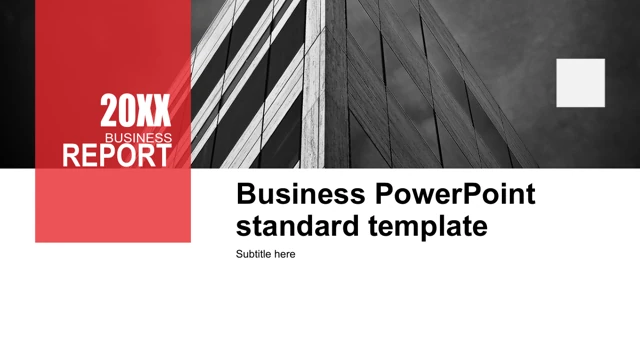
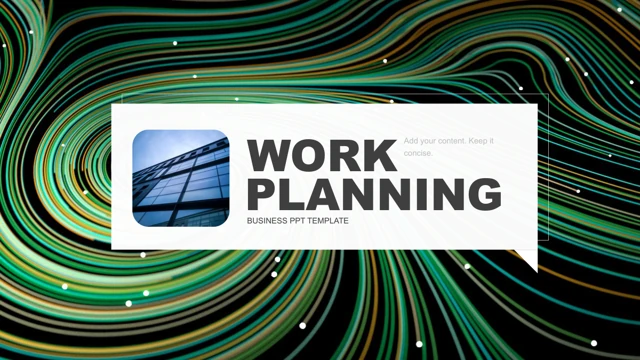
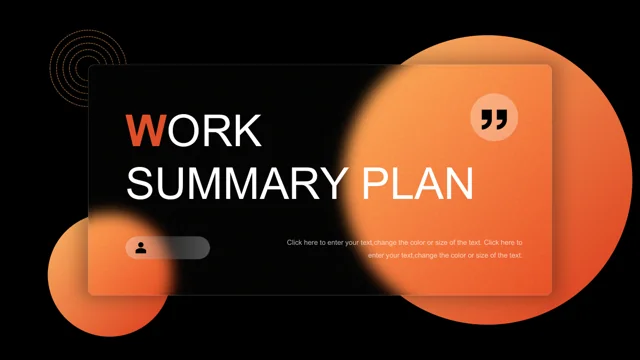
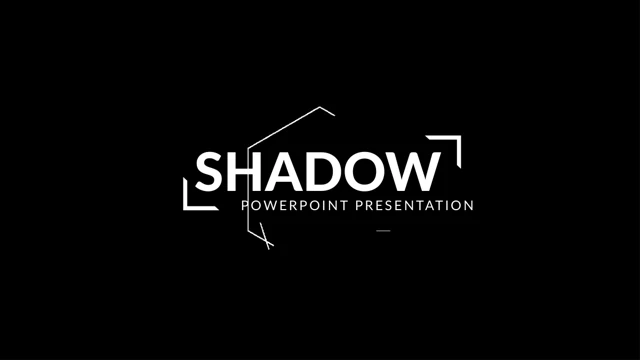
Shadow Portfolio Presentation Template opens with a large SHADOW title and a monochrome, angular composition. White outlines and triangle or diamond crops in Shadow Portfolio Presentation Template carry the visual structure rather than a colored palette. The 20 pages of Shadow Portfolio Presentation Template move through introductions, creative work, photo-led statements, company-report examples and project summaries. The photographs in Shadow Portfolio Presentation Template include waterfalls, forest and canyon views, concert lighting, architecture and people. Six small work icons in Shadow Portfolio Presentation Template offer a compact services page. A separate pair of sample labels in Shadow Portfolio Presentation Template reads 20/21 and 20/11; replace them according to your own context rather than assuming a calendar meaning. Shape-based skill bars in Shadow Portfolio Presentation Template carry Photoshop 85% and Illustrator 70% examples, while another layout repeats a 90% label. A three-project page in Shadow Portfolio Presentation Template includes sample figures 457,89 and 23,808. These are placeholders, not verified sales or productivity results. Shadow Portfolio Presentation Template has no native charts or embedded workbooks: change each label and its corresponding shape directly. Chinese work-review and thesis-defense labels in Shadow Portfolio Presentation Template were translated into English, and Latin filler was replaced with short editing prompts. Source promotion, notes and author details were cleared. Original photographs, object positions and numerical examples in Shadow Portfolio Presentation Template remain intact. Review every page of Shadow Portfolio Presentation Template before selecting a portfolio sequence, then check photo rights, short headings, pale text and all retained figures.
Key Features of Shadow Portfolio Presentation Template
Monochrome images, angular framing and short portfolio layouts.
A large SHADOW opening
Bold typography introduces the black, white and gray photo sequence.
Angular photo compositions
Triangles, diamonds and thin outlines frame landscape and people images.
Six work-icon points
A compact services page pairs six icons with short supporting labels.
Independent skill-bar shapes
Photoshop 85% and Illustrator 70% are sample labels, not chart data.
Photo-led report pages
Wide, side and stacked images support brief company-report examples.
Three-project closing layouts
Project blocks and sample figures need your own evidence and units.
How to Use Shadow Portfolio Presentation Template
Choose projects, replace examples and check every photo crop.
-
Review all 20 slides
Inspect angular crops, sample skill bars and project pages.
-
Download a working copy
Use an active paid plan. Daily downloads are unlimited.
-
Add verified portfolio content
Replace images and prompts, check figures and review font fit.
Questions about Shadow Portfolio Presentation Template
How do I download Shadow Portfolio Presentation Template?
Sign in with an active paid plan and select Download PPTX for Shadow Portfolio Presentation Template. The temporary link delivers Shadow Portfolio Presentation Template as a PowerPoint file. Repeated downloads of Shadow Portfolio Presentation Template have no daily limit while your plan remains active. Keep a working copy of Shadow Portfolio Presentation Template before replacing the sample material.
How many slides are in Shadow Portfolio Presentation Template?
Shadow Portfolio Presentation Template contains 20 slides in 16:9. The sequence in Shadow Portfolio Presentation Template includes an opening, introductions, work examples, photo-led report pages, project blocks and a closing. Select or reorder pages of Shadow Portfolio Presentation Template for your own portfolio. The sample headings in Shadow Portfolio Presentation Template do not define your completed project story.
Can I edit Shadow Portfolio Presentation Template?
Shadow Portfolio Presentation Template retains native text, outlined frames and diagram shapes. There are no native charts or embedded workbooks in Shadow Portfolio Presentation Template. Skill bars and percentage labels in Shadow Portfolio Presentation Template are separate shapes: update both when changing a value. Replace photographs to change image content in Shadow Portfolio Presentation Template, then inspect angular crops and alignment.
Can I preview every page of Shadow Portfolio Presentation Template?
Yes. Use the thumbnails or arrows to inspect the full Shadow Portfolio Presentation Template. Enlarge the photo crops, pale text and project figures in Shadow Portfolio Presentation Template before adding material. The preview shows the provided Shadow Portfolio Presentation Template, not your subsequent changes. Compare the Shadow Portfolio Presentation Template sequence with your own project outline.
Can another editor open Shadow Portfolio Presentation Template?
An application supporting PPTX may open Shadow Portfolio Presentation Template, but fonts, shape grouping and picture crops can vary. Compare its result with the Shadow Portfolio Presentation Template preview. Keep a PowerPoint working copy of Shadow Portfolio Presentation Template before conversion, then review all 20 pages of Shadow Portfolio Presentation Template in the chosen editor.
Which fonts does Shadow Portfolio Presentation Template use?
Source text in Shadow Portfolio Presentation Template includes Lato, Lato Heavy, Montserrat, Roboto Thin, Roboto Light, Nexa Bold, Signerica Fat, Arial and Calibri. Check their availability before adapting Shadow Portfolio Presentation Template. After substitution, review the SHADOW heading and narrow text labels in Shadow Portfolio Presentation Template. Shorten wording that exceeds its box in Shadow Portfolio Presentation Template.
Are the slides of Shadow Portfolio Presentation Template translated?
Shadow Portfolio Presentation Template is supplied in English. Chinese work-review and thesis-defense wording in Shadow Portfolio Presentation Template was translated, while Latin filler was shortened to editing prompts. Website language selection translates the page about Shadow Portfolio Presentation Template; the PPTX remains English. Figures, dates and sample project claims in Shadow Portfolio Presentation Template still need verification.
Can I use Shadow Portfolio Presentation Template commercially?
Paid access to Shadow Portfolio Presentation Template does not establish commercial rights to its design or photographs. Check permissions for Shadow Portfolio Presentation Template and replace assets whose rights are uncertain. Verify picture rights and distribution conditions before sharing an edited Shadow Portfolio Presentation Template with clients or an audience.
How do I share Shadow Portfolio Presentation Template?
Use the share control or copy the public link for Shadow Portfolio Presentation Template. Before distributing your version of Shadow Portfolio Presentation Template, check project names, image rights, sample skill bars and the 457,89 and 23,808 figures. Keep an editable Shadow Portfolio Presentation Template copy with any PDF exported for review.