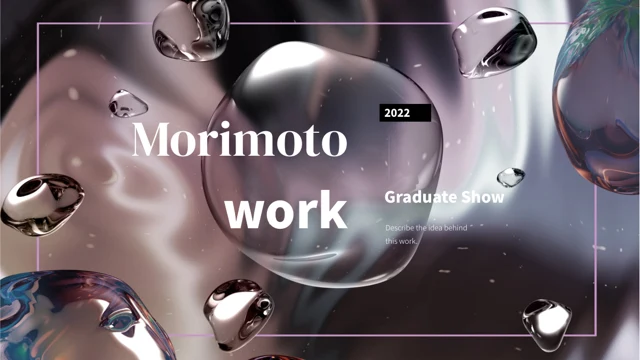
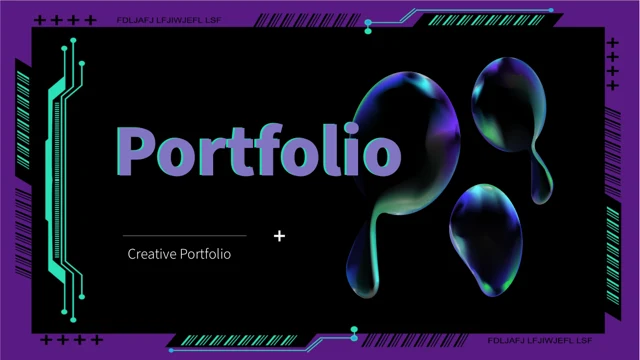
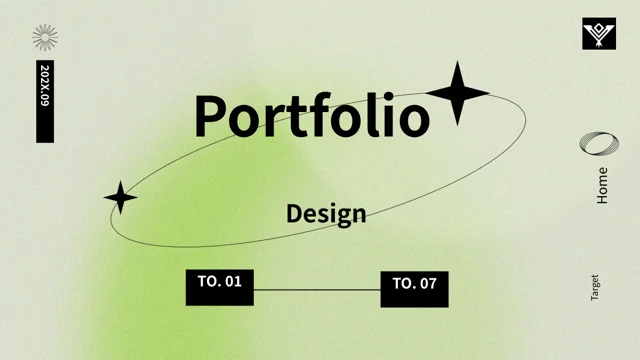
Chrome Variety Show Portfolio Presentation Template: Chrome Imagery, Teal Frames and Project Cards
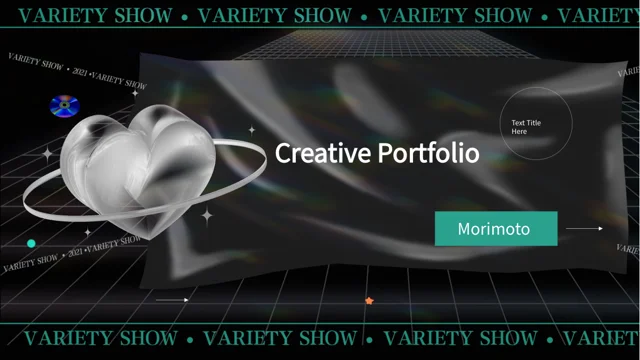
Chrome Variety Show Portfolio Presentation Template combines black rippled backgrounds with bright teal borders and perspective grids. Chrome Variety Show Portfolio Presentation Template carries the words VARIETY SHOW along its frames, giving the pages a graphic rhythm. Chrome Variety Show Portfolio Presentation Template opens with a chrome heart and a four-part contents page. Four numbered dividers combine record imagery, metallic lettering and layered textures. Inside, robot figures, reflective heads, purple cubes and iridescent shapes accompany short project notes. Outlined cards, icon groups and paired price examples offer places to explain a concept or compare choices. A three-day sequence can outline a schedule, while rings, circles and rating dots organize manual sample figures. Keep the notes brief and replace example values with information that you can explain. The closing page returns to the dark chrome composition with a thank-you message and the original Morimoto name.
Key Features of Chrome Variety Show Portfolio Presentation Template
Dark textures, chrome pictures and structured portfolio notes.
Teal Frames on Dark Textures
Chrome Variety Show Portfolio Presentation Template pairs black ripples with teal borders and grids. Keep small labels clear against the dark texture as you edit.
Four Collage Dividers
Chrome Variety Show Portfolio Presentation Template uses four dividers with record and metallic-letter imagery. Update their names alongside the contents entries.
Chrome Image and Text Pairings
Chrome Variety Show Portfolio Presentation Template pairs robots, reflective heads and purple cubes with notes. Use concise descriptions beside these static images.
Project and Price Cards
Chrome Variety Show Portfolio Presentation Template includes outlined note cards and paired price examples. Replace their labels and figures with project details.
Three-Day Sequence
Chrome Variety Show Portfolio Presentation Template offers a three-day layout with connected points. Rename the stages and explain what each point means in the project.
Manual Metrics and Ratings
Chrome Variety Show Portfolio Presentation Template combines rings, circles and rating dots with sample values. Adjust both labels and shapes when you change figures.
How to Use Chrome Variety Show Portfolio Presentation Template
Set the section order, replace examples and check the finished pages.
-
Plan the Portfolio
Preview all 20 pages of Chrome Variety Show Portfolio Presentation Template. Choose the cards and image layouts you need, then align the four contents entries with your section names.
-
Download and Add Your Content
Download Chrome Variety Show Portfolio Presentation Template with an active paid plan; daily and repeat downloads are unlimited. Save a copy and replace the guidance, price examples and figures.
-
Check the Finished Pages
Review Chrome Variety Show Portfolio Presentation Template. Check dark-background contrast, small captions and manual metrics, then compare exported pages with the editable file before sharing.
Questions About Chrome Variety Show Portfolio Presentation Template
How do I download Chrome Variety Show Portfolio Presentation Template?
Sign in with an active paid plan to download Chrome Variety Show Portfolio Presentation Template. Daily and repeat downloads of Chrome Variety Show Portfolio Presentation Template are unlimited. Chrome Variety Show Portfolio Presentation Template is supplied as an editable PowerPoint file. Save an untouched copy of Chrome Variety Show Portfolio Presentation Template before adding your project descriptions, replacing images or adjusting the sample figures.
What is included in Chrome Variety Show Portfolio Presentation Template?
Chrome Variety Show Portfolio Presentation Template contains 20 slides in a 16:9 format. Chrome Variety Show Portfolio Presentation Template includes a cover, four-part contents page, four numbered dividers and a thank-you page. The Chrome Variety Show Portfolio Presentation Template content pages combine chrome imagery with outlined cards, icon notes, a three-day sequence and manual metrics. Review all Chrome Variety Show Portfolio Presentation Template previews to choose the layouts that suit your portfolio rather than using every sample page without adapting its purpose.
How are the sections in Chrome Variety Show Portfolio Presentation Template organized?
Chrome Variety Show Portfolio Presentation Template places its four dividers on pages 3, 7, 12 and 16. The Chrome Variety Show Portfolio Presentation Template dividers repeat a record-and-texture collage to mark changes between groups of pages. Rename the Chrome Variety Show Portfolio Presentation Template sections around your projects, process or areas of work, then update the four contents labels to match. Keep the Chrome Variety Show Portfolio Presentation Template section order consistent when moving pages so your audience can follow the portfolio from introduction to closing.
Are the chrome objects in Chrome Variety Show Portfolio Presentation Template editable 3D models?
Chrome Variety Show Portfolio Presentation Template uses static pictures of chrome objects, robot figures, reflective heads and other graphic accents. These Chrome Variety Show Portfolio Presentation Template pictures are not editable 3D models. You can replace or reposition a Chrome Variety Show Portfolio Presentation Template image while checking its crop, proportions and relationship to nearby text. Describe the pictured objects as visual examples unless they are genuinely your work; Chrome Variety Show Portfolio Presentation Template does not establish authorship of the images for the person using the file.
Does Chrome Variety Show Portfolio Presentation Template include native data charts?
Chrome Variety Show Portfolio Presentation Template uses manually arranged shapes and text for its percentage rings, circles and rating dots. Chrome Variety Show Portfolio Presentation Template does not include native data charts or embedded chart workbooks. Change the Chrome Variety Show Portfolio Presentation Template visual proportions where needed when replacing a percentage, rather than editing only the number. Check calculations and explain what each Chrome Variety Show Portfolio Presentation Template quantity measures before presenting the example layout as evidence of results.
Are the prices and schedule in Chrome Variety Show Portfolio Presentation Template real offers?
Chrome Variety Show Portfolio Presentation Template includes paired price cards and a three-day sequence as presentation examples. The Chrome Variety Show Portfolio Presentation Template prices are not PPT AI subscription prices or verified commercial offers. Replace Chrome Variety Show Portfolio Presentation Template amounts, labels and stage descriptions with your own information, including units or conditions when relevant. The Chrome Variety Show Portfolio Presentation Template sequence is a static arrangement of shapes and notes, so changing a label does not automatically update other stages or create a live schedule.
Which fonts does Chrome Variety Show Portfolio Presentation Template use?
Chrome Variety Show Portfolio Presentation Template uses Source Han Sans SC Regular for its final text. The Chrome Variety Show Portfolio Presentation Template file retains some original font attachments, but the current Source Han font is not newly embedded. Install the matching font if your software substitutes another typeface in Chrome Variety Show Portfolio Presentation Template. Review Chrome Variety Show Portfolio Presentation Template small captions, card descriptions, section headings and percentage labels after font changes, then compare exported pages with the supplied previews.
How should I handle the Morimoto name in Chrome Variety Show Portfolio Presentation Template?
Chrome Variety Show Portfolio Presentation Template retains the original Morimoto name in its cover and closing compositions. Treat this Chrome Variety Show Portfolio Presentation Template source name separately from your own project identity and do not present it as your personal name or a client endorsement. Add accurate project titles and descriptions to Chrome Variety Show Portfolio Presentation Template while preserving genuine source credits. Review the Chrome Variety Show Portfolio Presentation Template imagery and sample statements so the finished portfolio clearly distinguishes your work from the template's visual material.
What should I check before sharing Chrome Variety Show Portfolio Presentation Template?
Check Chrome Variety Show Portfolio Presentation Template section titles, project notes, prices, schedule labels and manual percentages. Make sure Chrome Variety Show Portfolio Presentation Template sample figures are replaced or clearly identified as examples. Review the Chrome Variety Show Portfolio Presentation Template text contrast against dark textures and the spacing around outlined cards and chrome images. Compare every exported Chrome Variety Show Portfolio Presentation Template page with the editable file, including the contents and closing page, before presenting or sharing the portfolio.