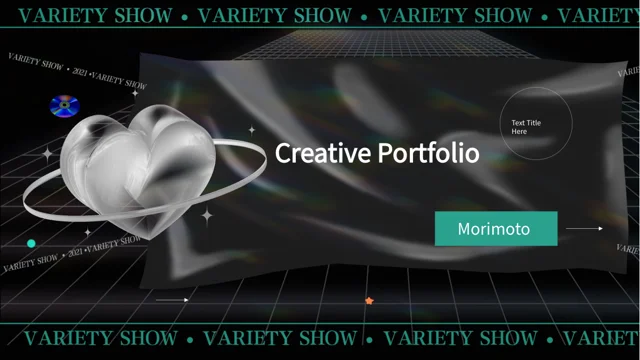
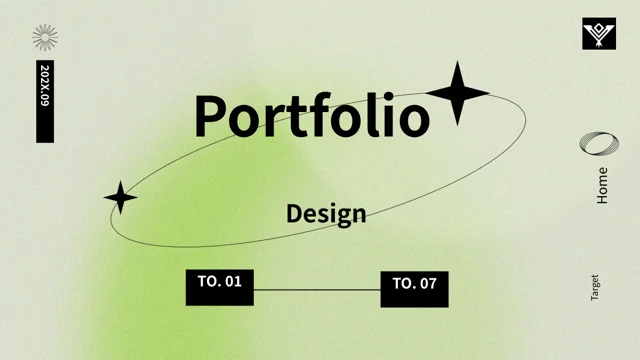
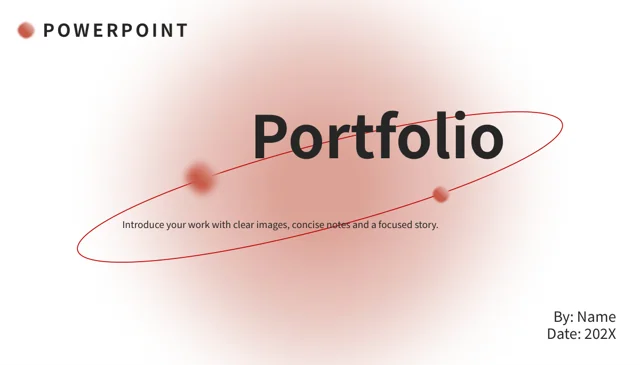
Liquid Chrome Graduate Portfolio Presentation Template: Metallic Images and Black-and-White Panels
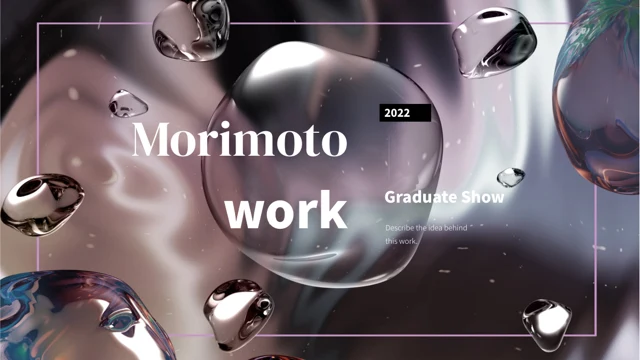
Liquid Chrome Graduate Portfolio Presentation Template opens with silver and mauve forms behind the retained Morimoto name. Large serif headings, thin lines and black-and-white panels connect 20 widescreen slides. Liquid Chrome Graduate Portfolio Presentation Template uses four section dividers and a contents row of circular picture markers. Oval crops, split panels and floating white cards give the same liquid imagery different roles through the deck. Liquid Chrome Graduate Portfolio Presentation Template also includes numbered notes and two- or three-card year layouts. The years are examples to replace, not a verified graduation history. Metallic forms are static pictures, while the cards and captions organize your own work. Replace English sample guidance with accurate project descriptions, keep source naming intact and review text that overlaps image edges. Select the layouts that explain each project, then align the four-part contents, section labels and matching thanks page.
Key Features of Liquid Chrome Graduate Portfolio Presentation Template
Liquid reflections, bold serif headings and four clear sections.
Liquid Chrome Picture Theme
Liquid Chrome Graduate Portfolio Presentation Template repeats silver and mauve reflective forms. These are static pictures; preserve their proportions when editing.
Black-and-White Panel Layouts
Liquid Chrome Graduate Portfolio Presentation Template alternates dark fields and white panels. Keep captions readable where text meets the metallic imagery.
Four Section Dividers
Liquid Chrome Graduate Portfolio Presentation Template separates four parts with matching dividers. Update the contents labels and section headings together.
Oval Crops and Split Images
Liquid Chrome Graduate Portfolio Presentation Template combines oval crops with split picture layouts. Keep important image details visible after replacements.
Sample Year Cards
Liquid Chrome Graduate Portfolio Presentation Template includes two- and three-card year layouts. Replace the dates and notes with verified details of your own projects.
Numbered Notes and White Cards
Liquid Chrome Graduate Portfolio Presentation Template offers numbered notes on floating white cards. Use concise descriptions to explain one project point at a time.
How to Use Liquid Chrome Graduate Portfolio Presentation Template
Choose your projects, update the year cards and review each text area.
-
Arrange Your Four Parts
Preview all 20 pages of Liquid Chrome Graduate Portfolio Presentation Template. Select project layouts, arrange four parts and update the contents so its labels match the chosen section order.
-
Download and Replace the Examples
Get Liquid Chrome Graduate Portfolio Presentation Template with an active paid plan; daily and repeat downloads are unlimited. Edit a copy and replace sample dates and project notes.
-
Check Text and Image Edges
Review Liquid Chrome Graduate Portfolio Presentation Template at full size. Check captions on dark panels, oval crops and year cards, then compare the export with the editable file.
Questions About Liquid Chrome Graduate Portfolio Presentation Template
How do I download Liquid Chrome Graduate Portfolio Presentation Template?
Sign in with an active paid plan to download Liquid Chrome Graduate Portfolio Presentation Template. Daily and repeat downloads of Liquid Chrome Graduate Portfolio Presentation Template are unlimited. Liquid Chrome Graduate Portfolio Presentation Template is supplied as an editable PowerPoint file. Save an untouched copy of Liquid Chrome Graduate Portfolio Presentation Template before replacing project descriptions, dates or images.
What is included in Liquid Chrome Graduate Portfolio Presentation Template?
Liquid Chrome Graduate Portfolio Presentation Template contains 20 slides in a 16:9 format. Liquid Chrome Graduate Portfolio Presentation Template includes a cover, contents, four section dividers, picture-and-text layouts, year cards and a thanks page. The gallery previews every page of Liquid Chrome Graduate Portfolio Presentation Template. Choose the Liquid Chrome Graduate Portfolio Presentation Template layouts that explain your projects rather than using every Liquid Chrome Graduate Portfolio Presentation Template example automatically.
Where are the four parts in Liquid Chrome Graduate Portfolio Presentation Template?
Liquid Chrome Graduate Portfolio Presentation Template places its dividers on pages 3, 9, 12 and 17. Each divider in Liquid Chrome Graduate Portfolio Presentation Template pairs a heading and notes with the liquid chrome imagery. Rename the Liquid Chrome Graduate Portfolio Presentation Template parts and update the Liquid Chrome Graduate Portfolio Presentation Template contents row together. The example order is not a prescribed course structure or a verified record of completed projects.
What does the Morimoto name in Liquid Chrome Graduate Portfolio Presentation Template refer to?
Morimoto is a name retained from the source cover of Liquid Chrome Graduate Portfolio Presentation Template. The name in Liquid Chrome Graduate Portfolio Presentation Template does not identify the owner of your work or establish an affiliation. Keep original naming and attribution intact when adapting Liquid Chrome Graduate Portfolio Presentation Template, and describe your own role accurately in the editable text. Liquid Chrome Graduate Portfolio Presentation Template provides sample presentation content, not a verified personal biography.
Are the metallic forms in Liquid Chrome Graduate Portfolio Presentation Template editable 3D models?
The silver and mauve forms in Liquid Chrome Graduate Portfolio Presentation Template are static pictures, not editable 3D objects. You can resize or reposition the pictures in Liquid Chrome Graduate Portfolio Presentation Template with ordinary image tools. Preserve the proportions of Liquid Chrome Graduate Portfolio Presentation Template pictures and review oval crops carefully. Check the relationship between pictures and overlapping headings in Liquid Chrome Graduate Portfolio Presentation Template before exporting.
Are the year cards in Liquid Chrome Graduate Portfolio Presentation Template linked to data?
Liquid Chrome Graduate Portfolio Presentation Template uses manually edited year cards and notes. Liquid Chrome Graduate Portfolio Presentation Template contains no native charts, tables or embedded workbooks. Replace the dates in Liquid Chrome Graduate Portfolio Presentation Template with verified project information; the examples are not a current graduation announcement or a confirmed timeline. Check each Liquid Chrome Graduate Portfolio Presentation Template card against its caption after editing.
Which fonts does Liquid Chrome Graduate Portfolio Presentation Template use?
Liquid Chrome Graduate Portfolio Presentation Template uses DM Serif Display and Source Han Sans SC Light and Heavy for its visible text. Liquid Chrome Graduate Portfolio Presentation Template retains some original font attachments, but the new Source Han SC fonts are not embedded. Install matching fonts for Liquid Chrome Graduate Portfolio Presentation Template if Liquid Chrome Graduate Portfolio Presentation Template opens with substitutions. Check serif headings, narrow captions and spacing again after export.
Can I change the panels and captions in Liquid Chrome Graduate Portfolio Presentation Template?
Liquid Chrome Graduate Portfolio Presentation Template provides English sample guidance in editable text areas. Replace it with concise project descriptions and retain good contrast on the black-and-white panels in Liquid Chrome Graduate Portfolio Presentation Template. Colors within metallic pictures belong to those images. Review Liquid Chrome Graduate Portfolio Presentation Template after any font, panel-color or image change, especially where text and picture edges overlap.
What should I check before sharing Liquid Chrome Graduate Portfolio Presentation Template?
Review the contents, four section labels, year cards and final thanks in Liquid Chrome Graduate Portfolio Presentation Template. Confirm that every project note in Liquid Chrome Graduate Portfolio Presentation Template matches your own work. Inspect Liquid Chrome Graduate Portfolio Presentation Template dark panels, white cards and cropped images at full size. Compare the exported Liquid Chrome Graduate Portfolio Presentation Template with the editable copy so replaced captions do not spill beyond their intended areas.