Black Frame Art Exhibition Presentation Template: Dark Covers and Framed Gallery Pages
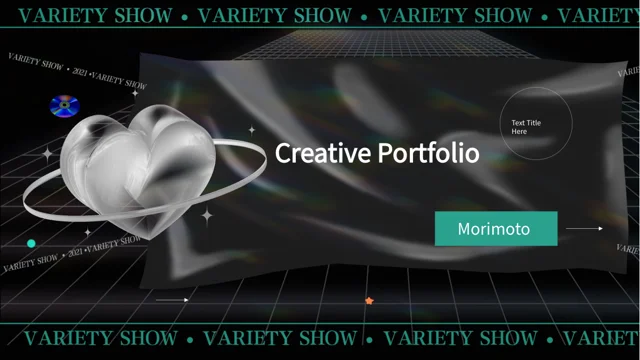
Black Frame Art Exhibition Presentation Template contrasts dark covers with white content pages inside thick black borders. Glossy abstract forms and fine lines set an exhibition mood, while gallery rooms, sculpture and architectural photographs ground the 24-page sequence. Black Frame Art Exhibition Presentation Template organizes the material with four numbered section dividers. Black Frame Art Exhibition Presentation Template offers paired photographs, overlapping images and static tablet or laptop frames, along with quotation and note layouts. A five-point circle and six-stop curved path help structure explanations. Later pages combine manually displayed percentages, icon groups and a recycling diagram with short captions. Choose layouts that fit your exhibition story, verify the details you add and replace the sample organizer, speaker and date fields. Keep text inside the black border, check the numbered labels and review the matching cover and closing page before sharing.
Key Features of Black Frame Art Exhibition Presentation Template
Black borders, gallery photographs and structured visual explanations.
Dark Covers and Black Borders
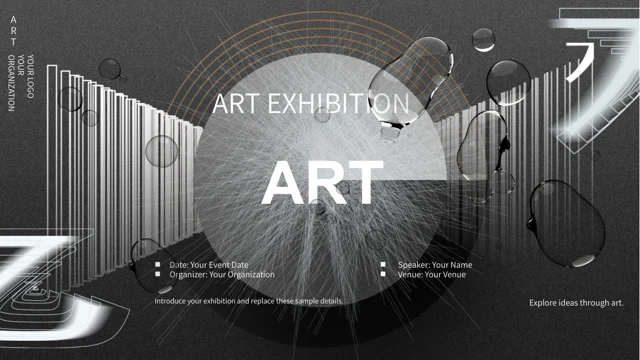
Black Frame Art Exhibition Presentation Template contrasts dark abstract covers with black-framed white pages. Keep headings and notes inside each border.
Four Exhibition Sections
Black Frame Art Exhibition Presentation Template uses numbered dividers on pages 3, 9, 14 and 19. Match the four contents labels to the exhibition sequence selected.
Gallery Photos and Device Frames
Black Frame Art Exhibition Presentation Template combines gallery photos with static tablet and laptop frames. Check image crops and describe what each view shows.
Numbered Circles and Paths
Black Frame Art Exhibition Presentation Template includes a five-point circle and a six-stop curved path. Replace the notes and check their order and label spacing.
Manual Figures and Icon Groups
Black Frame Art Exhibition Presentation Template shows manual 55% and 45% examples, icon rows and a recycling diagram. Update the figures and explain each symbol.
Photo Layers and Compact Notes
Black Frame Art Exhibition Presentation Template pairs and overlaps photographs with quotes or short note cards. Keep the picture visible and captions close to it.
How to Use Black Frame Art Exhibition Presentation Template
Plan the sections, update event details and check every framed page.
-
Plan the Exhibition Story
Preview all 24 pages of Black Frame Art Exhibition Presentation Template. Choose gallery photos, numbered explanations and note layouts, then align the four section titles with your story.
-
Download and Update Details
Download Black Frame Art Exhibition Presentation Template with an active paid plan; daily and repeat downloads are unlimited. Save a copy and replace organizer, speaker, date and sample figures.
-
Inspect Borders and Labels
Review Black Frame Art Exhibition Presentation Template at full size. Check black borders, device crops and numbered labels, then compare the exported pages with your editable copy before use.
Questions About Black Frame Art Exhibition Presentation Template
How do I download Black Frame Art Exhibition Presentation Template?
Sign in with an active paid plan to download Black Frame Art Exhibition Presentation Template. Daily and repeat downloads of Black Frame Art Exhibition Presentation Template are unlimited. Black Frame Art Exhibition Presentation Template is supplied as an editable PowerPoint file. Keep an untouched copy of Black Frame Art Exhibition Presentation Template before replacing gallery images, changing event details or adapting the monochrome design.
What is included in Black Frame Art Exhibition Presentation Template?
Black Frame Art Exhibition Presentation Template contains 24 slides in a 16:9 format. Black Frame Art Exhibition Presentation Template includes an exhibition cover, four-item contents page, four numbered dividers and a matching closing page. The Black Frame Art Exhibition Presentation Template content layouts combine gallery photographs, device frames, quotation blocks and numbered explanations. Preview every Black Frame Art Exhibition Presentation Template page before selecting the layouts that fit the material you want to present.
How are the four sections in Black Frame Art Exhibition Presentation Template arranged?
Black Frame Art Exhibition Presentation Template places its numbered dividers on pages 3, 9, 14 and 19. Each Black Frame Art Exhibition Presentation Template divider repeats the dark texture, abstract glossy forms and a large section number. Rename the Black Frame Art Exhibition Presentation Template contents entries and section headings together so they follow your chosen exhibition story. Keep the short Black Frame Art Exhibition Presentation Template supporting notes focused on what the next group of pages explains.
Can I replace the images and device views in Black Frame Art Exhibition Presentation Template?
You can replace the Black Frame Art Exhibition Presentation Template photographs with suitable pictures from your project. Black Frame Art Exhibition Presentation Template combines gallery and architectural views with overlapping images, rounded crops and static device frames. The tablet and laptop layouts in Black Frame Art Exhibition Presentation Template are picture arrangements, not interactive applications. After updating a Black Frame Art Exhibition Presentation Template picture, check its proportions, frame edges and nearby caption at full size.
Are the percentages and diagrams in Black Frame Art Exhibition Presentation Template linked to data?
Black Frame Art Exhibition Presentation Template shows 55% and 45% as manually displayed examples on page 15. Black Frame Art Exhibition Presentation Template does not include native data charts, tables or linked Excel workbooks. The Black Frame Art Exhibition Presentation Template five-point circle, six-stop path, icon rows and recycling graphic organize explanatory content rather than verified measurements. Update the Black Frame Art Exhibition Presentation Template numbers and notes separately, and make sure any symbol or process you retain fits the information you are presenting.
How do I personalize the event details in Black Frame Art Exhibition Presentation Template?
Black Frame Art Exhibition Presentation Template includes sample areas for an organizer, speaker, date and location. Replace these Black Frame Art Exhibition Presentation Template fields with accurate event information and check the cover and closing page together. The Black Frame Art Exhibition Presentation Template photographs and example wording do not establish a real event, sponsorship or affiliation. Review the Black Frame Art Exhibition Presentation Template captions and project claims separately so viewers can distinguish your confirmed details from layout examples.
Which fonts does Black Frame Art Exhibition Presentation Template use?
Black Frame Art Exhibition Presentation Template uses Source Han Sans SC Normal, Arial Bold and Wingdings. Black Frame Art Exhibition Presentation Template does not embed fonts. Install matching fonts if Black Frame Art Exhibition Presentation Template opens with substitutions, then inspect short headings, numbered labels and symbol bullets. Compare the Black Frame Art Exhibition Presentation Template export with the editable copy to catch altered line breaks or spacing before sharing.
How should I use the numbered layouts in Black Frame Art Exhibition Presentation Template?
Black Frame Art Exhibition Presentation Template places five notes around a circular photo on page 6 and six stops along a curved path on page 8. A later Black Frame Art Exhibition Presentation Template layout links four round icons with three numbered connections. Choose the Black Frame Art Exhibition Presentation Template arrangement that matches the relationships you want to explain, then replace its labels and notes. Keep Black Frame Art Exhibition Presentation Template numbering consistent and check short text boxes for cramped letters or unexpected line breaks.
What should I check before sharing Black Frame Art Exhibition Presentation Template?
Review the four section titles and event details in Black Frame Art Exhibition Presentation Template. Check Black Frame Art Exhibition Presentation Template manually entered percentages, numbered paths and icon explanations against your own material. Inspect the Black Frame Art Exhibition Presentation Template photo crops, device frames and black page borders so no important text feels crowded. Compare the exported Black Frame Art Exhibition Presentation Template pages with the editable file, including the dark opening and closing layouts.