Circular Business Report Presentation Template: A Red Circle Framework
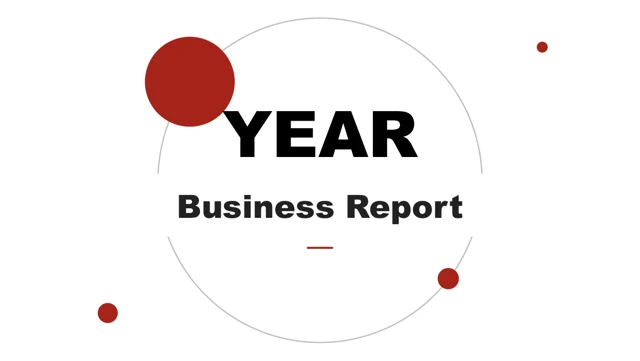
Circular Business Report Presentation Template places a large year field inside a thin circular outline on its cover. Small red circles mark that opening and the matching closing page. Four numbered part dividers carry this motif through Circular Business Report Presentation Template. The contents page uses four outlined circles to establish the order. The white pages of Circular Business Report Presentation Template leave room around dark text, red headings and diagram shapes. Two-photo compositions, three project cards and a four-image gallery provide different ways to introduce real work. Circular Business Report Presentation Template also includes a quotation grid with small circular portraits; replace the example names and quotations before using it. A six-item icon page and a group of three hexagons offer compact lists in Circular Business Report Presentation Template. The ascending arrows, four numbered wedge shapes and a central lightbulb connect actions without requiring a photograph. A separate geometric timeline in Circular Business Report Presentation Template pairs year labels with example percentages. Three native ring charts in Circular Business Report Presentation Template retain their embedded data workbooks. The examples show 40%, 60% and 80%; the other percentages are separate text objects. Update each measure from a verified source. Circular Business Report Presentation Template keeps the photos, text, shapes and charts as distinct elements. The English copy uses clear sample prompts and removes the original promotional labels. Choose a useful sequence in Circular Business Report Presentation Template, then replace the year, people, project details and numbers before presenting Circular Business Report Presentation Template.
Key Features of Circular Business Report Presentation Template
Four numbered parts use a consistent red circle motif.
Circular part dividers
Circular Business Report Presentation Template repeats a fine outline and red dots.
Office photo sets
Use paired photos, three project cards or the four-image gallery.
Small icon groups
Six service points and three hexagons give short ideas their own space.
Connected actions
Compare the rising arrows, wedge sequence and central lightbulb.
Three native charts
Ring charts retain their embedded workbooks and example data.
Separate elements
Edit text and shapes in Circular Business Report Presentation Template.
How to Use Circular Business Report Presentation Template
Choose the pages, update the examples and check the sequence.
-
Preview Circular Business Report Presentation Template
Review all twenty-six pages. Compare the photo and diagram layouts.
-
Download the PPTX
Sign in with an active paid plan. Daily downloads are unlimited.
-
Prepare your report
Replace the year, names and measures, then check fonts and spacing.
Questions About Circular Business Report Presentation Template
How do I download Circular Business Report Presentation Template?
Sign in with an active paid plan and select Download PPTX. The service provides a temporary private link for Circular Business Report Presentation Template. Paid members can download Circular Business Report Presentation Template again without a daily limit.
How many pages does Circular Business Report Presentation Template contain?
Circular Business Report Presentation Template has twenty-six widescreen slides and four numbered part dividers. Keep the order or remove unused pages from Circular Business Report Presentation Template for a shorter report.
Can I edit Circular Business Report Presentation Template?
The text, shapes and three native ring charts in Circular Business Report Presentation Template are editable. Change the chart data in their embedded workbooks through PowerPoint. Photos in Circular Business Report Presentation Template are separate images; any lettering inside a combined image remains part of that image.
Can I preview all of Circular Business Report Presentation Template?
Yes. The gallery includes every page of Circular Business Report Presentation Template. Use the thumbnails and arrows, then enlarge the diagrams and photo cards. Check whether your text will fit Circular Business Report Presentation Template before downloading.
Can another editor open Circular Business Report Presentation Template?
An editor with PPTX import support may open Circular Business Report Presentation Template. Check the ring charts, icons and fonts after import. Compare your copy with the public preview of Circular Business Report Presentation Template before sending it.
Which fonts does Circular Business Report Presentation Template use?
The English file of Circular Business Report Presentation Template uses Arial and Arial Black. Font substitution can change the line breaks. Check the year field, part titles and smaller labels in Circular Business Report Presentation Template after any change.
What language is Circular Business Report Presentation Template in?
The downloadable copy of Circular Business Report Presentation Template uses English sample text. Promotional labels and unclear placeholder instructions have been removed or rewritten. The website has localized descriptions, while the downloaded text of Circular Business Report Presentation Template stays in English.
Is commercial use of Circular Business Report Presentation Template allowed?
Check the original material's terms and the rights to any photos, quotations or other content you add. Paid access to Circular Business Report Presentation Template does not grant an additional license. Keep these conditions in mind when distributing Circular Business Report Presentation Template.
How can I share Circular Business Report Presentation Template?
Use the share icon beside the download button to send the public page of Circular Business Report Presentation Template or copy its link. A service opens its share window. Recipients need an active paid plan to download Circular Business Report Presentation Template.