Beach PowerPoint templates: a coastal setting for classroom ideas
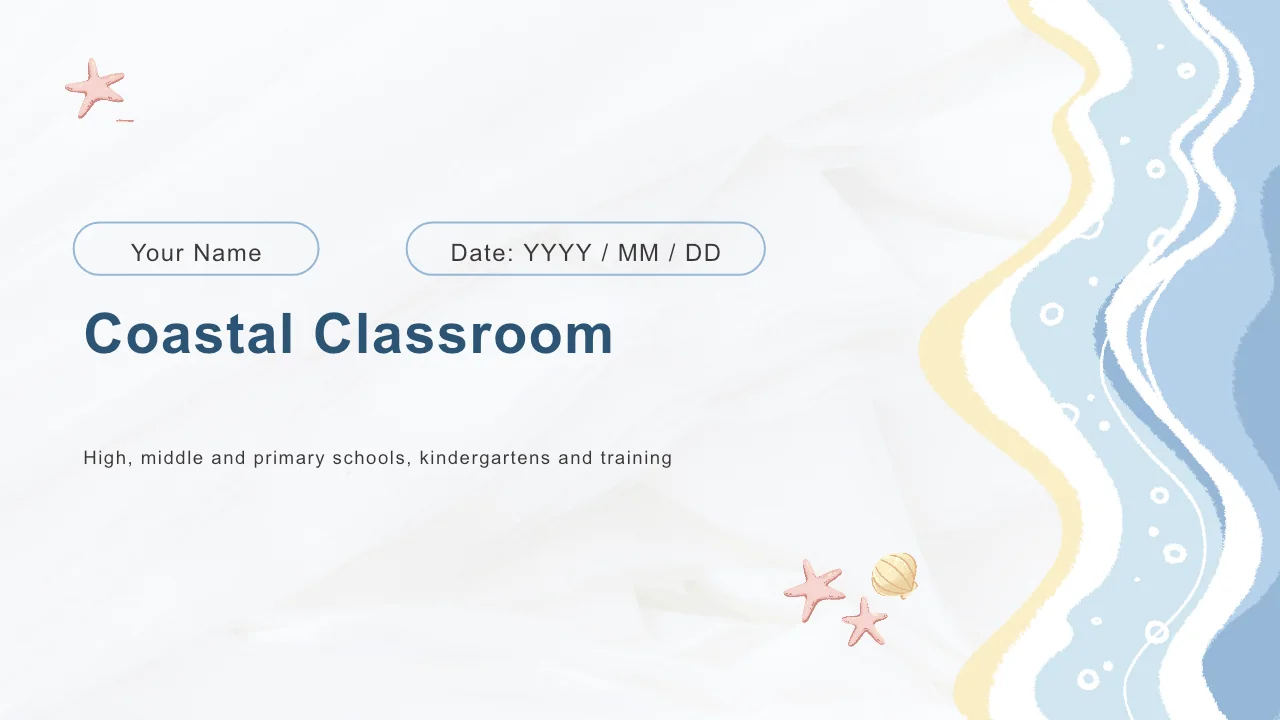
Coastal Classroom brings beach PowerPoint templates into one 16-slide teaching deck. Soft blue waves, pale sand edges and pink starfish frame white pages, while workspace photographs provide examples to replace with your own. Four lettered chapters cover Lesson Goals, Key Ideas, Activities and Review. These beach PowerPoint templates include a four-point sequence, three-column notes, paired photo crops and an editable column chart. A five-point timeline leaves space for a short recap. The beach PowerPoint templates provide a visual framework for your subject; the sea decorations do not supply a marine-science curriculum. Replace the sample notes, choose relevant images and label each diagram clearly. Keep narrow headings brief and use wider areas for explanations. All 16 layouts come in one English PPTX, and the chart contains example values that need your verified data.
Features of these beach PowerPoint templates
Beach PowerPoint templates with soft shorelines and a four-part lesson structure.
A Soft Coastal Frame
Blue waves, starfish and shells frame these beach PowerPoint templates. White space and pale yellow panels keep your lesson notes separate from the decoration.
Four Lettered Chapters
The beach PowerPoint templates use A–D dividers and matching contents. Lesson Goals, Key Ideas, Activities and Review organize the teaching sequence across the deck.
Workspace Photo Layouts
Tall desk photographs and paired image crops appear in these beach PowerPoint templates. Replace the samples with visual examples that support your own lesson.
Short Idea Sequences
Four linked circles and three-column notes give these beach PowerPoint templates room for short ideas. Label the shapes to explain a process or compare concepts.
An Editable Column Chart
These beach PowerPoint templates include a two-series column chart with four categories. Its embedded workbook lets you replace the example data and labels.
A Five-Point Timeline
Shells and starfish mark five notes along a line in these beach PowerPoint templates. Use the alternating positions for a brief sequence or an end-of-lesson recap.
How to use these beach PowerPoint templates
Choose beach PowerPoint templates for your lesson, then prepare the content.
-
Choose the Lesson Pages
Browse all 16 layouts in these beach PowerPoint templates. Select the photos, diagrams and chart that support your objective, then give each of the four lesson chapters a clear purpose.
-
Replace Text and Data
Download these beach PowerPoint templates with an active paid membership. Add your teaching notes and images, then update the chart workbook and check its displayed values and labels.
-
Check the Classroom View
Run these beach PowerPoint templates on your intended screen. Check the pale blue contrast and small timeline notes, rehearse the transitions and save an editable copy before sharing.
Questions about these beach PowerPoint templates
How do I download these beach PowerPoint templates?
Sign in with an active paid membership to download these beach PowerPoint templates as one English PPTX file. Paid members can download repeatedly without a daily limit. Keep an untouched copy of the beach PowerPoint templates before editing.
How many pages do these beach PowerPoint templates include?
These beach PowerPoint templates contain 16 slides in 16:9, including a cover, contents, four chapter dividers and a closing page. Choose the beach PowerPoint templates that support your lesson rather than filling every layout.
What can I edit in these beach PowerPoint templates?
Text, shapes and the column chart in these beach PowerPoint templates remain editable. Waves, shells, starfish and photographs are images. The chart in these beach PowerPoint templates links to an embedded workbook. Change its data and labels together, then review the displayed result.
Can I preview all the beach PowerPoint templates in the file?
The gallery shows all 16 pages of these beach PowerPoint templates. Compare narrow photo-side notes with wider explanation areas before choosing a layout. The previews of the beach PowerPoint templates also show the complete chart and five-point timeline.
Do these beach PowerPoint templates work in another editor?
These beach PowerPoint templates come in PowerPoint PPTX format. Google Slides and Keynote compatibility has not been verified. If you import the beach PowerPoint templates elsewhere, check grouped objects, photo crops, fonts, chart data and animation timing.
Which font do these beach PowerPoint templates use?
The English file for these beach PowerPoint templates uses Arial and has no embedded font files. A substitute font may change line breaks. Check headings, circular labels and chart text throughout the beach PowerPoint templates after opening the file on another device.
Are these beach PowerPoint templates a complete lesson?
These beach PowerPoint templates offer an English teaching framework with sample notes. You supply the subject content, activities and verified examples. Coastal imagery provides decoration rather than a marine-science course. Translated website descriptions all refer to the same English file of beach PowerPoint templates.
Can I use these beach PowerPoint templates commercially?
Check the applicable source and image terms before commercial use or redistribution of these beach PowerPoint templates. Membership does not grant unrestricted image rights. Confirm permissions for materials you add to the beach PowerPoint templates, including replacement photographs, before sharing your edited work.
How should I share these beach PowerPoint templates?
Share the page link for these beach PowerPoint templates so colleagues can preview the design. Where the relevant rights permit, share an edited PPTX or PDF. Check sample data and notes in the beach PowerPoint templates, and retain an editable copy.