Business infographic: make goals and ideas easier to follow
Colorful Business Toolkit brings together 29 widescreen slides for explaining goals, ideas and working relationships. Its puzzle briefcase introduces a business infographic collection built from bright drawing shapes, icons and short text areas. Circular goal maps show connections; trees, clouds and branching arrows offer other ways to group a message. Choose a business infographic by the relationship you want to explain, rather than by color alone. Later pages use light bulbs, brains, people and meeting scenes to support a discussion. Four simple layouts near the end pair a colored block with space for your content. The drawings and percentage labels are editable examples, not charts connected to a spreadsheet. Adapt a business infographic with your own wording and checked figures, then choose only the pages that help your audience follow the subject.
Key Features of This Business Infographic Toolkit
Business infographic layouts for goal maps, branching paths and colorful illustrations.
A Colorful Business Infographic Theme
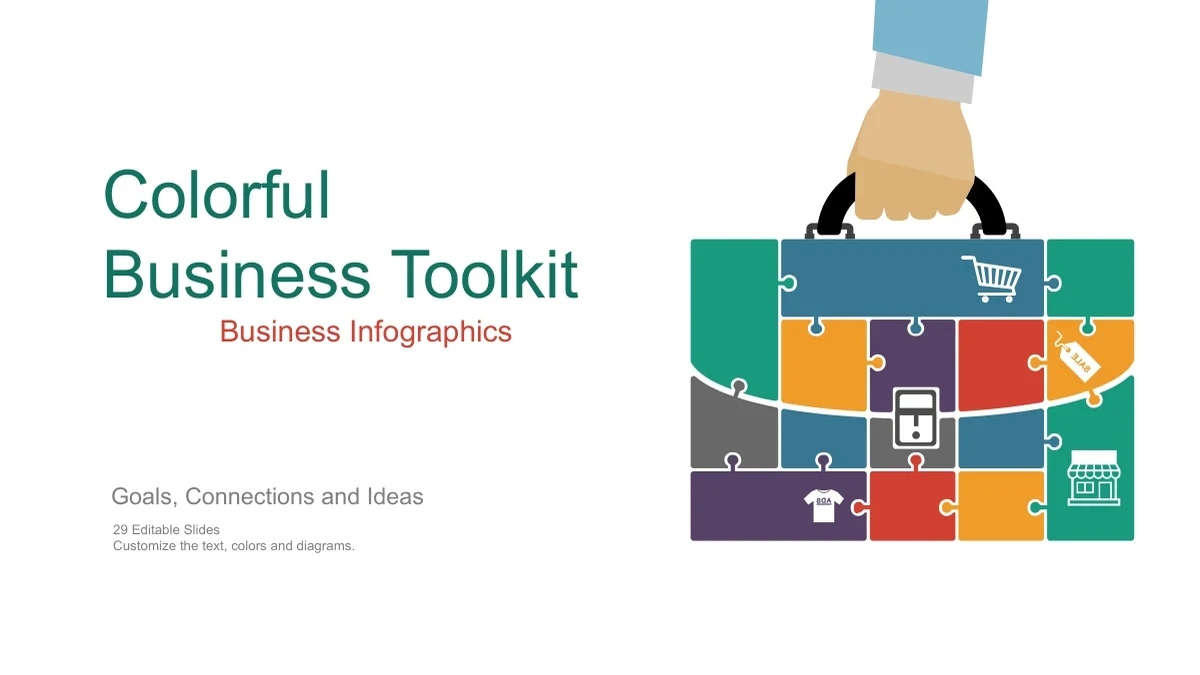
A puzzle briefcase opens this business infographic toolkit. Bright blue, green, yellow and red accents connect the illustrations and give separate ideas a clear place.
Business Infographic Goal Maps
Use a business infographic to show how several ideas support one goal. Rings, central circles and inward arrows provide different arrangements for your explanation.
Trees, Clouds and Branching Arrows
A business infographic can group information in a tree, cloud or branching path. Choose the shape that fits the relationship, then label each branch in a few words.
Ideas and People in the Picture
Light bulbs, brains and business figures add context to a business infographic. Pair each illustration with a specific point about your idea, team or meeting topic.
Editable Business Infographic Drawings
Change business infographic text, shapes and colors in PowerPoint. Percentage labels and drawn graphics are manual examples; they do not update from a spreadsheet.
Space for Your Supporting Content
Four simple color-block pages complement the business infographic layouts. Add your supporting content, keeping the palette and short headings consistent across slides.
How to Use the Business Infographic Toolkit
Choose a business infographic, add your message and review the result.
-
Choose a Business Infographic
Browse all 29 previews and select a business infographic that fits your message. Compare the goal maps, branches and people scenes, then outline the labels and evidence you will add.
-
Download and Personalize the Slides
With an active paid membership, download the English PPTX and save a working copy. Edit each business infographic with your own wording, replace sample figures and adapt the colors.
-
Check Your Business Infographic
Present the business infographic at full size. Check its arrows, smallest labels and manually entered percentages, then review the slide sequence before sharing a permitted copy.
Questions about the Business Infographic Toolkit
How do I download this business infographic toolkit?
Sign in with an active paid membership to download the English business infographic PPTX. Downloads are unlimited each day and can be repeated; save a separate copy for your edits.
How many slides are in the business infographic file?
The business infographic file includes 29 slides in 16:9 format. It contains an opening, diagram and illustration layouts, four simple color-block pages and a matching closing.
Can I edit the business infographic graphics?
Yes. The business infographic pages use editable drawing objects and text. Adjust groups carefully; percentage labels and drawn comparisons need manual editing, with no linked workbook.
Can I preview the full business infographic toolkit?
All 29 pages appear in the gallery in file order. Compare each business infographic before downloading, including the simpler supporting layouts near the end of the deck.
Will this business infographic work in another editor?
The business infographic file is supplied as PPTX; compatibility with Google Slides or Keynote has not been tested. Check grouped artwork, text wrapping and animations after import.
Which fonts does the business infographic use?
The English business infographic release uses Arial for editable text. Check line breaks after changing labels, and keep the original grouped illustration details when adjusting a page.
Does the business infographic file change with the website language?
Each localized page provides the same English business infographic PPTX. Translate its editable wording for your audience, then check the space around labels and illustrations.
Can I use a business infographic commercially?
Download access does not grant additional third-party rights. Check source terms before commercial business infographic use; platform symbols do not imply endorsement or affiliation.
How should I share a finished business infographic?
Share this page so others can preview the business infographic toolkit. Share edited slides or exports only where permitted, after removing confidential details and checking your figures.