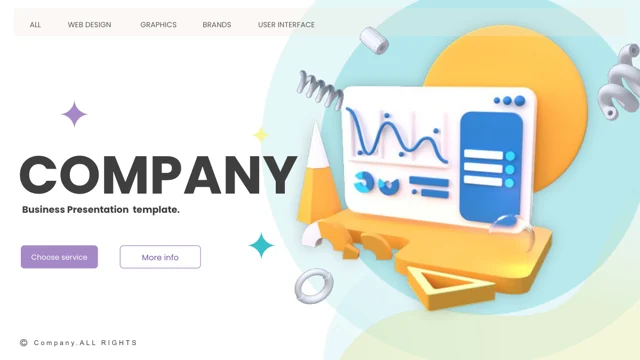
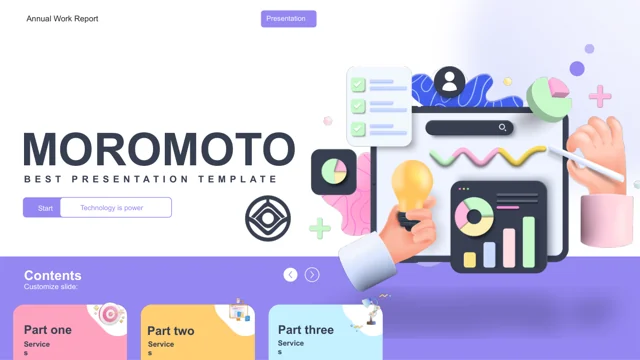
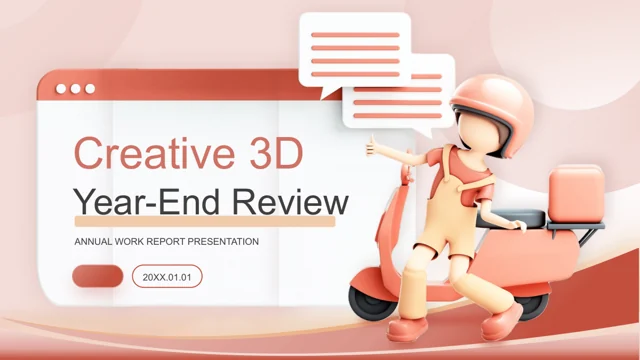
Digital Intelligence Presentation Template: Particle Imagery on a Dark Gradient
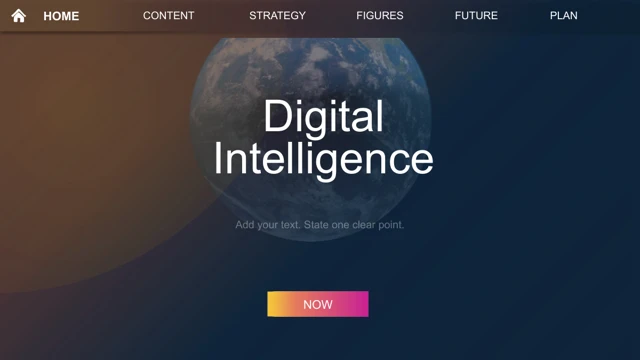
Digital Intelligence Presentation Template introduces a digital theme with dark blue pages and warm orange-purple gradients. The opening in Digital Intelligence Presentation Template sets a two-line title over a globe image, with a small navigation-like row and a bright gradient button. The closing repeats that composition. The contents page in Digital Intelligence Presentation Template groups four numbered parts among hexagonal image shapes. Four quote-style divider pages in Digital Intelligence Presentation Template separate parts 01–04; their headings and quotations remain placeholders. Digital Intelligence Presentation Template uses a blue particle-face image, globe imagery, a bridge photograph and small photographs within hexagonal frames. These pictures suggest a visual theme rather than explain an artificial intelligence system. The information pages in Digital Intelligence Presentation Template pair a large picture with short text, set points around a central circle and arrange three or four icon-led items in rows. One page in Digital Intelligence Presentation Template groups hexagons around a security image; another uses a circle and a line around the globe. The supplied Digital Intelligence Presentation Template contains native text, slide shapes and separate image assets, with no data chart or embedded workbook. Replace each prompt with your own explanation and verified material. Repeated Latin filler in Digital Intelligence Presentation Template was shortened to concise English editing prompts. Two navigation-label spelling errors were corrected, while the four part numbers and original images were retained. Notes and author metadata were cleared. Review all 20 pages of Digital Intelligence Presentation Template before choosing a sequence. Check small text on the dark backgrounds, the photo boundaries and the narrow navigation-like labels. Keep an editable copy of Digital Intelligence Presentation Template and inspect the final story before sharing it.
Key Features of Digital Intelligence Presentation Template
Dark gradients, particle imagery and hexagonal photo layouts.
Dark gradient backdrop
Deep blue is blended with orange and purple areas.
Four-part structure
A hexagonal contents page leads to dividers numbered 01–04.
Particle face and globe
Blue digital imagery anchors the photo-and-text compositions.
Hexagonal image groups
Photo frames and small icons create compact visual clusters.
Short point layouts
Three- and four-item arrangements keep explanations in separate blocks.
Editable native objects
Text and shapes remain; no chart or data workbook is included.
How to Use Digital Intelligence Presentation Template
Choose the pages, explain your topic and check readability.
-
Preview the full deck
Inspect all 20 slides, especially narrow labels and dark text panels.
-
Download a copy
Sign in with an active paid plan. Daily downloads are unlimited.
-
Replace and review
Add your content and photos. Check labels, crops, contrast and page order.
Questions about Digital Intelligence Presentation Template
How do I download Digital Intelligence Presentation Template?
Sign in with an active paid plan and select Download PPTX for Digital Intelligence Presentation Template. The temporary link provides Digital Intelligence Presentation Template as a PowerPoint file. Repeated downloads of Digital Intelligence Presentation Template have no daily limit while the plan is active. Save a working copy before changing the content.
How many slides are in Digital Intelligence Presentation Template?
Digital Intelligence Presentation Template contains 20 slides in 16:9. The sequence in Digital Intelligence Presentation Template includes matching opening and closing pages, hexagonal contents, four quote-style part dividers and information layouts. Download Digital Intelligence Presentation Template for the entire set, then choose or reorder pages in a copy. The numbered parts do not supply a completed technical narrative.
Can I customize Digital Intelligence Presentation Template?
Digital Intelligence Presentation Template preserves native text and slide shapes. Edit the headings, short point blocks, outlines and separate icons in Digital Intelligence Presentation Template directly where they are individual objects. Images in Digital Intelligence Presentation Template, including the particle face and globe, need image replacement to change their pictured content. No data chart or embedded workbook is included.
Can I preview all of Digital Intelligence Presentation Template?
Yes. Use the thumbnails and arrows to see all 20 slides of Digital Intelligence Presentation Template. Enlarge the navigation-like labels, hexagonal images and small captions in Digital Intelligence Presentation Template before deciding how much content to add. The preview shows the supplied Digital Intelligence Presentation Template, not your completed version.
Can another editor open Digital Intelligence Presentation Template?
An application supporting PPTX may open Digital Intelligence Presentation Template, but fonts, gradient backgrounds, grouped hexagons and image crops can differ. Compare it with the Digital Intelligence Presentation Template preview. Keep a PowerPoint working copy of Digital Intelligence Presentation Template before trying another editor.
Which font does Digital Intelligence Presentation Template use?
The edited text in Digital Intelligence Presentation Template uses Arial. Check that font on your device before adapting Digital Intelligence Presentation Template. If you replace it, review the part headings, narrow labels and small captions throughout Digital Intelligence Presentation Template. Original text-box positions remain, so longer wording may need shortening or a smaller size.
Are the slides of Digital Intelligence Presentation Template translated?
Digital Intelligence Presentation Template is supplied in English. Repeated Latin filler in Digital Intelligence Presentation Template was changed to short editing prompts, and two navigation-label spelling errors were corrected. Website language selection translates the page about Digital Intelligence Presentation Template; the downloaded file stays in English. The sample captions and quote-style sections do not provide verified technical information.
Can I use Digital Intelligence Presentation Template commercially?
Paid access to Digital Intelligence Presentation Template does not confirm commercial rights to the source design, particle imagery, globe or photographs. Verify permissions for Digital Intelligence Presentation Template and replace assets with uncertain rights. Check the edited Digital Intelligence Presentation Template before sharing it with clients or distributing files.
How do I share Digital Intelligence Presentation Template?
Use the share button or copy the public page link for Digital Intelligence Presentation Template so others can examine its gallery. Before distributing an edited Digital Intelligence Presentation Template, check every prompt, part heading, image permission and dark-panel caption. Keep an editable copy of your finished Digital Intelligence Presentation Template.