Fashion Photography Portfolio Presentation Template: photographs, contrast and a clear project sequence
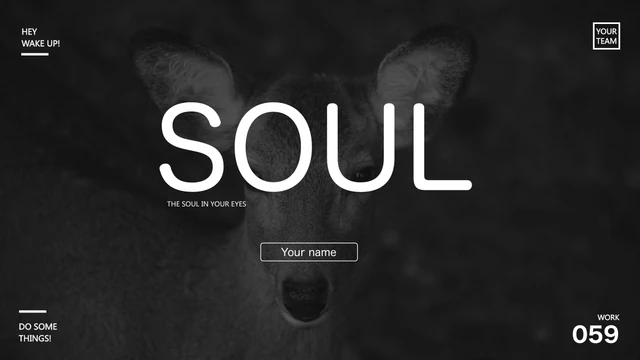
Fashion Photography Portfolio Presentation Template puts photography first, using black backgrounds, pale panels and cyan-green accents across 20 widescreen pages. A monochrome portrait opens and closes the deck, while camera pictures introduce the contents. Fashion Photography Portfolio Presentation Template includes four numbered dividers, image grids and room for brief project notes. Fashion Photography Portfolio Presentation Template also provides one editable column chart and separate sample figures; replace their labels and values with information you can verify. Use Fashion Photography Portfolio Presentation Template for your own selection rather than keeping every example. Portraits, camera shots and equipment photos are starting material, not evidence of your experience. Preview Fashion Photography Portfolio Presentation Template, choose the pages your work needs, and replace the samples with photographs and explanations you have permission to share.
Key Features of Fashion Photography Portfolio Presentation Template
Photography, contrast and flexible layouts.
Black, White and Cyan
Fashion Photography Portfolio Presentation Template uses black, white and cyan-green panels. Keep titles brief and let the photographs carry the main message.
Four Numbered Chapters
Fashion Photography Portfolio Presentation Template pairs four dividers with a contents page. Rename the chapters for your work and match the index to the final order.
Photo Grid Choices
Fashion Photography Portfolio Presentation Template offers single pictures and three-, four- and six-image grids. Choose crops that keep key subjects and details in view.
Camera-Led Imagery
Fashion Photography Portfolio Presentation Template pairs portraits, cameras and equipment photos. Add a coherent set of your own work and keep the existing frames.
Editable Column Chart
Fashion Photography Portfolio Presentation Template has a column chart linked to Excel data. Edit its three series and four categories, using verified project figures.
Project Notes and Figures
Fashion Photography Portfolio Presentation Template has project notes, numbered image lists and sample counts. Explain each figure, and remove claims you cannot verify.
How to Use Fashion Photography Portfolio Presentation Template
Select the work, add context and review.
-
Choose a Photo Sequence
Preview Fashion Photography Portfolio Presentation Template. Choose an opening photo, select layouts and name the four chapters. Keep pages that show your work clearly and update the contents.
-
Replace Photos and Data
Edit a copy of Fashion Photography Portfolio Presentation Template in PowerPoint. Replace photos and notes, update chart data and sample figures, then match captions to the images they describe.
-
Check and Share the Deck
Check Fashion Photography Portfolio Presentation Template at full size. Review crops, contrast, fonts and labels. Confirm image rights, keep an editable copy and inspect the PDF before sharing.

Questions about Fashion Photography Portfolio Presentation Template
How do I download Fashion Photography Portfolio Presentation Template?
Sign in with an active paid plan, then use the download button on Fashion Photography Portfolio Presentation Template. Paid members can download Fashion Photography Portfolio Presentation Template without a daily limit and repeat the download while their plan remains eligible. Save Fashion Photography Portfolio Presentation Template before making edits, and keep a separate working copy. The gallery lets you inspect Fashion Photography Portfolio Presentation Template before obtaining the PowerPoint file.
How many pages does the file contain?
Fashion Photography Portfolio Presentation Template contains 20 slides in a 16:9 format. Fashion Photography Portfolio Presentation Template begins and ends with the same portrait-led cover design. Between them, Fashion Photography Portfolio Presentation Template provides a contents page, four numbered dividers and photo-based layouts. Your edited version of Fashion Photography Portfolio Presentation Template can be shorter: select the images and project notes you need, then adjust the contents to match the pages you keep.
Can I change the photographs, text and colors?
You can replace native text and photographs in Fashion Photography Portfolio Presentation Template, and adjust editable shapes and fills in PowerPoint. In Fashion Photography Portfolio Presentation Template, black, white and cyan-green help distinguish images from notes. Keep a consistent accent color when adapting Fashion Photography Portfolio Presentation Template to your work. Some artwork and lettering are stored as images; edit or replace the whole picture where its elements cannot be selected separately. Check crops and spacing throughout Fashion Photography Portfolio Presentation Template.
Can I inspect every slide before downloading?
The full preview is public and free; no purchase is needed. Yes. The gallery for Fashion Photography Portfolio Presentation Template includes all 20 pages, with thumbnails and previous/next controls. Inspect dark and light layouts in Fashion Photography Portfolio Presentation Template, then compare the photo arrangements with the material you want to show. Enlarge pages of Fashion Photography Portfolio Presentation Template where captions or small chart labels need closer inspection. The preview helps you decide which parts of Fashion Photography Portfolio Presentation Template belong in your final sequence.
Will another presentation editor open the file?
Fashion Photography Portfolio Presentation Template is supplied as a PowerPoint (.pptx) file. Another editor may import Fashion Photography Portfolio Presentation Template, but compatibility with its fonts, crops and native chart can vary. Try a copy of Fashion Photography Portfolio Presentation Template, checking the portrait cover, photo grids and column chart before proceeding. Keep the original PowerPoint copy of Fashion Photography Portfolio Presentation Template so you can return to its layouts if the imported version changes their appearance.
Which fonts are referenced by Fashion Photography Portfolio Presentation Template?
Fashion Photography Portfolio Presentation Template references Montserrat and several Montserrat style names, Source Han Sans CN Light and Bold, Arial, Microsoft YaHei, Gill Sans and Lato Light, among others. A font name in Fashion Photography Portfolio Presentation Template does not mean the font file is included or licensed for every use. Open Fashion Photography Portfolio Presentation Template with the fonts available to you, and check substitutions. Review narrow headings, line breaks and alignment in Fashion Photography Portfolio Presentation Template after selecting any replacement.
Is the downloadable slide text in English?
The editable Chinese guidance in Fashion Photography Portfolio Presentation Template is adapted into English. Website language options translate the page about Fashion Photography Portfolio Presentation Template; they do not supply separate translated PPTX files. Original photographs and lettering stored inside images remain part of Fashion Photography Portfolio Presentation Template. Replace guidance and placeholder material in Fashion Photography Portfolio Presentation Template with your own language where needed. Review the entire deck rather than assuming every visible element is an editable text box.
Does the download include permission for commercial use?
An eligible plan provides access to Fashion Photography Portfolio Presentation Template; it does not establish ownership or grant extra rights to third-party photographs, artwork or fonts. The complete source permissions for Fashion Photography Portfolio Presentation Template have not been independently confirmed. Before using Fashion Photography Portfolio Presentation Template commercially, check the rights that apply to the material you retain. Add your own authorized work to Fashion Photography Portfolio Presentation Template, preserve applicable credits, and do not assume that a sample photograph is cleared for every purpose.
How should I share Fashion Photography Portfolio Presentation Template?
Open the share control beside the download button to copy the page link or choose an available sharing option. Keep an editable copy of Fashion Photography Portfolio Presentation Template with your project files. For readers who only need to view the work, export a PDF from Fashion Photography Portfolio Presentation Template and check it on the device they will use. Review captions, photo crops and chart labels in Fashion Photography Portfolio Presentation Template, especially when moving between dark and pale pages. Share Fashion Photography Portfolio Presentation Template or an edited export only within the permissions that apply to its included material.