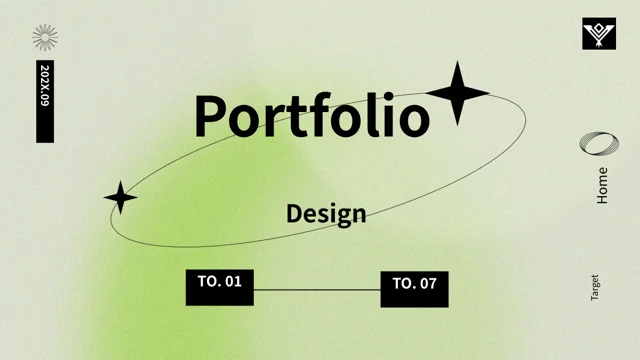
Green Frame Designer Portfolio Presentation Template: Green Outlines and Designer Cards
Green Frame Designer Portfolio Presentation Template uses bright green outlines, black panels and white pages to frame a designer portfolio. Green Frame Designer Portfolio Presentation Template contains 20 widescreen slides with a rendered character on the cover and a line illustration of a person carrying a pencil. Green Frame Designer Portfolio Presentation Template organizes the sequence around a personal introduction, work overview, creative ideas and style introduction, with numbered dividers on pages 3, 7, 11 and 15. Four native charts add a horizontal comparison, a line graph, grouped columns and concentric doughnut rings. The separate 40000 and 24000 text examples are not linked to the line chart. Framed cards hold short project notes; footer bars retain source credits. Replace the sample biography, work descriptions and dates with your own material. Preserve genuine AJU attribution and distinguish the template’s source design from the projects you present.
Key Features of Green Frame Designer Portfolio Presentation Template
Green borders, designer illustrations and editable data comparisons.
Green Double-Outline Frames
Green Frame Designer Portfolio Presentation Template uses green double frames on white pages and black cards. Keep project titles and notes clear of their borders.
Four Portfolio Sections
Green Frame Designer Portfolio Presentation Template has dividers on pages 3, 7, 11 and 15. Present your profile, work, creative ideas and style in order.
Four Native Charts
Green Frame Designer Portfolio Presentation Template contains four native charts with workbooks. Update labels and values, then explain the comparisons.
Designer Illustration Cards
Green Frame Designer Portfolio Presentation Template uses a rendered character and a pencil illustration. Replace pictures as needed; they are not editable 3D models.
Icon-Led Information Cards
Green Frame Designer Portfolio Presentation Template pairs green and black cards with icons. Explain actual projects in short blocks and check the text contrast.
Separate Sample Totals
Green Frame Designer Portfolio Presentation Template shows 40000 and 24000 beside the line chart as text. Replace these totals separately with verified figures.
How to Use Green Frame Designer Portfolio Presentation Template
Select your projects, replace examples and check the source credits.
-
Select Your Portfolio Story
Review the 20 pages of Green Frame Designer Portfolio Presentation Template. Choose projects and layouts, then outline your role, the creative decision and evidence needed for each work example.
-
Download and Personalize
Get Green Frame Designer Portfolio Presentation Template with an active paid plan and unlimited daily downloads. Save a copy, replace biography and project text, and update presenter and year fields.
-
Verify Charts and Credits
Check Green Frame Designer Portfolio Presentation Template chart labels and manual totals separately. Preserve source credits, inspect frame spacing, and compare the export with your editable copy.
Questions About Green Frame Designer Portfolio Presentation Template
How do I download Green Frame Designer Portfolio Presentation Template?
Sign in with an active paid plan to download Green Frame Designer Portfolio Presentation Template. Daily and repeated Green Frame Designer Portfolio Presentation Template downloads are unlimited. The Green Frame Designer Portfolio Presentation Template file is supplied as PowerPoint (.pptx), so save a working copy before replacing the cover title, presenter fields or project descriptions. Browse every page in the Green Frame Designer Portfolio Presentation Template preview to choose layouts that suit your actual work. Keep an original Green Frame Designer Portfolio Presentation Template copy for reference when reorganizing the portfolio. Downloading the file gives you a layout starting point, not a finished biography, verified project results or permission to claim the template’s source design as your own.
How are the Green Frame Designer Portfolio Presentation Template sections organized?
Green Frame Designer Portfolio Presentation Template contains 20 original 16:9 slides, with four numbered dividers on pages 3, 7, 11 and 15. The Green Frame Designer Portfolio Presentation Template sequence covers personal introduction, work overview, creative ideas and style introduction. The fourth Green Frame Designer Portfolio Presentation Template section introduces design style, with matching contents and divider labels. Rename the headings if your portfolio follows a different story. Check the Green Frame Designer Portfolio Presentation Template contents, page headings and side labels together after moving slides. Choose only the Green Frame Designer Portfolio Presentation Template pages that help an audience connect your background, projects and design decisions.
Which Green Frame Designer Portfolio Presentation Template charts can I edit?
Green Frame Designer Portfolio Presentation Template has four native charts, each with a linked Excel workbook. The Green Frame Designer Portfolio Presentation Template page 9 horizontal bar chart has one series and four categories; page 12 uses two line series across eight categories. The Green Frame Designer Portfolio Presentation Template page 14 grouped column chart has two series and four categories, while page 17 uses four doughnut rings with four categories per series. Edit Green Frame Designer Portfolio Presentation Template chart labels and values through presentation software, then check units, series meaning and the data range. The Green Frame Designer Portfolio Presentation Template numbers are examples, not verified creative performance, sales results or research findings; replace them with relevant evidence and explain the comparison.
Are the Green Frame Designer Portfolio Presentation Template 40000 and 24000 totals calculated?
Green Frame Designer Portfolio Presentation Template shows 40000 and 24000 as separate text boxes beside its line chart. Editing the Green Frame Designer Portfolio Presentation Template linked workbook does not update these manually entered numbers or calculate a new total. If you keep the Green Frame Designer Portfolio Presentation Template examples, replace each value independently and explain its unit, reporting period and connection to the chart. A Green Frame Designer Portfolio Presentation Template decorative count does not demonstrate the number of projects completed or an achieved result on its own. Remove an irrelevant total from Green Frame Designer Portfolio Presentation Template rather than leave a large unexplained number that an audience could mistake for verified evidence.
Can I change the Green Frame Designer Portfolio Presentation Template character and pencil artwork?
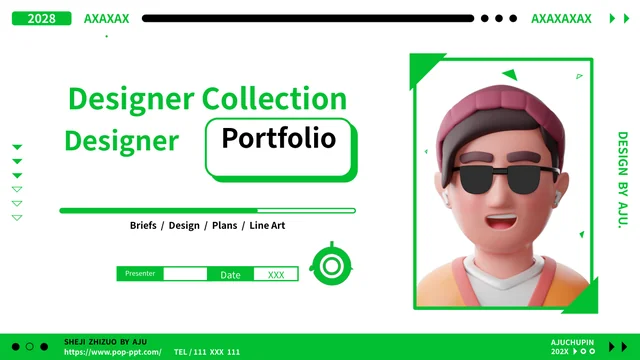
Green Frame Designer Portfolio Presentation Template includes a rendered character with sunglasses and a hat, a green circular graphic and a line illustration of a person carrying a pencil. These Green Frame Designer Portfolio Presentation Template assets are picture objects rather than editable character models or separately adjustable drawing parts. You can replace a Green Frame Designer Portfolio Presentation Template image and check the crop, proportions and green frame around it. Repeated pencil-image cards can hold your own identified work examples instead of implying that one illustration represents four different projects. Review applicable image terms when retaining Green Frame Designer Portfolio Presentation Template source artwork, and distinguish its creator from your project authorship. The Green Frame Designer Portfolio Presentation Template cover character does not establish a real presenter’s identity.
What do the Green Frame Designer Portfolio Presentation Template AJU labels mean?
Green Frame Designer Portfolio Presentation Template retains genuine source design attribution, including DESIGN BY AJU, SHEJI ZHIZUO BY AJU and AJUCHUPIN. These Green Frame Designer Portfolio Presentation Template credits identify the source design; they are not your presenter name, proof of your project authorship or an endorsement of your work. Preserve genuine Green Frame Designer Portfolio Presentation Template attribution and review the applicable source terms when distributing a revised file. A repeated publisher pointer remains part of the Green Frame Designer Portfolio Presentation Template source footer, while the example telephone text is not your verified contact information. Replace your own presenter and contact fields accurately without turning retained Green Frame Designer Portfolio Presentation Template source credits into claims that AJU created or approved your projects.
Which fonts does Green Frame Designer Portfolio Presentation Template use?
Green Frame Designer Portfolio Presentation Template uses Source Han Sans SC Regular and Bold in the verified English file. No font files are embedded in Green Frame Designer Portfolio Presentation Template. If your computer substitutes a Green Frame Designer Portfolio Presentation Template font, choose an available alternative with a suitable license and check line breaks and alignment. Review the large Green Frame Designer Portfolio Presentation Template divider numbers, green footer text and small chart labels after a font change. Keep the distinction between ordinary lettering and native icon shapes clear. Compare the Green Frame Designer Portfolio Presentation Template cover, closing and exported pages with the editable file at your intended display size so a replacement does not obscure project explanations.
Which Green Frame Designer Portfolio Presentation Template dates and small labels need review?
Green Frame Designer Portfolio Presentation Template retains the source cover year 2028 and repeated 202X examples, plus presenter and time fields. These Green Frame Designer Portfolio Presentation Template dates do not establish when your work was completed or exhibited. Replace them with accurate information or remove them, then check the Green Frame Designer Portfolio Presentation Template opening and closing together. Inspect small footer text, side headings and icon-card labels in Green Frame Designer Portfolio Presentation Template after replacing the main content, especially where frames are offset or a black panel changes the text color. Keep each Green Frame Designer Portfolio Presentation Template heading close to its explanation, and verify that sample contact text is not presented as a real phone number.
What should I check before sharing Green Frame Designer Portfolio Presentation Template?
Run through the Green Frame Designer Portfolio Presentation Template sequence for sample biography, repeated filler and unsupported claims about projects. Verify Green Frame Designer Portfolio Presentation Template native chart data separately from manually entered totals and example years. Confirm that Green Frame Designer Portfolio Presentation Template source illustrations and retained AJU credits are not mistaken for your own authored project images or presenter identity. Inspect green borders, white-on-black text, small labels and chart legends at the intended display size. Compare each Green Frame Designer Portfolio Presentation Template exported page with the editable file, keep a private working copy and share a finished export or the appropriate language-specific Green Frame Designer Portfolio Presentation Template page link.