Klein Blue Portfolio Presentation Template: A Vivid Blue Frame for Your Photographs
Klein Blue Portfolio Presentation Template turns a collection of photographs into a three-part visual story. Saturated blue panels alternate with white pages, while slim lettering and handwritten accents give captions and section titles distinct voices. The opening street photograph returns on the contents and closing pages, creating a consistent frame around the album. Klein Blue Portfolio Presentation Template varies the pictures inside: paired portraits, a mountain scene, layered still-life images and a snowy street. Broad borders, overlapping crops and translucent caption cards offer several ways to connect an image with a short note. Klein Blue Portfolio Presentation Template keeps the emphasis on the photographs. Choose your strongest images, give each chapter a clear purpose and replace the sample captions with concise context. The original file contains English headings and Latin placeholder copy; its photographs and decorative arrangements remain in place.
Key Features of Klein Blue Portfolio Presentation Template
Explore the photographs, blue panels and chapter layouts in Klein Blue Portfolio Presentation Template.
Saturated Blue Panels
Klein Blue Portfolio Presentation Template combines deep blue blocks, white space and pale blue borders to give portraits and travel photographs a consistent frame.
Three Chapter Dividers
Klein Blue Portfolio Presentation Template separates three chapters with nested blue frames on slides 3, 7 and 11. Each divider has room for a short section name.
Handwritten Accents
Klein Blue Portfolio Presentation Template contrasts light captions with handwritten headings, chapter numbers and repeated lettering behind the snowy street photo.
Overlapping Photographs
Klein Blue Portfolio Presentation Template pairs portraits and layers coffee, cactus and winter-wall photographs. Replace images while checking their frames and crops.
Translucent Caption Cards
Klein Blue Portfolio Presentation Template places translucent cards over the street and dog photographs, with a glass-style closing card that echoes the opening.
Vertical Photo Layouts
Klein Blue Portfolio Presentation Template includes rotated captions, tall portrait frames and a large split Blue heading, adding variety to the blue album layout.
How to Use Klein Blue Portfolio Presentation Template
Choose your photographs, arrange the chapters and add your captions.
-
Preview the Album
Browse all 15 slides of Klein Blue Portfolio Presentation Template. Compare the portrait, landscape and layered photo layouts, then select a sequence that suits your images and the three chapters.
-
Download Your Copy
Sign in with an active paid plan to download Klein Blue Portfolio Presentation Template. Daily and repeat downloads are unlimited. Keep the supplied file and create a working copy for your album.
-
Add Photos and Captions
Replace sample images and captions in Klein Blue Portfolio Presentation Template. Check crop boundaries, overlapping objects, vertical text and fonts, then review the exported PDF before sharing.
Questions About Klein Blue Portfolio Presentation Template
How do I download Klein Blue Portfolio Presentation Template?
Sign in with an active paid membership and select the PPTX download button for Klein Blue Portfolio Presentation Template. Eligible members have unlimited daily and repeat downloads. You can inspect every page of Klein Blue Portfolio Presentation Template in the public gallery before downloading. Keep an untouched copy of Klein Blue Portfolio Presentation Template so you can return to the original photo arrangements while editing. The same Klein Blue Portfolio Presentation Template file is supplied from each website language version.
How many slides are in Klein Blue Portfolio Presentation Template?
Klein Blue Portfolio Presentation Template contains 15 widescreen slides in a 16:9 format. A cover and contents page lead into three chapters, followed by a matching Thanks page. The chapter dividers in Klein Blue Portfolio Presentation Template appear on slides 3, 7 and 11. You can shorten Klein Blue Portfolio Presentation Template to suit the number of photographs you want to show. After removing or moving pages in Klein Blue Portfolio Presentation Template, update the contents labels and chapter names to match your final sequence.
Can I replace the photographs in Klein Blue Portfolio Presentation Template?
The photographs in Klein Blue Portfolio Presentation Template are separate image objects, with blue shapes and text arranged around or over them. Replace them in a working copy of Klein Blue Portfolio Presentation Template and check the crop of each portrait and landscape image. The overlapping composition in Klein Blue Portfolio Presentation Template can conceal part of a photograph, so keep faces and important details away from covered areas. Use images you have permission to include in Klein Blue Portfolio Presentation Template and in any exported or shared presentation.
Can I preview all of Klein Blue Portfolio Presentation Template?
All 15 pages of Klein Blue Portfolio Presentation Template are shown in the preview gallery. Select the thumbnails or arrow controls to compare photo placement, caption space and chapter dividers. The gallery reflects the supplied Klein Blue Portfolio Presentation Template download, including its blue panels, sample photographs and handwritten lettering. Enlarge detailed pages of Klein Blue Portfolio Presentation Template before deciding how much text to add. Viewing Klein Blue Portfolio Presentation Template publicly does not itself grant rights to redistribute its photographs or complete design.
Does Klein Blue Portfolio Presentation Template work in other presentation editors?
Klein Blue Portfolio Presentation Template is supplied as an editable PowerPoint PPTX. Another editor may change line breaks, transparency, font metrics or the order of overlapping objects. Open a copy of Klein Blue Portfolio Presentation Template first and compare the cover, layered photo pages and glass-style ending with the previews. Review rotated captions in Klein Blue Portfolio Presentation Template particularly carefully. Export your edited Klein Blue Portfolio Presentation Template to PDF and check all pages at the intended viewing size before sending it to someone else.
Which fonts does Klein Blue Portfolio Presentation Template use?
Klein Blue Portfolio Presentation Template uses Source Han Sans Light, Source Han Sans ExtraLight and PangMenZhengDao-Cu, known as 庞门正道粗书体. Klein Blue Portfolio Presentation Template does not embed these font files. Install matching fonts where permitted before editing Klein Blue Portfolio Presentation Template, then check the light captions, handwritten headings and line breaks. A substitute may change text width or push a caption onto another line. Review Klein Blue Portfolio Presentation Template after reopening the file and after exporting to PDF.
Is Klein Blue Portfolio Presentation Template in English?
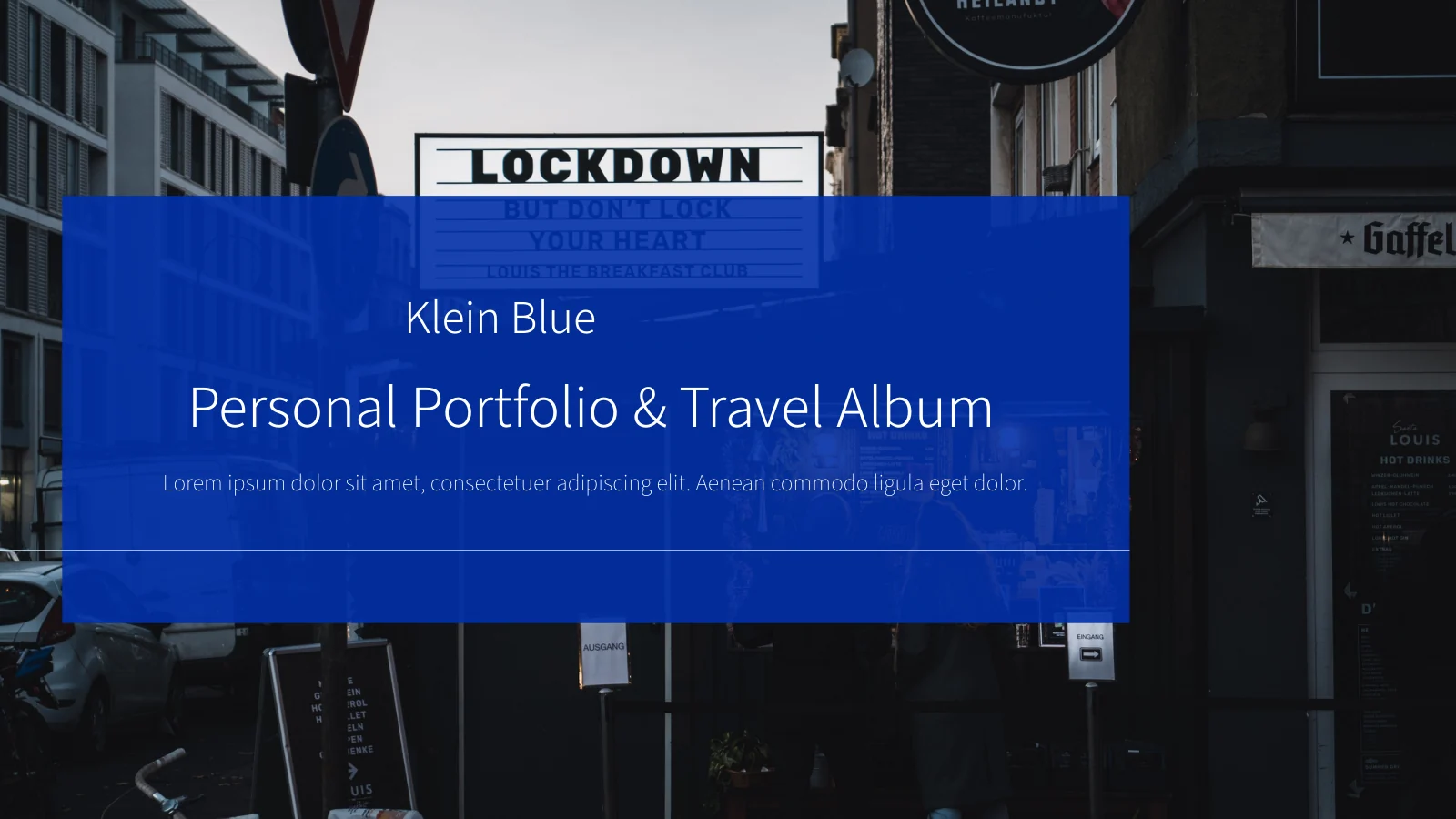
The cover of Klein Blue Portfolio Presentation Template reads Klein Blue and Personal Portfolio & Travel Album in English. Existing English headings and Latin placeholder paragraphs remain in Klein Blue Portfolio Presentation Template for you to replace with your own captions. Text photographed on signs, a record sleeve and a dog’s bandana is part of the original images in Klein Blue Portfolio Presentation Template, rather than editable slide text. The website’s translated descriptions all refer to the same Klein Blue Portfolio Presentation Template file; they do not change its slide language.
Can I use Klein Blue Portfolio Presentation Template commercially?
The complete design and photograph permissions for Klein Blue Portfolio Presentation Template remain unverified. Access through a paid membership does not transfer copyright or redistribution rights to Klein Blue Portfolio Presentation Template. Confirm the permissions required for your project and replace sample photographs with your own licensed images where necessary. The original photographs in Klein Blue Portfolio Presentation Template include visible product lettering and record artwork that should not be treated as a licence or endorsement. Before using Klein Blue Portfolio Presentation Template for client work, check both the design and the content you intend to share.
How should I share Klein Blue Portfolio Presentation Template?
Use the share control or copy this page’s URL to recommend Klein Blue Portfolio Presentation Template. Others can view the public previews and download Klein Blue Portfolio Presentation Template through their own eligible membership. For an album made with Klein Blue Portfolio Presentation Template, review image permissions and remove private information before exporting or sharing. Keep any required credits and notices with the finished work. Sending the complete editable Klein Blue Portfolio Presentation Template requires appropriate redistribution permission; a PDF export does not automatically remove the rights attached to photographs or design elements.