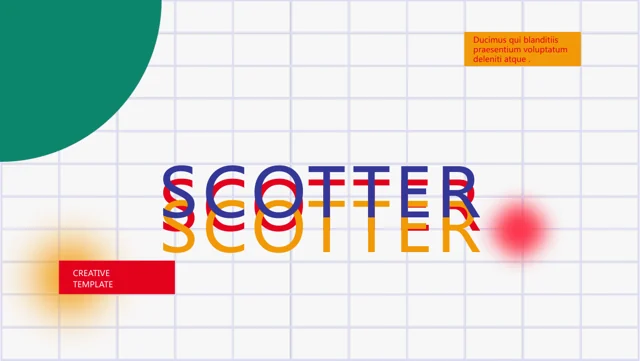
Ludic Presentation Template: Make Every Project Detail Count
Ludic Presentation Template uses an editorial interface with recurring home, page, blog and login labels. Its 30 white, yellow and blue slides keep the original 1.79:1 proportions. Ludic Presentation Template moves through opportunities, systems, digital products, projects and a lookbook. Choose the headings that explain your own work. Replace the sample phone, address, email and dates in Ludic Presentation Template, including small repeated labels. Navigation-like words are design elements unless a working link is verified.
Key Features of Ludic Presentation Template
Projects and fine details in an editorial frame.
Interface-style labels
Ludic Presentation Template uses recurring navigation-like words.
Contact fields
Keep public contact details consistent in Ludic Presentation Template.
Project concepts
Explain choices behind your work in Ludic Presentation Template.
Repeated accents
Give recurring labels a stable role in Ludic Presentation Template.
Lookbook images
Show selected work with pictures in Ludic Presentation Template.
Two text scales
Check large headings and tiny dates in Ludic Presentation Template.
How to Use Ludic Presentation Template
Adapt the whole page in three steps.
-
Select projects
Choose project and lookbook pages in Ludic Presentation Template.
-
Download
Use a paid plan to download Ludic Presentation Template. Daily downloads are unlimited.
-
Review details
Replace contacts in Ludic Presentation Template and inspect every repeated label.

Questions About Ludic Presentation Template
How do I download Ludic Presentation Template?
Active paid members can download Ludic Presentation Template without a daily limit. Save the original and edit a separate copy.
How many pages are in Ludic Presentation Template?
Ludic Presentation Template contains 30 slides at 1.79:1. Keep only the project pages needed to explain your work.
Are the navigation labels in Ludic Presentation Template clickable?
Treat them as slide decoration unless a link is verified. Relabel Ludic Presentation Template with useful project or section cues.
Can I inspect every page of Ludic Presentation Template?
Yes. Use the gallery thumbnails and arrows to review Ludic Presentation Template, including its small dates and contact details.
Which fonts are listed for Ludic Presentation Template?
Ludic Presentation Template lists Arial, Raleway, Raleway Light, 尔雅新大黑, 思源黑体 CN Regular, 等线. Check both text scales after substitution.
Can I replace the lookbook pictures in Ludic Presentation Template?
Yes. Add your own permitted images to Ludic Presentation Template, check crops and explain what each selected photograph demonstrates.
Does Ludic Presentation Template include translated slide text?
Ludic Presentation Template retains English examples. Translate the small recurring labels as well as the main project descriptions.
Can I distribute Ludic Presentation Template commercially?
Check the original license and required attribution before distributing Ludic Presentation Template. Paid download access does not confer extra rights.
How should I share Ludic Presentation Template for review?
Send the page link to discuss the original Ludic Presentation Template design. Send your edited PPTX or PDF for feedback on the project.