Lavender Gradient Work Report Presentation Template: soft colour for a structured work review
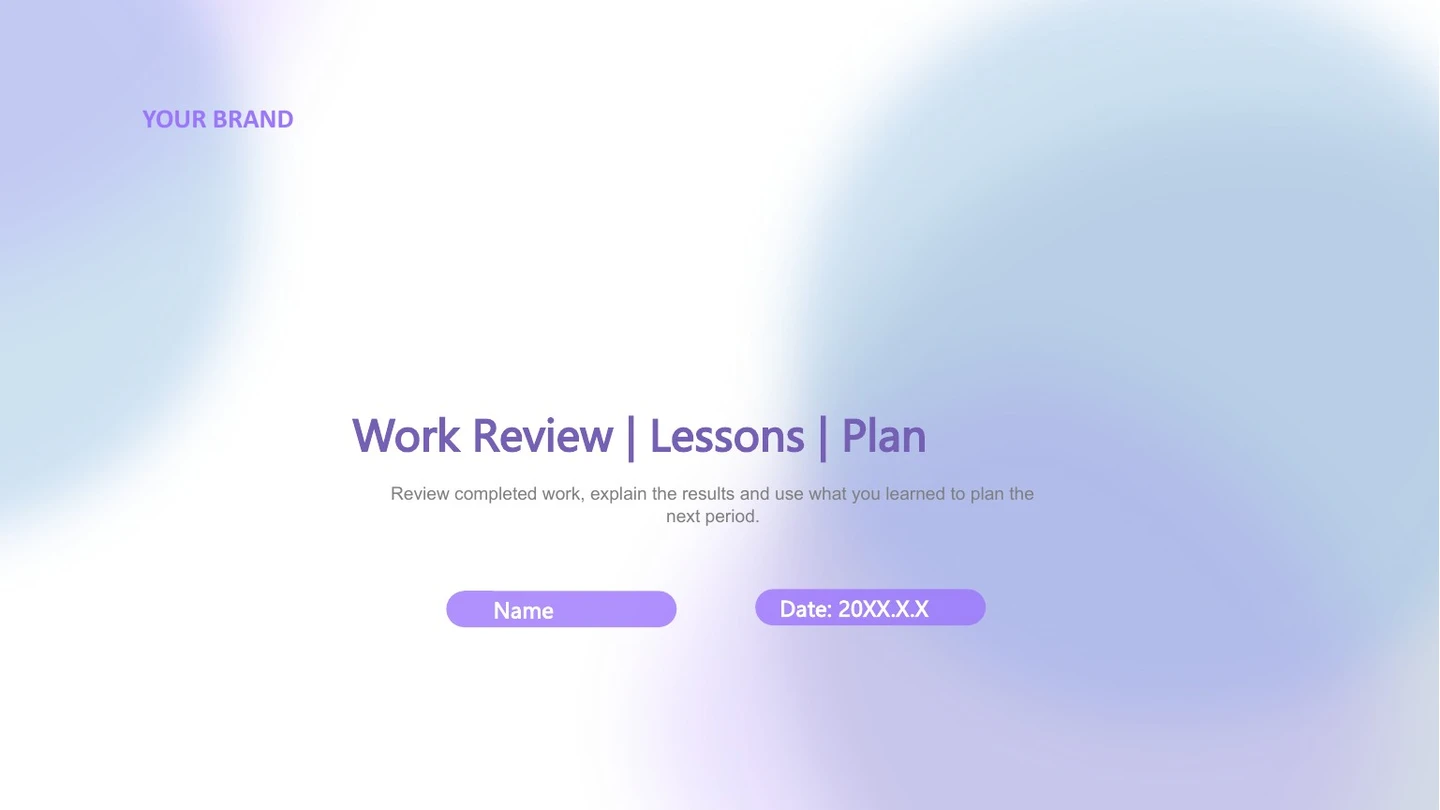
Lavender Gradient Work Report Presentation Template uses lavender-blue edges, white space and pink pill labels. Four parts move from Overview and Progress to Experience and Planning. Lavender Gradient Work Report Presentation Template pairs a group above mountain clouds with a text panel, then shows typing and coffee inside a laptop frame. Three cards, five triangle notes and a six-part cycle keep findings apart. Lavender Gradient Work Report Presentation Template includes four progress rings and four bars built from native shapes and typed percentages, not data-linked chart objects. Update the labels and proportions together when adding your own verified measures. A four-node timeline and four chevrons arrange lessons and next actions. Lavender Gradient Work Report Presentation Template contains 16 widescreen slides ending with a Thank You page. Select the useful layouts, replace the prompts and check light-colour contrast, photo crops and every manual percentage before sharing.
Key Features of Lavender Gradient Work Report Presentation Template
Soft gradients, concise findings and manually drawn progress.
Lavender-Blue Gradient Edges
Lavender Gradient Work Report Presentation Template uses lavender-blue edges, pink accents and white space. Keep titles clear and check contrast on pale areas.
Four Work Review Chapters
Lavender Gradient Work Report Presentation Template follows Overview, Progress, Experience and Planning. Match contents and four dividers to your report’s order.
Manual Rings and Progress Bars
Lavender Gradient Work Report Presentation Template has four rings and four bars with typed percentages. Edit shapes and labels together; these are not data charts.
Cards and Five Triangle Notes
Lavender Gradient Work Report Presentation Template has three outlined cards and five notes around triangles. Use one short heading and supporting detail per point.
Cycles, Timeline and Chevrons
Lavender Gradient Work Report Presentation Template links a six-part cycle, four timeline points and chevrons. Match notes and reading order to your sequence.
Photos and a Laptop Frame
Lavender Gradient Work Report Presentation Template pairs a mountain-group photo with text and frames typing beside coffee in a laptop. Keep captions short.
How to Use Lavender Gradient Work Report Presentation Template
Review the sequence, add verified content and check every proportion.
-
Preview the Four-Part Review
Browse all 16 pages of Lavender Gradient Work Report Presentation Template. Compare parts, photos, cards and planning diagrams with your outline, then choose pages that support your findings.
-
Download and Replace the Prompts
Download Lavender Gradient Work Report Presentation Template with an active paid plan. Open a PowerPoint copy, replace prompts and photos, and update percentage text and its drawn shape together.
-
Check the Final Presentation
Review Lavender Gradient Work Report Presentation Template on your intended screen. Check proportions, note order, photo crops and fonts, inspect a PDF and keep an editable copy for updates.
Questions about Lavender Gradient Work Report Presentation Template
How do I download Lavender Gradient Work Report Presentation Template?
Sign in with an active paid plan and use the page download button to save Lavender Gradient Work Report Presentation Template. Paid members have unlimited daily and repeat downloads. Lavender Gradient Work Report Presentation Template is an English PowerPoint (.pptx) with native text, shapes, progress diagrams and picture objects. Save an original copy of Lavender Gradient Work Report Presentation Template, then edit another file to keep the supplied layouts available. Replace the presenter, date, headings and notes with your own material. The editing prompts in Lavender Gradient Work Report Presentation Template help arrange a work review; they are not a completed report or verified evidence of results. Identify the period and measures behind your findings.
How many slides are in Lavender Gradient Work Report Presentation Template?
Lavender Gradient Work Report Presentation Template contains 16 slides in a 16:9 format. Lavender Gradient Work Report Presentation Template has four contents topics and dividers organise Overview, Progress, Experience and Planning before a Thank You closing. Lavender Gradient Work Report Presentation Template includes a mountain-group photo panel, three outlined cards and five notes arranged around triangles. Four rings, four horizontal bars and a six-part cycle provide different explanations within Lavender Gradient Work Report Presentation Template. The cycle has four surrounding note areas; later pages add a laptop photo, a four-node timeline and four chevrons. Select suitable pages of Lavender Gradient Work Report Presentation Template or duplicate a useful arrangement, then update the contents and sequence to match your actual work review.
Can I edit the percentages and pictures in Lavender Gradient Work Report Presentation Template?
PowerPoint can edit native text and shapes in Lavender Gradient Work Report Presentation Template. The four rings and four bars are shape-based diagrams with separate typed percentages, not native data charts or linked workbooks. Change each number and the corresponding drawn proportion in Lavender Gradient Work Report Presentation Template together, checking that they describe the same measure. Editing a label alone does not update the visual in Lavender Gradient Work Report Presentation Template. The six-part cycle, triangle notes and chevrons can be adapted as diagrams. Photos in Lavender Gradient Work Report Presentation Template remain picture objects; replace the image and inspect its crop rather than trying to edit the photographed scene. Lavender Gradient Work Report Presentation Template also uses a laptop frame around a typing-and-coffee photo, so check both image placement and nearby notes after a replacement.
Can I preview every page of Lavender Gradient Work Report Presentation Template?
Yes. The gallery shows all 16 pages of Lavender Gradient Work Report Presentation Template, including the four dividers, progress rings, bars, photo layouts, cycle, planning pages and closing. Use thumbnails, arrows or an enlarged view to compare the arrangements with your outline. The previews represent the same English Lavender Gradient Work Report Presentation Template supplied for download, and you can inspect the design before buying download access. Check the narrow card headings, pale background text and small diagram labels in Lavender Gradient Work Report Presentation Template. Spread a long explanation over several suitable pages of Lavender Gradient Work Report Presentation Template; brief notes leave white space and help the audience follow your review.
Can another presentation editor open Lavender Gradient Work Report Presentation Template?
An editor with PPTX import may open Lavender Gradient Work Report Presentation Template, but font handling, picture crops, gradients and spacing can differ. Compare the imported Lavender Gradient Work Report Presentation Template with PowerPoint and the gallery before presenting. There are no native chart or workbook objects to update; the percentage rings and bars in Lavender Gradient Work Report Presentation Template need manual checks of both text and shapes. Also inspect the six-part cycle, timeline and chevrons for changed alignment or overlaps. Review the laptop-frame photo and the mountain-group panel. Export a PDF of Lavender Gradient Work Report Presentation Template and check titles, pale text areas and small labels for missing characters or new wrapping.
Which fonts does Lavender Gradient Work Report Presentation Template use?
Lavender Gradient Work Report Presentation Template retains references including Arial, Arial Black, Calibri, Calibri Light, Roboto Thin, Times New Roman, 字魂105号-简雅黑, 微软雅黑 and 等线. Lavender Gradient Work Report Presentation Template preserves nine original embedded font parts, declared across Arial Black, 微软雅黑, Calibri, 等线 and Calibri Light; nine parts do not mean nine separate families. Embedded records in Lavender Gradient Work Report Presentation Template do not establish permission to use a font commercially or guarantee identical rendering in every application. An unavailable family in Lavender Gradient Work Report Presentation Template may still be substituted. Choose fonts you are permitted to use and check the intended device. Review the cover, four dividers, card text and percentage labels throughout Lavender Gradient Work Report Presentation Template, especially after entering longer headings.
Are the slides in Lavender Gradient Work Report Presentation Template translated into every site language?
The website descriptions of Lavender Gradient Work Report Presentation Template are localised, while all language pages provide the same English PowerPoint file. The downloadable Lavender Gradient Work Report Presentation Template uses English headings, editing prompts and diagram notes. Original photographs in Lavender Gradient Work Report Presentation Template remain images, including the typing scene and items visible around the laptop; they are not translated as editable text. Replace the sample labels and percentages in Lavender Gradient Work Report Presentation Template with your own information. If another slide language is needed, translate your material in a working copy of Lavender Gradient Work Report Presentation Template, then check the contents, four dividers and complete note sequence. Longer words or a different writing direction can affect wrapping, alignment and space beside the diagrams.
Can I use Lavender Gradient Work Report Presentation Template commercially?
The source design, photograph and font permissions for Lavender Gradient Work Report Presentation Template have not been independently verified. A paid plan provides access to Lavender Gradient Work Report Presentation Template; it does not confirm commercial or redistribution rights for every asset in Lavender Gradient Work Report Presentation Template. Check the permissions needed for your intended use and retain genuine attribution where required. Replace uncertain images or fonts in Lavender Gradient Work Report Presentation Template with authorised material before delivering a client presentation or distributing the editable source. The manual percentages and diagrams in Lavender Gradient Work Report Presentation Template are design examples, not evidence of actual performance. Use verified measures, explain what they mean and distinguish sharing a finished presentation from redistributing a reusable template.
How do I share Lavender Gradient Work Report Presentation Template?
Use the sharing controls or copy this page URL to share Lavender Gradient Work Report Presentation Template. Other people can preview the gallery and download under their own account conditions. Before sharing a finished review made with Lavender Gradient Work Report Presentation Template, replace sample notes and percentages, remove private details and confirm photograph and font permissions. Check the shapes and labels together in Lavender Gradient Work Report Presentation Template, then verify the four-part order and photo crops. Export a PDF of Lavender Gradient Work Report Presentation Template if you want to share a finished view rather than an editable file. Keep an editable working copy of Lavender Gradient Work Report Presentation Template for later updates to periods, measures, dates and actions.