Holographic Event Plan Presentation Template: Iridescent Artwork and Four Clear Sections
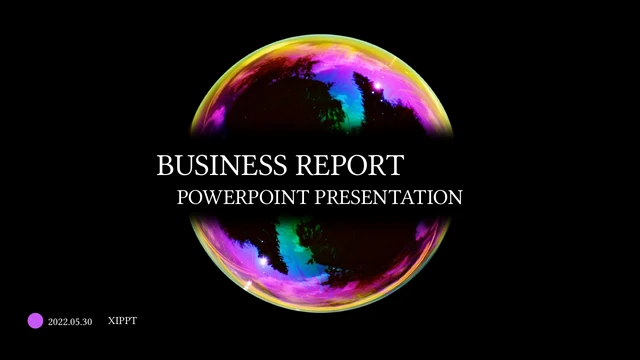
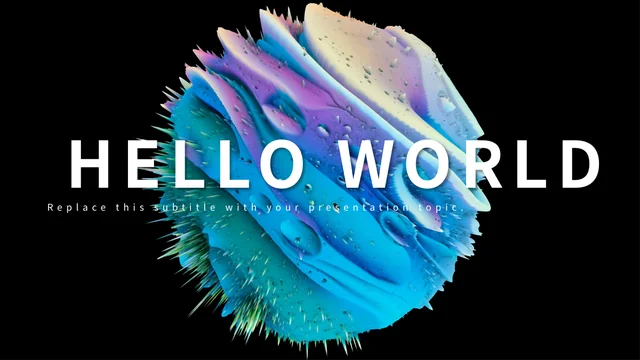
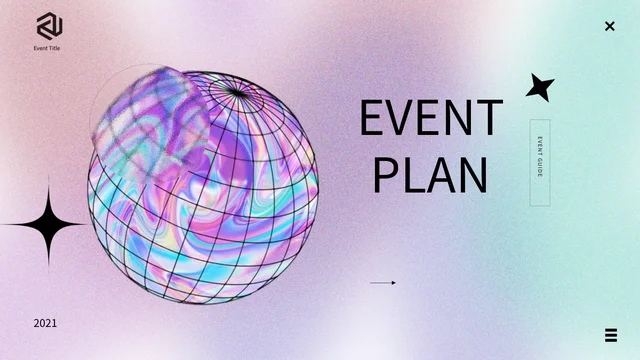
Holographic Event Plan Presentation Template pairs pink, purple and blue iridescent artwork with white pages and black outlines. Holographic Event Plan Presentation Template contains 20 widescreen slides, including a gradient cover, four-item contents page and matching thank-you ending. Holographic Event Plan Presentation Template divides the sequence with numbered circle pages at 3, 8, 12 and 16. Chrome flowers, wire-grid spheres, bubbles and metallic blobs provide a decorative setting for your plan. The three-column price page, percentage labels and audience sectors are manual examples, not verified budgets or attendance results. A 2021 label is a sample year, not your event date. The sphere and flower artwork is stored in pictures, alongside editable titles, text and native shapes. Choose the sections your event needs, replace sample claims and explain each figure with checked information. Keep short captions legible beside detailed decorations.
Key Features of Holographic Event Plan Presentation Template
Iridescent pictures, clear section breaks and editable planning text.
Pastel Gradients and White Pages
Holographic Event Plan Presentation Template mixes pink, purple and blue with white space. Keep headings and short captions clear beside the decorative artwork.
Chrome Flowers and Sphere Artwork
Holographic Event Plan Presentation Template uses chrome flowers, bubbles and wire-grid spheres as pictures. They remain decorative pictures, not editable 3D models.
Four Numbered Sections
Holographic Event Plan Presentation Template has dividers on pages 3, 8, 12 and 16. Name your event topics and match the contents to your presentation sequence.
Manual Percentage Examples
Holographic Event Plan Presentation Template includes manual percentages and audience sectors. Use checked values; no linked chart calculates the result.
Three-Column Price Layout
Holographic Event Plan Presentation Template offers three price columns with example dollar amounts. Explain your figures and units; the samples are not real costs.
Frames, Icons and Text Blocks
Holographic Event Plan Presentation Template combines outlined cards, icons and text blocks. Group planning details and keep decoration secondary to your message.
How to Use Holographic Event Plan Presentation Template
Outline the event, replace examples and review the whole sequence.
-
Outline Your Four Topics
Review all 20 pages of Holographic Event Plan Presentation Template. Choose the event topics and layouts you need, name the sections and arrange your verified planning details in a clear order.
-
Download and Replace Examples
Get Holographic Event Plan Presentation Template with an active paid plan and unlimited daily downloads. Save a copy, replace text and explain any prices or percentages with checked information.
-
Check Figures and Readability
Check Holographic Event Plan Presentation Template sample years, manual values and narrow text fields. Review contrast beside the metallic pictures, then compare your export with the editable copy.
Questions About Holographic Event Plan Presentation Template
How do I download Holographic Event Plan Presentation Template?
Sign in with an active paid plan to download Holographic Event Plan Presentation Template. Daily and repeated Holographic Event Plan Presentation Template downloads are unlimited. Save the Holographic Event Plan Presentation Template PowerPoint (.pptx) file as a working copy before editing event topics, text or price examples. Browse the complete Holographic Event Plan Presentation Template preview to compare the numbered dividers, white-space pages and decorated layouts with your outline. Keep an original Holographic Event Plan Presentation Template copy when reorganizing the sequence so you can refer to its frames and picture proportions. The file offers a visual starting point, not a finished event plan, verified budget or evidence that any source example describes your organization. Replace the sample information and state the purpose of each figure before presenting it to an audience.
How many pages and sections are in Holographic Event Plan Presentation Template?
Holographic Event Plan Presentation Template contains 20 original 16:9 slides. The Holographic Event Plan Presentation Template four-item contents page corresponds to numbered section dividers on pages 3, 8, 12 and 16. Rename the Holographic Event Plan Presentation Template section headings around your actual event outline rather than infer four verified business topics from the sample labels. The Holographic Event Plan Presentation Template sequence includes icon-led blocks, outlined cards, a three-column price layout, percentage examples and audience sectors between the decorated cover and thank-you ending. Your finished Holographic Event Plan Presentation Template can use fewer than 20 slides. After moving pages, check the contents order, section titles and nearby captions together so the presentation introduces the information you have actually added.
Are the Holographic Event Plan Presentation Template holographic spheres and chrome flowers editable 3D models?
Holographic Event Plan Presentation Template uses rendered iridescent spheres, chrome flowers, bubbles and metallic blobs as picture artwork. These Holographic Event Plan Presentation Template decorations are not independently editable three-dimensional models with adjustable materials, lighting or rotation. You can move or replace a Holographic Event Plan Presentation Template picture where its object is editable, but a flower, sphere grid or highlight within it remains part of the image. Keep a Holographic Event Plan Presentation Template decoration separate from the planning message and replace the whole image if it does not suit your content. The file does not establish the identity of the artwork’s creator or a partnership with any source logo. Do not present retained Holographic Event Plan Presentation Template graphics as your own original modeling work, and review the appropriate image and design terms before distributing a revised presentation.
Do the Holographic Event Plan Presentation Template price examples show real event fees or budgets?
Holographic Event Plan Presentation Template page 13 has three manual columns labeled $0, $25 and $50, with repeated $300,000 values below. These Holographic Event Plan Presentation Template amounts are source examples, not verified fees, event costs, sales figures or budget commitments. Replace each Holographic Event Plan Presentation Template amount with checked information and state the currency, unit and purpose of the figure. The Holographic Event Plan Presentation Template price layout contains editable labels and decorative shapes, not a financial model or a workbook that calculates totals. If your actual plan needs different categories, rename or remove columns and check their captions together. Do not combine the Holographic Event Plan Presentation Template sample figures into a claimed budget or imply that the prices describe PPT AI plans, a supplier quote or a current market rate.
Are the Holographic Event Plan Presentation Template percentages and audience labels linked to live data?
Holographic Event Plan Presentation Template uses manual examples including 66% on page 7, a literal #65% label on page 14 and 75% Female/25% Male sectors on page 17. These Holographic Event Plan Presentation Template figures do not verify an attendance split, progress result or audience profile. The Holographic Event Plan Presentation Template file contains no native charts, embedded workbooks or native data tables that calculate or update those examples. Change each Holographic Event Plan Presentation Template label and any associated native shape separately, then explain the actual measure and source if you use that page for real information. Check sector proportions and caption meaning rather than assume a new number automatically changes the drawing. Remove an irrelevant Holographic Event Plan Presentation Template audience example instead of presenting the original gender labels or proportions as facts about your event.
Do the Holographic Event Plan Presentation Template arrows, menu marks and icons act as interactive controls?
Holographic Event Plan Presentation Template includes arrows, crosses, menu-like marks, stars and icon-led layouts as visual decoration. The Holographic Event Plan Presentation Template appearance does not establish working navigation, a close command, an event-registration flow or a live application. Use the Holographic Event Plan Presentation Template icons to group related points and keep your actual section titles clear. If you add your own links or actions to Holographic Event Plan Presentation Template, test them separately in the presentation editor and the exported format you intend to share. The source static layouts do not prove that those functions already exist. Avoid labeling a decorative Holographic Event Plan Presentation Template arrow as a working button or an automated process, and remove unnecessary marks when they compete with the event-plan content.
Which fonts does Holographic Event Plan Presentation Template use?
Holographic Event Plan Presentation Template uses Source Han Sans SC Regular in the final PowerPoint file. The Holographic Event Plan Presentation Template font is not embedded, so install it or select a suitable substitute before editing. The metallic flowers, sphere grids and logo in Holographic Event Plan Presentation Template remain picture artwork rather than ordinary editable lettering or font characters. Changing a Holographic Event Plan Presentation Template text font does not change their image pixels. After any font substitution, check the four-item contents list, large section numbers, narrow icon captions and the price columns throughout Holographic Event Plan Presentation Template. Review short year labels and rotated text beside the holographic pictures, then compare line breaks and alignment on white pages and gradient backgrounds. Shorten text that exceeds a field rather than cover decorative details or force smaller captions everywhere.
Can I edit Holographic Event Plan Presentation Template text, colors and sample years?
Holographic Event Plan Presentation Template combines editable titles, text blocks and native shapes with decorative picture objects. Recolor native Holographic Event Plan Presentation Template outlines and panels while keeping contrast beside the iridescent artwork. The Holographic Event Plan Presentation Template source 2021 labels are sample years, not proof of a current event date; replace them with your checked dates or remove them when irrelevant. Editing Holographic Event Plan Presentation Template text does not independently recolor every highlight inside a sphere or metallic-flower image. After replacing the filler text, check narrow columns, rotated labels and captions beside small icons at your intended display size. Keep terms, units and dates consistent, and remove an unnecessary Holographic Event Plan Presentation Template page or decoration rather than compress long paragraphs into every available space.
What should I check before sharing Holographic Event Plan Presentation Template?
Review Holographic Event Plan Presentation Template for sample headings, years, dollar amounts, percentage labels and unsupported event claims. Verify each Holographic Event Plan Presentation Template figure separately from the decorative shapes and state what the number measures. Check the Holographic Event Plan Presentation Template four-section contents order, white-page spacing and captions next to holographic artwork on the intended screen. Preserve a clear distinction between your planning information and the source sample layout. Compare each Holographic Event Plan Presentation Template exported page with the editable file, including price columns, audience sectors and the thank-you ending. Keep a private working copy, review the appropriate usage terms and share a finished export or the correct language-specific Holographic Event Plan Presentation Template page link.