Lime Acid Event Planning Presentation Template: Halftone Frames, Manual Diagrams and Note Cards
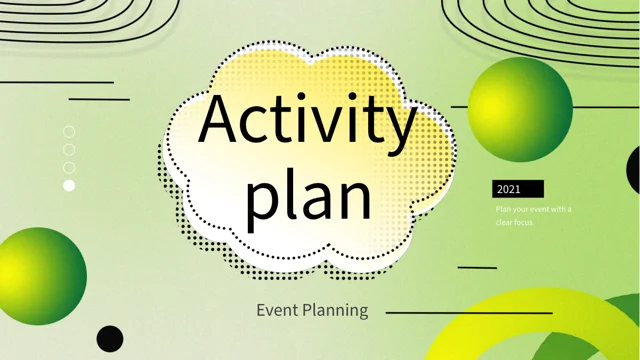
Lime Acid Event Planning Presentation Template combines yellow-green spheres with halftone textures, black lines and spacious white panels. Lime Acid Event Planning Presentation Template opens with a cloud-shaped title frame and a four-part contents page. Lime Acid Event Planning Presentation Template repeats its lime background on four numbered dividers, while the inner pages provide room for an event proposal. Circular percentages, horizontal bars and numbered blocks offer manually arranged examples for explaining a plan. Iridescent portrait and bubble images add visual pauses between diagrams and text. Connected gradient labels, three-card layouts and a six-card grid can hold objectives, responsibilities or short planning notes. Replace the sample years, figures and descriptions with information relevant to your event. Keep the text concise and make sure each visual has a clear purpose. The final thank-you page returns to the cloud frame and floating spheres of the cover.
Key Features of Lime Acid Event Planning Presentation Template
Lime gradients, structured notes and manual planning diagrams.
Lime and Halftone Style
Lime Acid Event Planning Presentation Template combines lime spheres, halftone frames and white panels. Keep headings concise and check contrast on green gradients.
Four Numbered Dividers
Lime Acid Event Planning Presentation Template has four numbered dividers and a contents page. Rename the sections and match their labels to your event proposal.
Manual Percentage Layouts
Lime Acid Event Planning Presentation Template includes circular percentages and horizontal bars made from shapes. Update labels and visual lengths together.
Connected Planning Notes
Lime Acid Event Planning Presentation Template arranges numbered blocks and paired labels along connecting lines. Use short notes to explain the order of your plan.
Gradient Card Grids
Lime Acid Event Planning Presentation Template offers three-card and six-card layouts for concise notes. Assign each card one objective, task or responsibility.
Iridescent Image Accents
Lime Acid Event Planning Presentation Template places an iridescent portrait and bubble images beside notes. Use these static visuals to complement your plan.
How to Use Lime Acid Event Planning Presentation Template
Define the event, adapt the planning pages and verify the details.
-
Choose the Planning Pages
Preview all 20 pages of Lime Acid Event Planning Presentation Template. Select the diagrams and note cards that suit your event, then align the four contents entries with your proposal sections.
-
Download and Adapt the Plan
Download Lime Acid Event Planning Presentation Template with an active paid plan; daily and repeat downloads are unlimited. Save a copy and replace the sample years, figures and planning notes.
-
Verify Text and Figures
Review Lime Acid Event Planning Presentation Template at full size. Check manual percentages, sequence labels and card text, then compare exported pages with the editable file before presenting.
Questions About Lime Acid Event Planning Presentation Template
How do I download Lime Acid Event Planning Presentation Template?
Sign in with an active paid plan to download Lime Acid Event Planning Presentation Template. Daily and repeat downloads of Lime Acid Event Planning Presentation Template are unlimited. Lime Acid Event Planning Presentation Template is supplied as an editable PowerPoint file. Keep an untouched copy of Lime Acid Event Planning Presentation Template before adapting the event details, replacing sample figures or adjusting the planning diagrams.
What is included in Lime Acid Event Planning Presentation Template?
Lime Acid Event Planning Presentation Template contains 20 slides in a 16:9 format. Lime Acid Event Planning Presentation Template includes a cloud-framed cover, a four-part contents page, four numbered dividers and a matching thank-you page. The Lime Acid Event Planning Presentation Template body offers manual percentages, connected labels, numbered blocks, gradient cards and iridescent image accents. Review all Lime Acid Event Planning Presentation Template previews to choose the layouts that fit the scope and information needs of your event proposal.
How are the sections in Lime Acid Event Planning Presentation Template organized?
Lime Acid Event Planning Presentation Template places dividers on pages 3, 7, 11 and 16. Rename the four Lime Acid Event Planning Presentation Template parts to reflect your proposal, such as objectives, delivery, responsibilities and review. Those are possible uses for Lime Acid Event Planning Presentation Template, not predefined requirements or completed event research. Update the Lime Acid Event Planning Presentation Template contents labels and divider headings together, then keep the supporting pages focused on the information relevant to each section.
Are the metrics in Lime Acid Event Planning Presentation Template native charts?
Lime Acid Event Planning Presentation Template uses manually arranged shapes and text rather than native data charts or embedded chart workbooks. The Lime Acid Event Planning Presentation Template ring percentages, horizontal bars and numeric cards are sample visual layouts, not verified event results. When changing Lime Acid Event Planning Presentation Template figures, adjust the related shapes where needed so the visual agrees with the label. Check Lime Acid Event Planning Presentation Template calculations against your own evidence and explain what any percentage or quantity represents.
Can I use Lime Acid Event Planning Presentation Template for an event sequence?
Lime Acid Event Planning Presentation Template includes numbered blocks on connecting lines and paired gradient labels. Use these Lime Acid Event Planning Presentation Template layouts to outline a sequence, responsibilities or related planning points. The Lime Acid Event Planning Presentation Template connections do not automatically schedule tasks or calculate dates. Replace sample wording with clear steps and check the order manually. Keep Lime Acid Event Planning Presentation Template notes short enough to follow during a presentation, using another page when a step needs more detail.
What can I put on the cards in Lime Acid Event Planning Presentation Template?
Lime Acid Event Planning Presentation Template provides three-card and six-card arrangements with green gradients, as well as a six-part text layout. Give each Lime Acid Event Planning Presentation Template card a specific role, such as a task, objective, owner or preparation note. Replace the Lime Acid Event Planning Presentation Template sample copy with information about your event rather than presenting generic text as a finished plan. Review Lime Acid Event Planning Presentation Template cards together so descriptions remain balanced and the audience can compare the points easily.
Which fonts does Lime Acid Event Planning Presentation Template use?
Lime Acid Event Planning Presentation Template uses Source Han Sans SC Regular for its final text. The Lime Acid Event Planning Presentation Template file retains some source font attachments, but the current Source Han font is not newly embedded. Install the matching font if your software substitutes a different typeface when editing Lime Acid Event Planning Presentation Template. Check Lime Acid Event Planning Presentation Template small notes, percentage labels, divider headings and gradient-card text after font changes, then compare exported pages with the supplied previews.
Are the image accents in Lime Acid Event Planning Presentation Template editable 3D objects?
Lime Acid Event Planning Presentation Template uses static images for its iridescent portrait, bubbles and sculptural ring. These Lime Acid Event Planning Presentation Template pictures do not provide editable 3D models or live effects. You can adjust the Lime Acid Event Planning Presentation Template image placement or replace a picture using your presentation software, while checking its proportions and nearby text. Choose Lime Acid Event Planning Presentation Template visual accents that support the event concept, and do not treat decorative figures, arrows or example dates as functional controls or current event information.
What should I check before sharing Lime Acid Event Planning Presentation Template?
Check Lime Acid Event Planning Presentation Template section names, dates, numeric examples and planning descriptions. Confirm that Lime Acid Event Planning Presentation Template percentages and other figures have been replaced or clearly identified as examples. Inspect Lime Acid Event Planning Presentation Template card text, connecting lines and contrast on lime backgrounds at presentation size. Compare exported Lime Acid Event Planning Presentation Template pages with the editable file, including the matching closing page, before sharing the event proposal.