Colorful Oil Painting Portfolio Presentation Template: Vivid Artwork and Pale Yellow Panels
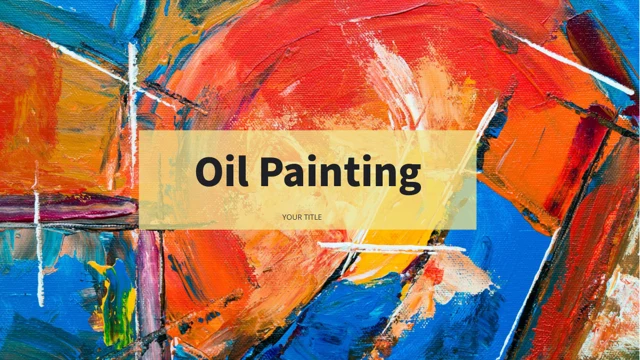
Colorful Oil Painting Portfolio Presentation Template opens with saturated blue, orange and yellow artwork behind a translucent title panel. White space and pale yellow rectangles connect 21 widescreen pages. Colorful Oil Painting Portfolio Presentation Template alternates tall pictures, side-by-side paintings and uneven image grids with short project notes. Desktop, tablet and phone frames provide additional ways to show sample images. Colorful Oil Painting Portfolio Presentation Template includes a three-item services page, one Part One divider and a closing painting with a thanks panel. A native 100% stacked column chart has an embedded workbook; the separate 82% bars are manually edited examples. Replace English guidance, names and figures with accurate project content. Keep artwork proportions intact and review captions near image edges. Choose the pages needed for your work, then check both the editable file and its export.
Key Features of Colorful Oil Painting Portfolio Presentation Template
Painting collages, pale yellow accents and practical picture layouts.
Vivid Artwork and Yellow Panels
Colorful Oil Painting Portfolio Presentation Template pairs colorful painting images with pale yellow panels. Keep captions readable against the saturated artwork.
Asymmetric Painting Collages
Colorful Oil Painting Portfolio Presentation Template mixes tall pictures and uneven grids. Preserve important image details when replacing or cropping artwork.
Static Device Picture Frames
Colorful Oil Painting Portfolio Presentation Template places images in desktop, tablet and phone frames. These are static presentation layouts, not live apps.
Services and Project Notes
Colorful Oil Painting Portfolio Presentation Template includes three service items and short project notes. Rename examples to describe your own creative work.
Native Stacked Column Chart
Colorful Oil Painting Portfolio Presentation Template retains a native 100% stacked column chart and workbook. Edit its data separately from the manual 82% bars.
Coordinated Cover and Thanks
Colorful Oil Painting Portfolio Presentation Template uses full painting backgrounds with pale yellow panels at both ends. Update titles while retaining contrast.
How to Use Colorful Oil Painting Portfolio Presentation Template
Select the artwork, replace examples and check images and chart data.
-
Choose Your Artwork Layouts
Preview 21 pages of Colorful Oil Painting Portfolio Presentation Template. Select collages and device frames for your projects, then arrange the services page and notes around the work.
-
Download and Edit the Examples
Download Colorful Oil Painting Portfolio Presentation Template with an active paid plan; daily and repeat downloads are unlimited. Edit a copy, replacing sample text, pictures and figures.
-
Review Crops and Chart Values
Check Colorful Oil Painting Portfolio Presentation Template at full size. Review picture crops, narrow captions and chart data, then compare the exported pages with the editable PowerPoint file.
Questions About Colorful Oil Painting Portfolio Presentation Template
How do I download Colorful Oil Painting Portfolio Presentation Template?
Sign in with an active paid plan to download Colorful Oil Painting Portfolio Presentation Template. Daily and repeat downloads of Colorful Oil Painting Portfolio Presentation Template are unlimited. Colorful Oil Painting Portfolio Presentation Template is supplied as an editable PowerPoint file. Save an untouched copy of Colorful Oil Painting Portfolio Presentation Template before replacing images, project descriptions or figures.
What is included in Colorful Oil Painting Portfolio Presentation Template?
Colorful Oil Painting Portfolio Presentation Template contains 21 slides in a 16:9 format. Colorful Oil Painting Portfolio Presentation Template includes a cover, a three-item services page, a Part One divider, artwork collages, device picture frames, text layouts and a thanks page. The gallery previews every page of Colorful Oil Painting Portfolio Presentation Template. Choose the Colorful Oil Painting Portfolio Presentation Template layouts that explain your work instead of treating every example as required.
How is Colorful Oil Painting Portfolio Presentation Template organized?
Colorful Oil Painting Portfolio Presentation Template starts with three service items on page 2 and a Part One divider on page 3. Later Colorful Oil Painting Portfolio Presentation Template pages combine artwork, project notes, device frames and a chart. Organize the selected Colorful Oil Painting Portfolio Presentation Template pages around your own projects and update the service labels accordingly. Check that headings and project notes in Colorful Oil Painting Portfolio Presentation Template follow the sequence you actually present.
Are the device frames in Colorful Oil Painting Portfolio Presentation Template working interfaces?
Colorful Oil Painting Portfolio Presentation Template uses static desktop, tablet and phone picture layouts on pages 5, 13 and 20. These Colorful Oil Painting Portfolio Presentation Template frames do not operate software or demonstrate a live product. Replace the sample pictures in Colorful Oil Painting Portfolio Presentation Template with images relevant to your project and review their crops. Keep descriptions in Colorful Oil Painting Portfolio Presentation Template accurate about what your own work includes.
Which graphics in Colorful Oil Painting Portfolio Presentation Template are linked to data?
Colorful Oil Painting Portfolio Presentation Template retains a native 100% stacked column chart and an embedded Excel workbook on page 17. The 82% bars on pages 15 and 19 of Colorful Oil Painting Portfolio Presentation Template are manually edited shapes and labels. The four arrow-ring icons on page 12 of Colorful Oil Painting Portfolio Presentation Template are also diagram elements, not data charts. Update the chart source and manual examples separately in Colorful Oil Painting Portfolio Presentation Template.
Can I replace the paintings in Colorful Oil Painting Portfolio Presentation Template?
Colorful Oil Painting Portfolio Presentation Template combines full-page artwork, tall crops, paired images and uneven picture grids. Replace Colorful Oil Painting Portfolio Presentation Template pictures with suitable artwork and preserve the proportions of the original files. Review faces, signatures or other important details near the edge of each Colorful Oil Painting Portfolio Presentation Template crop. A picture replacement in Colorful Oil Painting Portfolio Presentation Template does not automatically adjust every nearby caption or panel.
Which fonts does Colorful Oil Painting Portfolio Presentation Template use?
Colorful Oil Painting Portfolio Presentation Template uses Source Han Sans SC Heavy, PT Serif Regular and Open Sans Regular for its text. Standard bullets in Colorful Oil Painting Portfolio Presentation Template render with OpenSymbol. Colorful Oil Painting Portfolio Presentation Template does not embed fonts. Install the matching fonts if Colorful Oil Painting Portfolio Presentation Template opens with substitutions, then check headings, small captions and chart labels again after export.
What should I replace in Colorful Oil Painting Portfolio Presentation Template before presenting?
Colorful Oil Painting Portfolio Presentation Template provides English sample guidance rather than finished descriptions of your work. Replace names, service labels and project notes in Colorful Oil Painting Portfolio Presentation Template with accurate information. Check the example chart values and manually labelled percentages in Colorful Oil Painting Portfolio Presentation Template; they are not verified performance claims. Keep original attribution intact and ensure every Colorful Oil Painting Portfolio Presentation Template caption describes the image beside it.
How can I check the final Colorful Oil Painting Portfolio Presentation Template file?
Review Colorful Oil Painting Portfolio Presentation Template in full-size slide view, especially narrow captions, bright artwork and pale yellow text panels. Check the Colorful Oil Painting Portfolio Presentation Template device frames for awkward crops and confirm that chart values match your data. Compare the exported Colorful Oil Painting Portfolio Presentation Template pages with the editable copy. Finish by checking the Colorful Oil Painting Portfolio Presentation Template cover and thanks page so the opening and closing titles remain readable.