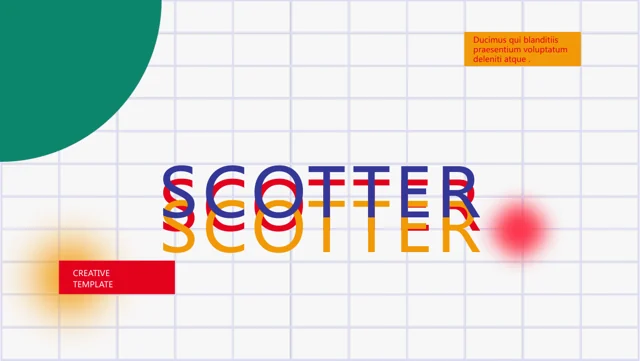
Moujive Presentation Template: Frame the Idea Behind Your Project
Moujive Presentation Template opens with the design name before introducing a project and a new concept. Its 30 geometric slides use green, red and yellow in a 1.79:1 format. Moujive Presentation Template includes research, target, community, service and design headings. Select pages that connect your question to evidence and a proposed direction. The clothing, culture and fictional participant examples in Moujive Presentation Template are sample prose; replace them with your own methods and observations.
Key Features of Moujive Presentation Template
A project, its evidence and its visual direction.
Quiet opening
Moujive Presentation Template starts with a simple name-led cover.
Project and concept
Link your project to its core question in Moujive Presentation Template.
Research context
Replace fictional research passages in Moujive Presentation Template.
Geometric focus
Frame the main point with shapes in Moujive Presentation Template.
Service descriptions
State actual activities and deliverables in Moujive Presentation Template.
Considered spacing
Check longer headings in Moujive Presentation Template’s 1.79:1 layouts.
How to Use Moujive Presentation Template
Move from the idea to evidence in three steps.
-
Define the question
Select relevant concept and research pages in Moujive Presentation Template.
-
Download
Download Moujive Presentation Template with a paid plan. Daily downloads are unlimited.
-
Explain the project
Enter your evidence in Moujive Presentation Template and check the visual balance.

Questions About Moujive Presentation Template
How do I download Moujive Presentation Template?
Sign in with an active paid plan to save Moujive Presentation Template. Paid members have unlimited daily downloads. Edit a copy.
How many slides are in Moujive Presentation Template?
Moujive Presentation Template contains 30 slides in the original 1.79:1 format. Preview the full sequence before selecting pages.
Can I change the colors in Moujive Presentation Template?
Adjust editable shapes in Moujive Presentation Template to your chosen palette. Check contrast around small text and image boundaries.
Can I see all pages of Moujive Presentation Template?
Yes. The thumbnails and arrows show every slide of Moujive Presentation Template, including its project, research and service examples.
Which fonts does Moujive Presentation Template use?
Moujive Presentation Template lists Arial, 思源黑体 CN Regular, 等线. Check heading width and line breaks after substitution.
Can I cite the research in Moujive Presentation Template?
No. The research passages in Moujive Presentation Template are illustrative and mention fictional names. Replace them with evidence you can substantiate.
Are the original examples in Moujive Presentation Template translated?
Moujive Presentation Template keeps its English slide examples. Enter your preferred language and check the fit of longer concept headings.
Can I use Moujive Presentation Template commercially?
Review the source license and attribution requirements before using Moujive Presentation Template commercially. Paid download access adds no rights.
How do I share Moujive Presentation Template?
Share the page link for the original Moujive Presentation Template preview. Send your edited file for project feedback, checking participant and image permissions.