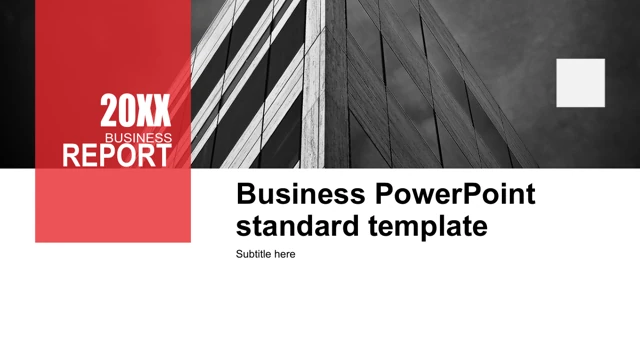
Orange Work Summary Presentation Template: Orange Circles, Dark Panels and Five Charts
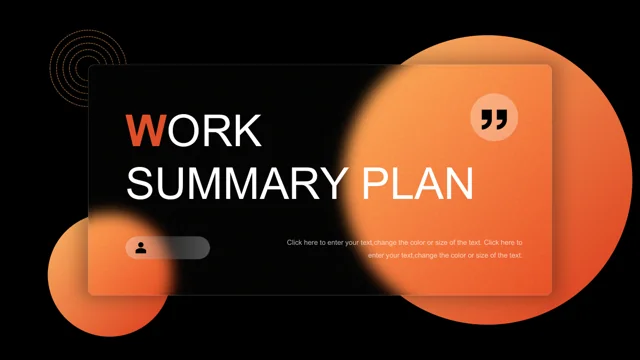
Orange Work Summary Presentation Template opens with glowing orange circles behind a translucent rectangular panel. Black backgrounds, white headings and fine concentric rings run through Orange Work Summary Presentation Template. The complete 20-slide sequence in Orange Work Summary Presentation Template includes a cover, contents, four numbered parts and a closing page. The contents in Orange Work Summary Presentation Template separates work review, experience highlights, problem analysis and future plans. Four source dividers repeat the work-review heading; Orange Work Summary Presentation Template corrects their headings to match those sections. Orange markers, thin rules and architectural pictures support the dark pages in Orange Work Summary Presentation Template. A wide building photo sits above four icon-led text columns, while another architectural crop fills a large circular frame. Orange Work Summary Presentation Template has three native bar charts and two doughnut charts with five embedded Excel workbooks. The two-slice ring in Orange Work Summary Presentation Template retains 0.7 and 0.3; the separate four-slice ring retains 8.2, 3.2, 1.4 and 1.2. Original chart numbers, formulas and workbook values stay unchanged in Orange Work Summary Presentation Template. Three stand-alone 370 labels are examples, unrelated to the charts. Orange Work Summary Presentation Template includes circular callouts, three glass-like text cards, a laptop photo panel and four numbered plan points. Chinese contents and chart labels in Orange Work Summary Presentation Template are translated into English; source attribution is removed. Arial replaces unsupported Chinese display references; Calibri and emphasis are retained. Replace the editing prompts and Latin filler in Orange Work Summary Presentation Template, then check the orange charts against their dark backgrounds. Photos and shape positions remain intact.
Key Features of Orange Work Summary Presentation Template
Orange light on dark report pages.
Orange glow
Orange Work Summary Presentation Template pairs bright circles with black backgrounds.
Four report parts
Orange Work Summary Presentation Template separates review, highlights, problems and plans.
Building photographs
Orange Work Summary Presentation Template uses wide, circular and laptop photo frames.
Five native charts
Orange Work Summary Presentation Template keeps three bar charts and two doughnut charts.
Layered text panels
Orange Work Summary Presentation Template has translucent cards and circular callouts.
English chart labels
Orange Work Summary Presentation Template translates Chinese labels without changing values.
How to Use Orange Work Summary Presentation Template
Preview, download and update.
-
Preview
Orange Work Summary Presentation Template: compare all 20 pages.
-
Download
Orange Work Summary Presentation Template: paid members download without daily limits.
-
Update
Orange Work Summary Presentation Template: edit text, images and chart workbooks.
Questions about Orange Work Summary Presentation Template
How do I download Orange Work Summary Presentation Template?
Orange Work Summary Presentation Template is available to members with an active paid plan. Sign in and use the download button. There is no daily limit, including repeat downloads.
How many slides are in Orange Work Summary Presentation Template?
Orange Work Summary Presentation Template contains 20 original 16:9 slides, with a contents page and four numbered report sections. You can remove pages that do not support your report.
Can I edit the charts in Orange Work Summary Presentation Template?
Orange Work Summary Presentation Template includes three native bar charts and two doughnut charts, each with an embedded Excel workbook. Edit the source data in PowerPoint. Check separate shape labels such as 370 manually.
Can I view every page of Orange Work Summary Presentation Template?
Orange Work Summary Presentation Template provides the complete preview above. Use the arrows or thumbnails to inspect the orange chart labels, translucent panels and building photos before downloading.
Will Orange Work Summary Presentation Template open in another editor?
Orange Work Summary Presentation Template uses PowerPoint .pptx format. Compatible editors may import Orange Work Summary Presentation Template. Check chart data, glow effects, transparent panels, font spacing and photo crops after opening or exporting.
Which fonts does Orange Work Summary Presentation Template use?
Orange Work Summary Presentation Template uses Arial and Calibri in the English file. Unsupported source Chinese display references are replaced while keeping emphasis. Recheck text size and line breaks on your device.
Is Orange Work Summary Presentation Template translated into English?
Orange Work Summary Presentation Template translates the Chinese contents, chart labels and master prompts into English. Existing English editing prompts and Latin filler still need replacement. Site translations describe the same English PPTX.
Can I use Orange Work Summary Presentation Template commercially?
Orange Work Summary Presentation Template supplies layouts and source photographs. Check the rights required for your use and for any replacement assets; do not present the unchanged downloadable template as your own design.
How do I share Orange Work Summary Presentation Template?
Orange Work Summary Presentation Template has a social sharing button and a page link. For a finished Orange Work Summary Presentation Template report, replace the sample text and verify chart values and independent labels before exporting or sharing.