Pop Art Presentation Template: Give Your Introduction a Playful Voice
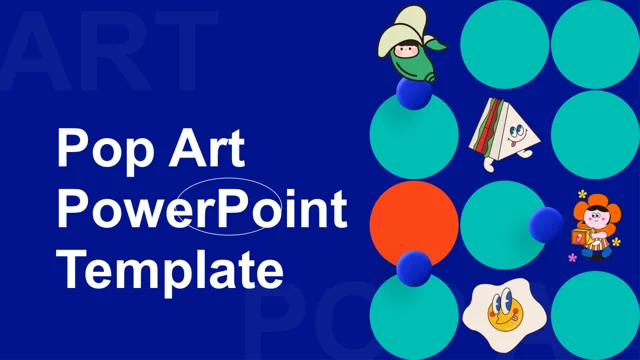
Pop Art Presentation Template opens with a dark blue cover, bright circles and illustrated characters. Across 15 slides, Pop Art Presentation Template alternates white information panels with lively artwork, ending with a matching thank-you page. Pop Art Presentation Template includes paired introductions, team profiles, numbered points and a contact layout. The sample headings, Latin filler, portrait labels and contact details in Pop Art Presentation Template are examples. Rewrite them around your actual people and message; the illustrations provide atmosphere, rather than evidence about your organization. Keep the generous contrast between imagery and text when choosing which pages to retain.
Key Features of Pop Art Presentation Template
Illustrations, introductions and team pages.
Illustrated opening
Pop Art Presentation Template pairs blue with bright circles and illustrated characters.
Paired ideas
Compare two points in Pop Art Presentation Template.
Team profiles
Add real names and roles to Pop Art Presentation Template.
Image-led pages
Keep artwork prominent and text brief in Pop Art Presentation Template.
Contact layout
Update contact details in Pop Art Presentation Template.
Matching close
End Pop Art Presentation Template with a thank-you.
How to Use Pop Art Presentation Template
Choose pages, then make the story yours.
-
Preview
Browse all 15 pages of Pop Art Presentation Template and compare the paired panels.
-
Download
Paid members can download Pop Art Presentation Template without daily limits.
-
Personalize
Replace examples in Pop Art Presentation Template; review the result.
Questions About Pop Art Presentation Template
How do I download Pop Art Presentation Template?
Sign in with an active paid plan to download Pop Art Presentation Template. Repeat and daily downloads are unlimited.
How many slides are in Pop Art Presentation Template?
Pop Art Presentation Template contains 15 slides, including two team layouts, contact details and a matching thank-you.
Can I change the text and colors in Pop Art Presentation Template?
Edit separate text and shapes in Pop Art Presentation Template. Replace image-based illustrations as images; check contrast.
Can I preview all of Pop Art Presentation Template before downloading?
Every page of Pop Art Presentation Template is shown. Use thumbnails, arrows or enlargement to inspect text-heavy layouts.
Can I open Pop Art Presentation Template in another editor?
Import Pop Art Presentation Template into a PPTX-compatible editor. Check illustration crops and typography; the appearance may differ.
Which fonts are used in Pop Art Presentation Template?
Pop Art Presentation Template uses Arial, Inter, Open Sans. Check narrow text panels and team labels after substituting missing fonts.
Is the slide text in Pop Art Presentation Template translated?
Pop Art Presentation Template keeps English headings and Latin filler. Website translation does not translate the PPTX.
Can I use Pop Art Presentation Template commercially?
Review the original license and illustration permissions for Pop Art Presentation Template. Paid access does not extend usage rights.
How do I share Pop Art Presentation Template?
Share the page URL for Pop Art Presentation Template to show its original preview; send your edited file separately.