Red Grain Portfolio Presentation Template: red grain, black stars and structured portfolio notes
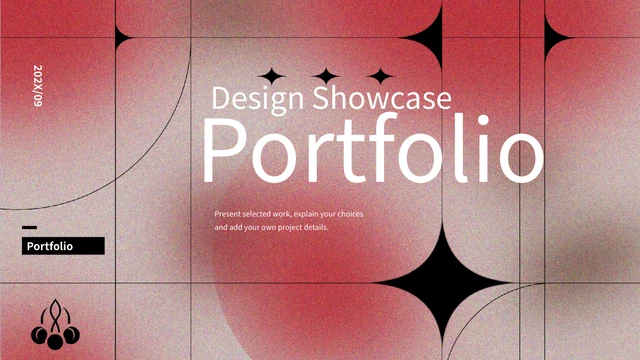
Red Grain Portfolio Presentation Template pairs grainy red-and-gray picture panels with black star motifs, fine grids and white layouts. Red Grain Portfolio Presentation Template contains 20 slides in 16:9, with a four-entry contents page and numbered dividers on pages 3, 8, 13 and 17. Red Grain Portfolio Presentation Template mixes silver plant and chrome capsule pictures with bordered cards, paired notes, four hexagon labels and a six-point radial arrangement. A three-row native table provides a schedule layout, while manual bars, an 85% ring and a five-step sequence offer other ways to organise your ideas. Red Grain Portfolio Presentation Template closes with a matching textured thank-you page. Plants and chrome forms are PNG pictures, not editable 3D models. Add supported project captions and keep sample figures distinct from real results. English guidance accompanies retained source-reference notes and a Chinese PowerPoint tutorial; website translations describe this same file.
Key Features of Red Grain Portfolio Presentation Template
Textured panels, silver pictures and numbered sections organise your portfolio.
Red Grain and Black Stars
Red Grain Portfolio Presentation Template combines red grain and black stars. Keep captions clear against textured panels and check light text contrast.
Four Numbered Sections
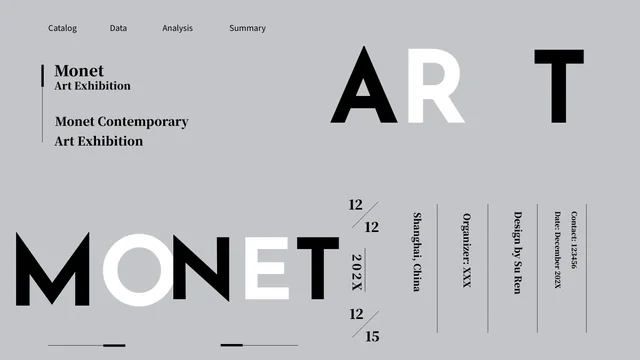
Red Grain Portfolio Presentation Template has four dividers and an index. Align labels with chosen pages and use breaks to group related project notes.
A Native Schedule Table
Red Grain Portfolio Presentation Template has a native three-row, two-column schedule. Edit times and notes together, then check cell spacing and order.
Manual Visual Examples
Red Grain Portfolio Presentation Template uses manual bars, a ring and numbered steps. Add supported values without treating decorative pictures as charts.
Silver Plants and Chrome
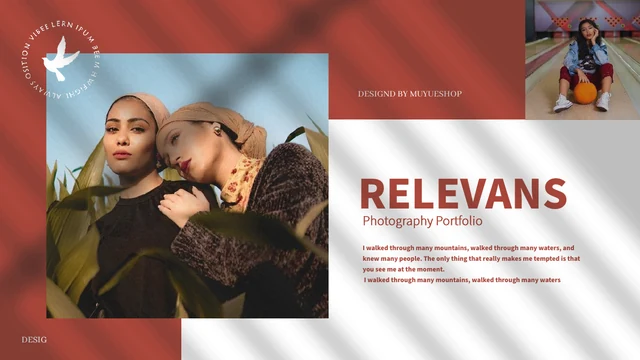
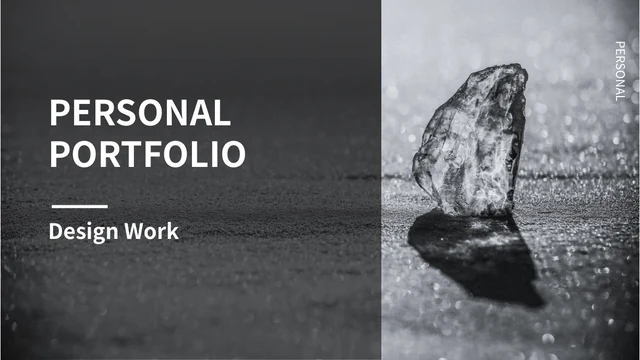
Red Grain Portfolio Presentation Template pairs silver plant and chrome capsule pictures with notes. Keep credits and describe visible design choices.
Cards and Connected Notes
Red Grain Portfolio Presentation Template arranges cards, hexagons and radial notes. Group related observations and keep each point in its original area.
How to Use Red Grain Portfolio Presentation Template
Choose layouts, add supported project notes and review the finished sequence.
-
Select Your Portfolio Sequence
Preview all 20 pages of Red Grain Portfolio Presentation Template. Choose picture panels and section breaks that support your project story, then align the contents with your chosen pages.
-
Download and Add Project Notes
Download Red Grain Portfolio Presentation Template with an active paid plan. Add project captions, edit schedule notes and replace sample figures, keeping source marks distinct from your work.
-
Check Text, Pictures and Video
Review Red Grain Portfolio Presentation Template in your presentation app. Check captions, table cells, crops and contrast, and test the tutorial. Export a review copy to inspect before sharing.
Questions about Red Grain Portfolio Presentation Template
What is included in Red Grain Portfolio Presentation Template?
Red Grain Portfolio Presentation Template contains 20 PowerPoint slides in a 16:9 format. Red Grain Portfolio Presentation Template combines red-and-gray grain pictures, black stars, thin grids and silver plant imagery with white caption layouts. Red Grain Portfolio Presentation Template includes a four-entry contents page and numbered dividers on pages 3, 8, 13 and 17. Other pages provide bordered cards, four hexagon labels, paired notes, a six-point radial arrangement and a five-step sequence. Red Grain Portfolio Presentation Template also has a native schedule table and an original Chinese tutorial linked to page 11. Red Grain Portfolio Presentation Template ends with a matching textured thank-you composition, providing a starting sequence for the project pictures and explanations you select.
Are the plants and chrome shapes in Red Grain Portfolio Presentation Template editable 3D models?
Red Grain Portfolio Presentation Template uses original PNG artwork for its grain textures, silver plants and chrome capsule forms. Red Grain Portfolio Presentation Template displays these as pictures, not editable 3D models or original modelling projects. Red Grain Portfolio Presentation Template also combines native slide shapes and text with the images. Inspect a selected object to see whether it is picture content or a separate editable element before planning a detailed change. Red Grain Portfolio Presentation Template can accommodate your own material if you check its crop, size and relationship to nearby notes. Preview Red Grain Portfolio Presentation Template after replacing a picture so the new image remains clear and the star motifs, lines and captions keep their intended visual balance.
How can I edit the schedule in Red Grain Portfolio Presentation Template?
Red Grain Portfolio Presentation Template includes a native table on page 7 with three rows and two columns. Red Grain Portfolio Presentation Template uses supplied time labels of 14:00, 16:00 and 18:00 beside explanatory notes. Red Grain Portfolio Presentation Template keeps those values as examples, not a verified event schedule, calendar or live timer. Edit the time cells and nearby note text separately when adapting the table to your own plan, and check that the rows remain readable. Red Grain Portfolio Presentation Template pairs the schedule with a silver plant picture and a grainy panel. Review Red Grain Portfolio Presentation Template after changing the times and notes to check spacing, consistent time formatting and the relationship between the table and nearby image.
Are the bars and percentages in Red Grain Portfolio Presentation Template linked charts?
Red Grain Portfolio Presentation Template contains manually arranged visual examples, including short bars and an 85% ring label. Red Grain Portfolio Presentation Template does not provide a linked data chart or spreadsheet workbook for these diagrams. Values in Red Grain Portfolio Presentation Template are sample labels, not verified measures of your work or results calculated from the shape of a picture. Replace them with information you can support and explain the units or meaning in a concise note. Changing text in Red Grain Portfolio Presentation Template does not automatically resize a bar, alter a picture curve or update other labels. Inspect Red Grain Portfolio Presentation Template for consistent values and keep numbered sections or process steps separate from actual measurements you intend to share.
Can I change captions and images in Red Grain Portfolio Presentation Template?
Red Grain Portfolio Presentation Template provides ordinary English headings and short editing guidance in editable text areas. Red Grain Portfolio Presentation Template lets you replace those prompts with your own observations, project role and checked background information. Red Grain Portfolio Presentation Template also includes picture artwork whose merged details are not separate text or shapes. Inspect each object before editing, and use pictures you are entitled to share when replacing an image. Red Grain Portfolio Presentation Template retains source names and genuine marks where present; keep them distinct from the author of your new guidance or your own contribution. Preview Red Grain Portfolio Presentation Template after edits to check small captions, image crops and the contrast between light text, grainy panels and black shapes.
Which fonts does Red Grain Portfolio Presentation Template use?
Red Grain Portfolio Presentation Template uses Source Han Sans SC Regular and Bold for its ordinary editable text. These fonts are not embedded in Red Grain Portfolio Presentation Template. Install them or choose suitable alternatives before editing, then check the width of headings and small notes. Red Grain Portfolio Presentation Template combines large section numbers with narrow labels and schedule cells, so font substitutions can change line breaks. Picture textures and merged lettering remain part of the original images, rather than being controlled by text fonts. Check Red Grain Portfolio Presentation Template in the presentation application you intend to use and inspect an exported review copy. Review Red Grain Portfolio Presentation Template after saving to ensure that headings, captions and schedule text remain readable without clipping or overlap.
Is the whole package English in Red Grain Portfolio Presentation Template?
Red Grain Portfolio Presentation Template provides independent English guidance in ordinary editable slide headings and notes. Red Grain Portfolio Presentation Template retains original ordinary wording separately in same-slide source-reference notes. Red Grain Portfolio Presentation Template also keeps source pictures and their existing lettering or marks, rather than turning every merged detail into an English text object. The original PowerPoint tutorial remains in Chinese. Red Grain Portfolio Presentation Template therefore combines English editing guidance with retained source material, not an entirely translated package. All website language pages describe the same downloadable Red Grain Portfolio Presentation Template, rather than separate translated decks. Review both the visible slides and notes when preparing your own captions so the language and explanations suit your audience.
Does Red Grain Portfolio Presentation Template include a video?
Red Grain Portfolio Presentation Template retains a Chinese PowerPoint tutorial linked to a video object on page 11. The recording in Red Grain Portfolio Presentation Template shows general slide-master and picture editing, rather than the creation history of this portfolio’s artwork. Red Grain Portfolio Presentation Template keeps that supplied recording as source material; the website previews show slide designs rather than demonstrating its playback. Test Red Grain Portfolio Presentation Template in the presentation application you intend to use if you plan to show the video, and consider whether a Chinese tutorial suits your audience. Access to Red Grain Portfolio Presentation Template does not grant additional rights to use the recording or source pictures elsewhere. Keep the tutorial separate from any new narration, artwork or explanation you create.
How do I download and share Red Grain Portfolio Presentation Template?
Download Red Grain Portfolio Presentation Template with an account that has an active paid membership. Active paid members can download Red Grain Portfolio Presentation Template repeatedly without a daily count limit. All 20 page previews are available to review before selecting the file. Keep an unchanged copy of Red Grain Portfolio Presentation Template and edit a working version using checked project captions, relevant schedule notes and pictures you may share. Replace sample dates and values only with information you can support; the supplied 2020/09 closing label is not a current date claim. Check Red Grain Portfolio Presentation Template for font changes, caption fit, image crops and consistent section labels, and test any retained video you plan to use. Export a review copy of Red Grain Portfolio Presentation Template before sharing in the format your audience needs.