Retro Art Collage Presentation Template: cream texture, earthy borders and layered pictures
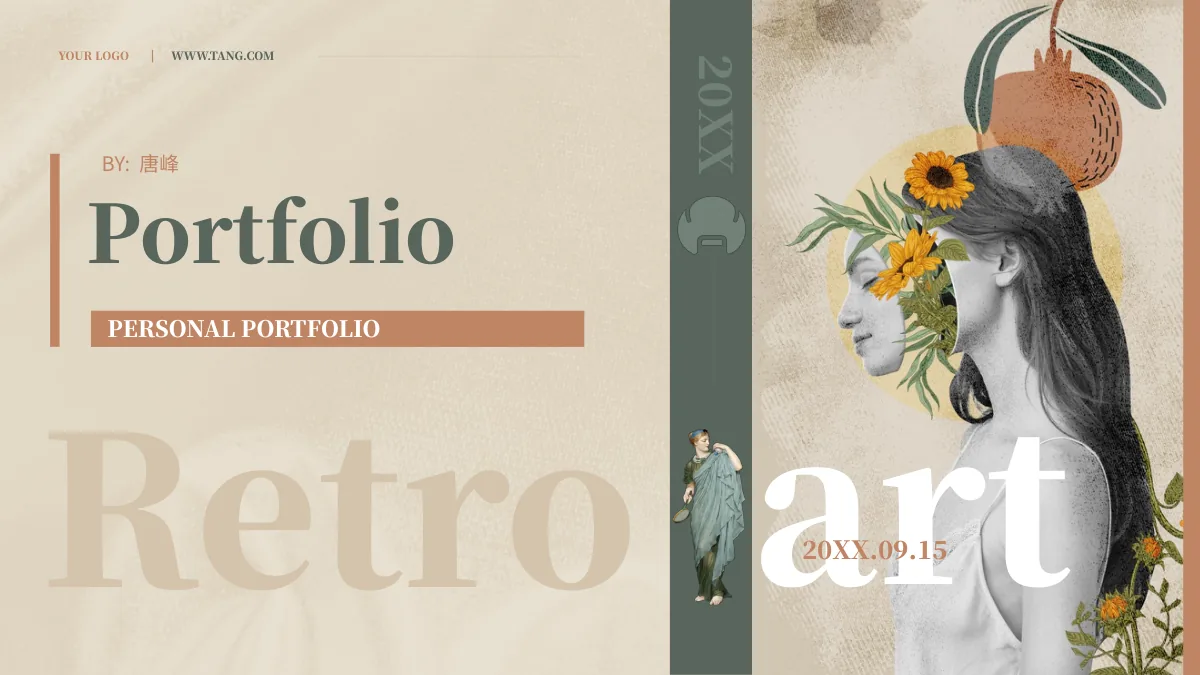
Retro Art Collage Presentation Template combines a cream textile texture with terracotta and muted olive borders, large serif words and layered art pictures. Retro Art Collage Presentation Template contains 15 widescreen slides in 16:9, with four numbered dividers on pages 3, 6, 9 and 12. Retro Art Collage Presentation Template uses a floral face collage, a staircase-and-bust collage and a map-and-valley scene beside three cut-out painted figures. Circular and oval crops, paired pictures and three portrait cards give captions different settings. A linked stacked bar chart appears on page 11; separate 150%, 180% and 5800% text labels are manual examples. Retro Art Collage Presentation Template closes with the cover collage and thanks. Add observations grounded in visible details, keeping genuine source attribution separate from your own account. Source names, printed picture details and the Chinese tutorial remain part of the supplied material.
Key Features of Retro Art Collage Presentation Template
Cream texture, earthy borders and varied picture frames connect the pages.
Textile Texture and Earthy Borders
Retro Art Collage Presentation Template pairs cream textile texture with terracotta and olive borders. Keep captions concise beside the large serif type.
Three Layered Art Collages
Retro Art Collage Presentation Template uses floral, staircase and map-and-valley collages. Describe visible details without inventing an artist or place.
Four Numbered Sections
Retro Art Collage Presentation Template has dividers on pages 3, 6, 9 and 12. Update the four contents entries to match material and sequence you retain.
Cut-Out Figures and Picture Cards
Retro Art Collage Presentation Template combines cut-out painted figures, round crops and three portrait cards. Check image edges and leave room for notes.
Linked Stacked Bar Chart
Retro Art Collage Presentation Template includes a linked stacked bar chart with three series and four categories. Edit the workbook using checked values.
Separate Manual Example Figures
Retro Art Collage Presentation Template retains separate 150%, 180% and 5800% text examples. Replace manual labels with supported figures for your topic.
How to Use Retro Art Collage Presentation Template
Choose a visual sequence, add checked captions and review the whole file.
-
Choose Your Visual Sequence
Preview all 15 pages of Retro Art Collage Presentation Template. Select the collages, figure layouts and section breaks that support your topic, then arrange them with matching contents labels.
-
Download and Add Your Captions
Download Retro Art Collage Presentation Template with an active paid plan. Add picture captions and your own context; distinguish supplied art, source credits and sample values from your work.
-
Review Pictures, Data and Video
Check Retro Art Collage Presentation Template in your presentation application. Review picture crops, text fit and chart values, and test the retained tutorial before sharing an edited copy.
Questions about Retro Art Collage Presentation Template
What is included in Retro Art Collage Presentation Template?
Retro Art Collage Presentation Template contains 15 PowerPoint slides in a 16:9 format. Retro Art Collage Presentation Template pairs cream textile texture with terracotta and muted olive borders, large serif words and art collages. Retro Art Collage Presentation Template has four numbered dividers on pages 3, 6, 9 and 12, with a four-entry contents layout. Round and oval picture crops, paired views, cut-out painted figures and three portrait cards offer space for your observations. A linked chart and separate manual figures are included. Retro Art Collage Presentation Template ends with the cover collage and a thank-you message. Preview Retro Art Collage Presentation Template to select a sequence suited to the pictures and captions you want to present.
Are the pictures in Retro Art Collage Presentation Template identified artworks?
Retro Art Collage Presentation Template contains supplied collages and cut-out painted figures. Retro Art Collage Presentation Template does not verify every artist, depicted person's identity, location or period shown in those pictures. A recognizable face, building or map fragment alone does not establish an art history. Retro Art Collage Presentation Template retains the original visual material and genuine source attribution. The source author label is not verification that the named person created every pictured artwork or the new English guidance. Use Retro Art Collage Presentation Template to discuss visible composition, texture or colour, adding checked context when available. Review Retro Art Collage Presentation Template before assigning names, dates or histories to any supplied image.
Can I replace pictures in Retro Art Collage Presentation Template?
Retro Art Collage Presentation Template arranges pictures in tall collage panels, round or oval crops and portrait cards. Select an image in Retro Art Collage Presentation Template and inspect its frame, visible area and overlap before replacing it with material you may use. Retro Art Collage Presentation Template also uses cut-out figures, so a replacement may need a suitable shape and background to fit the composition. Changing a caption does not change lettering printed inside the original image. Keep genuine image credits separate from your own contribution. Check Retro Art Collage Presentation Template at slide size after editing a picture. Preview the selected pages of Retro Art Collage Presentation Template together to review their contrast, crop and caption space.
Is the bar chart in Retro Art Collage Presentation Template editable?
Retro Art Collage Presentation Template includes one native horizontal chart on page 11. Retro Art Collage Presentation Template links that chart to an embedded workbook containing three series and four categories. The chart uses a 100% stacked layout; its segments represent proportions within each category, not standalone performance claims. Edit the linked data in Retro Art Collage Presentation Template using values appropriate for your topic and review the resulting labels and bars. Source chart values are examples, not verified outcomes. Retro Art Collage Presentation Template keeps these linked values distinct from the separate manual percentage text on other pages. Check Retro Art Collage Presentation Template in your presentation application so the chart and the explanation agree before sharing.
What do the separate percentages in Retro Art Collage Presentation Template mean?
Retro Art Collage Presentation Template retains separately placed 150%, 180% and 5800% text labels. Those examples in Retro Art Collage Presentation Template are manual text, not calculated results from the linked chart on page 11. An example number beside a figure or collage is not verified information about its subject. Replace manual labels in Retro Art Collage Presentation Template with values you can support and explain what they measure. Changing these text labels in Retro Art Collage Presentation Template does not automatically change chart data, pictures or workbook cells. Review Retro Art Collage Presentation Template for consistent units and captions. Remove irrelevant sample values from your working copy rather than presenting them as current results.
Which fonts does Retro Art Collage Presentation Template use?
Retro Art Collage Presentation Template uses Source Han Sans SC Regular and Source Han Serif SC Heavy in its editable text. These fonts are not embedded in Retro Art Collage Presentation Template. Install them or choose suitable alternatives, then inspect the large serif headings and narrow captions for wrapping or clipping. Lettering already stored in pictures remains part of those images. Retro Art Collage Presentation Template combines large words with compact notes, so font changes can affect their balance and available space. Review Retro Art Collage Presentation Template in your presentation application and check an exported review copy. Inspect Retro Art Collage Presentation Template again after saving to confirm that headings and captions fit their frames.
Is Retro Art Collage Presentation Template fully translated into every website language?
Retro Art Collage Presentation Template is described on the website in multiple languages. Each language page refers to the same downloadable Retro Art Collage Presentation Template, not a separate translated PowerPoint deck. Ordinary editable text provides English guidance for describing your selected material. Retro Art Collage Presentation Template keeps original ordinary source wording separately in same-slide reference notes, while genuine source names and picture lettering remain where applicable. The source attribution 唐峰 does not make that person the author of the new editing guidance or verify authorship of every image. Retro Art Collage Presentation Template also retains the original Chinese tutorial, so the whole package is not English. Review Retro Art Collage Presentation Template and adapt the editable captions to your audience.
Does Retro Art Collage Presentation Template include a video tutorial?
Retro Art Collage Presentation Template retains the original Chinese PowerPoint editing tutorial on page 14. The video in Retro Art Collage Presentation Template explains general master and picture editing on a different sample deck, not the history or creation of the supplied collages. Retro Art Collage Presentation Template does not provide an English translation of that video or identify its author from the available record. This recording remains in Chinese, so consider whether it is useful for your audience. Test Retro Art Collage Presentation Template in your intended presentation application if you plan to use the tutorial. Access to Retro Art Collage Presentation Template does not grant additional permission to redistribute the recording; check its suitability for your intended use.
How can I download and share Retro Art Collage Presentation Template?
Download Retro Art Collage Presentation Template with an active paid membership. Active paid members may download Retro Art Collage Presentation Template repeatedly without a daily count limit. The gallery provides 15 page previews for assessing the design before selecting the PowerPoint file. Keep an unchanged copy of Retro Art Collage Presentation Template and edit a working version with your own checked captions and suitable images. Retain genuine source credits and distinguish supplied samples from your own material. Access to Retro Art Collage Presentation Template does not independently expand the rights attached to its artwork or tutorial. Review Retro Art Collage Presentation Template for text fit, picture crops, chart values and video behavior before sharing in the format your audience needs.