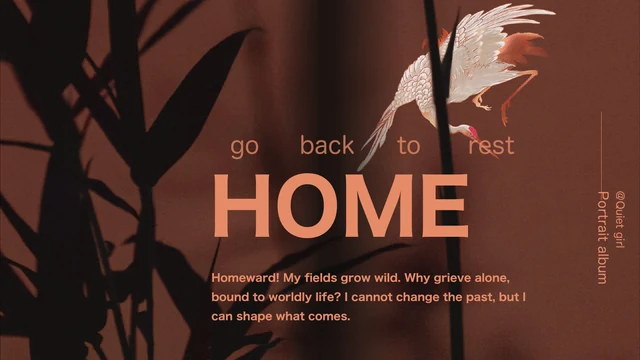
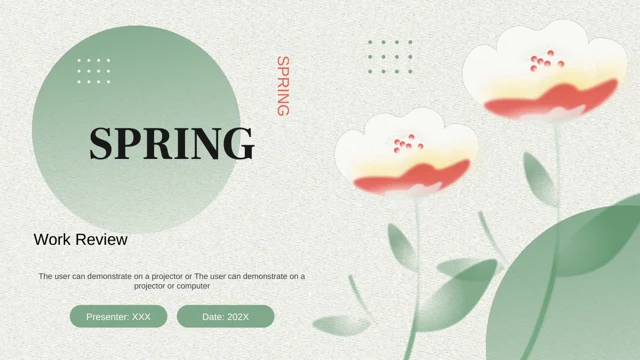
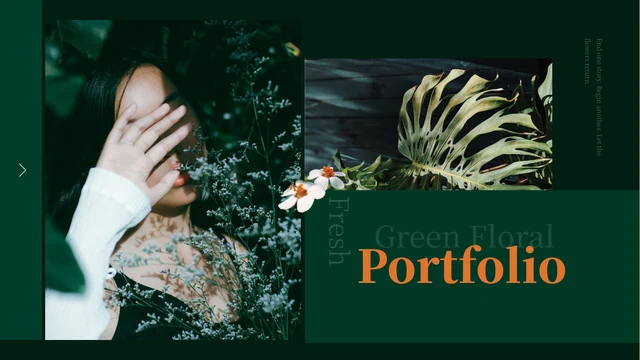
Green Floral Portfolio Presentation Template: white flowers and photographs against deep green
Green Floral Portfolio Presentation Template places colour portraits, plants and still-life photographs against deep green. Orange serif headings and white flower cutouts connect its 15 widescreen pages. Green Floral Portfolio Presentation Template starts with a cover, an introduction and four project titles. Four numbered dividers each lead to two image pages, from glass vessels and portraits to foliage, flowers and a rose casting a shadow. Green Floral Portfolio Presentation Template combines tall pictures, wide crops and panels that overlap photographs. The final page is a project layout, not a thank-you slide. Green Floral Portfolio Presentation Template offers editable English headings, guides, small notes and decorative vertical text. Replace them with accurate descriptions of your work. Photographs and flower cutouts are static graphics; image lettering is not editable text. There are no native data charts or linked workbooks. Check crops and image permissions before sharing.
Key Features of Green Floral Portfolio Presentation Template
Deep-green panels, orange headings and four clear project pairs.
Dark Green and Orange
Green Floral Portfolio Presentation Template pairs dark green with orange serif titles. Keep text readable when you change panel colours or add photographs.
White Flower Cutouts
Green Floral Portfolio Presentation Template repeats a white flower cutout beside titles. It is an image, separate from editable headings and green panels.
Four Project Sections
Green Floral Portfolio Presentation Template has four numbered dividers, each with two image pages. Match the contents labels to the projects you present.
Portraits and Plants
Green Floral Portfolio Presentation Template mixes portraits, foliage and still-life photos. Add your own pictures and review their tall and wide crops.
Layered Caption Panels
Green Floral Portfolio Presentation Template uses panels over and beside pictures. Add brief captions and keep text clear of important image details.
A Project-Led Finish
Green Floral Portfolio Presentation Template ends with a rose photo, five labels and a caption. Choose a final project that leaves an impression of your work.
How to Use Green Floral Portfolio Presentation Template
Choose four projects, replace the guides and review each picture.
-
Plan Four Projects
Preview all 15 pages of Green Floral Portfolio Presentation Template. Match four project titles to the contents, numbered dividers and paired image pages, then plan your brief captions.
-
Download and Add Your Work
Get Green Floral Portfolio Presentation Template with an active paid plan; daily and repeat downloads are unlimited. Edit a copy, add permitted photos and replace the guides with your captions.
-
Check Pictures and Share
Review Green Floral Portfolio Presentation Template in PowerPoint. Check crops, panels, notes and image permissions. Export a PDF and reopen every page before sharing your finished work.
Questions about Green Floral Portfolio Presentation Template
How do I download Green Floral Portfolio Presentation Template?
Sign in with an active paid plan and use the download button for Green Floral Portfolio Presentation Template. Daily and repeat downloads are unlimited for eligible members. Green Floral Portfolio Presentation Template is one English PPTX; keep an original copy and edit another. File access to Green Floral Portfolio Presentation Template is not blanket permission to reuse its photographs. Replace the guides with your own project descriptions.
How many pages does Green Floral Portfolio Presentation Template contain?
Green Floral Portfolio Presentation Template has 15 slides in 16:9. A cover, introduction and contents precede four numbered dividers, each followed by two image pages. The eight project layouts of Green Floral Portfolio Presentation Template finish with a rose photograph, five idea labels and a caption; there is no separate thank-you page. Present your own projects in Green Floral Portfolio Presentation Template, rather than treating sample photographs as your career.
What can I change in Green Floral Portfolio Presentation Template?
Edit headings, captions, green panels and simple native shapes in Green Floral Portfolio Presentation Template. Replace pictures and check tall, wide and overlapping crops. The flower cutout in Green Floral Portfolio Presentation Template is a picture; photographed objects and lettering remain image pixels. Green Floral Portfolio Presentation Template has no native data charts or linked Excel workbooks. Keep short notes clear of faces, leaves and other image details.
Can I preview all of Green Floral Portfolio Presentation Template free?
The gallery shows all 15 pages of Green Floral Portfolio Presentation Template free without purchase. Use thumbnails and arrows to compare the four sections in Green Floral Portfolio Presentation Template, and enlarge small notes. Previews of Green Floral Portfolio Presentation Template are static images from the final English PPTX, not a live editor. Gallery browsing needs no paid file access; downloading the editable PPTX does.
Can other editors open Green Floral Portfolio Presentation Template?
PPTX importers may open Green Floral Portfolio Presentation Template, but fonts, grouping, vertical text, transparency and picture crops can change. Compare imported Green Floral Portfolio Presentation Template with the gallery, especially overlapping panels and divider numbers. Keep 16:9, check each page in PowerPoint and reopen an exported PDF. Other-editor import of Green Floral Portfolio Presentation Template does not guarantee identical appearance.
Which fonts are used in Green Floral Portfolio Presentation Template?
Green Floral Portfolio Presentation Template retains Source Han Serif CN Light, ExtraLight, Medium, Heavy and SemiBold, Kozuka Gothic Pr6N R, Arial, Microsoft YaHei and other source references. No fonts are embedded in Green Floral Portfolio Presentation Template. Previews use the Source Han Serif CN variants and a local fallback for unavailable Kozuka text. Device substitutions can differ; inspect headings and numbers in Green Floral Portfolio Presentation Template. Font names are not font-software redistribution permission.
Is the file for Green Floral Portfolio Presentation Template translated?
All 15 site languages describe one English PPTX for Green Floral Portfolio Presentation Template. Editable Chinese headings and decorative wording are English; biography filler becomes brief project guides. Green Floral Portfolio Presentation Template retains the original photographs and flower graphics, not translated image versions. Add your own descriptions and translate editable text for your audience. Website languages for Green Floral Portfolio Presentation Template do not supply 15 different PPTX files.
Can Green Floral Portfolio Presentation Template be used commercially?
Whole-template commercial and redistribution permissions for Green Floral Portfolio Presentation Template remain unverified. The source’s empty creator field and absent photo credits do not establish a licence. Paid access to Green Floral Portfolio Presentation Template does not expand rights to pictures, graphics or font software. Before publishing, selling or distributing adapted Green Floral Portfolio Presentation Template, confirm permissions and retain required credits. Sample portraits do not prove picture ownership or model consent.
How can I share Green Floral Portfolio Presentation Template?
Use page sharing controls or copy the public URL for Green Floral Portfolio Presentation Template, so others can browse free previews. Their file downloads need eligible paid access. Before sending edited Green Floral Portfolio Presentation Template, check project titles, image rights, crops and captions; retain required credits. Export and reopen a PDF before sending finished work. Keep an editable copy of Green Floral Portfolio Presentation Template; forwarding its original PPTX needs appropriate redistribution permission.