Sage Peach Job Summary Presentation Template: A Softer Frame for Your Work Summary
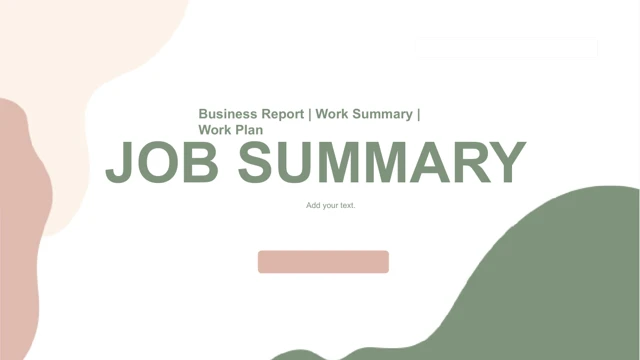
Sage Peach Job Summary Presentation Template combines a white background with soft sage, peach and cream shapes. The Job Summary opening in Sage Peach Job Summary Presentation Template uses flowing edges rather than a geometric frame. The closing page repeats that treatment around a thank-you. A contents page in Sage Peach Job Summary Presentation Template introduces four numbered sections; their titles are placeholders so you can define the sequence yourself. Four divider pages in Sage Peach Job Summary Presentation Template separate those sections without fixing a particular department or subject. Sage Peach Job Summary Presentation Template includes meeting and laptop photographs, a circular crop, an arched portrait and a monitor-frame image. These photographs are separate from the editable slide text. Choose images that support your own work, then review their crop boundaries. The information pages in Sage Peach Job Summary Presentation Template alternate sage and peach cards, place short points around a clock photo and group circular icons beside text. A row of four rounded outline cards in Sage Peach Job Summary Presentation Template provides another way to present tasks. Later layouts use role icons, small circular markers and four downward arrows. Sage Peach Job Summary Presentation Template contains native text and slide shapes, with no embedded chart or data workbook. Its diagrams organize ideas; they do not recalculate from a data table. Preview all 20 pages of Sage Peach Job Summary Presentation Template before selecting a set. Chinese placeholder headings and repeated instructions in Sage Peach Job Summary Presentation Template were translated into short English prompts. Promotional names, links, notes and author metadata were cleared. The repeated second agenda number was corrected to 02, while the four section dividers remain 01–04. Keep a working copy of Sage Peach Job Summary Presentation Template and check the completed text, photos and spacing.
Key Features of Sage Peach Job Summary Presentation Template
Soft colours, flowing edges and office photographs.
Sage and peach waves
Soft edges frame white pages with cream accents.
Four adaptable sections
Numbered dividers retain placeholder titles for your outline.
Office photo treatments
Circular, arched and monitor-frame crops provide variety.
Rounded information cards
Alternating fills and outline cards separate short points.
Icons and arrows
Role icons, circular markers and four downward arrows organize tasks.
Editable slide elements
Native text and shapes remain; there are no embedded data charts.
How to Use Sage Peach Job Summary Presentation Template
Define the sections, choose photos and edit.
-
Preview the layouts
Inspect all 20 slides and select photo or card pages.
-
Download a copy
Sign in with an active paid plan. Daily downloads are unlimited.
-
Personalize and check
Replace headings and images. Review cropping, spacing and final labels.
Questions about Sage Peach Job Summary Presentation Template
How do I download Sage Peach Job Summary Presentation Template?
Sign in with an active paid plan and select Download PPTX for Sage Peach Job Summary Presentation Template. The temporary link provides Sage Peach Job Summary Presentation Template as a PowerPoint file. Repeat downloads of Sage Peach Job Summary Presentation Template have no daily limit while your plan is active.
How many pages are in Sage Peach Job Summary Presentation Template?
Sage Peach Job Summary Presentation Template contains 20 slides in 16:9. The sequence in Sage Peach Job Summary Presentation Template includes an opening, contents, four numbered dividers, information and photograph layouts, and a closing page. Download Sage Peach Job Summary Presentation Template for the full set, then remove or reorder pages in a copy. The source uses placeholder section titles, so choose labels that match your actual work.
Can I customize Sage Peach Job Summary Presentation Template?
Sage Peach Job Summary Presentation Template preserves native text and slide shapes. Edit the headings, cards, icons and arrows in Sage Peach Job Summary Presentation Template directly where they are separate objects. Office photographs in Sage Peach Job Summary Presentation Template are images; changing pictured content requires replacing the image. The file contains no native data chart or embedded workbook, so its visual diagrams do not update from spreadsheet values.
Can I preview all of Sage Peach Job Summary Presentation Template?
Yes. Use the thumbnails and arrows to inspect all 20 slides of Sage Peach Job Summary Presentation Template. Enlarge the rounded cards, small icon labels and photo crops in Sage Peach Job Summary Presentation Template before deciding how much content each page can hold. The preview shows the supplied Sage Peach Job Summary Presentation Template, not your finished version.
Can another editor open Sage Peach Job Summary Presentation Template?
An application supporting PPTX may open Sage Peach Job Summary Presentation Template, but fonts, soft waves, photo crops and grouped shapes can render differently. Compare it with the Sage Peach Job Summary Presentation Template preview. Keep a PowerPoint working copy of Sage Peach Job Summary Presentation Template before testing another editor.
Which fonts does Sage Peach Job Summary Presentation Template use?
The edited text in Sage Peach Job Summary Presentation Template uses Arial. Check that font on your device before editing Sage Peach Job Summary Presentation Template. If you substitute a font, review line breaks and short labels throughout Sage Peach Job Summary Presentation Template. The original text-box positions remain unchanged, so a longer heading may need shortening or a smaller size.
Are the slides of Sage Peach Job Summary Presentation Template translated?
Chinese headings and repeated editing prompts in Sage Peach Job Summary Presentation Template have been translated into concise English. The headings in Sage Peach Job Summary Presentation Template remain placeholders for your own subject. Website language selection translates the page about Sage Peach Job Summary Presentation Template; the download stays in English. There are no verified job results supplied by the sample slides.
Can I use Sage Peach Job Summary Presentation Template commercially?
Paid access to Sage Peach Job Summary Presentation Template does not confirm commercial rights to the source design, office photographs or icons. Verify permissions for Sage Peach Job Summary Presentation Template and replace unclear assets. Review the edited Sage Peach Job Summary Presentation Template before sharing it with clients or distributing files.
How do I share Sage Peach Job Summary Presentation Template?
Use the share button or copy the public page link for Sage Peach Job Summary Presentation Template so others can inspect its gallery. Before distributing an edited Sage Peach Job Summary Presentation Template, check all four chapter headings, remaining prompts and photo permissions. Keep an editable copy of your finished Sage Peach Job Summary Presentation Template.