Sculpture and Sketches Presentation Template: sculpture photographs and warm manuscript layouts
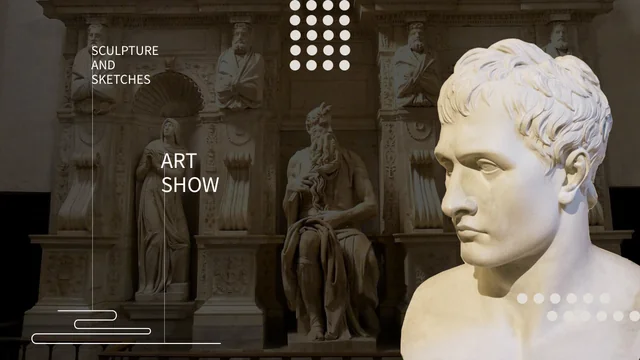
Sculpture and Sketches Presentation Template pairs sculpture photographs with warm manuscript images, brown brush marks and pale backgrounds across 25 widescreen slides. Sculpture and Sketches Presentation Template opens with a layered bust and a dark contents page, followed by four numbered parts. Three drawings appear together before pages pairing photographs with charts or explanations. Sculpture and Sketches Presentation Template includes a native bar chart, radar chart and line chart, with linked workbooks. Dark full-frame photographs alternate with pale pages, while later layouts crop photographs into brush shapes. Sculpture and Sketches Presentation Template also provides a three-point timeline, large decorative lettering and small icon-led notes. Choose useful layouts and write accurate captions. In Sculpture and Sketches Presentation Template, sample dates and figures need replacement; the photographs do not establish that every sculpture shown was made by the same artist.
Key Features of Sculpture and Sketches Presentation Template
Photographs, brush frames and editable charts.
Photographs and Manuscripts
Sculpture and Sketches Presentation Template pairs sculptures with manuscripts. Keep their proportions and write accurate captions for the material you discuss.
Four Numbered Parts
Sculpture and Sketches Presentation Template uses four numbered brush dividers. Give each part a clear purpose and select pages that support its main observation.
Three Native Charts
Sculpture and Sketches Presentation Template has a bar, radar and line chart with workbooks. Replace sample values and check categories, series names and captions.
Light and Dark Views
Sculpture and Sketches Presentation Template alternates pale pages with dark photos and a light-and-dark comparison. Check text contrast after changing pictures.
Brush-Shaped Pictures
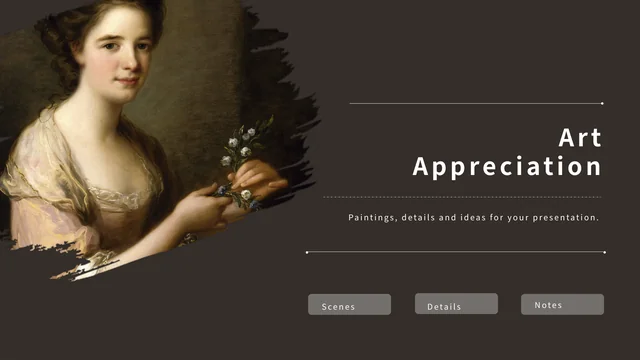
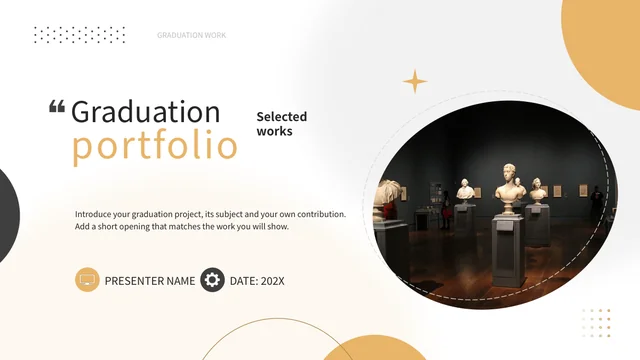
Sculpture and Sketches Presentation Template crops sculpture photos into brush shapes on later pages. Keep the visible subject clear after replacing photographs.
Timeline and Icon Notes
Sculpture and Sketches Presentation Template has a three-point timeline and icon-led text areas. Replace the labels and dates with verified details for your sequence.
How to Use Sculpture and Sketches Presentation Template
Choose images, replace examples and review.
-
Preview the Full Sequence
Review all 25 pages of Sculpture and Sketches Presentation Template, including four dividers, photo comparisons and three charts. Select a sequence that fits your images and ideas.
-
Download and Replace Samples
Download Sculpture and Sketches Presentation Template with an active paid plan. Keep a copy, replace text and photos, then update chart data, dates and captions with verified information.
-
Check Before Sharing
View Sculpture and Sketches Presentation Template at display size. Inspect brush crops, narrow captions, chart labels and large text; export a PDF and compare it with your editable copy.
Questions about Sculpture and Sketches Presentation Template
What is included in Sculpture and Sketches Presentation Template?
Sculpture and Sketches Presentation Template contains 25 PowerPoint slides in a 16:9 format. Sculpture and Sketches Presentation Template combines sculpture photographs, manuscript images, four numbered part dividers and brown brush shapes. Pale layouts alternate with darker photographic pages, with spaces for captions and short observations. Sculpture and Sketches Presentation Template also includes a three-point timeline, icon-led notes and three native charts. You can select a shorter sequence from Sculpture and Sketches Presentation Template without keeping every example. Review the full preview of Sculpture and Sketches Presentation Template before downloading, then choose layouts that help explain your own material and replace the guidance with accurate details.
Can I change the photographs in Sculpture and Sketches Presentation Template?
Sculpture and Sketches Presentation Template uses separate photograph objects, including layered busts, full-frame views and brush-shaped crops. In Sculpture and Sketches Presentation Template, a replacement picture must fit its existing frame without distorting the subject. Inspect the visible edges and the relationship between the image and nearby text. Sculpture and Sketches Presentation Template retains photographs of different sculptures and drawings; their placement does not establish a shared creator or collection. Use pictures you can identify accurately in Sculpture and Sketches Presentation Template, and follow their original terms. After replacing images, review Sculpture and Sketches Presentation Template at presentation size and make sure the relevant details remain visible.
How do I edit charts in Sculpture and Sketches Presentation Template?
Sculpture and Sketches Presentation Template contains three native charts and three linked embedded workbooks. The bar chart in Sculpture and Sketches Presentation Template has one series across four categories, the radar chart compares two series across five categories, and the line chart has one series across six categories. Open chart data in PowerPoint to replace example values in Sculpture and Sketches Presentation Template. Editing a nearby caption does not update a workbook. Keep series and category labels consistent with the explanation. Save a copy of Sculpture and Sketches Presentation Template before changing data, then check each chart in Sculpture and Sketches Presentation Template alongside its corresponding text and photograph.
How are the parts arranged in Sculpture and Sketches Presentation Template?
Sculpture and Sketches Presentation Template has four numbered dividers rather than four separate files. The contents page of Sculpture and Sketches Presentation Template provides four text areas around a central heading, and the dividers use different brush shapes on pale backgrounds. Choose a clear subject for each part of Sculpture and Sketches Presentation Template, then decide which photographs and explanations belong underneath. You can remove unnecessary pages while retaining a useful order. In Sculpture and Sketches Presentation Template, short labels work better in narrow spaces around decorative elements. Run through Sculpture and Sketches Presentation Template from beginning to end after rearranging pages, checking that each divider introduces the material that follows.
Can I adapt the timeline in Sculpture and Sketches Presentation Template?
Sculpture and Sketches Presentation Template includes a three-point timeline with sample years and separate captions. Replace these labels in Sculpture and Sketches Presentation Template with dates relevant to your material, and check their sequence against a reliable source. The timeline in Sculpture and Sketches Presentation Template is a slide layout, not an automatic schedule or a verified exhibition history. Other pages of Sculpture and Sketches Presentation Template contain example totals and date labels that also need review. Keep units and date formats consistent, then shorten captions if they crowd adjacent elements. Preview the timeline in Sculpture and Sketches Presentation Template together with the surrounding pages to confirm that the sequence makes sense.
Can I change the appearance of Sculpture and Sketches Presentation Template?
Sculpture and Sketches Presentation Template combines brown brush marks, pale panels, dark photographs and oversized decorative text. Select the object you want to change in Sculpture and Sketches Presentation Template before editing its color, wording or picture. Changing text in Sculpture and Sketches Presentation Template does not change lettering printed inside a photograph, and recoloring a shape does not recolor the artwork. Preserve picture proportions and keep captions away from important details. In Sculpture and Sketches Presentation Template, brush-shaped crops and layered images need particular attention after replacement. Try changes on a copy of Sculpture and Sketches Presentation Template, then review contrast, line breaks and the spacing around large headings.
Which fonts does Sculpture and Sketches Presentation Template use?
Sculpture and Sketches Presentation Template uses Source Han Sans SC Regular and Bold in the prepared English file; the PPTX does not embed font files. Open Sculpture and Sketches Presentation Template on the computer you will use for editing, and inspect the large headings, narrow captions and chart labels before exporting. A font substitution in Sculpture and Sketches Presentation Template can change spacing or line breaks even when the text remains the same. Printed words within photographs in Sculpture and Sketches Presentation Template remain part of those images. Keep an editable copy of Sculpture and Sketches Presentation Template and compare the exported PDF with the slides, checking for missing characters and text that extends beyond its original frame.
How do I download Sculpture and Sketches Presentation Template?
Sculpture and Sketches Presentation Template is available to members with an active paid plan. Sign in, then use the PPTX download button on this detail page to get Sculpture and Sketches Presentation Template. Paid members can download Sculpture and Sketches Presentation Template without a daily limit and can repeat a download. All 25 preview pages are available before choosing the file. Save a working copy of Sculpture and Sketches Presentation Template before replacing guidance, images or chart data. The PowerPoint file can be edited directly, without first generating another presentation. Keep the editable version of Sculpture and Sketches Presentation Template with your project material so you can check or revise it later.
What should I check before sharing Sculpture and Sketches Presentation Template?
Check Sculpture and Sketches Presentation Template for leftover guidance, unclear captions and mismatched chart labels before sharing. Make sure the photographs and explanations in Sculpture and Sketches Presentation Template refer to the material you actually discuss. Sample numbers and dates in Sculpture and Sketches Presentation Template are not verified results or historical evidence. Follow the original terms for images and source material; Sculpture and Sketches Presentation Template does not grant extra rights to them. Preview narrow text, dark backgrounds and brush crops at the intended viewing size, then inspect your exported PDF. Share the detail-page link for Sculpture and Sketches Presentation Template when someone needs to preview the deck or obtain a separate download.