Sky Blue Orbit Work Review Presentation Template: A Work Review in Pale Blue Circles
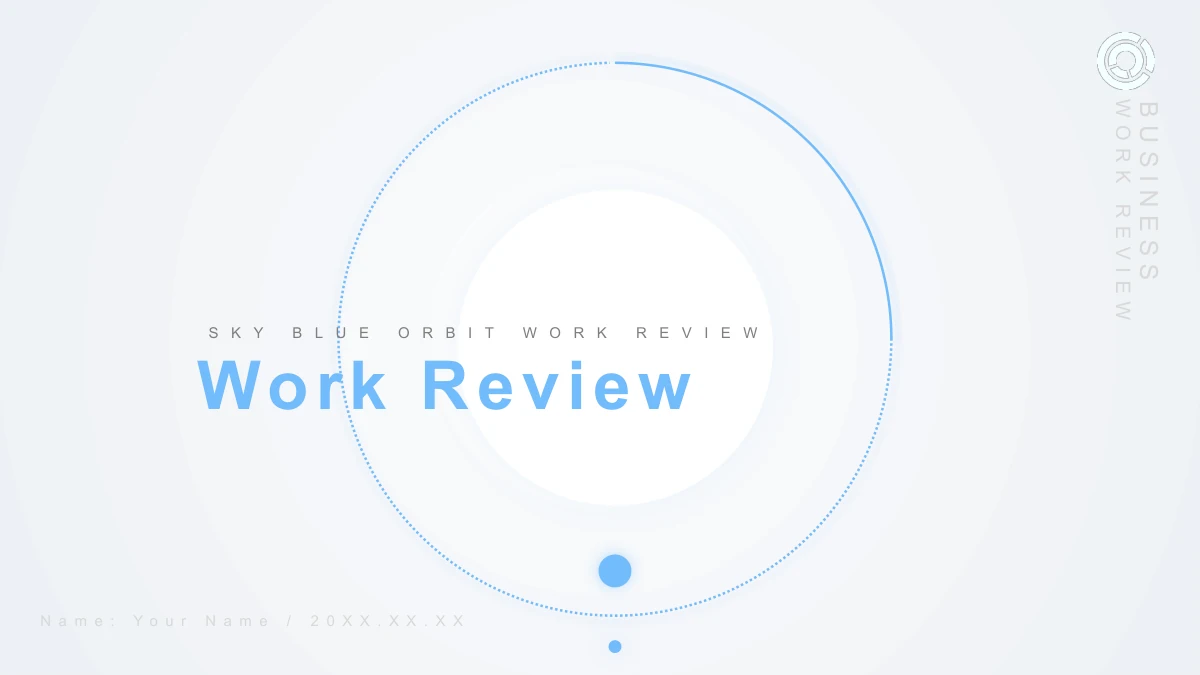
Sky Blue Orbit Work Review Presentation Template uses blue orbit lines, dots and white discs to frame a work review. Its 21 slides follow four parts: an overview, completed work, areas to improve and future plans. Sky Blue Orbit Work Review Presentation Template repeats its circular dividers on slides 3, 8, 13 and 17, then repeats the cover motif on its closing page. Team photographs in Sky Blue Orbit Work Review Presentation Template appear in slanted panels, circular crops and a tinted band. Sky Blue Orbit Work Review Presentation Template also includes a winding six-stage path, a folded six-part cycle and twelve manual columns. Use these editable diagrams to explain a sequence or comparison, then replace the sample labels with verified details. Sky Blue Orbit Work Review Presentation Template provides English headings and editing prompts on a 16:9 canvas. Keep notes short beside the smaller icons, and choose pages that suit your review. Original photographs retain small physical lettering.
Key Features of Sky Blue Orbit Work Review Presentation Template
Orbit circles, photo layouts and manual diagrams
Blue Orbit Lines and White Discs
Sky Blue Orbit Work Review Presentation Template pairs blue rings with white discs and soft shadows. Keep titles short so the circle provides a clear visual frame.
Four Circular Chapter Breaks
Sky Blue Orbit Work Review Presentation Template has dividers on slides 3, 8, 13 and 17. Use them to separate the overview, completed work, gaps and future plans.
Team Photos in Several Crops
Sky Blue Orbit Work Review Presentation Template uses slanted panels and circular team photos. Replace images with relevant material, then check how each crop fits.
A Winding Six-Stage Path
Sky Blue Orbit Work Review Presentation Template includes a blue path marked 01–06. Give each stage a short label and explain how one step leads to the next.
Folded Segments and Linked Icons
Sky Blue Orbit Work Review Presentation Template combines a folded six-part cycle with a five-icon arc layout. Add a distinct note beside each segment or symbol.
Twelve Editable Manual Columns
Sky Blue Orbit Work Review Presentation Template has twelve columns labeled 01–12. Edit shapes and labels together when a comparison changes, then check the scale.
How to Use Sky Blue Orbit Work Review Presentation Template
Preview all 21 pages, download the file and prepare your review
-
Preview the Complete Layout
Open every page of Sky Blue Orbit Work Review Presentation Template before choosing slides. Compare the four chapter breaks with your outline and check the smaller photo notes and diagram labels.
-
Download with an Active Paid Plan
Sign in and download Sky Blue Orbit Work Review Presentation Template with an active paid membership. Daily downloads are unlimited and repeat downloads are allowed, so keep a copy for editing.
-
Edit the File and Share the Page
Replace the prompts in Sky Blue Orbit Work Review Presentation Template, then check photos and diagram labels. Use the share button or copy the page URL to send others the template page.
FAQs about Sky Blue Orbit Work Review Presentation Template
How do I download Sky Blue Orbit Work Review Presentation Template?
Sign in on the page for Sky Blue Orbit Work Review Presentation Template and use the download button with an active paid membership. You receive Sky Blue Orbit Work Review Presentation Template as an English PowerPoint file. Downloads of Sky Blue Orbit Work Review Presentation Template are unlimited each day, and you can download the same file again. Keep an untouched copy of Sky Blue Orbit Work Review Presentation Template.
How many slides are in Sky Blue Orbit Work Review Presentation Template?
Sky Blue Orbit Work Review Presentation Template contains 21 slides on a 16:9 canvas. Its four circular chapter breaks appear on slides 3, 8, 13 and 17, with a matching closing page on slide 21. The gallery of Sky Blue Orbit Work Review Presentation Template also includes photo notes, linked icons and manual diagrams. Choose pages of Sky Blue Orbit Work Review Presentation Template that support your outline.
Can I edit the text and colors in Sky Blue Orbit Work Review Presentation Template?
Yes. The headings, notes and blue graphic shapes in Sky Blue Orbit Work Review Presentation Template are editable PowerPoint objects. Change shape fills or outlines in Sky Blue Orbit Work Review Presentation Template to adapt the palette. The twelve columns in Sky Blue Orbit Work Review Presentation Template are manual shapes, so update their heights and labels together rather than entering spreadsheet data.
Can I preview all of Sky Blue Orbit Work Review Presentation Template?
The gallery shows all 21 pages of Sky Blue Orbit Work Review Presentation Template in file order. Compare the cover, four dividers and closing page, then inspect the slanted photo panels and smaller diagram notes. Enlarging previews of Sky Blue Orbit Work Review Presentation Template helps you judge the spacing before downloading. Web images of Sky Blue Orbit Work Review Presentation Template show static slide views.
Does Sky Blue Orbit Work Review Presentation Template work in other editors?
Sky Blue Orbit Work Review Presentation Template downloads as a PPTX file intended for PowerPoint. Another editor may import it, but fonts, shadows and curved shapes may appear differently. Test a copy of Sky Blue Orbit Work Review Presentation Template before using it for a presentation. Check the photo masks and smaller labels in Sky Blue Orbit Work Review Presentation Template after import or export.
Which fonts does Sky Blue Orbit Work Review Presentation Template use?
The visible English text in Sky Blue Orbit Work Review Presentation Template uses Arial Regular and Arial Bold. Fonts are not embedded in the downloadable Sky Blue Orbit Work Review Presentation Template PPTX. Make sure the required faces are available in your editor, or choose a replacement and check the line breaks. Pay particular attention to the compact agenda headings and circular dividers in Sky Blue Orbit Work Review Presentation Template.
Are the slides in Sky Blue Orbit Work Review Presentation Template translated?
Sky Blue Orbit Work Review Presentation Template contains English editable headings and sample editing prompts. Each language version of this website points to the same English PPTX for Sky Blue Orbit Work Review Presentation Template. Original team photographs in Sky Blue Orbit Work Review Presentation Template retain physical lettering, including small writing on photographed whiteboards. Replace the sample copy in Sky Blue Orbit Work Review Presentation Template and review any lettering in images you use.
Can I use Sky Blue Orbit Work Review Presentation Template commercially?
Check the applicable license and the rights to any images or marks before using Sky Blue Orbit Work Review Presentation Template in commercial work. Paid download access does not add permission for third-party material. The source photographs and orbit emblem in Sky Blue Orbit Work Review Presentation Template remain part of the file, and the emblem’s identity is unknown. Use material you have permission to publish.
How do I share Sky Blue Orbit Work Review Presentation Template?
Use the share button on the page for Sky Blue Orbit Work Review Presentation Template, or copy its public page URL. This sends people to the preview and download page for Sky Blue Orbit Work Review Presentation Template. Recipients need their own active paid membership to download Sky Blue Orbit Work Review Presentation Template. Share the page link when recommending the design, and follow the relevant license if distributing an edited presentation file.