Palinoia Presentation Template: Give Creative Decisions a Bold Voice
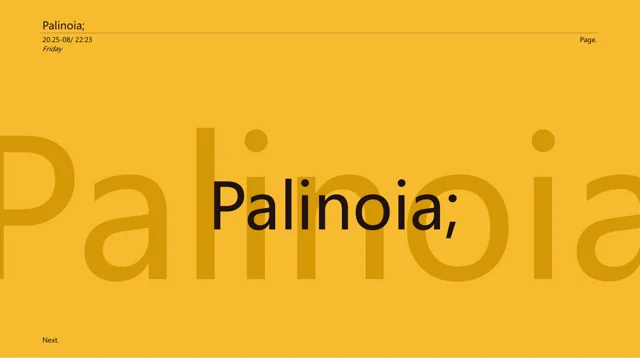
Palinoia Presentation Template uses yellow and black, oversized words and recurring page labels across 30 slides. Palinoia Presentation Template moves through opportunity, concepts, research, digital products and portfolio layouts. The 1.79:1 canvas gives short headings a strong presence. Replace copied timestamps and unrelated definitions. Build a connected project story in Palinoia Presentation Template, using accurate evidence for research claims and clear captions for your work.
Key Features of Palinoia Presentation Template
Bold type, concepts and projects at a glance.
Recurring labels
Update page labels and timestamps throughout Palinoia Presentation Template.
Oversized headings
Give each large word in Palinoia Presentation Template a precise meaning.
Concept stages
Link observations to design choices in Palinoia Presentation Template.
Portfolio layouts
Show your contribution beside project images in Palinoia Presentation Template.
Yellow and black
Check contrast after recoloring Palinoia Presentation Template.
Typography sample
Replace the alphabet example in Palinoia Presentation Template with relevant type.
How to Use Palinoia Presentation Template
Make it your own in three steps.
-
Define the project
Choose Palinoia Presentation Template layouts for your idea, evidence and result.
-
Save a working copy
Download Palinoia Presentation Template with a paid plan. Daily downloads are unlimited.
-
Review the labels
Edit Palinoia Presentation Template and check repeated dates, type and edge labels.
Questions About Palinoia Presentation Template
How do I download Palinoia Presentation Template?
Access Palinoia Presentation Template through a paid plan and keep a clean working source. Daily download quantities are unrestricted.
How many slides does Palinoia Presentation Template contain?
The yellow-and-black Palinoia Presentation Template offers 30 pages on a 1.79:1 canvas; build your own selected project sequence.
Can I edit Palinoia Presentation Template in PowerPoint?
Change independent lettering and fills in Palinoia Presentation Template; image-based elements must be swapped whole. Review the new contrast.
Can I preview every page of Palinoia Presentation Template?
Explore Palinoia Presentation Template using page thumbnails or arrows. Zoom into edge labels before deciding which layouts to retain.
Which fonts does Palinoia Presentation Template use?
Typography in Palinoia Presentation Template uses Arial, Poppins, Rakkas, 微软雅黑. After substitution, examine oversized headings and edge labels.
Do the timestamps in Palinoia Presentation Template update automatically?
No. The timestamps in Palinoia Presentation Template are sample graphic labels. Replace them with accurate version details or remove them.
Is the text in Palinoia Presentation Template translated?
Translate your project narrative yourself. Palinoia Presentation Template leaves the original English examples intact; inspect large words and timestamps.
Can I use Palinoia Presentation Template for client work?
Check design and included-artwork licenses for Palinoia Presentation Template. A subscription grants downloads, not extra reuse rights.
How do I share Palinoia Presentation Template?
Use this link to show Palinoia Presentation Template’s original visual direction. Export your revisions as PPTX or PDF for review.