Warm Photography Portfolio Presentation Template: Sunflowers, Warm Frames and Open Space
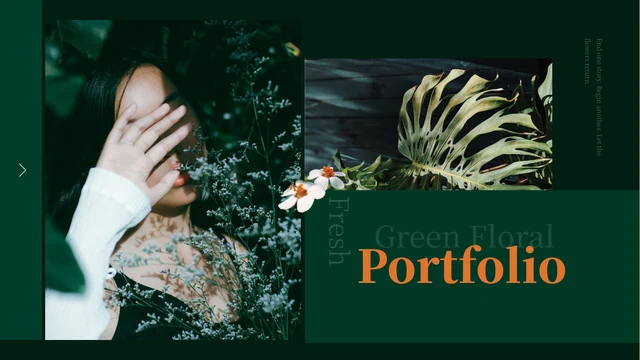
Warm Photography Portfolio Presentation Template combines warm brown borders with sunflower photographs, natural-light portraits and open white areas. The cover places a small picture behind a large two-tone title, while the contents introduces four sections. Warm Photography Portfolio Presentation Template uses repeated floral chapter pages to connect the sequence. Inside, tall photographs alternate with paired small pictures, circular accents and compact caption groups. A leaf-framed face, a child on a swing, an autumn church and a coffee-table still life give the sample album varied subjects. Warm Photography Portfolio Presentation Template contains 15 widescreen pages with separate image objects and editable text. Choose a coherent group of your own photographs, then use the short notes to add context. The supplied headings and sample captions are in English, including PORTFOLIO and THANKS. Existing English phrases and the original image arrangements remain part of the design.
Key Features of Warm Photography Portfolio Presentation Template
Explore the borders, picture arrangements and four chapters in Warm Photography Portfolio Presentation Template.
Warm Brown Frames
Warm Photography Portfolio Presentation Template frames the cover and closing in warm brown. Smaller blocks and bars repeat the color throughout the album.
Four Portfolio Chapters
Warm Photography Portfolio Presentation Template has chapter dividers on pages 3, 6, 9 and 12, pairing numbered headings with floral photos and brown panels.
Single and Paired Images
Warm Photography Portfolio Presentation Template pairs tall photos with small images. Choose similar proportions to adapt the original crops more easily.
Circles and Open Space
Warm Photography Portfolio Presentation Template sets rings and circles against open white areas. Short captions keep these decorative shapes distinct.
Short Caption Groups
Warm Photography Portfolio Presentation Template places two or three short notes by each photo. Add names, locations or context for your image sequence.
Two-Tone Titles
Warm Photography Portfolio Presentation Template overlays its cover photo with a two-tone PORTFOLIO title. A matching THANKS word closes the album.
How to Use Warm Photography Portfolio Presentation Template
Select your photographs, arrange four chapters and refine the captions.
-
Choose the Photo Layouts
Preview all 15 pages of Warm Photography Portfolio Presentation Template. Compare the tall images, small pairs and chapter dividers, then select layouts that suit the proportions of your own photographs.
-
Download a Working Copy
Download Warm Photography Portfolio Presentation Template with an active paid membership. Daily and repeat downloads are unlimited. Keep the supplied file, then make a separate copy before editing your album.
-
Edit and Review the Album
Replace photos and captions in Warm Photography Portfolio Presentation Template. Keep faces clear of overlapping shapes, check the four chapter labels and review all pages before exporting.

Questions About Warm Photography Portfolio Presentation Template
How do I download Warm Photography Portfolio Presentation Template?
Open the download area for Warm Photography Portfolio Presentation Template and sign in with an active paid membership. Eligible members can download without a daily limit, including repeat downloads. Before getting Warm Photography Portfolio Presentation Template, inspect the full public gallery to decide whether the portrait and caption layouts fit your photographs. Save the supplied Warm Photography Portfolio Presentation Template separately from the copy you edit. Every website language version provides the same Warm Photography Portfolio Presentation Template file.
How many pages are in Warm Photography Portfolio Presentation Template?
Warm Photography Portfolio Presentation Template contains 15 slides in a 16:9 widescreen format. A cover and contents page introduce four chapters, followed by the closing THANKS page. The chapter dividers in Warm Photography Portfolio Presentation Template appear on pages 3, 6, 9 and 12. Their headings are About Me, Nature Photos, Other Photos and Contact. You may remove unused pages from Warm Photography Portfolio Presentation Template or change their order. Update the contents and chapter labels in Warm Photography Portfolio Presentation Template so they still describe the finished album.
Can I replace the images in Warm Photography Portfolio Presentation Template?
Warm Photography Portfolio Presentation Template stores photographs as separate image objects, with editable text and shapes around them. Work in a copy of Warm Photography Portfolio Presentation Template and inspect the crop after each replacement. Several pages combine large vertical pictures with smaller horizontal images, so matching the original proportions reduces adjustment. In Warm Photography Portfolio Presentation Template, check faces near rings, bars and overlapping panels. Choose photographs you are allowed to use both in Warm Photography Portfolio Presentation Template and in the album you plan to share.
Can I preview all of Warm Photography Portfolio Presentation Template?
The public gallery shows all 15 pages of Warm Photography Portfolio Presentation Template in the supplied order. Use the thumbnails and arrows to compare chapter pages, paired images and short caption groups. The previews of Warm Photography Portfolio Presentation Template match the downloadable English file, including the PORTFOLIO cover and THANKS closing. Enlarge Warm Photography Portfolio Presentation Template pages with compact notes before deciding how much text to add. The sample photographs in Warm Photography Portfolio Presentation Template illustrate the layout; viewing them does not grant a separate licence to reuse the images.
Which software can edit Warm Photography Portfolio Presentation Template?
Warm Photography Portfolio Presentation Template is a PowerPoint PPTX with native text, shapes and picture objects. Other presentation editors may display fonts, crops and overlapping elements differently. Open a copy of Warm Photography Portfolio Presentation Template and compare it with the gallery before making extensive edits. Pay attention to the large two-tone words in Warm Photography Portfolio Presentation Template, as their alignment matters against the small central photograph. Review the exported version of Warm Photography Portfolio Presentation Template as well as the editable file to catch changes in wrapping or picture placement.
Which fonts does Warm Photography Portfolio Presentation Template use?
Warm Photography Portfolio Presentation Template uses Source Han Serif CN SemiBold, SimHei, Arial and Alibaba PuHuiTi R, together with the original ZCOOL XiaoWei lettering. The newly translated chapter headings in Warm Photography Portfolio Presentation Template use the complete Google Fonts ZCOOL XiaoWei family so they are not limited to the old embedded subset. Some original fonts remain embedded as subsets in Warm Photography Portfolio Presentation Template; matching full fonts may need to be installed for editing. After changing text in Warm Photography Portfolio Presentation Template, check the cover width, chapter labels and short caption lines before sharing.
Is the text in Warm Photography Portfolio Presentation Template in English?
The Chinese headings and short sample captions in Warm Photography Portfolio Presentation Template have been translated into English. The opening and closing words are PORTFOLIO and THANKS. Warm Photography Portfolio Presentation Template retains the existing English phrases and the original photographs, shapes and numbered sections. The repeated caption text in Warm Photography Portfolio Presentation Template remains sample copy to replace with useful information about your own images. Website translations describe Warm Photography Portfolio Presentation Template in different languages, but they all link to the same English slide file rather than separate translated decks.
Can I use Warm Photography Portfolio Presentation Template commercially?
The permissions for the complete design and sample photographs in Warm Photography Portfolio Presentation Template have not been independently verified. A paid download does not transfer those rights. Before using Warm Photography Portfolio Presentation Template for client work, confirm the permissions for the design and the images you intend to include. Keep any required notices when adapting Warm Photography Portfolio Presentation Template, including credits for photographs you add. Replacing the sample pictures in Warm Photography Portfolio Presentation Template does not by itself establish the right to redistribute the underlying template.
How should I share Warm Photography Portfolio Presentation Template?
Share the page link for Warm Photography Portfolio Presentation Template so others can view the gallery and download with their own eligible membership. Before sending an album made with Warm Photography Portfolio Presentation Template, check image permissions and keep required credits. A PDF export from Warm Photography Portfolio Presentation Template can preserve a fixed viewing layout, but exporting does not remove copyright obligations. Sharing the complete editable Warm Photography Portfolio Presentation Template requires appropriate redistribution permission. Keep your editable working copy so you can correct captions or image crops after feedback.