Whale Work Report Presentation Template: a dreamlike setting for a clear work review
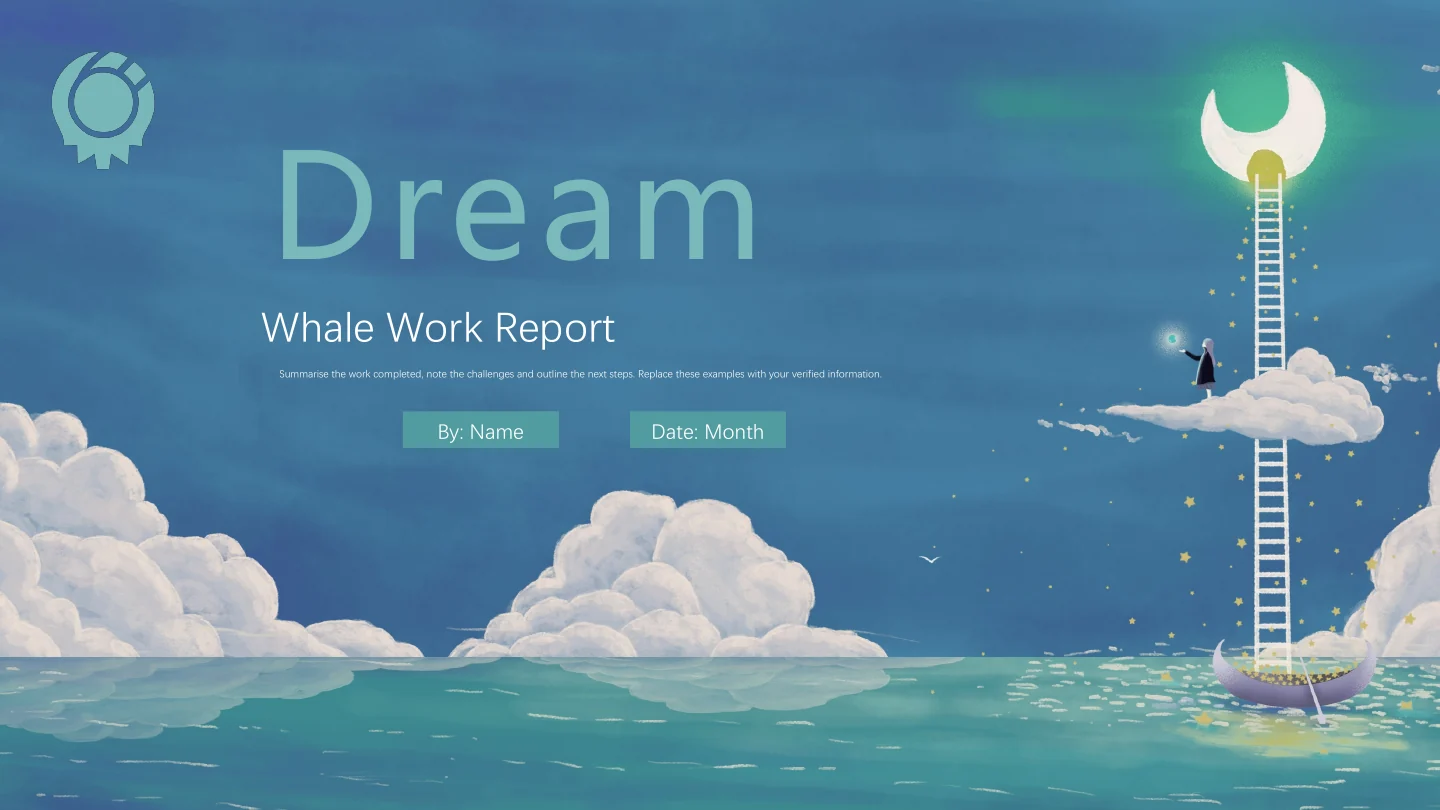
Whale Work Report Presentation Template sets a work review among blue seas, clouds and whale scenes. A red-cloaked traveller and cat, canyon views, whale airships and balloons give the pages a storybook atmosphere. Whale Work Report Presentation Template opens with a Dream cover and four contents topics: Review, Challenges, Results and Next Plan. Moon, ladder, cloud and boat imagery marks the chapter breaks. Whale Work Report Presentation Template offers numbered white panels, three-column picture cards and cyan notes for short explanations. A road photograph supports a schedule with 12:00, 14:00 and 16:00 labels; those times are examples to adapt, not verified milestones. Later pages use fish-icon cards, a flag-shaped heading and three connected circular images. Whale Work Report Presentation Template closes with a thank-you page. Select the layouts that explain your actual work, pair each result with useful evidence and keep captions brief so the illustrations remain easy to see.
Key Features of Whale Work Report Presentation Template
Ocean colours, imaginative whales and a four-part review.
Whales and Cloudscapes
Whale Work Report Presentation Template uses blue and cyan scenes with whales, clouds and a traveller. Let the large artwork frame one clear point per slide.
Four Report Chapters
Whale Work Report Presentation Template groups Review, Challenges, Results and Next Plan with illustrated dividers. Rename the sections to match your report.
Numbered Text Panels
Whale Work Report Presentation Template combines white numbered panels and cyan cards with images. Keep each note focused on a result, its evidence or a next step.
Three-Time Schedule
Whale Work Report Presentation Template places 12:00, 14:00 and 16:00 above a road photograph. Replace the time examples and explain the activity beside each label.
Linked Circular Images
Whale Work Report Presentation Template links three round images across one page, while fish icons mark other cards. Show related stages or a short comparison.
A Matching Thank-You
Whale Work Report Presentation Template ends its illustrated journey with a thank-you page. Replace the final wording with a team message and a clear follow-up.
How to Use Whale Work Report Presentation Template
Choose your route, add the facts and review the finished file.
-
Preview the Full Journey
Browse all 16 pages of Whale Work Report Presentation Template through thumbnails, arrows or enlargement. Compare the four chapters, image cards and schedule with your report outline.
-
Download and Add Your Work
Sign in with an active paid plan and download Whale Work Report Presentation Template. Open a PowerPoint copy, replace example notes, rename the chapters and update the schedule times.
-
Review and Share
Check Whale Work Report Presentation Template on the target screen. Review captions, crops and time labels, inspect the exported PDF, confirm artwork permissions and retain an editable copy.
Questions about Whale Work Report Presentation Template
How do I download Whale Work Report Presentation Template?
Sign in with an active paid plan and select the download button on this page to get Whale Work Report Presentation Template. Paid members have unlimited daily downloads and may download the same file again. Save a working copy of Whale Work Report Presentation Template before making changes. The download of Whale Work Report Presentation Template is an English PowerPoint (.pptx), containing the report layouts rather than a folder of separate images. Use Whale Work Report Presentation Template as a starting point for your own account of the work.
How many slides are in Whale Work Report Presentation Template?
Whale Work Report Presentation Template includes 16 pages in a 16:9 format. Four contents topics lead to illustrated chapter dividers; picture-card and note layouts sit between them. Whale Work Report Presentation Template finishes with a thank-you page. The schedule is a photograph-based arrangement, not a data chart. Keep the pages that support your report, or duplicate a useful panel in Whale Work Report Presentation Template; the original order is an example, not a required reporting process.
Can I edit the text and colours in Whale Work Report Presentation Template?
Yes. Use PowerPoint to edit the text and native panel shapes in Whale Work Report Presentation Template. Replace the example headings and notes, then adjust panel colours if needed. The whale scenes and some icon artwork in Whale Work Report Presentation Template are images, so individual painted details are not native editable shapes. Keep a copy of Whale Work Report Presentation Template before replacing images, and check that the contrast between light text, cyan cards and the blue background remains readable.
Can I preview all of Whale Work Report Presentation Template before downloading?
Yes. The gallery shows all 16 pages of Whale Work Report Presentation Template. Use thumbnails, arrows or enlargement without purchasing to examine the artwork and text spaces. The preview represents the same English Whale Work Report Presentation Template supplied for download, including the schedule and thank-you page. Look closely at the white numbered panels and narrow image-card captions in Whale Work Report Presentation Template before deciding which layouts fit your content.
Will Whale Work Report Presentation Template work in other presentation software?
Software that imports PPTX may open Whale Work Report Presentation Template, but fonts, text positions, layers and image crops can change. Compare Whale Work Report Presentation Template in that editor against PowerPoint and the gallery, then inspect an exported PDF. Check the schedule labels and connected image circles in Whale Work Report Presentation Template separately. Whale Work Report Presentation Template has no native data charts or embedded spreadsheet to update; a similar appearance does not guarantee identical import behaviour.
Which fonts does Whale Work Report Presentation Template use?
Whale Work Report Presentation Template retains Microsoft YaHei, DengXian Regular and 汉仪方叠体简 declarations with three original embedded-font records. The preview of Whale Work Report Presentation Template uses DengXian and Microsoft YaHei; the decorative 汉仪方叠体简 title is rendered with Microsoft YaHei while its source declaration remains. Font versions and editor support can still change spacing. After a font substitution in Whale Work Report Presentation Template, check the cover, dividers, numbered panels and small captions.
Are the slides in Whale Work Report Presentation Template translated into every site language?
Website descriptions of Whale Work Report Presentation Template are localised, while the downloadable headings and editing prompts are English. All language pages refer to the same Whale Work Report Presentation Template PPTX, not separate translated slide files. Adapt the chapter names, sample notes, schedule times and closing message in Whale Work Report Presentation Template for your audience. Keep longer translated captions within their picture cards and check text wrapping before you present.
Can I use Whale Work Report Presentation Template commercially?
Source and illustration rights for Whale Work Report Presentation Template have not been verified. A paid plan gives download access, rather than confirming a commercial licence for every asset. Before using Whale Work Report Presentation Template for clients or public distribution, verify the relevant permissions and retain any credits required by the rights holders. If permission is unclear, replace the imagery in Whale Work Report Presentation Template with material you are authorised to use.
How do I share Whale Work Report Presentation Template?
Use the page sharing controls or copy its link to share Whale Work Report Presentation Template. For a finished presentation, confirm artwork permissions and required credits before exporting a PDF or sending the final file. Review Whale Work Report Presentation Template for example names, unverified statements and old time labels. Test Whale Work Report Presentation Template on the screen your audience will use, and keep an editable copy for later work.